CN107707953B - A resource data display method and mobile terminal - Google Patents
A resource data display method and mobile terminal Download PDFInfo
- Publication number
- CN107707953B CN107707953B CN201710998622.1A CN201710998622A CN107707953B CN 107707953 B CN107707953 B CN 107707953B CN 201710998622 A CN201710998622 A CN 201710998622A CN 107707953 B CN107707953 B CN 107707953B
- Authority
- CN
- China
- Prior art keywords
- display
- resource data
- container
- display interface
- mobile terminal
- Prior art date
- Legal status (The legal status is an assumption and is not a legal conclusion. Google has not performed a legal analysis and makes no representation as to the accuracy of the status listed.)
- Active
Links
Images


Classifications
-
- H—ELECTRICITY
- H04—ELECTRIC COMMUNICATION TECHNIQUE
- H04M—TELEPHONIC COMMUNICATION
- H04M1/00—Substation equipment, e.g. for use by subscribers
- H04M1/72—Mobile telephones; Cordless telephones, i.e. devices for establishing wireless links to base stations without route selection
- H04M1/724—User interfaces specially adapted for cordless or mobile telephones
- H04M1/72403—User interfaces specially adapted for cordless or mobile telephones with means for local support of applications that increase the functionality
- H04M1/7243—User interfaces specially adapted for cordless or mobile telephones with means for local support of applications that increase the functionality with interactive means for internal management of messages
-
- H—ELECTRICITY
- H04—ELECTRIC COMMUNICATION TECHNIQUE
- H04N—PICTORIAL COMMUNICATION, e.g. TELEVISION
- H04N21/00—Selective content distribution, e.g. interactive television or video on demand [VOD]
- H04N21/40—Client devices specifically adapted for the reception of or interaction with content, e.g. set-top-box [STB]; Operations thereof
- H04N21/41—Structure of client; Structure of client peripherals
- H04N21/414—Specialised client platforms, e.g. receiver in car or embedded in a mobile appliance
- H04N21/41407—Specialised client platforms, e.g. receiver in car or embedded in a mobile appliance embedded in a portable device, e.g. video client on a mobile phone, PDA, laptop
-
- H—ELECTRICITY
- H04—ELECTRIC COMMUNICATION TECHNIQUE
- H04N—PICTORIAL COMMUNICATION, e.g. TELEVISION
- H04N21/00—Selective content distribution, e.g. interactive television or video on demand [VOD]
- H04N21/40—Client devices specifically adapted for the reception of or interaction with content, e.g. set-top-box [STB]; Operations thereof
- H04N21/43—Processing of content or additional data, e.g. demultiplexing additional data from a digital video stream; Elementary client operations, e.g. monitoring of home network or synchronising decoder's clock; Client middleware
- H04N21/431—Generation of visual interfaces for content selection or interaction; Content or additional data rendering
- H04N21/4312—Generation of visual interfaces for content selection or interaction; Content or additional data rendering involving specific graphical features, e.g. screen layout, special fonts or colors, blinking icons, highlights or animations
-
- H—ELECTRICITY
- H04—ELECTRIC COMMUNICATION TECHNIQUE
- H04N—PICTORIAL COMMUNICATION, e.g. TELEVISION
- H04N21/00—Selective content distribution, e.g. interactive television or video on demand [VOD]
- H04N21/40—Client devices specifically adapted for the reception of or interaction with content, e.g. set-top-box [STB]; Operations thereof
- H04N21/47—End-user applications
- H04N21/478—Supplemental services, e.g. displaying phone caller identification, shopping application
- H04N21/4782—Web browsing, e.g. WebTV
Landscapes
- Engineering & Computer Science (AREA)
- Signal Processing (AREA)
- Multimedia (AREA)
- General Engineering & Computer Science (AREA)
- Business, Economics & Management (AREA)
- General Business, Economics & Management (AREA)
- Human Computer Interaction (AREA)
- Computer Networks & Wireless Communication (AREA)
- User Interface Of Digital Computer (AREA)
- Information Transfer Between Computers (AREA)
Abstract
本发明提供一种资源数据展示方法及移动终端。该方法应用于移动终端,包括:若在通过移动终端的显示界面播放视频数据的同时检测到悬浮容器显示操作,在显示界面中显示悬浮容器;其中,悬浮容器的显示位置可调;在悬浮容器中显示目标区域当前显示的图像;其中,目标区域为显示界面中被悬浮容器的边缘围设的区域;若检测到对悬浮容器的第一预定操作,调用浏览器搜索与悬浮容器中显示的图像关联的资源数据;将搜索到的资源数据在显示界面中进行展示。本发明能够较为方便快捷地实现对关联信息的搜索和展示。

The present invention provides a resource data display method and a mobile terminal. The method is applied to a mobile terminal, and includes: if a display operation of a suspension container is detected while playing video data through a display interface of the mobile terminal, displaying the suspension container in the display interface; wherein, the display position of the suspension container is adjustable; The image currently displayed in the target area is displayed in the display interface; wherein, the target area is the area surrounded by the edge of the floating container in the display interface; if the first predetermined operation on the floating container is detected, the browser is called to search and display the image in the floating container Associated resource data; display the searched resource data in the display interface. The present invention can conveniently and quickly realize the search and display of the associated information.
Description
技术领域technical field
本发明涉及通信技术领域,尤其涉及一种资源数据展示方法及移动终端。The present invention relates to the field of communication technologies, and in particular, to a resource data display method and a mobile terminal.
背景技术Background technique
目前,移动终端的普及性越来越高,其显示屏越来越大,其相对于传统的电视或者电脑更为轻巧且方便携带,因此,越来越多的人习惯使用移动终端来观看视频数据。At present, the popularity of mobile terminals is getting higher and higher, and their display screens are getting bigger and bigger. Compared with traditional TVs or computers, they are lighter and more convenient to carry. Therefore, more and more people are accustomed to using mobile terminals to watch videos. data.
在使用移动终端观看视频数据的过程中,用户可能存在某些需求,例如详细了解视频数据对应的视频画面中的某个对象(例如某个人物)的需求。一般情况下,移动终端需要先中断播放中的视频数据,并启动浏览器。接下来,移动终端需要获得用户在浏览器的搜索框中输入的该人物相关的信息(例如该人物饰演的角色名或者该人物的本名),之后,移动终端才能对该人物的关联信息进行搜索,并将搜索结果展示给用户。容易看出,移动终端在播放视频数据的过程中要实现关联信息的搜索和展示存在操作繁琐的问题。In the process of viewing video data using a mobile terminal, a user may have certain requirements, such as a requirement to know in detail a certain object (for example, a certain character) in a video picture corresponding to the video data. Generally, the mobile terminal needs to interrupt the playing video data and start the browser first. Next, the mobile terminal needs to obtain the information related to the character entered by the user in the search box of the browser (for example, the name of the character played by the character or the real name of the character), and then the mobile terminal can search for the relevant information of the character , and display the search results to the user. It is easy to see that, in the process of playing the video data, the mobile terminal needs to realize the search and display of the associated information, which has the problem of complicated operation.
发明内容SUMMARY OF THE INVENTION
本发明实施例提供一种资源数据展示方法、移动终端及计算机可读存储介质,以解决移动终端在播放视频数据的过程中进行关联信息的搜索和展示存在操作繁琐的问题。Embodiments of the present invention provide a resource data display method, a mobile terminal, and a computer-readable storage medium, so as to solve the problem of cumbersome operations in searching and displaying associated information in the process of playing video data by a mobile terminal.
为了解决上述技术问题,本发明是这样实现的:In order to solve the above-mentioned technical problems, the present invention is achieved in this way:
第一方面,本发明实施例提供一种资源数据展示方法,应用于移动终端,所述方法包括:In a first aspect, an embodiment of the present invention provides a resource data display method, which is applied to a mobile terminal, and the method includes:
若在通过所述移动终端的显示界面播放视频数据的同时检测到悬浮容器显示操作,在所述显示界面中显示悬浮容器;其中,所述悬浮容器的显示位置可调;If a display operation of the floating container is detected while the video data is played through the display interface of the mobile terminal, the floating container is displayed on the display interface; wherein the display position of the floating container is adjustable;
在所述悬浮容器中显示目标区域当前显示的图像;其中,所述目标区域为所述显示界面中被所述悬浮容器的边缘围设的区域;Displaying the image currently displayed in the target area in the floating container; wherein, the target area is an area surrounded by the edge of the floating container in the display interface;
若检测到对所述悬浮容器的第一预定操作,调用浏览器搜索与所述悬浮容器中显示的图像关联的资源数据;If a first predetermined operation on the suspension container is detected, call a browser to search for resource data associated with the image displayed in the suspension container;
将搜索到的资源数据在所述显示界面中进行展示。The searched resource data is displayed in the display interface.
第二方面,本发明实施例提供一种移动终端,包括:In a second aspect, an embodiment of the present invention provides a mobile terminal, including:
第一显示模块,用于若在通过所述移动终端的显示界面播放视频数据的同时检测到悬浮容器显示指令,在所述显示界面中显示悬浮容器;其中,所述悬浮容器的显示位置可调;The first display module is used to display the floating container in the display interface if the display instruction of the floating container is detected while playing the video data through the display interface of the mobile terminal; wherein the display position of the floating container is adjustable ;
第二显示模块,用于在所述悬浮容器中显示目标区域当前显示的图像;其中,所述目标区域为所述显示界面中被所述悬浮容器的边缘围设的区域;The second display module is used to display the image currently displayed in the target area in the floating container; wherein, the target area is the area surrounded by the edge of the floating container in the display interface;
搜索模块,用于若检测到对所述悬浮容器的第一预定操作,调用浏览器搜索与所述悬浮容器中显示的图像关联的资源数据;a search module, configured to call a browser to search for resource data associated with an image displayed in the floating container if a first predetermined operation on the floating container is detected;
第一展示模块,用于将搜索到的资源数据在所述显示界面中进行展示。The first display module is used for displaying the searched resource data in the display interface.
第三方面,本发明实施例提供一种移动终端,包括处理器,存储器,存储在所述存储器上并可在所述处理器上运行的计算机程序,所述计算机程序被所述处理器执行时实现上述资源数据展示方法的步骤。In a third aspect, an embodiment of the present invention provides a mobile terminal, including a processor, a memory, and a computer program stored in the memory and executable on the processor, when the computer program is executed by the processor The steps of implementing the above resource data display method.
第四方面,本发明实施例提供一种计算机可读存储介质,所述计算机可读存储介质上存储有计算机程序,所述计算机程序被处理器执行时实现上述资源数据展示方法的步骤。In a fourth aspect, an embodiment of the present invention provides a computer-readable storage medium, where a computer program is stored on the computer-readable storage medium, and when the computer program is executed by a processor, the steps of the above resource data display method are implemented.
本方案中,在移动终端通过显示界面播放视频数据的过程中,如果用户存在详细了解视频数据对应的视频画面中的某个对象,例如某个人物的需求,用户可以向移动终端输入悬浮容器显示指令。这样,移动终端依据该悬浮容器显示指令,在显示界面中显示悬浮容器。接下来,用户将位置可调的悬浮容器拖动至保证移动终端的边缘能够围设用户想要了解的对象的区域,那么,悬浮容器中会显示用户想要了解的对象的图像。之后,用户可向移动终端输入对悬浮容器的第一预定操作,以触发移动终端调用浏览器搜索与悬浮容器中显示的图像关联的资源数据。在移动终端搜索得到与用户想要了解的对象关联的资源数据后,其会将该资源数据在显示界面中进行展示。In this solution, during the process of playing the video data on the mobile terminal through the display interface, if the user needs to know in detail about an object in the video screen corresponding to the video data, such as a certain character, the user can input the floating container to the mobile terminal to display the instruction. In this way, the mobile terminal displays the suspension container in the display interface according to the suspension container display instruction. Next, the user drags the position-adjustable floating container to an area where the edge of the mobile terminal can enclose the object that the user wants to know. Then, the image of the object that the user wants to know is displayed in the floating container. Afterwards, the user may input a first predetermined operation on the floating container to the mobile terminal, so as to trigger the mobile terminal to invoke the browser to search for resource data associated with the image displayed in the floating container. After the mobile terminal searches and obtains resource data associated with the object the user wants to know, it will display the resource data on the display interface.
可见,本方案中,在移动终端播放视频数据的过程中,用户只需要向移动终端输入悬浮容器显示指令,并在悬浮容器中显示有用户想要了解的对象的图像的情况下,向移动终端输入对悬浮容器的第一预定操作,移动终端即可根据悬浮容器中显示的图像,自动实现对关联信息的搜索和展示。因此,与现有技术相比,本发明实施例能够较为方便快捷地实现对关联信息的搜索和展示。It can be seen that in this solution, in the process of playing the video data on the mobile terminal, the user only needs to input the floating container display instruction to the mobile terminal, and when the image of the object the user wants to know is displayed in the floating container, send the mobile terminal to the mobile terminal. By inputting the first predetermined operation on the suspension container, the mobile terminal can automatically realize the search and display of the associated information according to the image displayed in the suspension container. Therefore, compared with the prior art, the embodiments of the present invention can more conveniently and quickly realize the search and display of the associated information.
附图说明Description of drawings
为了更清楚地说明本发明实施例的技术方案,下面将对本发明实施例描述中所需要使用的附图作简单地介绍,显而易见地,下面描述中的附图仅仅是本发明的一些实施例,对于本领域普通技术人员来讲,在不付出创造性劳动性的前提下,还可以根据这些附图获取其他的附图。In order to illustrate the technical solutions of the embodiments of the present invention more clearly, the following briefly introduces the accompanying drawings that need to be used in the description of the embodiments of the present invention. Obviously, the drawings in the following description are only some embodiments of the present invention. For those of ordinary skill in the art, other drawings can also be obtained based on these drawings without any creative effort.
图1是本发明实施例提供的资源数据展示方法的第一种流程图;1 is a first flow chart of a method for displaying resource data provided by an embodiment of the present invention;
图2是移动终端的显示界面的第一种页面示意图;Fig. 2 is the first page schematic diagram of the display interface of the mobile terminal;
图3是本发明实施例提供的资源数据展示方法的第二种流程图;3 is a second flow chart of a method for displaying resource data provided by an embodiment of the present invention;
图4是移动终端的显示界面的第二种页面示意图;Fig. 4 is the second kind of page schematic diagram of the display interface of the mobile terminal;
图5是移动终端的显示界面的第三种页面示意图;Fig. 5 is the third page schematic diagram of the display interface of the mobile terminal;
图6是本发明实施例提供的一种移动终端的第一种结构示意图;6 is a first structural schematic diagram of a mobile terminal provided by an embodiment of the present invention;
图7是本发明实施例提供的一种移动终端的第二种结构示意图;7 is a schematic diagram of a second structure of a mobile terminal according to an embodiment of the present invention;
图8是本发明实施例提供的一种移动终端的第三种结构示意图;8 is a third schematic structural diagram of a mobile terminal provided by an embodiment of the present invention;
图9是本发明实施例提供的一种移动终端的第四种结构示意图;9 is a fourth schematic structural diagram of a mobile terminal provided by an embodiment of the present invention;
图10是本发明实施例提供的一种移动终端的第五种结构示意图;FIG. 10 is a fifth schematic structural diagram of a mobile terminal provided by an embodiment of the present invention;
图11是本发明实施例提供的一种移动终端的第六种结构示意图;11 is a sixth schematic structural diagram of a mobile terminal according to an embodiment of the present invention;
图12是本发明实施例提供的一种移动终端的第七种结构示意图;FIG. 12 is a seventh schematic structural diagram of a mobile terminal according to an embodiment of the present invention;
图13是本发明实施例提供的一种移动终端的第八种结构示意图;13 is a schematic diagram of an eighth structure of a mobile terminal according to an embodiment of the present invention;
图14是本发明实施例提供的另一种移动终端的硬件结构示意图。FIG. 14 is a schematic diagram of a hardware structure of another mobile terminal provided by an embodiment of the present invention.
具体实施方式Detailed ways
下面将结合本发明实施例中的附图,对本发明实施例中的技术方案进行清楚、完整地描述,显然,所描述的实施例是本发明一部分实施例,而不是全部的实施例。基于本发明中的实施例,本领域普通技术人员在没有作出创造性劳动前提下所获取的所有其他实施例,都属于本发明保护的范围。The technical solutions in the embodiments of the present invention will be clearly and completely described below with reference to the accompanying drawings in the embodiments of the present invention. Obviously, the described embodiments are part of the embodiments of the present invention, but not all of the embodiments. Based on the embodiments of the present invention, all other embodiments obtained by persons of ordinary skill in the art without creative efforts shall fall within the protection scope of the present invention.
下面首先对本发明实施例提供的资源数据展示方法进行说明。The following first describes the resource data display method provided by the embodiment of the present invention.
需要说明的是,本发明实施例提供的资源数据展示方法应用于移动终端。具体地,该移动终端可以是具有通讯功能的任何设备,例如:手机、平板电脑(Tablet PersonalComputer)、膝上型电脑(Laptop Computer)、个人数字助理(personal digitalassistant,简称PDA)、移动上网电子设备(Mobile Internet Device,MID)、可穿戴式设备(Wearable Device)等。It should be noted that the resource data display method provided in the embodiment of the present invention is applied to a mobile terminal. Specifically, the mobile terminal may be any device with a communication function, such as a mobile phone, a tablet computer (Tablet PersonalComputer), a laptop computer (Laptop Computer), a personal digital assistant (PDA for short), a mobile Internet access electronic device (Mobile Internet Device, MID), wearable device (Wearable Device), etc.
参见图1,图中示出了本发明实施例提供的资源数据展示方法的第一种流程图。如图1所示,该方法应用于移动终端,该方法包括如下步骤:Referring to FIG. 1 , the figure shows a first flow chart of a method for displaying resource data provided by an embodiment of the present invention. As shown in Figure 1, the method is applied to a mobile terminal, and the method includes the following steps:
步骤101,若在通过移动终端的显示界面播放视频数据的同时检测到悬浮容器显示指令,在显示界面中显示悬浮容器;其中,悬浮容器的显示位置可调。
其中,悬浮容器可以为3D气泡或者悬浮窗(例如图2中边缘围设某某的头像的矩形悬浮窗)。The suspension container may be a 3D bubble or a suspension window (for example, a rectangular suspension window in which an avatar of a certain person is surrounded by an edge in FIG. 2 ).
对于移动终端而言,在通过显示界面播放视频数据的同时,其可以定时或者不定时地检测用户是否输入悬浮容器显示指令。其中,用户向移动终端输入悬浮容器显示指令的具体实现形式多样,下面对其中的一种实现形式进行举例介绍。For the mobile terminal, while playing the video data through the display interface, it can detect whether the user inputs the display instruction of the floating container periodically or irregularly. There are various specific implementation forms for the user to input the floating container display instruction to the mobile terminal, and one of the implementation forms is described below with an example.
具体地,移动终端的上滑控制面板中可以增加悬浮容器显示按钮。在使用移动终端观看视频数据的过程中,如果用户存在详细了解视频数据对应的视频画面中的某个对象(该对象可以为人物、动物或者植物等)的需求,用户可以在显示界面中执行上滑操作。Specifically, a floating container display button may be added to the slide-up control panel of the mobile terminal. In the process of viewing video data using a mobile terminal, if the user needs to know in detail an object in the video screen corresponding to the video data (the object can be a person, animal or plant, etc.), the user can perform the above operation on the display interface. Swipe operation.
这样,当移动终端检测到该上滑操作后,移动终端在显示界面中显示上滑控制面板。接下来,用户可以点击上滑控制面板中的悬浮容器显示按钮,以向移动终端输入悬浮容器显示指令。之后,移动终端依据该悬浮容器显示指令,在显示界面中显示悬浮容器;其中,悬浮容器可以显示于显示界面的中部区域,边缘区域或者其他任意区域。In this way, after the mobile terminal detects the slide-up operation, the mobile terminal displays the slide-up control panel in the display interface. Next, the user can click the display button of the floating container in the slide-up control panel to input the display instruction of the floating container to the mobile terminal. Afterwards, the mobile terminal displays the floating container in the display interface according to the display instruction of the floating container; wherein, the floating container can be displayed in the middle area, the edge area or any other area of the display interface.
由于悬浮容器的显示位置可调,在显示界面中显示有悬浮容器的情况下,悬浮容器可以根据实际需求拖动至显示界面中的任意位置。Since the display position of the suspension container is adjustable, when the suspension container is displayed on the display interface, the suspension container can be dragged to any position in the display interface according to actual requirements.
步骤102,在悬浮容器中显示目标区域当前显示的图像;其中,目标区域为显示界面中被悬浮容器的边缘围设的区域。Step 102: Display the image currently displayed in the target area in the floating container; wherein, the target area is an area surrounded by the edge of the floating container in the display interface.
具体地,移动终端可以在预设的容器图像显示条件满足的情况下,在悬浮容器中显示目标区域当前显示的图像。需要说明的是,预设的容器图像显示条件可以有多种,下面进行举例介绍。Specifically, the mobile terminal may display the image currently displayed in the target area in the floating container under the condition that the preset container image display conditions are satisfied. It should be noted that, there may be various preset container image display conditions, which are described below with examples.
一种情况中,预设的容器图像显示条件为悬浮容器的显示位置在设定时长(例如5秒、8秒或者10秒)内不发生变化。假设用户想要了解图2示意出的视频画面中出现的人物,例如某某的相关信息,那么,当移动终端在显示界面中显示悬浮容器后,用户可迅速将悬浮容器拖动至图2中示意出的位置(即悬浮容器的边缘能够围设某某的头像的位置)。之后,用户在设定时长内不再改变悬浮容器的显示位置。由于悬浮容器的显示位置在设定时长内始终保持在图2中示意出的位置,因此,移动终端会确定预设的容器图像显示条件满足,此时,移动终端在悬浮容器中显示目标区域(即被悬浮容器的边缘围设的区域)的图像。In one case, the preset container image display condition is that the display position of the suspended container does not change within a set time period (eg, 5 seconds, 8 seconds, or 10 seconds). Assuming that the user wants to know the relevant information about the characters appearing in the video screen shown in FIG. 2, such as so-and-so, then, after the mobile terminal displays the floating container on the display interface, the user can quickly drag the floating container to the display in FIG. 2. The indicated position (that is, the position where the edge of the floating container can enclose the avatar of so-and-so). After that, the user does not change the display position of the floating container within the set time period. Since the display position of the floating container is always maintained at the position shown in FIG. 2 within the set period of time, the mobile terminal will determine that the preset container image display conditions are satisfied, and at this time, the mobile terminal will display the target area in the floating container ( That is, the image of the area enclosed by the edge of the floating container).
另一种情况中,悬浮容器中具有一个选择按钮,预设的容器图像显示条件为该选择按钮被点击。假设用户想要了解图2示意出的视频画面中出现的人物,例如某某的相关信息,那么,当移动终端在显示界面中显示悬浮容器后,用户可在将悬浮容器拖动至图2中示意出的位置(即悬浮容器的边缘能够围设某某的头像的位置)后,点击该选择按钮。由于该选择按钮被点击,移动终端会确定预设的容器图像显示条件满足,此时,移动终端在悬浮容器中显示目标区域(即被悬浮容器的边缘围设的区域)的图像。In another case, there is a selection button in the floating container, and the preset container image display condition is that the selection button is clicked. Assuming that the user wants to know the relevant information about the characters appearing in the video screen shown in FIG. 2 , such as so-and-so, then, after the mobile terminal displays the floating container in the display interface, the user can drag the floating container to the image in FIG. 2 . After the indicated position (that is, the position where the edge of the floating container can enclose the avatar of so-and-so), click the selection button. Since the selection button is clicked, the mobile terminal will determine that the preset container image display conditions are satisfied. At this time, the mobile terminal displays the image of the target area (ie, the area surrounded by the edge of the floating container) in the floating container.
可以看出,这两种情况中,悬浮容器中显示的图像均包括某某的头像,也就是说,悬浮容器中显示的图像中包括了用户想要详细了解的对象的图像。It can be seen that in both cases, the images displayed in the floating container include the avatar of so-and-so, that is, the images displayed in the floating container include images of objects that the user wants to know in detail.
步骤103,若检测到对悬浮容器的第一预定操作,调用浏览器搜索与悬浮容器中显示的图像关联的资源数据。
其中,第一预定操作可以为用于触发移动终端进行搜索的操作。具体地,第一预定操作可以为长按操作,或者长按操作+拖动操作等等。The first predetermined operation may be an operation for triggering the mobile terminal to perform a search. Specifically, the first predetermined operation may be a long-press operation, or a long-press operation+drag operation, or the like.
对于移动终端而言,在悬浮容器中显示目标区域当前显示的图像之后,其可以定时或者不定时地检测用户是否输入到对悬浮容器的第一预定操作。如果检测到对悬浮容器的第一预定操作,移动终端调用浏览器搜索与悬浮容器中显示的图像关联的资源数据,在搜索过程中,悬浮容器可处于波动状态,以告知用户正在进行搜索。假设悬浮容器中显示的图像为某某的头像,那么,与该图像关联的资源数据具体可以是某某的个人介绍,某某的个人作品等等,该资源数据的类型可以是文字类型、图片类型等等,在此不再一一赘述。For the mobile terminal, after displaying the image currently displayed in the target area in the floating container, it may detect whether the user inputs the first predetermined operation on the floating container periodically or irregularly. If the first predetermined operation on the floating container is detected, the mobile terminal invokes the browser to search for resource data associated with the images displayed in the floating container. During the search process, the floating container may be in a fluctuating state to inform the user that the search is in progress. Assuming that the image displayed in the floating container is the avatar of so-and-so, the resource data associated with the image can specifically be the personal introduction of so-and-so, the personal work of so-and-so, etc. The type of the resource data can be text type, picture Types, etc., will not be repeated here.
步骤104,将搜索到的资源数据在显示界面中进行展示。
需要说明的是,移动终端将搜索到的资源数据在显示界面中进行展示的具体实现形式多样,为了布局清楚,后续进行举例介绍。It should be noted that there are various specific implementation forms for the mobile terminal to display the searched resource data on the display interface. For the sake of clear layout, examples will be introduced later.
本方案中,在移动终端通过显示界面播放视频数据的过程中,如果用户存在详细了解视频数据对应的视频画面中的某个对象,例如某个人物的需求,用户可以向移动终端输入悬浮容器显示指令。这样,移动终端依据该悬浮容器显示指令,在显示界面中显示悬浮容器。接下来,用户将位置可调的悬浮容器拖动至保证移动终端的边缘能够围设用户想要了解的对象的区域,那么,悬浮容器中会显示用户想要了解的对象的图像。之后,用户可向移动终端输入对悬浮容器的第一预定操作,以触发移动终端调用浏览器搜索与悬浮容器中显示的图像关联的资源数据。在移动终端搜索得到与用户想要了解的对象关联的资源数据后,其会将该资源数据在显示界面中进行展示。In this solution, during the process of playing the video data on the mobile terminal through the display interface, if the user needs to know in detail about an object in the video screen corresponding to the video data, such as a certain character, the user can input the floating container to the mobile terminal to display the instruction. In this way, the mobile terminal displays the suspension container in the display interface according to the suspension container display instruction. Next, the user drags the position-adjustable floating container to an area where the edge of the mobile terminal can enclose the object that the user wants to know. Then, the image of the object that the user wants to know is displayed in the floating container. Afterwards, the user may input a first predetermined operation on the floating container to the mobile terminal, so as to trigger the mobile terminal to invoke the browser to search for resource data associated with the image displayed in the floating container. After the mobile terminal searches and obtains resource data associated with the object the user wants to know, it will display the resource data on the display interface.
可见,本方案中,在移动终端播放视频数据的过程中,用户只需要向移动终端输入悬浮容器显示指令,并在悬浮容器中显示有用户想要了解的对象的图像的情况下,向移动终端输入对悬浮容器的第一预定操作,移动终端即可根据悬浮容器中显示的图像,自动实现对关联信息的搜索和展示。因此,与现有技术相比,本发明实施例能够较为方便快捷地实现对关联信息的搜索和展示。It can be seen that in this solution, in the process of playing the video data on the mobile terminal, the user only needs to input the floating container display instruction to the mobile terminal, and when the image of the object the user wants to know is displayed in the floating container, send the mobile terminal to the mobile terminal. By inputting the first predetermined operation on the suspension container, the mobile terminal can automatically realize the search and display of the associated information according to the image displayed in the suspension container. Therefore, compared with the prior art, the embodiments of the present invention can more conveniently and quickly realize the search and display of the associated information.
可选地,步骤103,即若检测到对悬浮容器的第一预定操作,调用浏览器搜索与悬浮容器中显示的图像关联的资源数据,包括:Optionally,
若检测到对悬浮容器的第一预定操作,根据第一预定操作的操作信息,确定待搜索资源数据的目标类型;其中,第一预定操作的操作信息包括第一预定操作的类型和/或输入第一预定操作的手指的指纹信息。If a first predetermined operation on the suspension container is detected, the target type of the resource data to be searched is determined according to the operation information of the first predetermined operation; wherein the operation information of the first predetermined operation includes the type and/or input of the first predetermined operation The fingerprint information of the finger of the first predetermined operation.
需要说明的是,移动终端中可以预先存储第一预定操作的操作信息与资源数据的类型之间的对应关系。这样,在检测到对悬浮容器的第一预定操作后,移动终端可以识别第一预定操作的操作信息,之后,基于预先存储的该对应关系,移动终端能够确定识别出的操作信息对应的资源数据的类型,该类型即为待搜索资源数据的目标类型。It should be noted that the corresponding relationship between the operation information of the first predetermined operation and the type of resource data may be pre-stored in the mobile terminal. In this way, after detecting the first predetermined operation on the floating container, the mobile terminal can identify the operation information of the first predetermined operation, and then, based on the pre-stored correspondence, the mobile terminal can determine the resource data corresponding to the identified operation information type, which is the target type of the resource data to be searched.
调用浏览器搜索与悬浮容器中显示的图像关联的资源数据,该资源数据的类型为目标类型。Invoke the browser to search for resource data associated with the image displayed in the floating container, where the resource data type is the target type.
下面以两个具体的例子对本实施例的具体实施过程进行说明。The specific implementation process of this embodiment is described below with two specific examples.
在第一个例子中,假设第一预定操作的操作信息包括第一预定操作的类型。其中,第一预定操作的类型有两种,第一种类型是长按操作,第二种类型是长按操作+拖动操作,并且,移动终端预先存储的第一种类型对应的资源数据的类型为文字类型,移动终端预先存储存储的第二种类型对应的资源数据的类型为图片类型。In the first example, it is assumed that the operation information of the first predetermined operation includes the type of the first predetermined operation. There are two types of the first predetermined operation, the first type is a long-press operation, the second type is a long-press operation + drag operation, and the resource data corresponding to the first type pre-stored by the mobile terminal The type is a text type, and the type of resource data corresponding to the second type pre-stored and stored by the mobile terminal is a picture type.
当移动终端检测到对悬浮容器的第一预定操作后,移动终端识别第一预定操作的类型。假设移动终端识别出的类型为拖动操作,那么,移动终端能够确定出待搜索资源数据的目标类型为文字类型。之后,在调用浏览器搜索与悬浮容器中显示的图像关联的资源数据时,移动终端仅搜索文字类型的资源数据。After the mobile terminal detects the first predetermined operation on the floating container, the mobile terminal identifies the type of the first predetermined operation. Assuming that the type identified by the mobile terminal is a drag operation, the mobile terminal can determine that the target type of the resource data to be searched is a text type. After that, when invoking the browser to search for resource data associated with the image displayed in the floating container, the mobile terminal only searches for resource data of text type.
在第二个例子中,假设第一预定操作的操作信息包括输入第一预定操作的手指的指纹信息,那么,移动终端中可以预先存储移动终端归属的用户的十个手指的指纹信息与资源数据的类型之间的对应关系。其中,用户右手大拇指的指纹信息对应的资源数据的类型可以是文字类型,用户右手食指的指纹信息对应的资源数据的类型可以是图片类型。In the second example, it is assumed that the operation information of the first predetermined operation includes the fingerprint information of the finger inputting the first predetermined operation, then, the fingerprint information and resource data of ten fingers of the user to which the mobile terminal belongs can be pre-stored in the mobile terminal The correspondence between the types. The type of resource data corresponding to the fingerprint information of the user's right thumb may be a text type, and the type of resource data corresponding to the fingerprint information of the user's right index finger may be a picture type.
当移动终端检测到对悬浮容器的第一预定操作后,移动终端识别输入第一预定操作的手指的指纹信息。假设移动终端识别出该指纹信息为用户右手大拇指的指纹信息,那么,移动终端能够确定出待搜索资源数据的目标类型为文字类型。之后,在调用浏览器搜索与悬浮容器中显示的图像关联的资源数据时,移动终端仅搜索文字类型的资源数据。After the mobile terminal detects the first predetermined operation on the floating container, the mobile terminal identifies the fingerprint information of the finger that inputs the first predetermined operation. Assuming that the mobile terminal identifies that the fingerprint information is the fingerprint information of the user's right thumb, the mobile terminal can determine that the target type of the resource data to be searched is a text type. After that, when invoking the browser to search for resource data associated with the image displayed in the floating container, the mobile terminal only searches for resource data of text type.
需要说明的是,第一预定操作的操作信息并不局限于第一预定操作的类型和/或输入第一预定操作的手指的指纹信息,该操作信息还可以为基于3Dtouch的按压值,即不同的按压值范围对应不同的资源数据的类型,这也是可行的。It should be noted that the operation information of the first predetermined operation is not limited to the type of the first predetermined operation and/or the fingerprint information of the finger inputting the first predetermined operation, and the operation information may also be a pressing value based on 3Dtouch, that is, different It is also feasible that the range of the pressing value of the corresponding to different types of resource data.
可以看出,本实施例中,若用户希望移动终端在执行步骤103时仅搜索特定类型的资源数据,用户可执行具有特定操作信息的第一预定操作。这样,移动终端后续仅会搜索和展示所对应类型为用户希望的类型的资源数据,这样可以给用户带来较好的使用体验。It can be seen that, in this embodiment, if the user wants the mobile terminal to only search for a specific type of resource data when performing
参见图3,图中示出了本发明实施例提供的资源数据展示方法的第二种流程图。如图3所示,该方法应用于移动终端,该方法包括如下步骤:Referring to FIG. 3 , the figure shows a second flow chart of the resource data display method provided by the embodiment of the present invention. As shown in Figure 3, the method is applied to a mobile terminal, and the method includes the following steps:
步骤301,若在通过移动终端的显示界面播放视频数据的同时检测到悬浮容器显示指令,在显示界面中显示悬浮容器;其中,悬浮容器的显示位置可调。
步骤302,在悬浮容器中显示目标区域当前显示的图像;其中,目标区域为显示界面中被悬浮容器的边缘围设的区域。Step 302: Display the image currently displayed in the target area in the floating container; wherein, the target area is an area surrounded by the edge of the floating container in the display interface.
步骤303,若检测到对悬浮容器的第一预定操作,调用浏览器搜索与悬浮容器中显示的图像关联的资源数据。
其中,步骤301至步骤303的具体实施过程参照图1所示实施例中对步骤101至步骤103的说明即可,在此不再赘述。The specific implementation process of
步骤304,将搜索到的资源数据以目标展示方式在显示界面中进行展示;其中,目标展示方式为该资源数据对应的展示方式。Step 304: Display the searched resource data in the display interface in a target display manner; wherein, the target display manner is a display manner corresponding to the resource data.
在本发明实施例的一种具体实施方式中,将搜索到的资源数据以目标展示方式在显示界面中进行展示,包括:In a specific implementation of the embodiment of the present invention, the searched resource data is displayed on the display interface in a target display manner, including:
若搜索到的资源数据的类型为文字类型,在通过显示界面播放视频数据的同时,将该资源数据作为弹幕在显示界面中进行展示。If the type of the searched resource data is a text type, while playing the video data through the display interface, the resource data is displayed on the display interface as a bullet screen.
具体地,如图4所示,作为弹幕的该资源数据可以展示在显示界面的顶部,当然,该资源数据也可以展示在显示界面的底部或者其他位置。Specifically, as shown in FIG. 4 , the resource data as a bullet screen can be displayed at the top of the display interface, and of course, the resource data can also be displayed at the bottom of the display interface or other positions.
若搜索到的资源数据的类型为图片类型,控制显示界面进行分屏,以使显示界面进入分屏状态;其中,处于分屏状态的显示界面包括第一显示窗口和第二显示窗口,第一显示窗口用于播放视频数据;If the type of the searched resource data is a picture type, control the display interface to perform screen splitting, so that the display interface enters a split screen state; wherein, the display interface in the split screen state includes a first display window and a second display window, and the first display interface is in the split screen state. The display window is used to play video data;
将该资源数据加载至第二显示窗口进行展示。The resource data is loaded into the second display window for display.
其中,在控制移动终端的显示界面进行分屏,以使显示界面进行分屏状态时,移动终端可以沿着上下方向分屏,当然,如图5所示,移动终端也可以沿着左右方向分屏。另外,显示界面经分屏后产生的第一显示窗口和第二显示窗口的面积可以相同,也可以不同。Wherein, when controlling the display interface of the mobile terminal to perform screen splitting so that the display interface is in a split screen state, the mobile terminal can split the screen along the up and down directions. Of course, as shown in FIG. 5 , the mobile terminal can also split the screen along the left and right directions. Screen. In addition, the area of the first display window and the second display window generated after the display interface is divided into a screen may be the same or different.
需要说明的是,移动终端中可以预先存储资源数据的类型与展示方式之间的对应关系。其中,资源数据的类型可以包括文字类型和图片类型,文字类型对应的展示方式可以为弹幕展示,图片类型对应的展示方式可以为分屏展示。It should be noted that the mobile terminal may pre-store the correspondence between the types of resource data and the presentation manner. The types of resource data may include text types and image types, the display method corresponding to the text type may be a bullet screen display, and the display method corresponding to the image type may be a split-screen display.
本实施例中,当执行步骤303搜索出与悬浮容器中显示的图像关联的资源数据之后,移动终端可以识别该资源数据的类型。In this embodiment, after performing
假设移动终端识别出的该资源数据的类型为文字类型,那么,移动终端能够确定出该资源数据对应的展示方式为弹幕展示,因此,移动终端会在通过显示界面播放视频数据的同时,将该资源数据作为弹幕在显示界面中进行展示。可以看出,这种展示方式可以将搜索到的资源数据清楚而直观地展示给用户,同时也尽可能避免了资源数据的展示对视频数据对应的视频画面造成遮挡。Assuming that the type of the resource data identified by the mobile terminal is a text type, the mobile terminal can determine that the display method corresponding to the resource data is a bullet screen display. Therefore, the mobile terminal will play the video data through the display interface while displaying the The resource data is displayed in the display interface as a bullet screen. It can be seen that this display method can clearly and intuitively display the searched resource data to the user, and at the same time, the display of the resource data can avoid blocking the video image corresponding to the video data as much as possible.
假设移动终端识别出的该资源数据的类型为图片类型,那么,移动终端能够确定出该资源数据对应的展示方式为分屏展示,因此,移动终端会控制显示界面进行分屏,以产生两个显示窗口,这样,移动终端可以在通过一个显示窗口播放视频数据的同时,通过另一个显示窗口展示该资源数据。可以看出,这种展示形式也可以将搜索到的资源数据清楚而直观地展示给用户,同时也避免了资源数据的展示对视频数据对应的视频画面造成遮挡。Assuming that the type of the resource data identified by the mobile terminal is a picture type, the mobile terminal can determine that the display mode corresponding to the resource data is split-screen display. Therefore, the mobile terminal will control the display interface to split-screen to generate two Display window, in this way, the mobile terminal can display the resource data through another display window while playing video data through one display window. It can be seen that this display form can also clearly and intuitively display the searched resource data to the user, and at the same time avoid the display of the resource data from obscuring the video image corresponding to the video data.
可选地,将该资源数据作为弹幕在显示界面中进行展示之后,该方法还包括:Optionally, after displaying the resource data in the display interface as a bullet screen, the method further includes:
若该资源数据中包括链接地址,且检测到对该链接地址的第二预定操作,判断显示界面是否处于分屏状态。If the resource data includes a link address, and a second predetermined operation to the link address is detected, it is determined whether the display interface is in a split-screen state.
若判断结果为是,将该链接地址对应的页面加载至第二显示窗口进行展示;If the judgment result is yes, load the page corresponding to the link address to the second display window for display;
若判断结果为否,控制显示界面进行分屏,并将该链接地址对应的页面加载至分屏后得到的第二显示窗口进行展示。If the judgment result is no, the display interface is controlled to perform screen splitting, and the page corresponding to the link address is loaded into the second display window obtained after the split screen is displayed for display.
其中,第二预定操作可以为点击操作。The second predetermined operation may be a click operation.
可以理解的是,在调用浏览器搜索与悬浮容器中显示的图像关联的资源数据之后,若搜索得到的资源数据的类型为文字类型,那么,该文字类型的资源数据中可能会存在链接地址。如果用户想要获知该链接地址对应的页面中的具体内容,用户可以输入对该链接地址的第二预定操作。在检测到该第二预定操作后,移动终端判断显示界面是否处于分屏状态。It can be understood that, after calling the browser to search for resource data associated with the image displayed in the floating container, if the type of the resource data obtained by the search is a text type, then there may be a link address in the resource data of the text type. If the user wants to know the specific content in the page corresponding to the link address, the user can input a second predetermined operation for the link address. After detecting the second predetermined operation, the mobile terminal determines whether the display interface is in a split screen state.
如果显示界面当前已经处于分屏状态了,移动终端可直接将该链接地址对应的页面加载至第二显示窗口进行展示。之后,用户通过第二显示窗口即可获知该链接地址对应的页面的具体内容。If the display interface is currently in a split-screen state, the mobile terminal can directly load the page corresponding to the link address to the second display window for display. After that, the user can know the specific content of the page corresponding to the link address through the second display window.
如果显示界面当前并未处于分屏状态,移动终端可控制显示界面进行分屏,并在显示界面分屏后,将该链接地址对应的页面加载至分屏后得到的第二显示窗口进行展示。之后,用户通过第二显示窗口即可获知该链接地址对应的页面的具体内容。If the display interface is not currently in a split screen state, the mobile terminal can control the display interface to split the screen, and after the display interface is split, the page corresponding to the link address is loaded into the second display window obtained after the split screen is displayed for display. After that, the user can know the specific content of the page corresponding to the link address through the second display window.
可以看出,本实施例中,在该资源数据中包括链接地址时,若用户希望获知该链接地址对应的页面中的具体内容,移动终端可以通过第二显示窗口来显示该具体内容,这样可以给用户带来较好的使用体验。It can be seen that, in this embodiment, when a link address is included in the resource data, if the user wishes to know the specific content of the page corresponding to the link address, the mobile terminal can display the specific content through the second display window. Bring a better user experience to users.
可选地,在悬浮容器中显示目标区域当前显示的图像之后,若检测到对悬浮容器的第一预定操作,调用浏览器搜索与悬浮容器中显示的图像关联的资源数据之前,该方法还包括:Optionally, after displaying the image currently displayed in the target area in the floating container, if the first predetermined operation on the floating container is detected, before calling the browser to search for resource data associated with the image displayed in the floating container, the method further includes: :
判断悬浮容器是否位于显示界面的各角落区域中的目标角落区域;其中,角落区域中的任一点至显示界面的两条边的距离不大于预设距离,目标角落区域显示的图像中不包括预设图像;Determine whether the floating container is located in the target corner area in each corner area of the display interface; wherein, the distance from any point in the corner area to the two sides of the display interface is not greater than the preset distance, and the image displayed in the target corner area does not include the predetermined distance. set image;
若判断结果为否,且当前存在目标角落区域,将悬浮容器移动至目标角落区域进行显示。If the judgment result is no, and the target corner area currently exists, move the floating container to the target corner area for display.
其中,预设的距离阈值可以为1厘米、2厘米、3厘米或者其他数值。可选地,预设图像包括植物图像、动物图像和人物图像,也就是说,预设图像为生物图像。The preset distance threshold may be 1 cm, 2 cm, 3 cm or other values. Optionally, the preset image includes a plant image, an animal image and a person image, that is, the preset image is a biological image.
可以理解的是,显示界面中的角落区域的数量一般为4个,这4个角落区域分别位于显示界面的四角。由于目标角落区域显示的图像中不包括预设图像(即人物图像、动物图像及植物图像),可以认为目标角落区域中未显示重要的内容。It can be understood that the number of corner areas in the display interface is generally four, and the four corner areas are respectively located at four corners of the display interface. Since the images displayed in the target corner area do not include preset images (ie, human images, animal images, and plant images), it can be considered that no important content is displayed in the target corner area.
本实施例中,在悬浮容器中显示目标区域当前显示的图像之后,移动终端判断悬浮容器是否位于目标角落区域。In this embodiment, after displaying the image currently displayed in the target area in the floating container, the mobile terminal determines whether the floating container is located in the target corner area.
如果移动终端当前位于目标角落区域中,那么,虽然显示界面中显示有悬浮容器,但是,悬浮容器中显示的图像仅会对视频数据对应的视频画面中的一些不重要的内容产生遮挡,视频画面中较为重要的内容均能够得到较好地呈现,以给用户带来较好的视频观看体验。If the mobile terminal is currently located in the target corner area, although a floating container is displayed on the display interface, the image displayed in the floating container will only block some unimportant content in the video picture corresponding to the video data, and the video picture The more important content in the video can be better presented, so as to bring a better video viewing experience to the user.
如果移动终端当前并未位于目标角落区域中,移动终端可以判断显示界面中当前是否目标角落区域。如果当前存在目标角落区域,移动终端可以自动将悬浮容器移动至目标角落区域进行显示,这样,视频数据对应的视频画面中较为重要的内容均能够得到较好地呈现,以给用户带来较好的视频观看体验。如果当前不存在目标角落区域,移动终端无法自动移动悬浮容器,此时,用户可以手动操作,以将悬浮容器拖动至尽量不影响视频观看的位置。If the mobile terminal is not currently located in the target corner area, the mobile terminal may determine whether the display interface is currently in the target corner area. If there is currently a target corner area, the mobile terminal can automatically move the floating container to the target corner area for display. In this way, the more important content in the video picture corresponding to the video data can be better presented, so as to bring better benefits to the user. video viewing experience. If the target corner area does not currently exist, the mobile terminal cannot automatically move the floating container. In this case, the user can manually operate to drag the floating container to a position that does not affect video viewing as much as possible.
可以看出,本实施例可以尽可能避免悬浮容器对视频画面中的重要内容造成遮挡,从而给用户带来较好的视频观看体验。It can be seen that, in this embodiment, the suspension container can avoid blocking important content in the video image as much as possible, thereby bringing a better video viewing experience to the user.
可选地,在悬浮容器中显示目标区域当前显示的图像之前,该方法还包括:Optionally, before displaying the image currently displayed in the target area in the floating container, the method further includes:
若检测到对悬浮容器的尺寸的调整指令,根据调整指令,调整悬浮容器的尺寸。If an adjustment instruction for the size of the suspension container is detected, the size of the suspension container is adjusted according to the adjustment instruction.
可以理解的是,视频数据对应的视频画面中的各对象的尺寸差异可能比较大。因此,当移动终端在显示界面中显示悬浮容器,且悬浮容器被拖动至边缘能够围设用户想要了解的对象的区域之后,移动终端可以上下左右拉动悬浮容器的边框,以调整悬浮容器的尺寸,从而在保证悬浮容器的边缘能够围设用户想要了解的对象的前提下,使悬浮容器的尺寸尽可能小,以尽可能减小悬浮容器显示的图像中出现用户想要了解的对象之外的其余对象的可能性。It can be understood that the size difference of each object in the video picture corresponding to the video data may be relatively large. Therefore, when the mobile terminal displays the floating container in the display interface, and the floating container is dragged to the area where the edge of the floating container can enclose the object that the user wants to know, the mobile terminal can pull the border of the floating container up, down, left and right to adjust the size of the floating container. Therefore, on the premise of ensuring that the edge of the floating container can surround the objects that the user wants to know, the size of the floating container is made as small as possible, so as to minimize the occurrence of the objects that the user wants to know in the image displayed by the floating container. the possibility of remaining objects outside.
在调整好悬浮容器的尺寸之后,用户可以输入对悬浮容器的第一预定操作,这样,移动终端会调用浏览器搜索与悬浮容器中显示的图像关联的资源数据。由于悬浮容器显示的图像中出现用户想要了解的对象之外的其余对象的可能性较小,在后续进行资源数据的搜索时,移动终端搜索出与用户想要了解的对象无关的资源数据的可能性大大降低,这样可以避免移动终端搜索无关的资源数据时造成的资源损耗。After adjusting the size of the floating container, the user can input a first predetermined operation on the floating container, so that the mobile terminal will call the browser to search for resource data associated with the images displayed in the floating container. Since the image displayed by the floating container is less likely to appear other objects than the object the user wants to know, when searching for resource data subsequently, the mobile terminal searches for the resource data irrelevant to the object the user wants to know. The possibility is greatly reduced, so that the resource consumption caused by the mobile terminal searching for irrelevant resource data can be avoided.
可选地,调用浏览器搜索与悬浮容器中显示的图像关联的资源数据之后,该方法还包括:Optionally, after invoking the browser to search for resource data associated with the image displayed in the floating container, the method further includes:
在搜索到该资源数据后,取消显示悬浮容器。After searching for the resource data, cancel the display of the floating container.
本实施例中,在搜索到资源数据之后,移动终端取消显示悬浮容器,这样可以尽可能避免悬浮容器对视频数据对应的视频画面造成遮挡,从而给用户带来较好的视频观看体验。In this embodiment, after the resource data is searched, the mobile terminal cancels the display of the floating container, so as to avoid blocking the video image corresponding to the video data by the floating container as much as possible, thereby bringing a better video viewing experience to the user.
可选地,调用浏览器搜索与悬浮容器中显示的图像关联的资源数据之后,该方法还包括:Optionally, after invoking the browser to search for resource data associated with the image displayed in the floating container, the method further includes:
在该资源数据的搜索过程中,若检测到对悬浮容器的第三预定操作,取消搜索该资源数据,并取消显示悬浮容器。During the searching process of the resource data, if a third predetermined operation on the suspension container is detected, the search for the resource data is cancelled, and the display of the suspension container is cancelled.
其中,第三预定操作可以为预先设置的、用于取消搜索资源数据的操作。The third predetermined operation may be a preset operation for canceling the search for resource data.
本实施例中,在资源数据的搜索过程中,如果用户由于一些原因(例如搜索时间过长)不想继续搜索该资源数据了,用户可以输入对悬浮容器的第三预定操作。当移动终端检测到该第三预定操作时,移动终端会按照用户的指示,取消对该资源数据的搜索;另外,移动终端还会取消显示悬浮容器,以尽可能避免悬浮容器对视频数据对应的视频画面造成遮挡,从而给用户带来较好的视频观看体验。In this embodiment, in the process of searching for resource data, if the user does not want to continue searching for the resource data due to some reasons (for example, the search time is too long), the user can input a third predetermined operation on the floating container. When the mobile terminal detects the third predetermined operation, the mobile terminal will cancel the search for the resource data according to the user's instruction; in addition, the mobile terminal will also cancel the display of the floating container, so as to avoid as much as possible the floating container corresponding to the video data. The video picture is blocked, thereby bringing a better video viewing experience to the user.
综上,与现有技术相比,本实施例能够较为方便快捷地实现对关联信息的搜索和展示。To sum up, compared with the prior art, this embodiment can more conveniently and quickly realize the search and display of the associated information.
参见图6,图中示出了本发明实施例提供的一种移动终端(移动终端100)的结构示意图。如图6所示,移动终端100包括:Referring to FIG. 6, the figure shows a schematic structural diagram of a mobile terminal (mobile terminal 100) provided by an embodiment of the present invention. As shown in FIG. 6, the
第一显示模块61,用于若在通过移动终端的显示界面播放视频数据的同时检测到悬浮容器显示指令,在显示界面中显示悬浮容器;其中,悬浮容器的显示位置可调;The
第二显示模块62,用于在悬浮容器中显示目标区域当前显示的图像;其中,目标区域为显示界面中被悬浮容器的边缘围设的区域;The
搜索模块63,用于若检测到对悬浮容器的第一预定操作,调用浏览器搜索与悬浮容器中显示的图像关联的资源数据;A
第一展示模块64,用于将搜索到的资源数据在显示界面中进行展示。The
可选地,在图6所示实施例的基础上,如图7所示,搜索模块63,包括:Optionally, on the basis of the embodiment shown in FIG. 6 , as shown in FIG. 7 , the
确定子模块631,用于若检测到对悬浮容器的第一预定操作,根据第一预定操作的操作信息,确定待搜索资源数据的目标类型;其中,第一预定操作的操作信息包括第一预定操作的类型和/或输入第一预定操作的手指的指纹信息;The
搜索子模块632,用于调用浏览器搜索与悬浮容器中显示的图像关联的资源数据,该资源数据的类型为目标类型。The
可选地,第一展示模块64,具体用于:Optionally, the
将搜索到的资源数据以目标展示方式在显示界面中进行展示;其中,目标展示方式为该资源数据对应的展示方式。The searched resource data is displayed on the display interface in a target display mode; wherein, the target display mode is a display mode corresponding to the resource data.
可选地,在图6所示实施例的基础上,如图8所示,第一展示模块64,包括:Optionally, on the basis of the embodiment shown in FIG. 6 , as shown in FIG. 8 , the
第一展示子模块641,用于若搜索到资源数据的类型为文字类型,在通过显示界面播放视频数据的同时,将该资源数据作为弹幕在显示界面中进行展示;The
分屏子模块642,用于若搜索到的资源数据的类型为图片类型,控制显示界面进行分屏,以使显示界面进入分屏状态;其中,处于分屏状态的显示界面包括第一显示窗口和第二显示窗口,第一显示窗口用于播放视频数据;The screen splitting sub-module 642 is used to control the display interface to perform screen splitting if the type of the searched resource data is a picture type, so that the display interface enters a split screen state; wherein, the display interface in the split screen state includes a first display window and a second display window, the first display window is used to play video data;
第二展示子模块643,用于将该资源数据加载至第二显示窗口进行展示。The
可选地,在图6所示实施例的基础上,如图9所示,移动终端100还包括:Optionally, based on the embodiment shown in FIG. 6 , as shown in FIG. 9 , the
第一判断模块65,用于在将该资源数据作为弹幕在显示界面中进行展示之后,若该资源数据中包括链接地址,且检测到对该链接地址的第二预定操作,判断显示界面是否处于分屏状态;若判断结果为是,触发第二展示模块66,若判断结果为否,触发第三展示模块67;The first judging
第二展示模块66,用于将该链接地址对应的页面加载至第二显示窗口进行展示;The
第三展示模块67,用于控制显示界面进行分屏,并将该链接地址对应的页面加载至分屏后得到的第二显示窗口进行展示。The
可选地,在图6所示实施例的基础上,如图10所示,移动终端100还包括:Optionally, on the basis of the embodiment shown in FIG. 6 , as shown in FIG. 10 , the
第二判断模块71,用于在悬浮容器中显示目标区域当前显示的图像之后,在若检测到对悬浮容器的第一预定操作,调用浏览器搜索与悬浮容器中显示的图像关联的资源数据之前,判断悬浮容器是否位于显示界面的各角落区域中的目标角落区域;其中,角落区域中的任一点至显示界面的两条边的距离不大于预设距离,目标角落区域显示的图像中不包括预设图像;The
第三显示模块72,用于若第二判断模块71的判断结果为否,且当前存在目标角落区域,将悬浮容器移动至目标角落区域进行显示。The
可选地,预设图像包括:植物图像、动物图像和人物图像。Optionally, the preset images include: plant images, animal images and person images.
可选地,在图6所示实施例的基础上,如图11所示,移动终端100还包括:Optionally, based on the embodiment shown in FIG. 6 , as shown in FIG. 11 , the
调整模块73,用于在悬浮容器中显示目标区域当前显示的图像之前,若检测到对悬浮容器的尺寸的调整指令,根据调整指令,调整悬浮容器的尺寸。The
可选地,在图6所示实施例的基础上,如图12所示,移动终端100还包括:Optionally, on the basis of the embodiment shown in FIG. 6 , as shown in FIG. 12 , the
第一取消模块68,用于在调用浏览器搜索与悬浮容器中显示的图像关联的资源数据之后,在搜索到该资源数据后,取消显示悬浮容器。The first canceling
可选地,在图6所示实施例的基础上,如图13所示,移动终端100还包括:Optionally, on the basis of the embodiment shown in FIG. 6 , as shown in FIG. 13 , the
第二取消模块69,用于在调用浏览器搜索与悬浮容器中显示的图像关联的资源数据之后,在该资源数据的搜索过程中,若检测到对该悬浮容器的第三预定操作,取消搜索该资源数据,并取消显示悬浮容器。The second canceling
需要说明的是,本发明实施例提供的移动终端100能够实现上述方法实施例中移动终端实现的各个过程,为避免重复,这里不再赘述。可见,本方案中,在移动终端100播放视频数据的过程中,用户只需要向移动终端100输入悬浮容器显示指令,并在悬浮容器中显示有用户想要了解的对象的图像的情况下,向移动终端100输入对悬浮容器的第一预定操作,移动终端100即可根据悬浮容器中显示的图像,自动实现对关联信息的搜索和展示。因此,与现有技术相比,本发明实施例能够较为方便快捷地实现对关联信息的搜索和展示。It should be noted that the
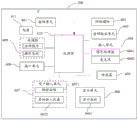
参见图14,图中示出了实现本发明各个实施例的一种移动终端(即移动终端200)的硬件结构示意图。如图14所示,移动终端200包括但不限于:射频单元601、网络模块602、音频输出单元603、输入单元604、传感器605、显示单元606、用户输入单元607、接口单元608、存储器609、处理器610、以及电源611等部件。本领域技术人员可以理解,图14中示出的移动终端结构并不构成对移动终端200的限定,移动终端200可以包括比图示更多或更少的部件,或者组合某些部件,或者不同的部件布置。在本发明实施例中,移动终端200包括但不限于手机、平板电脑、笔记本电脑、掌上电脑、车载终端、可穿戴设备、以及计步器等。Referring to FIG. 14, the figure shows a schematic diagram of the hardware structure of a mobile terminal (ie, the mobile terminal 200) implementing various embodiments of the present invention. As shown in FIG. 14 , the
其中,处理器610,用于:The
若在通过移动终端的显示界面播放视频数据的同时检测到悬浮容器显示指令,在显示界面中显示悬浮容器;其中,悬浮容器的显示位置可调;If the suspension container display instruction is detected while playing the video data through the display interface of the mobile terminal, the suspension container is displayed in the display interface; wherein, the display position of the suspension container is adjustable;
在悬浮容器中显示目标区域当前显示的图像;其中,目标区域为显示界面中被悬浮容器的边缘围设的区域;Display the image currently displayed in the target area in the floating container; wherein, the target area is the area surrounded by the edge of the floating container in the display interface;
若检测到对悬浮容器的第一预定操作,调用浏览器搜索与悬浮容器中显示的图像关联的资源数据;If the first predetermined operation on the suspension container is detected, the browser is invoked to search for resource data associated with the image displayed in the suspension container;
将搜索到的资源数据在显示界面中进行展示。Display the searched resource data in the display interface.
可见,本方案中,在移动终端200播放视频数据的过程中,用户只需要向移动终端200输入悬浮容器显示指令,并在悬浮容器中显示有用户想要了解的对象的图像的情况下,向移动终端200输入对悬浮容器的第一预定操作,移动终端200即可根据悬浮容器中显示的图像,自动实现对关联信息的搜索和展示。因此,与现有技术相比,本发明实施例能够较为方便快捷地实现对关联信息的搜索和展示。It can be seen that in this solution, when the
可选的,处理器610,具体用于:Optionally, the
若检测到对悬浮容器的第一预定操作,根据第一预定操作的操作信息,确定待搜索资源数据的目标类型;其中,第一预定操作的操作信息包括第一预定操作的类型和/或输入第一预定操作的手指的指纹信息;If a first predetermined operation on the suspension container is detected, the target type of the resource data to be searched is determined according to the operation information of the first predetermined operation; wherein the operation information of the first predetermined operation includes the type and/or input of the first predetermined operation The fingerprint information of the finger of the first predetermined operation;
调用浏览器搜索与悬浮容器中显示的图像关联的资源数据,该资源数据的类型为目标类型。Invoke the browser to search for resource data associated with the image displayed in the floating container, where the resource data type is the target type.
可选的,处理器610,具体用于:Optionally, the
将搜索到的资源数据以目标展示方式在显示界面中进行展示;其中,目标展示方式为该资源数据对应的展示方式。The searched resource data is displayed on the display interface in a target display mode; wherein, the target display mode is a display mode corresponding to the resource data.
可选的,处理器610,具体用于:Optionally, the
若搜索到资源数据的类型为文字类型,在通过显示界面播放视频数据的同时,将该资源数据作为弹幕在显示界面中进行展示;If the type of resource data found is text type, while playing the video data through the display interface, the resource data is displayed on the display interface as a bullet screen;
若搜索到的资源数据的类型为图片类型,控制显示界面进行分屏,以使显示界面进入分屏状态;其中,处于分屏状态的显示界面包括第一显示窗口和第二显示窗口,第一显示窗口用于播放视频数据;If the type of the searched resource data is a picture type, control the display interface to perform screen splitting, so that the display interface enters a split screen state; wherein, the display interface in the split screen state includes a first display window and a second display window, and the first display interface is in the split screen state. The display window is used to play video data;
将该资源数据加载至第二显示窗口进行展示。The resource data is loaded into the second display window for display.
可选的,处理器610,还用于:Optionally, the
在将该资源数据作为弹幕在显示界面中进行展示之后,若该资源数据中包括链接地址,且检测到对该链接地址的第二预定操作,判断显示界面是否处于分屏状态;After the resource data is displayed on the display interface as a bullet screen, if the resource data includes a link address, and a second predetermined operation to the link address is detected, determine whether the display interface is in a split-screen state;
若判断结果为是,将该链接地址对应的页面加载至第二显示窗口进行展示;If the judgment result is yes, load the page corresponding to the link address to the second display window for display;
若判断结果为否,控制显示界面进行分屏,并将该链接地址对应的页面加载至分屏后得到的第二显示窗口进行展示。If the judgment result is no, the display interface is controlled to perform screen splitting, and the page corresponding to the link address is loaded into the second display window obtained after the split screen is displayed for display.
可选的,处理器610,还用于:Optionally, the
在悬浮容器中显示目标区域当前显示的图像之后,在若检测到对悬浮容器的第一预定操作,调用浏览器搜索与悬浮容器中显示的图像关联的资源数据之前,判断悬浮容器是否位于显示界面的各角落区域中的目标角落区域;其中,角落区域中的任一点至显示界面的两条边的距离不大于预设距离,目标角落区域显示的图像中不包括预设图像;After displaying the image currently displayed in the target area in the floating container, and before calling the browser to search for resource data associated with the image displayed in the floating container if the first predetermined operation on the floating container is detected, determine whether the floating container is located on the display interface The target corner area in each corner area of the target corner area; wherein, the distance from any point in the corner area to the two sides of the display interface is not greater than the preset distance, and the image displayed in the target corner area does not include the preset image;
若判断结果为否,且当前存在目标角落区域,将悬浮容器移动至目标角落区域进行显示。If the judgment result is no, and the target corner area currently exists, move the floating container to the target corner area for display.
可选地,预设图像包括:植物图像、动物图像和人物图像。Optionally, the preset images include: plant images, animal images and person images.
可选的,处理器610,还用于:Optionally, the
在悬浮容器中显示目标区域当前显示的图像之前,若检测到对悬浮容器的尺寸的调整指令,根据调整指令,调整悬浮容器的尺寸。Before the image currently displayed in the target area is displayed in the suspension container, if an adjustment instruction for the size of the suspension container is detected, the size of the suspension container is adjusted according to the adjustment instruction.
可选的,处理器610,还用于:Optionally, the
在调用浏览器搜索与悬浮容器中显示的图像关联的资源数据之后,在搜索到该资源数据后,取消显示悬浮容器。After calling the browser to search for the resource data associated with the image displayed in the floating container, after searching for the resource data, the floating container is canceled.
可选的,处理器610,还用于:Optionally, the
在调用浏览器搜索与悬浮容器中显示的图像关联的资源数据之后,在该资源数据的搜索过程中,若检测到对该悬浮容器的第三预定操作,取消搜索该资源数据,并取消显示悬浮容器。After calling the browser to search for the resource data associated with the image displayed in the floating container, during the search process of the resource data, if a third predetermined operation on the floating container is detected, the search for the resource data is cancelled, and the display of the floating container is cancelled. container.
应理解的是,本发明实施例中,射频单元601可用于收发信息或通话过程中,信号的接收和发送,具体的,将来自基站的下行数据接收后,给处理器610处理;另外,将上行的数据发送给基站。通常,射频单元601包括但不限于天线、至少一个放大器、收发信机、耦合器、低噪声放大器、双工器等。此外,射频单元601还可以通过无线通信系统与网络和其他设备通信。It should be understood that, in this embodiment of the present invention, the
移动终端通过网络模块602为用户提供了无线的宽带互联网访问,如帮助用户收发电子邮件、浏览网页和访问流式媒体等。The mobile terminal provides the user with wireless broadband Internet access through the
音频输出单元603可以将射频单元601或网络模块602接收的或者在存储器609中存储的音频数据转换成音频信号并且输出为声音。而且,音频输出单元603还可以提供与移动终端200执行的特定功能相关的音频输出(例如,呼叫信号接收声音、消息接收声音等等)。音频输出单元603包括扬声器、蜂鸣器以及受话器等。The
输入单元604用于接收音频或视频信号。输入单元604可以包括图形处理器(Graphics Processing Unit,GPU)6041和麦克风6042,图形处理器6041对在视频捕获模式或图像捕获模式中由图像捕获装置(如摄像头)获得的静态图片或视频的图像数据进行处理。处理后的图像帧可以显示在显示单元606上。经图形处理器6041处理后的图像帧可以存储在存储器609(或其它存储介质)中或者经由射频单元601或网络模块602进行发送。麦克风6042可以接收声音,并且能够将这样的声音处理为音频数据。处理后的音频数据可以在电话通话模式的情况下转换为可经由射频单元601发送到移动通信基站的格式输出。The
移动终端200还包括至少一种传感器605,比如光传感器、运动传感器以及其他传感器。具体地,光传感器包括环境光传感器及接近传感器,其中,环境光传感器可根据环境光线的明暗来调节显示面板6061的亮度,接近传感器可在移动终端200移动到耳边时,关闭显示面板6061和/或背光。作为运动传感器的一种,加速计传感器可检测各个方向上(一般为三轴)加速度的大小,静止时可检测出重力的大小及方向,可用于识别移动终端姿态(比如横竖屏切换、相关游戏、磁力计姿态校准)、振动识别相关功能(比如计步器、敲击)等;传感器605还可以包括指纹传感器、压力传感器、虹膜传感器、分子传感器、陀螺仪、气压计、湿度计、温度计、红外线传感器等,在此不再赘述。The
显示单元606用于显示由用户输入的信息或提供给用户的信息。显示单元606可包括显示面板6061,可以采用液晶显示器(Liquid Crystal Display,LCD)、有机发光二极管(Organic Light-Emitting Diode,OLED)等形式来配置显示面板6061。The
用户输入单元607可用于接收输入的数字或字符信息,以及产生与移动终端的用户设置以及功能控制有关的键信号输入。具体地,用户输入单元607包括触控面板6071以及其他输入设备6072。触控面板6071,也称为触摸屏,可收集用户在其上或附近的触摸操作(比如用户使用手指、触笔等任何适合的物体或附件在触控面板6071上或在触控面板6071附近的操作)。触控面板6071可包括触摸检测装置和触摸控制器两个部分。其中,触摸检测装置检测用户的触摸方位,并检测触摸操作带来的信号,将信号传送给触摸控制器;触摸控制器从触摸检测装置上接收触摸信息,并将它转换成触点坐标,再送给处理器610,接收处理器610发来的命令并加以执行。此外,可以采用电阻式、电容式、红外线以及表面声波等多种类型实现触控面板6071。除了触控面板6071,用户输入单元607还可以包括其他输入设备6072。具体地,其他输入设备6072可以包括但不限于物理键盘、功能键(比如音量控制按键、开关按键等)、轨迹球、鼠标、操作杆,在此不再赘述。The
进一步的,触控面板6071可覆盖在显示面板6061上,当触控面板6071检测到在其上或附近的触摸操作后,传送给处理器610以确定触摸事件的类型,随后处理器610根据触摸事件的类型在显示面板6061上提供相应的视觉输出。虽然在图14中,触控面板6071与显示面板6061是作为两个独立的部件来实现移动终端的输入和输出功能,但是在某些实施例中,可以将触控面板6071与显示面板6061集成而实现移动终端的输入和输出功能,具体此处不做限定。Further, the
接口单元608为外部装置与移动终端200连接的接口。例如,外部装置可以包括有线或无线头戴式耳机端口、外部电源(或电池充电器)端口、有线或无线数据端口、存储卡端口、用于连接具有识别模块的装置的端口、音频输入/输出(I/O)端口、视频I/O端口、耳机端口等等。接口单元608可以用于接收来自外部装置的输入(例如,数据信息、电力等等)并且将接收到的输入传输到移动终端200内的一个或多个元件或者可以用于在移动终端200和外部装置之间传输数据。The
存储器609可用于存储软件程序以及各种数据。存储器609可主要包括存储程序区和存储数据区,其中,存储程序区可存储操作系统、至少一个功能所需的应用程序(比如声音播放功能、图像播放功能等)等;存储数据区可存储根据手机的使用所创建的数据(比如音频数据、电话本等)等。此外,存储器609可以包括高速随机存取存储器,还可以包括非易失性存储器,例如至少一个磁盘存储器件、闪存器件、或其他易失性固态存储器件。The
处理器610是移动终端的控制中心,利用各种接口和线路连接整个移动终端的各个部分,通过运行或执行存储在存储器609内的软件程序和/或模块,以及调用存储在存储器609内的数据,执行移动终端的各种功能和处理数据,从而对移动终端进行整体监控。处理器610可包括一个或多个处理单元;优选的,处理器610可集成应用处理器和调制解调处理器,其中,应用处理器主要处理操作系统、用户界面和应用程序等,调制解调处理器主要处理无线通信。可以理解的是,上述调制解调处理器也可以不集成到处理器610中。The
移动终端200还可以包括给各个部件供电的电源611(比如电池),优选的,电源611可以通过电源管理系统与处理器610逻辑相连,从而通过电源管理系统实现管理充电、放电、以及功耗管理等功能。The
另外,移动终端200包括一些未示出的功能模块,在此不再赘述。In addition, the
优选的,本发明实施例还提供一种移动终端,包括处理器610,存储器609,存储在存储器609上并可在所述处理器610上运行的计算机程序,该计算机程序被处理器610执行时实现上述资源数据展示方法实施例的各个过程,且能达到相同的技术效果,为避免重复,这里不再赘述。Preferably, an embodiment of the present invention further provides a mobile terminal, including a
本发明实施例还提供一种计算机可读存储介质,计算机可读存储介质上存储有计算机程序,该计算机程序被处理器执行时实现上述资源数据展示方法实施例的各个过程,且能达到相同的技术效果,为避免重复,这里不再赘述。其中,所述的计算机可读存储介质,如只读存储器(Read-Only Memory,简称ROM)、随机存取存储器(Random Access Memory,简称RAM)、磁碟或者光盘等。Embodiments of the present invention further provide a computer-readable storage medium, where a computer program is stored on the computer-readable storage medium. When the computer program is executed by a processor, each process of the foregoing resource data display method embodiment can be achieved, and the same can be achieved. The technical effect, in order to avoid repetition, will not be repeated here. The computer-readable storage medium is, for example, a read-only memory (Read-Only Memory, ROM for short), a random access memory (Random Access Memory, RAM for short), a magnetic disk, or an optical disk.
需要说明的是,在本文中,术语“包括”、“包含”或者其任何其他变体意在涵盖非排他性的包含,从而使得包括一系列要素的过程、方法、物品或者装置不仅包括那些要素,而且还包括没有明确列出的其他要素,或者是还包括为这种过程、方法、物品或者装置所固有的要素。在没有更多限制的情况下,由语句“包括一个……”限定的要素,并不排除在包括该要素的过程、方法、物品或者装置中还存在另外的相同要素。It should be noted that, herein, the terms "comprising", "comprising" or any other variation thereof are intended to encompass non-exclusive inclusion, such that a process, method, article or device comprising a series of elements includes not only those elements, It also includes other elements not expressly listed or inherent to such a process, method, article or apparatus. Without further limitation, an element qualified by the phrase "comprising a..." does not preclude the presence of additional identical elements in a process, method, article or apparatus that includes the element.
通过以上的实施方式的描述,本领域的技术人员可以清楚地了解到上述实施例方法可借助软件加必需的通用硬件平台的方式来实现,当然也可以通过硬件,但很多情况下前者是更佳的实施方式。基于这样的理解,本发明的技术方案本质上或者说对现有技术做出贡献的部分可以以软件产品的形式体现出来,该计算机软件产品存储在一个存储介质(如ROM/RAM、磁碟、光盘)中,包括若干指令用以使得一台终端(可以是手机,计算机,服务器,空调器,或者网络设备等)执行本发明各个实施例所述的方法。From the description of the above embodiments, those skilled in the art can clearly understand that the method of the above embodiment can be implemented by means of software plus a necessary general hardware platform, and of course can also be implemented by hardware, but in many cases the former is better implementation. Based on this understanding, the technical solutions of the present invention can be embodied in the form of software products in essence or the parts that make contributions to the prior art, and the computer software products are stored in a storage medium (such as ROM/RAM, magnetic disk, CD), including several instructions to make a terminal (which may be a mobile phone, a computer, a server, an air conditioner, or a network device, etc.) execute the methods described in the various embodiments of the present invention.
上面结合附图对本发明的实施例进行了描述,但是本发明并不局限于上述的具体实施方式,上述的具体实施方式仅仅是示意性的,而不是限制性的,本领域的普通技术人员在本发明的启示下,在不脱离本发明宗旨和权利要求所保护的范围情况下,还可做出很多形式,均属于本发明的保护之内。The embodiments of the present invention have been described above in conjunction with the accompanying drawings, but the present invention is not limited to the above-mentioned specific embodiments, which are merely illustrative rather than restrictive. Under the inspiration of the present invention, without departing from the spirit of the present invention and the scope protected by the claims, many forms can be made, which all belong to the protection of the present invention.
Claims (10)
Priority Applications (2)
| Application Number | Priority Date | Filing Date | Title |
|---|---|---|---|
| CN201710998622.1A CN107707953B (en) | 2017-10-20 | 2017-10-20 | A resource data display method and mobile terminal |
| PCT/CN2018/111019 WO2019076371A1 (en) | 2017-10-20 | 2018-10-19 | Resource data display method and mobile terminal |
Applications Claiming Priority (1)
| Application Number | Priority Date | Filing Date | Title |
|---|---|---|---|
| CN201710998622.1A CN107707953B (en) | 2017-10-20 | 2017-10-20 | A resource data display method and mobile terminal |
Publications (2)
| Publication Number | Publication Date |
|---|---|
| CN107707953A CN107707953A (en) | 2018-02-16 |
| CN107707953B true CN107707953B (en) | 2020-06-05 |
Family
ID=61182911
Family Applications (1)
| Application Number | Title | Priority Date | Filing Date |
|---|---|---|---|
| CN201710998622.1A Active CN107707953B (en) | 2017-10-20 | 2017-10-20 | A resource data display method and mobile terminal |
Country Status (2)
| Country | Link |
|---|---|
| CN (1) | CN107707953B (en) |
| WO (1) | WO2019076371A1 (en) |
Families Citing this family (12)
| Publication number | Priority date | Publication date | Assignee | Title |
|---|---|---|---|---|
| CN106909365A (en) | 2016-08-30 | 2017-06-30 | 阿里巴巴集团控股有限公司 | The methods of exhibiting and device of information |
| CN108737904B (en) * | 2018-04-13 | 2021-06-22 | 维沃移动通信有限公司 | A kind of video data processing method and mobile terminal |
| CN109151546A (en) * | 2018-08-28 | 2019-01-04 | 维沃移动通信有限公司 | A kind of method for processing video frequency, terminal and computer readable storage medium |
| CN110909192A (en) * | 2019-11-20 | 2020-03-24 | 腾讯科技(深圳)有限公司 | Instant searching method, device, terminal and storage medium |
| CN111176603A (en) * | 2019-12-31 | 2020-05-19 | 海信视像科技股份有限公司 | Image display method and display device for display device |
| CN111260401B (en) * | 2020-01-16 | 2023-11-21 | 上海连尚网络科技有限公司 | Method and device for displaying presentation information on reading page |
| CN112004156B (en) * | 2020-09-02 | 2024-11-15 | 深圳市雅阅科技有限公司 | A video playback method, related device and storage medium |
| CN112308757B (en) * | 2020-10-19 | 2024-03-22 | 武汉中科通达高新技术股份有限公司 | Data display method and mobile terminal |
| CN113849747B (en) * | 2021-07-22 | 2024-11-26 | 北京搜狗科技发展有限公司 | Information display method, device and electronic equipment |
| CN117271672A (en) * | 2022-06-15 | 2023-12-22 | 深圳市腾讯网域计算机网络有限公司 | Demonstrate interface updating methods, devices, electronic devices and storage media |
| CN115334194B (en) * | 2022-07-19 | 2025-05-09 | 北京达佳互联信息技术有限公司 | Reminder method, device, terminal and storage medium |
| CN116320992A (en) * | 2022-09-08 | 2023-06-23 | 北京驾悦科技有限公司 | A driving service providing method, device, equipment and medium |
Citations (6)
| Publication number | Priority date | Publication date | Assignee | Title |
|---|---|---|---|---|
| CN103412896A (en) * | 2013-07-25 | 2013-11-27 | 深圳创维-Rgb电子有限公司 | Browser resource showing method and system |
| CN104077283A (en) * | 2013-03-25 | 2014-10-01 | 联想(北京)有限公司 | Information processing method and information processing device |
| CN104731509A (en) * | 2015-03-31 | 2015-06-24 | 北京奇虎科技有限公司 | Searching method and device based on touch operation and terminal |
| CN105100141A (en) * | 2014-05-04 | 2015-11-25 | 腾讯科技(深圳)有限公司 | Multimedia content network sharing method, multimedia content network sharing device and multimedia content network sharing system |
| CN106097040A (en) * | 2016-05-31 | 2016-11-09 | 北京小米移动软件有限公司 | Information-pushing method, device and terminal unit |
| CN106909365A (en) * | 2016-08-30 | 2017-06-30 | 阿里巴巴集团控股有限公司 | The methods of exhibiting and device of information |
-
2017
- 2017-10-20 CN CN201710998622.1A patent/CN107707953B/en active Active
-
2018
- 2018-10-19 WO PCT/CN2018/111019 patent/WO2019076371A1/en not_active Ceased
Patent Citations (6)
| Publication number | Priority date | Publication date | Assignee | Title |
|---|---|---|---|---|
| CN104077283A (en) * | 2013-03-25 | 2014-10-01 | 联想(北京)有限公司 | Information processing method and information processing device |
| CN103412896A (en) * | 2013-07-25 | 2013-11-27 | 深圳创维-Rgb电子有限公司 | Browser resource showing method and system |
| CN105100141A (en) * | 2014-05-04 | 2015-11-25 | 腾讯科技(深圳)有限公司 | Multimedia content network sharing method, multimedia content network sharing device and multimedia content network sharing system |
| CN104731509A (en) * | 2015-03-31 | 2015-06-24 | 北京奇虎科技有限公司 | Searching method and device based on touch operation and terminal |
| CN106097040A (en) * | 2016-05-31 | 2016-11-09 | 北京小米移动软件有限公司 | Information-pushing method, device and terminal unit |
| CN106909365A (en) * | 2016-08-30 | 2017-06-30 | 阿里巴巴集团控股有限公司 | The methods of exhibiting and device of information |
Also Published As
| Publication number | Publication date |
|---|---|
| CN107707953A (en) | 2018-02-16 |
| WO2019076371A1 (en) | 2019-04-25 |
Similar Documents
| Publication | Publication Date | Title |
|---|---|---|
| CN107707953B (en) | A resource data display method and mobile terminal | |
| CN108459797B (en) | Control method of folding screen and mobile terminal | |
| CN108182019B (en) | Suspension control display processing method and mobile terminal | |
| CN108536411A (en) | A kind of method for controlling mobile terminal and mobile terminal | |
| CN107943390B (en) | Character copying method and mobile terminal | |
| CN107613362A (en) | A kind of video display control method and mobile terminal | |
| CN109407921B (en) | Application processing method and terminal device | |
| WO2020057257A1 (en) | Application interface switching method and mobile terminal | |
| CN107817939A (en) | A kind of image processing method and mobile terminal | |
| CN109710349B (en) | Screen capturing method and mobile terminal | |
| CN111562896A (en) | Screen projection method and electronic device | |
| WO2021136159A1 (en) | Screenshot method and electronic device | |
| CN109739407B (en) | Information processing method and terminal equipment | |
| CN108132749B (en) | Image editing method and mobile terminal | |
| CN108052251A (en) | A kind of screenshotss method for information display and mobile terminal | |
| CN109521937B (en) | Screen display control method and mobile terminal | |
| CN110174993A (en) | A kind of display control method, terminal device and computer readable storage medium | |
| CN110825295A (en) | Application control method and electronic device | |
| WO2020038143A1 (en) | Display interface processing method and mobile terminal | |
| WO2021104232A1 (en) | Display method and electronic device | |
| CN109710130B (en) | Display method and terminal | |
| CN109597546B (en) | Icon processing method and terminal device | |
| WO2020220893A1 (en) | Screenshot method and mobile terminal | |
| CN108984099B (en) | Man-machine interaction method and terminal | |
| CN110780795A (en) | Screen capturing method and electronic equipment |
Legal Events
| Date | Code | Title | Description |
|---|---|---|---|
| PB01 | Publication | ||
| PB01 | Publication | ||
| SE01 | Entry into force of request for substantive examination | ||
| SE01 | Entry into force of request for substantive examination | ||
| GR01 | Patent grant | ||
| GR01 | Patent grant |