KR102089447B1 - Electronic device and method for controlling applications thereof - Google Patents
Electronic device and method for controlling applications thereof Download PDFInfo
- Publication number
- KR102089447B1 KR102089447B1 KR1020130064120A KR20130064120A KR102089447B1 KR 102089447 B1 KR102089447 B1 KR 102089447B1 KR 1020130064120 A KR1020130064120 A KR 1020130064120A KR 20130064120 A KR20130064120 A KR 20130064120A KR 102089447 B1 KR102089447 B1 KR 102089447B1
- Authority
- KR
- South Korea
- Prior art keywords
- touch
- app
- execution screen
- background
- application
- Prior art date
- Legal status (The legal status is an assumption and is not a legal conclusion. Google has not performed a legal analysis and makes no representation as to the accuracy of the status listed.)
- Expired - Fee Related
Links
Images


Classifications
-
- G—PHYSICS
- G06—COMPUTING OR CALCULATING; COUNTING
- G06F—ELECTRIC DIGITAL DATA PROCESSING
- G06F3/00—Input arrangements for transferring data to be processed into a form capable of being handled by the computer; Output arrangements for transferring data from processing unit to output unit, e.g. interface arrangements
- G06F3/01—Input arrangements or combined input and output arrangements for interaction between user and computer
- G06F3/048—Interaction techniques based on graphical user interfaces [GUI]
- G06F3/0487—Interaction techniques based on graphical user interfaces [GUI] using specific features provided by the input device, e.g. functions controlled by the rotation of a mouse with dual sensing arrangements, or of the nature of the input device, e.g. tap gestures based on pressure sensed by a digitiser
- G06F3/0488—Interaction techniques based on graphical user interfaces [GUI] using specific features provided by the input device, e.g. functions controlled by the rotation of a mouse with dual sensing arrangements, or of the nature of the input device, e.g. tap gestures based on pressure sensed by a digitiser using a touch-screen or digitiser, e.g. input of commands through traced gestures
-
- G—PHYSICS
- G06—COMPUTING OR CALCULATING; COUNTING
- G06F—ELECTRIC DIGITAL DATA PROCESSING
- G06F3/00—Input arrangements for transferring data to be processed into a form capable of being handled by the computer; Output arrangements for transferring data from processing unit to output unit, e.g. interface arrangements
- G06F3/01—Input arrangements or combined input and output arrangements for interaction between user and computer
-
- G—PHYSICS
- G06—COMPUTING OR CALCULATING; COUNTING
- G06F—ELECTRIC DIGITAL DATA PROCESSING
- G06F3/00—Input arrangements for transferring data to be processed into a form capable of being handled by the computer; Output arrangements for transferring data from processing unit to output unit, e.g. interface arrangements
- G06F3/01—Input arrangements or combined input and output arrangements for interaction between user and computer
- G06F3/03—Arrangements for converting the position or the displacement of a member into a coded form
- G06F3/041—Digitisers, e.g. for touch screens or touch pads, characterised by the transducing means
-
- G—PHYSICS
- G06—COMPUTING OR CALCULATING; COUNTING
- G06F—ELECTRIC DIGITAL DATA PROCESSING
- G06F3/00—Input arrangements for transferring data to be processed into a form capable of being handled by the computer; Output arrangements for transferring data from processing unit to output unit, e.g. interface arrangements
- G06F3/01—Input arrangements or combined input and output arrangements for interaction between user and computer
- G06F3/048—Interaction techniques based on graphical user interfaces [GUI]
- G06F3/0481—Interaction techniques based on graphical user interfaces [GUI] based on specific properties of the displayed interaction object or a metaphor-based environment, e.g. interaction with desktop elements like windows or icons, or assisted by a cursor's changing behaviour or appearance
-
- G—PHYSICS
- G06—COMPUTING OR CALCULATING; COUNTING
- G06F—ELECTRIC DIGITAL DATA PROCESSING
- G06F3/00—Input arrangements for transferring data to be processed into a form capable of being handled by the computer; Output arrangements for transferring data from processing unit to output unit, e.g. interface arrangements
- G06F3/14—Digital output to display device ; Cooperation and interconnection of the display device with other functional units
-
- G—PHYSICS
- G06—COMPUTING OR CALCULATING; COUNTING
- G06F—ELECTRIC DIGITAL DATA PROCESSING
- G06F9/00—Arrangements for program control, e.g. control units
- G06F9/06—Arrangements for program control, e.g. control units using stored programs, i.e. using an internal store of processing equipment to receive or retain programs
- G06F9/44—Arrangements for executing specific programs
-
- G—PHYSICS
- G06—COMPUTING OR CALCULATING; COUNTING
- G06F—ELECTRIC DIGITAL DATA PROCESSING
- G06F2203/00—Indexing scheme relating to G06F3/00 - G06F3/048
- G06F2203/041—Indexing scheme relating to G06F3/041 - G06F3/045
- G06F2203/04104—Multi-touch detection in digitiser, i.e. details about the simultaneous detection of a plurality of touching locations, e.g. multiple fingers or pen and finger
-
- G—PHYSICS
- G06—COMPUTING OR CALCULATING; COUNTING
- G06F—ELECTRIC DIGITAL DATA PROCESSING
- G06F2203/00—Indexing scheme relating to G06F3/00 - G06F3/048
- G06F2203/048—Indexing scheme relating to G06F3/048
- G06F2203/04804—Transparency, e.g. transparent or translucent windows
-
- G—PHYSICS
- G06—COMPUTING OR CALCULATING; COUNTING
- G06F—ELECTRIC DIGITAL DATA PROCESSING
- G06F2203/00—Indexing scheme relating to G06F3/00 - G06F3/048
- G06F2203/048—Indexing scheme relating to G06F3/048
- G06F2203/04808—Several contacts: gestures triggering a specific function, e.g. scrolling, zooming, right-click, when the user establishes several contacts with the surface simultaneously; e.g. using several fingers or a combination of fingers and pen
Landscapes
- Engineering & Computer Science (AREA)
- Theoretical Computer Science (AREA)
- General Engineering & Computer Science (AREA)
- Physics & Mathematics (AREA)
- General Physics & Mathematics (AREA)
- Human Computer Interaction (AREA)
- Software Systems (AREA)
- User Interface Of Digital Computer (AREA)
Abstract
본 개시는 전자 기기의 애플리케이션 제어 방법에 있어서, 복수의 앱을 포그라운드 및 백그라운드에서 실행하는 과정과, 터치 스크린에 입력된 터치 포인트의 개수를 검출하고, 상기 터치 포인트의 개수에 해당하는 앱을 검출하는 과정과, 상기 해당 앱을 제어하는 터치 제스처를 검출하는 과정 및 상기 터치 제스처에 따라 상기 해당 앱을 제어하는 과정을 포함한다.In the present disclosure, in an application control method of an electronic device, a process of executing a plurality of apps in the foreground and background, detecting the number of touch points input to the touch screen, and detecting an app corresponding to the number of touch points And a process of detecting a touch gesture controlling the app and controlling the app according to the touch gesture.
Description
본 개시는 전자 기기 및 그의 애플리케이션 제어 방법에 관한 것으로, 특히 백그라운드에서 동작하는 애플리케이션을 간편하게 제어할 수 있는 전자기기 및 그의 애플리케이션 제어 방법에 관한 것이다.The present disclosure relates to an electronic device and a method for controlling an application thereof, and more particularly, to an electronic device capable of easily controlling an application operating in the background, and a method for controlling the application thereof.
최근의 전자 기기는 애플리케이션 실행 기능을 제공하고 있다. 이러한 전자 기기는 기 설정된 키(예컨대 취소 키) 입력 시 현재 표시 중인, 즉 포그라운드(foreground)에서 실행중인 애플리케이션을 백그라운드로 전환하고, 백그라운드(background)에서 실행 중이던 애플리케이션을 포그라운드로 변경하여 표시하는 페이지 이동 기능을 제공하고 있다.Recently, electronic devices provide an application execution function. When the electronic device enters a preset key (for example, a cancel key), an application currently being displayed, that is, running in the foreground, is switched to the background, and an application running in the background is changed to the foreground and displayed. It provides a page moving function.
이와 같은 종래 전자 기기는 포그라운드 애플리케이션에 대한 제어를 바로 수행할 수는 있으나, 백그라운드 애플리케이션에 대한 제어를 바로 수행할 수 있는 방법이 없었다. 즉, 전자기기에서 백그라운드로 실행중인 애플리케이션에 대한 제어를 수행하기 위해서는 포그라운드로 실행중인 애플리케이션을 백그라운드로 실행시키거나 종료하고, 제어하려는 백그라운드 애플리케이션을 화면 상에 디스플레이해야만 전자기기에 대한 조작을 통해 직접 제어를 수행할 수 있었다.Such a conventional electronic device can directly control the foreground application, but there is no method to directly control the background application. That is, in order to control the application running in the background on the electronic device, the application running in the foreground must be executed or terminated in the background, and the background application to be controlled must be displayed on the screen to directly control the electronic device. Control could be performed.
아와 같이 종래 전자 기기의 백그라운드 애플리케이션의 실행을 제어하기 위해서는 다수의 단계를 거쳐야 하는 불편함이 존재한다.As described above, in order to control the execution of the background application of the conventional electronic device, there is a inconvenience in that a number of steps are required.
따라서, 최근에는 백그라운드에서 실행되는 애플리케이션을 포그라운드에서 간편하고 빠르게 수행할 수 있으며, 백그라운드에서 실행되는 애플리케이션을 포그라운드에서 제어할 수 있는 전자기기가 요구되고 있다.Accordingly, in recent years, there is a need for an electronic device capable of quickly and easily executing an application running in the background, and controlling an application running in the background in the foreground.
본 개시의 목적은 백그라운드에서 실행되는 애플리케이션을 간편하고 빠르게 제어할 수 있으며, 백그라운드에서 실행되는 애플리케이션에 대응하는 페이지를 포그라운드에서 확인할 수 있게 하는 전자 기기 및 그의 애플리케이션 제어 방법을 제공하는데 있다.An object of the present disclosure is to provide an electronic device and a method for controlling the application thereof, which can easily and quickly control an application running in the background, and allow a page corresponding to an application running in the background to be viewed in the foreground.
상술한 바와 같은 목적을 달성하기 위한 본 개시의 실시 예에 따른 애플리케이션 제어 방법은, 전자 기기의 애플리케이션 제어 방법에 있어서, 복수의 앱을 포그라운드 및 백그라운드에서 실행하는 과정과, 터치 스크린에 입력된 터치 포인트의 개수를 검출하고, 상기 터치 포인트의 개수에 해당하는 앱을 검출하는 과정과, 상기 해당 앱을 제어하는 터치 제스처를 검출하는 과정 및 상기 터치 제스처에 따라 상기 해당 앱을 제어하는 과정을 포함한다.Application control method according to an embodiment of the present disclosure for achieving the above object in the application control method of the electronic device, the process of executing a plurality of apps in the foreground and background, and the touch input on the touch screen Detecting the number of points, detecting an app corresponding to the number of touch points, detecting a touch gesture to control the app, and controlling the app according to the touch gesture .
본 개시의 다른 실시예에 따른 애플리케이션 제어 방법은, 전자 기기의 애플리케이션 제어 방법에 있어서, 실행중인 복수의 앱을 가장 최근 실행된 순으로 레이어링하는 과정과, 제1 레이어드에 대응하는 앱 실행화면 상에 입력된 터치 포인트의 개수를 검출하고, 상기 터치 포인트의 개수에 해당하는 앱을 검출하는 과정과, 상기 검출된 앱 실행화면을 일부에 표시하거나 전체에 반투명하게 표시하는 과정과, 상기 검출된 앱을 제어하는 터치 제스처를 검출하는 과정 및 상기 터치 제스처에 따라 해당 앱을 제어하는 과정을 포함한다.Application control method according to another embodiment of the present disclosure, in the application control method of the electronic device, a process of layering a plurality of running apps in the order of the most recently executed, and the app execution screen corresponding to the first layered Detecting the number of input touch points, detecting an app corresponding to the number of touch points, displaying the detected app execution screen on a part or translucently displaying it, and detecting the detected app And detecting a touch gesture to be controlled and controlling a corresponding app according to the touch gesture.
본 개시의 다른 실시예에 따른 애플리케이션 제어 방법은, 전자 기기의 애플리케이션 제어 방법에 있어서, 실행중인 복수의 앱을 가장 최근 실행된 순으로 레이어링하는 과정과, 최상위 레이어드에 해당하는 앱 실행화면 상에 입력된 터치 포인트의 개수가 복수개인지 판단하는 과정과, 상기 터치 포인트의 개수가 복수개이면, 상기 최상위 레이어드에 해당하는 앱 실행화면의 일부에 복수의 백그라운드 앱의 실행화면 전체를 표시하는 과정과, 상기 터치 포인트의 개수에 해당하는 하나의 백그라운드 앱을 검출하는 과정과, 상기 검출된 백그라운드 앱을 제어하는 터치 제스처를 검출하는 과정 및 상기 터치 제스처에 따라 상기 백그라운드 앱을 제어하는 과정을 포함한다.Application control method according to another embodiment of the present disclosure, in the application control method of the electronic device, the process of layering a plurality of running apps in the order of the most recent execution, and input on the app execution screen corresponding to the highest layered The process of determining whether the number of touch points is plural, and when the number of touch points is plural, displaying the entire execution screen of a plurality of background apps on a part of the app execution screen corresponding to the top layer, and the touch And detecting one background app corresponding to the number of points, detecting a touch gesture controlling the detected background app, and controlling the background app according to the touch gesture.
본 개시의 다른 실시예에 따른 전자기기는, 실행중인 복수의 앱 중 어느 하나의 앱을 선택하기 위한 터치 포인트를 감지하는 터치패널과, 상기 터치 포인트의 개수를 검출하여 상기 터치 포인트의 개수에 매핑된 앱을 검출하고, 검출된 상기 앱을 터치 제스처에 따라 제어하는 제어부 및 상기 복수의 앱을 최근 사용된 순서에 따라 상기 터치 포인트의 개수와 매핑하여 저장하고, 복수의 상기 터치 제스처와 앱의 실행 명령들을 미리 매핑하여 저장하는 저장부를 포함한다.An electronic device according to another embodiment of the present disclosure includes a touch panel that detects a touch point for selecting one of a plurality of running apps, and maps the number of touch points to the number of touch points A detected app, a control unit for controlling the detected app according to a touch gesture, and the plurality of apps are mapped to the number of the touch points according to a recently used order and stored, and the execution of the plurality of touch gestures and apps And a storage unit that pre-maps and stores the commands.
이상에서 살펴본 바와 같이 본 개시의 실시 예에 따른 전자 기기 및 그의 애플리케이션 제어 방법은 백그라운드에서 실행되는 앱을 포그라운드로 전환하지 않아도 간편하게 제어할 수 있으며, 포그라운드 앱 실행화면 상에서 백그라운드 앱 실행화면을 보여줌으로써, 사용자가 백그라운드 앱을 직관적으로 확인할 수 있게 한다. 이로 인하여, 본 개시는 사용자 편의성을 향상시킬 수 있다. As described above, the electronic device and its application control method according to an embodiment of the present disclosure can be easily controlled without switching an app running in the background to the foreground, and a background app execution screen is shown on the foreground app execution screen. By zooming, the user can intuitively check the background app. For this reason, the present disclosure can improve user convenience.
도 1은 본 개시의 실시예에 따른 전자 기기의 구성을 개략적으로 도시한 블록도.
도 2는 본 개시의 실시예에 따른 전자기기의 애플리케이션 제어 방법을 설명하기 위한 순서도.
도 3은 본 개시의 다른 실시예에 따른 전자 기기의 애플리케이션 실행 제어 방법을 설명하기 위한 순서도.
도 4는 본 개시의 다른 실시예에 따른 전자 기기의 애플리케이션 실행 제어 방법을 설명하기 위한 순서도.
도 5 내지 도 12는 본 개시의 실시예에 따른 백그라운드 애플리케이션 제어를 위한 사용자 인터페이스를 설명하기 위한 도면.1 is a block diagram schematically showing the configuration of an electronic device according to an embodiment of the present disclosure.
2 is a flowchart illustrating an application control method of an electronic device according to an embodiment of the present disclosure.
3 is a flowchart illustrating a method for controlling application execution of an electronic device according to another embodiment of the present disclosure.
4 is a flowchart illustrating a method for controlling application execution of an electronic device according to another embodiment of the present disclosure.
5 to 12 are diagrams for describing a user interface for background application control according to an embodiment of the present disclosure.
이하, 첨부된 도면을 참조하여 본 개시의 실시 예들을 상세히 설명한다. 이때, 첨부된 도면에서 동일한 구성 요소는 가능한 동일한 부호로 나타내고 있음에 유의해야 한다. 또한, 본 개시의 요지를 흐리게 할 수 있는 공지 기능 및 구성에 대한 상세한 설명은 생략할 것이다.Hereinafter, exemplary embodiments of the present disclosure will be described in detail with reference to the accompanying drawings. At this time, it should be noted that the same components are indicated by the same reference numerals in the accompanying drawings. In addition, detailed descriptions of well-known functions and configurations that may obscure the subject matter of the present disclosure will be omitted.
한편, 본 명세서와 도면에 개시된 본 개시의 실시 예들은 본 개시의 기술 내용을 쉽게 설명하고 본 개시의 이해를 돕기 위해 특정 예를 제시한 것일 뿐이며, 본 개시의 범위를 한정하고자 하는 것은 아니다. 여기에 개시된 실시 예들 이외에도 본 개시의 기술적 사상에 바탕을 둔 다른 변형 예들이 실시 가능하다는 것은 본 개시가 속하는 기술 분야에서 통상의 지식을 가진 자에게 자명한 것이다.On the other hand, the embodiments of the present disclosure disclosed in the specification and drawings are merely to provide a specific example to easily describe the technical content of the present disclosure and to understand the present disclosure, and are not intended to limit the scope of the present disclosure. It is apparent to those skilled in the art to which the present disclosure pertains that other modifications based on the technical spirit of the present disclosure can be implemented in addition to the embodiments disclosed herein.
상세한 설명에 앞서, 본 개시에 따른 전자 기기는 이동통신 단말기, 스마트 폰, 태블릿 PC, 핸드-헬드(hand-held) PC, 휴대 멀티미디어 플레이어(Portable Multimedia Player :PMP), 개인 정보 단말기(Personal Digital Assistant : PDA), 노트북, 전자 책(Electronic-Book) 단말기 등이 될 수 있다. 이하에서는 이동통신 단말기를 예로 하여 설명하기로 한다.Prior to the detailed description, an electronic device according to the present disclosure includes a mobile communication terminal, a smart phone, a tablet PC, a hand-held PC, a portable multimedia player (PMP), and a personal digital assistant. : PDA), notebooks, and e-book terminals. Hereinafter, a mobile communication terminal will be described as an example.
도 1은 본 개시의 실시예에 따른 전자 기기의 구성을 개략적으로 도시한 블록도이다.1 is a block diagram schematically showing a configuration of an electronic device according to an embodiment of the present disclosure.
도 1을 참조하면, 본 개시의 실시예에 따른 전자 기기는 제어부(110), 저장부(120), 터치 스크린(130), 입력부(140), 무선 통신부(150) 및 오디오 처리부(160)를 포함하여 구성된다.Referring to FIG. 1, an electronic device according to an embodiment of the present disclosure includes a
입력부(140)는 숫자 또는 다양한 문자 정보를 입력받고, 각종 기능들의 설정 및 전자 기기의 기능 제어를 위한 입력키 및 기능키들을 포함할 수 있다. 상기 기능키들은 특정 기능을 수행하도록 설정된 방향키, 사이드 키 및 단축키 등을 포함할 수 있다. 이러한 입력부(140)는 사용자 설정 및 전자 기기의 기능 제어와 관련한 키 신호를 생성하여 제어부(110)로 전송할 수 있다.The
특히, 본 개시에 따른 입력부(140)는 특정 백그라운드 애플리케이션을 선택하는 신호, 특정 백그라운드 애플리케이션에 대응하는 실행화면을 포그라운드 애플리케이션에 대응하는 실행화면의 일부 또는 전체에 출력하기 위한 신호, 특정 백그라운드 애플리케이션의 실행을 제어하는 명령 신호, 특정 백그라운드 애플리케이션의 선택을 변경하는 신호 등을 제어부(110)에 전송할 수 있다.In particular, the
이러한 입력부(140)는 버튼식 키패드(Key Pad), 볼 조이스틱(Ball Joystick), 옵티컬 조이스틱(Optical Joystick), 휠 키(Wheel Key), 터치 키(Touch key), 터치 패드(Touch Pad), 터치스크린(Touch Screen, 130), 마우스(Mouse) 등과 같은 입력 수단들 중 어느 하나 또는 이들의 조합으로 형성될 수 있다. 한편, 상기 전자 기기가 풀 터치스크린을 지원하는 경우 입력부(140)는 전자 기기의 측면에 실장되며 볼륨 조절을 위한 볼륨 키, 화면 온/오프 또는 전원 온/오프를 위한 기능키만을 포함할 수도 있다.The
무선 통신부(150)는 전자 기기의 무선 통신 기능을 지원하며, 전자 기기가 이동 통신 기능을 지원하는 경우 이동 통신 모듈로서 구성될 수 있다. 이를 위하여, 상기 무선 통신부(150)는 송신되는 무선 신호의 주파수를 상승 변환 및 증폭하는 RF(Radio Frequency) 송신부 및 수신되는 무선 신호를 저잡음 증폭하고 주파수를 하강 변환하는 RF 수신부 등을 포함할 수 있다. 또한, 전자 기기(100)가 와이파이 통신, 블루투스 통신, NFC(Near Field Commuication) 통신 등과 같은 근거리 무선 통신 기능을 지원하는 경우 상기 무선 통신부(150)는 와이파이 통신 모듈, 블루투스 통신 모듈, NFC 통신 모듈 등으로 구성될 수 있다. 특히, 본 개시에 따른 무선 통신부(150)는 제어부(110)의 제어 하에 특정 웹 페이지의 접속 요청을 송신하고, 웹 페이지를 다운로드 할 수 있다. 또한, 무선 통신부(150)는 문자 메시지를 수신하거나, 문자 메시지를 발신할 수 있다.The
오디오 처리부(160)는 오디오 신호를 송수신하여 인코딩(Encoding) 및 디코딩(Decoding)을 수행하는 음향 부품으로 형성될 수 있다. 이러한 상기 오디오 처리부(160)는 코덱(Codec) 및 오디오 앰프(Amp) 등을 포함할 수 있다. 상기 오디오 처리부(160)는 마이크(MIC) 및 스피커(SPK)와 연결되며, 상기 마이크(MIC)로부터 입력되는 음성 신호를 데이터화하여 상기 제어부(110)로 전송하고, 상기 제어부(110)로부터 입력되는 음성 신호를 아날로그 신호로 변환하여 스피커(SPK)를 통해 출력할 수 있다. 또한, 상기 오디오 처리부(160)는 전자 기기(100)에서 발생하는 다양한 오디오 신호(예컨대, MP3 파일, 동영상 파일 재생 등에 따른 오디오 신호 등)를 스피커(SPK)를 통해 출력할 수 있다.The
특히, 본 개시에 따른 오디오 처리부(160)는 백그라운드 애플리케이션의 선택을 알리는 효과음, 백그라운드 애플리케이션의 실행 제어를 시작 및 종료하는 효과음, 백그라운드 애플리케이션이 없음을 통지하는 효과음, 백그라운드의 개수를 통지하는 효과음, 터치 이벤트, 터치 포인트의 개수 및 터치 제스처가 입력될 때의 효과음, 터치 이벤트, 터치 포인트의 개수 및 터치 제스처가 서로 매치되지 않을 때 오류를 통지하는 효과음 등을 출력할 수 있다.In particular, the
터치스크린(130)은 입력 기능 및 표시 기능을 수행할 수 있다. 이를 위하여 터치스크린(130)은 표시 패널(131) 및 터치 패널(132)을 포함할 수 있다.The
표시 패널(131)은 전자 기기의 각종 메뉴를 비롯하여 사용자가 입력한 정보 또는 사용자에게 제공하기 위한 정보를 표시한다. 예를 들어, 표시 패널(131)은 전자 기기의 이용에 따른 다양한 화면 예컨대 홈 화면, 메시지 작성 화면, 수신 및/또는 발신 문자 메시지 표시 화면, 웹 페이지 화면, 통화 화면 등을 제공할 수 있다. 이러한 표시 패널은 액정 표시 장치(Liquid Crystal Display), OLED(Organic Light Emitted Diode), AMOLED(Active Matrix Organic Light Emitted Diode) 등으로 형성될 수 있다.The
특히, 본 개시에 따른 표시 패널(131)은 포그라운드 애플리케이션의 실행화면이 출력된 상태에서 백그라운드 애플리케이션의 실행화면 중 적어도 하나 또는 전체를 중첩하여 표시할 수 있다. 이때, 표시 패널(131)은 백그라운드 애플리케이션의 실행화면을 투명도가 반투명 또는 소정의 미리 설정된 투명도에 따라 표시할 수 있다. 또한, 표시패널(131)은 제어부(110)에 의해 검출된 터치 포인트의 개수에 따라 출력되던 어느 하나의 백그라운드 애플리케이션 실행화면을 변경된 터치 포인트의 개수에 따라 다른 하나의 백그라운드 애플리케이션 실행화면으로 변경하여 표시할 수 있다. 또한, 표시 패널(131)은 해당 백그라운드 애플리케이션을 최근 사용자에 의해 사용된 순으로 표시할 수 있으며, 이에 관한 정보를 숫자, 문자, 기호 등으로 실행 화면상에 표시할 수 있다. 또한, 표시 패널(131)은 백그라운드 애플리케이션 실행화면을 포그라운드 애플리케이션 실행화면의 상위, 중위 및 하위 중 적어도 일부에 전체 화면보다 작게 또는, 전체 화면과 오버랩하여 표시할 수 있다.In particular, the
이러한 표시 패널(131)에 표시되는 다양한 화면은 도 5 내지 도 11을 참조하여 후술하기로 한다.Various screens displayed on the
터치 패널(132)은 표시 패널(131)의 전면에 장착되며, 터치입력장치 예컨대 사용자의 손가락, 스타일러스(Stylus), 전자 펜 등이 접촉 또는 근접되는 경우 터치 이벤트를 생성하고, 생성된 터치 이벤트를 제어부(110)에 전달할 수 있다. 상세하게는, 상기 터치 패널(132)은 터치입력장치의 접촉 또는 근접에 따른 물리량(예컨대 정전 용량, 저항값 등)의 변화를 통해 터치 이벤트를 인식하고, 터치 이벤트의 종류 및 터치 위치 정보를 제어부(110)에 전달할 수 있다. 상기 터치의 종류는 터치 후 터치 이동 없이 터치가 해제되는 탭 이벤트, 일정 시간 내에 상기 탭 이벤트가 두 번 발생하는 더블 터치 이벤트, 터치가 일정 시간 이상 유지되는 롱 터치 이벤트, 적어도 2 개 이상의 지점에서 터치가 발생하는 멀티 터치 이벤트, 터치 후 터치 위치가 이동하는 터치 이동 이벤트를 포함할 수 있다. 또한, 상기 터치 이동 이벤트는 터치 후 특정 방향으로 직선 이동하는 스크롤 이벤트, 터치 후 기 정의된 형태(예컨대 원, 삼각형 등)를 가지도록 터치를 이동하는 제스처 이벤트를 포함할 수 있다. 이러한 상기 터치 패널(132)은 본 개시의 기술 분야에서 통상의 지식을 가진 자에게 있어 자명한 것이므로 상세한 설명은 생략하기로 한다.The
특히, 본 개시에 따른 터치 패널(132)은 포그라운드 애플리케이션 실행화면이 출력된 화면에서 백그라운드 애플리케이션의 실행을 제어하는 터치 이벤트 및 터치 제스처의 입력을 감지하고 이를 제어부(110)에 전달할 수 있다.In particular, the
저장부(120)는 본 개시의 실시 예에 따른 전자 기기(100)의 기능 동작에 필요한 프로그램을 비롯하여, 사용자 데이터 등을 저장할 수 있다. 예를 들어, 저장부(120)는 전자 기기의 전반적인 동작을 제어하는 프로그램 및 전자 기기를 부팅시키는 운영체제(OS, Operating System), 전자 기기의 기타 옵션(Options) 기능 예컨대, 카메라 기능, 이미지 또는 동영상 재생 기능, 근거리 무선 통신 기능 등에 필요한 응용 프로그램 및 수신 문자 메시지 또는 발신 문자 메시지 등을 저장할 수 있다. 또한, 저장부(120)는 터치스크린(130) 운용을 위한 키 맵이나 메뉴 맵 등을 저장할 수 있다. 여기서 키 맵, 메뉴 맵은 각각 다양한 형태로 구성될 수 있다. 예를 들어, 상기 키 맵은 키보드 맵이나, 3*4 키 맵, 쿼티 키 맵 등이 될 수 있고, 현재 활성화되고 있는 응용 프로그램의 운용 제어를 위한 제어키 맵이 될 수 도 있다. 또한, 상기 메뉴 맵은 현재 활성화되고 있는 응용 프로그램 운용 제어를 위한 메뉴 맵이 될 수 있다.The
특히, 본 개시의 실시예에 따른 저장부(120)는 포그라운드 애플리케이션 실행화면이 표시된 상태에서 백그라운드 애플리케이션의 실행 제어를 요청하는 터치 이벤트 입력 시, 백그라운드 애플리케이션에 대응하는 실행화면을 터치 스크린(130)에 디스플레이하지 않고도 실행을 제어하는 백그라운드 애플리케이션 제어 프로그램을 저장할 수 있다.In particular, the
또한, 저장부(120)는 사용자에 의해 가장 최근 실행된 순서대로 애플리케이션 실행화면을 순차적인 레이어드 순으로 저장할 수 있다. 예컨대, 복수의 애플리케이션 실행화면들을 썸네일 이미지로 저장할 수 있다. 상기 저장된 썸네일 이미지는 백그라운드 애플리케이션 실행 제어 요청시 현재 표시 중인 포그라운드 애플리케이션 실행화면과 중첩되어 표시패널(131)에 표시된다. 이후, 썸네일 이미지는 소정시간 이후 사라지거나, 깜박임 효과로 소정 시간 동안 표시되다가 사라질 수 있다.In addition, the
또한, 저장부(120)는 백그라운드 애플리케이션 제어를 위한 기 정의된 제스처를 매핑 테이블로 저장할 수 있다. 상기 제스처는 애플리케이션마다 실행 제어를 위한 다양한 제스처들로 분류되어 설정될 수 있다. 상기 제스처는 전자 기기 설계시 설계자에 의해 미리 설정되거나, 사용자에 의해 변경 및 생성이 가능하다.Also, the
예를 들면, 저장부(120)는 포그라운드 애플리케이션을 선택하기 위한 터치 포인트의 개수는 1개로, 복수의 백그라운드 애플리케이션들을 사용자의 가장 최근 사용된 순으로 터치 포인트의 개수를 2개부터 순차적으로 매핑하여 저장할 수 있다.For example, the
또한, 저장부(120)는 특정 백그라운드 애플리케이션을 포그라운드 애플리케이션의 실행화면 상에서 제어하기 위한 터치 제스처를 애플리케이션의 실행을 제어하기 위한 명령어로서, 특정 실행들과 매핑하여 저장할 수 있다.Also, the
예를 들어, 백그라운드 애플리케이션이 메일 브라우저에 해당하면, "보내기", "임시 저장하기" 등의 문자로 입력되는 터치 제스처가 각각 가장 최근까지 입력 중이던 메일을 기록된 수신자에게 바로 보내는 실행과, 가장 최근까지 입력 중이던 메일을 임시로 저장하는 실행과 매핑하여 저장할 수 있다.For example, if the background application corresponds to a mail browser, the touch gestures inputted with characters such as "send" and "save temporarily" respectively send the email that was input most recently to the recorded recipient, and the most recent It can be saved by mapping with the execution of temporarily saving the email that was being input.
한편, 이와 같이 다양한 터치 제스처들 중에는 백그라운드 애플리케이션을 전적으로 포그라운드 애플리케이션으로 전환하는 명령을 포함할 수 있다.Meanwhile, among the various touch gestures, a command for converting a background application to a foreground application may be included.
제어부(110)는 전자 기기의 전반적인 동작 및 전자 기기의 내부 블록들 간 신호 흐름을 제어하고, 데이터를 처리하는 데이터 처리 기능을 수행할 수 있다. 이러한 제어부(110)는 중앙 처리 장치(Central Processing Unit : CPU), 어플리케이션 프로세서(Application Processor : AP) 등이 될 수 있다.The
특히, 본 개시에 따른 제어부(110)는 포그라운드 애플리케이션 실행화면이 표시된 상태에서 입력된 터치 이벤트의 터치 포인트 개수에 따라 특정 백그라운드 애플리케이션을 선택하고, 이에 따라 특정 백그라운드 애플리케이션 또는 전체 백그라운드 애플리케이션 실행화면을 포그라운드 애플리케이션 실행화면에 중첩하여 표시하거나 일부에 표시하고, 터치 제스처에 따라 상기 특정 백그라운드 애플리케이션의 실행을 표시패널(131)에 표시하지 않고도 바로 제어할 수 있다. In particular, the
이를 위하여 제어부(110)는 터치 포인트 수집부(111)와 애플리케이션 실행 제어부(113)를 포함할 수 있다.To this end, the
터치 포인트 수집부(111)는 포그라운드 애플리케이션을 선택하기 위한 터치 포인트의 개수는 1개로, 복수의 백그라운드 애플리케이션들은 사용자가 가장 최근 사용한 으로 터치 포인트의 개수를 2개부터 순차적으로 매핑하여 설정할 수 있다. The touch
이러한 설정의 가정 하에 터치 포인트 수집부(111)는 전자 기기에서 복수의 애플리케이션으로서 '검색 웹 페이지, 뮤직 플레이어, 메일 브라우저'를 실행시킬 수 있다. 그 중 검색 웹 페이지가 포그라운드에서 구동되고, 뮤직 플레이어와 메일 브라우저 순으로 백그라운드에서 구동될 수 있다.Under the assumption of such a setting, the touch
터치 포인트 수집부(111)는 터치 포인트의 개수가 1개로 검출되면, 검색 웹 페이지에 대응하는 터치 이벤트로 판단하고, 터치 포인트의 개수가 2개로 검출되면, 뮤직 플레이어에 대응하는 터치 이벤트로 판단하며, 터치 포인트의 개수가 3개로 검출되면, 메일 브라우저에 대응하는 터치 이벤트로 판단할 수 있다.When the number of touch points is detected as one, the touch
또한, 터치 포인트 수집부(111)는 초기 동작에서 입력되었던 터치 포인트의 개수가 중간에 변경되면, 변경된 터치 포인트의 개수를 다시 검출하고, 이에 해당하는 다른 백그라운드 애플리케이션을 다시 검출할 수 있다.In addition, when the number of touch points input in the initial operation is changed in the middle, the touch
앱 실행 제어부(113)는 터치 포인트 수집부(111)가 터치 이벤트의 터치 포인트 개수 검출 이후 입력되는 터치 제스처에 따라 해당 애플리케이션의 실행을 제어한다.The app
여기서, 터치 제스처는 터치(Touch), 탭(Tap, 프레스(Press), 드래그(Drag), 드래그 앤 드롭(Drag and drop), 플릭(Flick) 및 드래그 앤 플릭 중 적어도 하나 또는 하나 이상의 조합으로 구성될 수 있다. 여기서 터치는 어느 한 지점을 누르는 동작이고, 탭은 터치한 후 손가락의 이동없이 해당 지점에서 손가락을 떼는 즉, 드롭하는 동작이며, 프레스는 탭 보다 상대적으로 길게 터치한 후 손가락의 이동없이 해당 지점에서 손가락을 떼는 동작이며, 드래그는 어느 한 지점을 터치한 상태에서 손가락을 소정방향으로 이동시키는 동작이며, 드래그 앤 드롭은 드래그한 다음 손가락을 떼는 동작이며, 플릭은 튀기듯이 손가락을 빠른 속도로 이동시킨 다음 떼는 동작을 의미한다. 또한, 드래그 앤 플릭은 드래그를 하다가 어느 시점에 플릭을 하는 동작(즉, 손가락이 터치스크린(130)에 접촉된 상태에서 드래그와 플릭이 연속적으로 이루어지는 동작)을 의미한다. 제어부(110)는 이동속도로 플릭과 드래그를 구분할 수 있다.Here, the touch gesture is composed of at least one or more combinations of touch, tap, press, drag, drag and drop, flick, and drag and flick Here, the touch is the action of pressing a point, and the tap is the action of releasing the finger from the corresponding point without touching the finger after touching, that is, the drop, and the press moves the finger relatively long after touching the tab. It is a motion to lift a finger at the corresponding point without, and drag is a motion to move a finger in a predetermined direction while touching a point, drag and drop is a motion to release a finger after dragging, and flick is to move the finger as fast as flipping. It means moving after moving at a speed, and drag and flick is a movement of flicking and flicking at a certain point (ie, the finger is touch Means (130) operating the drag and flick formed continuously in contact with the)
특히, 상기 터치 제스처는 터치 포인트 개수를 유지하며 입력되거나, 터치 포인트 개수를 소정 시간 이내에 입력한 이후, 하나의 터치 포인트 개수로 입력될 수 있다.In particular, the touch gesture may be input while maintaining the number of touch points, or after inputting the number of touch points within a predetermined time, the number of touch points may be input.
예를 들어, 터치 제스처는 2개의 손가락으로 입력된 터치 포인트를 유지하며, 계속 2개의 손가락으로 입력되는 터치 제스처일 수 있다. 또는, 사용자가 복수의 애플리케이션 중 특정 애플리케이션을 선택하기 위해 해당하는 개수로 입력하는 터치 포인트의 입력을 미리 설정된 소정 시간 유지한 이후, 하나의 손가락으로 입력하는 터치 제스처일 수 있다. 이는 복수개의 손가락으로 한정된 터치 스크린(130) 상에 터치 제스처를 입력하기에는 한계가 있을 수 있고, 사용자에게 불편함을 초래할 수 있기 때문에, 구현된 방안이라 할 수 있다.For example, the touch gesture maintains a touch point input with two fingers, and may be a touch gesture continuously input with two fingers. Alternatively, it may be a touch gesture that a user inputs with a single finger after maintaining an input of a touch point input in a corresponding number to select a specific application among a plurality of applications for a predetermined time. This may be a method implemented because there may be a limit to input a touch gesture on the
앱 실행 제어부(113)는 예컨대, 터치 포인트 수집부(111)에 의해 수집된 2개의 터치 포인트 개수에 대응하는 백그라운드 애플리케이션으로서 '뮤직 플레이어'가 선택된 이후, 연속적으로 2개의 손가락으로 좌측에서 우측으로 입력되는 드래그를 검출하면, '뮤직 플레이어'에 의해 재생되고 있는 현재 음원을 목록 상에서 재생 순서상으로 다음 음원으로 변경하여 재생할 수 있다. 여기서의 터치 제스처는 뮤직 플레이어 실행화면 상에 입력되는 것이 아니라 포그라운드 애플리케이션에 대응하는 실행화면 상에 입력되는 것이다.The app
반대로 2개의 손가락으로 우측에서 좌측으로 입력되는 드래그를 검출하면, 재생되고 있는 현재 음원을 목록 상에서 재생 순서상으로 이전 음원으로 변경하여 재생할 수 있다.Conversely, if a drag input from the right to the left is detected with two fingers, the current sound source being played can be changed to the previous sound source in the playback order on the list and played.
또는 2개의 손가락을 위에서 아래로 입력되는 드래그를 검출하면, 재생되고 있는 현재 음원을 일시 정지시킬 수 있다.Alternatively, when dragging two fingers from the top to the bottom is detected, the current sound source being played can be paused.
이후, 사용자가 다시 포그라운드 애플리케이션의 실행화면에 1개의 손가락으로 터치 포인트의 개수를 입력시키면, 검색 웹 페이지를 제어할 수 있고, 이와 달리 3개의 손가락으로 터치 포인트의 개수를 입력시키면, 메일 브라우저를 제어할 수 있다. Then, when the user inputs the number of touch points with one finger on the execution screen of the foreground application again, the search web page can be controlled. Alternatively, if the number of touch points is input with three fingers, the mail browser is opened. Can be controlled.
이러한 제어부(110)는 후술하는 도 2 내지 도 11을 참조하여 좀 더 상세히 설명하기로 한다.The
한편, 상기 도 1에 도시하지 않았지만 상기 전자 기기는 위치 정보 수신을 위한 GPS(Global Positioning System) 모듈, 방송 수신을 위한 방송 수신 모듈, MP3 모듈과 같은 디지털 음원 재생 모듈 및 인터넷 기능을 수행하는 인터넷 통신 모듈 등의 부가 기능을 갖는 구성 요소들을 선택적으로 더 포함할 수 있다. 이러한 구성 요소들은 디지털 기기의 컨버전스(convergence) 추세에 따라 변형이 매우 다양하여 모두 열거할 수는 없으나, 본 개시에 따른 전자 기기는 상기 언급된 구성 요소들과 동등한 수준의 구성 요소들을 더 포함할 수 있다.On the other hand, although not shown in Figure 1, the electronic device is a GPS (Global Positioning System) module for receiving location information, a broadcast receiving module for broadcasting reception, a digital sound source reproducing module such as an MP3 module, and Internet communication performing Internet functions. Components having additional functions such as modules may be further included. These components may not be enumerated because the variations are very diverse according to the convergence trend of digital devices, but the electronic device according to the present disclosure may further include components at a level equivalent to those mentioned above. have.
도 2는 본 개시의 실시예에 따른 전자기기의 애플리케이션 제어 방법을 설명하기 위한 순서도이다.2 is a flowchart illustrating an application control method of an electronic device according to an embodiment of the present disclosure.
도 2를 참조하면, 본 개시의 실시예에 따른 제어부(110)는 복수의 애플리케이션을 실행한다.(210 동작) 즉, 제어부(110)는 멀티 태스킹을 실행한다. 상기 복수의 애플리케이션 중 가장 최근 사용자에 의해 실행된 애플리케이션은 포그라운드에서 실행되고, 그 이전에 실행된 애플리케이션들은 백그라운드에서 실행된다. 따라서 제어부(110)는 포그라운드에서 실행되는 애플리케이션과 백그라운드에서 실행되는 적어도 하나의 애플리케이션을 레이어링할 수 있다. 즉, 사용자가 가장 최근 실행한 순서대로 복수의 애플리케이션에 대응하는 실행화면을 레이어링할 수 있다.Referring to FIG. 2, the
다음으로 제어부(110)는 터치스크린(130)에 입력되는 터치 이벤트의 발생 여부를 판단한다.(220 동작) 판단 결과, 터치스크린(130)에 터치 이벤트가 입력된 것으로 판단되는 경우, 상기 터치 이벤트에 기초하여 터치 포인트의 개수를 검출한다.(230 동작) 즉, 터치 스크린(130)에 입력된 터치 이벤트의 손가락 개수를 감지하는데, 이때 동시에 입력되는 손가락의 개수를 터치 포인트의 개수로 검출할 수 있다.Next, the
다음으로 제어부(110)는 터치 포인트 개수에 매핑된 레이어드에 해당하는 애플리케이션을 검출한다.(240 동작) 즉, 제어부(110)는 터치 포인트 개수마다 미리 매핑된 레이어드에 해당하는 애플리케이션을 검출한다.Next, the
예컨대, 제1 레이어드(즉, 포그라운드에서 실행되는 애플리케이션)는 1개의 터치 포인트와 매핑되고, 이하 제2 레이어드부터는 백그라운드에서 실행되는 애플리케이션으로서 2개 이상의 터치 포인트와 오름차순으로 미리 매핑되어 설정되었다고 가정할 수 있다. 이러한 설정의 가정 하에 제어부(110)는 전자 기기에서 복수의 애플리케이션으로서 '검색 웹 페이지, 뮤직 플레이어, 메일 브라우저'를 실행시킬 수 있다. 그 중 검색 웹 페이지가 포그라운드에서 실행되고, 뮤직 플레이어와 메일 브라우저 순으로 백그라운드에서 실행될 수 있다. 터치 포인트의 개수가 2개로 검출되면, 제어부(110)는 제2 레이어드에서 구동되는 '뮤직 플레이어' 애플리케이션을 검출할 수 있다.For example, it is assumed that the first layer (that is, an application running in the foreground) is mapped to one touch point, and from the second layer onwards, as an application running in the background, two or more touch points are pre-mapped and set in ascending order. You can. Under the assumption of this setting, the
다음으로 제어부(110)는 애플리케이션 실행을 제어하는 기 정의된 터치 제스처의 발생 여부를 판단할 수 있다.(250 동작) 즉, 제어부(110)는 터치 스크린(130)에 입력된 터치 이벤트에 기초하여 터치 포인트의 개수가 검출되면, 다시 터치 이벤트에 기초하여 터치 제스처의 발생 여부를 판단할 수 있다. 이때 터치 제스처란 사용자가 복수의 애플리케이션 중 하나의 애플리케이션의 실행을 제어하기 위해 입력하는 명령 신호라고 할 수 있다. 다양한 터치 제스처와 애플리케이션 실행 명령은 미리 매핑되어 저장되어 있을 수 있다.Next, the
터치 제스처는 터치(Touch), 탭(Tap, 프레스(Press), 드래그(Drag), 드래그 앤 드롭(Drag and drop), 플릭(Flick) 및 드래그 앤 플릭 중 적어도 하나 또는 하나 이상의 조합으로 구성될 수 있다. 여기서 터치는 어느 한 지점을 누르는 동작이고, 탭은 터치한 후 손가락의 이동없이 해당 지점에서 손가락을 떼는 즉, 드롭하는 동작이며, 프레스는 탭 보다 상대적으로 길게 터치한 후 손가락의 이동없이 해당 지점에서 손가락을 떼는 동작이며, 드래그는 어느 한 지점을 터치한 상태에서 손가락을 소정방향으로 이동시키는 동작이며, 드래그 앤 드롭은 드래그한 다음 손가락을 떼는 동작이며, 플릭은 튀기듯이 손가락을 빠른 속도로 이동시킨 다음 떼는 동작을 의미한다. 또한, 드래그 앤 플릭은 드래그를 하다가 어느 시점에 플릭을 하는 동작(즉, 손가락이 터치스크린(130)에 접촉된 상태에서 드래그와 플릭이 연속적으로 이루어지는 동작)을 의미한다. 제어부(110)는 이동속도로 플릭과 드래그를 구분할 수 있다. The touch gesture may be composed of at least one or more combinations of touch, tap, press, drag, drag and drop, flick, and drag and flick. Here, the touch is the action of pressing a point, and the tap is the action of releasing the finger from the corresponding point without touching the finger after touching, and the drop is the action of pressing. The finger is released from the point, and the drag is the action to move the finger in a certain direction while touching a point. Drag and drop is the action of dragging and then releasing the finger. Also, it means the action of moving and then releasing. In addition, drag and flick is an action of flicking at a certain point while dragging (ie, a finger is placed on the touch screen 130). Means that the drag operation and the flick chokdoen state formed continuously in a)
예컨대, 사용자가 2개의 손가락으로 터치 스크린(130)을 터치함으로써 제2 레이어드에 대응하는 '뮤직 플레이어'를 선택하고, 연속적으로 2개의 손가락으로 좌측에서 우측으로 드래그를 한다면, '뮤직 플레이어'에 의해 재생되고 있는 현재 음원을 목록 상에서 재생 순서상으로 다음 음원으로 변경하여 재생하는 명령을 입력할 수 있다. 반대로 2개의 손가락으로 우측에서 좌측으로 드래그를 한다면, 재생되고 있는 현재 음원을 목록 상에서 재생 순서상으로 이전 음원으로 변경하여 재생하는 명령을 입력할 수 있다. 또는 2개의 손가락을 위에서 아래로 드래그를 한다면, 재생되고 있는 현재 음원을 일시 정지시키는 명령을 입력할 수 있다.For example, if the user selects the 'music player' corresponding to the second layer by touching the
한편, 250 동작에서 제어부(110)는 해당 애플리케이션을 제어하는 기 정의된 터치 제스처가 검출되지 않으면, 해당 기능을 수행한다.(260 동작) 예를 들어, 터치 포인트의 개수에 따라 어느 하나의 백그라운드 애플리케이션이 추출되었더라도, 연속적으로 터치 제스처가 검출되지 않으면 해당 애플리케이션의 실행에 아무런 영향을 끼치지 않을 수 있다.Meanwhile, in
다음으로 제어부(110)는 검출된 애플리케이션을 터치 제스처에 따라 제어한다.(270 동작) 즉, 제어부(110)는 사용자에 의해 입력된 터치 제스처에 따라 해당 애플리케이션의 실행을 제어할 수 있다. 이때, 표시 패널(131)에는 여전히 포그라운드에서 실행되는, 즉 제1 레이어드에 대응하는 애플리케이션의 실행화면이 표시되고, 단지 백그라운드에서 실행되는 애플리케이션의 실행이 사용자의 눈에 보이지는 않지만 제어될 수 있다.Next, the
이상에서 상술한 본 개시에 따른 실시예는 터치스크린에 입력하는 터치 포인트의 개수에 따라 백그라운드에서 실행되는 복수의 애플리케이션의 실행을 포그라운드로 전환하지 않고도 용이하게 제어할 수 있어 사용자의 편의성을 향상시키는 효과가 있다.The embodiments according to the present disclosure described above can easily control execution of a plurality of applications executed in the background without switching to the foreground according to the number of touch points input to the touch screen, thereby improving user convenience. It works.
도 3은 본 개시의 다른 실시예에 따른 전자 기기의 애플리케이션 실행 제어 방법을 설명하기 위한 순서도이다. 3 is a flowchart illustrating an application execution control method of an electronic device according to another embodiment of the present disclosure.
도 3을 참조하면, 본 개시의 실시예에 따른 제어부(110)는 복수의 애플리케이션을 실행한다.(310 동작) 상기 복수의 애플리케이션 중 가장 최근 사용자에 의해 실행된 애플리케이션은 포그라운드에서 실행되고, 그 이전에 실행된 애플리케이션들은 백그라운드에서 실행된다. 따라서 제어부(110)는 포그라운드에서 실행되는 애플리케이션과 백그라운드에서 실행되는 적어도 하나의 애플리케이션을 레이어링할 수 있다. 즉, 사용자가 가장 최근 실행한 순서대로 복수의 애플리케이션에 대응하는 실행화면을 레이어링할 수 있다. 예컨대, 총 n개의 애플리케이션이 실행되고 있으면, 사용자가 가장 최근에 사용한 애플리케이션 순으로 제1 레이어드부터 제n레이어드까지 순차적으로 대응되게 레이어링할 수 있다.Referring to FIG. 3, the
다음으로 제어부(110)는 터치스크린(130)에 입력되는 터치 이벤트의 발생 여부를 판단한다.(320 동작) 판단 결과, 터치스크린(130)에 터치 이벤트가 입력된 것으로 판단되는 경우, 상기 터치 이벤트에 기초하여 터치 포인트의 개수를 검출한다.(330 동작) 즉, 터치 스크린(130)에 입력된 터치 이벤트의 손가락 개수를 감지하는데, 이때 동시에 입력되는 손가락의 개수를 터치 포인트의 개수로 검출할 수 있다. 또는, 터치 포인트의 개수는 미리 설정된 소정 시간 이내에 입력되는 터치의 개수로 설정할 수 있으며, 사용자 손가락이 아닌 스타일러스 펜, 펜이나 전자 기기에 구성된 버튼 입력의 횟수 등으로 설정될 수 있고, 이에 한정하지 않을 수 있다. Next, the
다음으로 제어부(110)는 터치 포인트 개수에 매핑된 레이어드에 해당하는 애플리케이션을 검출한다.(340 동작) 즉, 제어부(110)는 터치 포인트 개수마다 미리 매핑된 레이어드에 해당하는 애플리케이션을 검출한다.Next, the
예컨대, 제1 레이어드(즉, 포그라운드에서 실행되는 애플리케이션)는 1개의 터치 포인트와 매핑되고, 이하 제2 레이어드부터는 백그라운드에서 실행되는 애플리케이션으로서 2개 이상의 터치 포인트와 오름차순으로 미리 매핑되어 설정되었다고 가정할 수 있다. 이러한 설정의 가정 하에 제어부(110)는 전자 기기에서 복수의 애플리케이션으로서 '검색 웹 페이지, 뮤직 플레이어, 메일 브라우저'를 실행시킬 수 있다. 그 중 검색 웹 페이지가 포그라운드에서 실행되고, 뮤직 플레이어와 메일 브라우저 순으로 백그라운드에서 실행될 수 있다. 터치 포인트의 개수가 2개로 검출되면, 제어부(110)는 제2 레이어드에서 구동되는 '뮤직 플레이어' 애플리케이션을 검출할 수 있다.For example, it is assumed that the first layer (that is, an application running in the foreground) is mapped to one touch point, and from the second layer onwards, as an application running in the background, two or more touch points are pre-mapped and set in ascending order. You can. Under the assumption of this setting, the
다음으로 제어부(110)는 검출된 애플리케이션 실행화면을 현재 포그라운드에서 구동되는 애플리케이션에 대응하는 실행화면의 일부에 오버랩하여 표시하거나, 반투명 처리된 실행화면을 일부 또는 전체에 오버랩하여 표시한다.(350 동작)Next, the
예를 들어, 제어부(110)는 사용자에 의해 입력된 터치 포인트가 2개인 경우, 이에 해당하는 뮤직 플레이어 애플리케이션을 추출하고, 포그라운드에서 구동되는 검색 웹 페이지 화면의 일부에 뮤직 플레이어의 실행화면을 표시할 수 있다. 검색 웹 페이지 화면의 상위, 하위 및 중간 중 적어도 한 부분에 백그라운드 애플리케이션 실행화면이 표시될 수 있고, 이의 표시 위치나 크기는 설계자 또는 사용자에 의해 미리 설정될 수 있다.For example, when there are two touch points input by the user, the
또는, 검색 웹 페이지 화면의 전체에 뮤직 플레이어의 실행화면을 투명창으로 오버랩하여 표시할 수 있다.Alternatively, the execution screen of the music player may be overlapped with a transparent window and displayed on the entire screen of the search web page.
상기 백그라운드에서 구동되는 애플리케이션에 대응하는 실행화면은 터치 스크린(130)에 소정 시간 동안 표시되다가 사라질 수도 있고, 표시창이 깜박이며 표시될 수도 있으며, 이외에도 백그라운드 애플리케이션의 표시 방법에 대해 다양한 방법이 구현될 수 있다.The execution screen corresponding to the application running in the background may be displayed on the
이와 같은 백그라운드 애플리케이션에 대응하는 실행화면 표시 동작에 의해 사용자는 자신이 입력한 터치 포인트의 개수에 대응하는 백그라운드 애플리케이션이 무엇인지 정확히 파악하고, 실행을 제어하기 위한 명령을 입력할 수 있다.By the execution screen display operation corresponding to the background application, the user can accurately determine what background application corresponds to the number of touch points input by the user, and input a command for controlling execution.
다음으로 제어부(110)는 애플리케이션 실행을 제어하는 기 정의된 터치 제스처의 발생 여부를 판단할 수 있다.(360 동작) 즉, 제어부(110)는 터치 스크린(130)에 입력된 터치 이벤트에 기초하여 터치 포인트의 개수가 검출되면, 다시 터치 이벤트에 기초하여 터치 제스처의 발생 여부를 판단할 수 있다. 이때 터치 제스처란 사용자가 복수의 애플리케이션 중 하나의 애플리케이션의 실행을 제어하기 위해 입력하는 명령 신호라고 할 수 있다. 다양한 터치 제스처와 애플리케이션 실행 명령은 미리 매핑되어 저장되어 있을 수 있다.Next, the
한편, 360 동작에서 제어부(110)는 해당 애플리케이션을 제어하는 기 정의된 터치 제스처가 검출되지 않으면, 백그라운드 애플리케이션에 대응하는 실행화면을 일부에 표시 또는 전체에 반투명창으로 표시하며 사용자에 의한 터치 제스처의 입력을 대기할 수 있다.On the other hand, in
다음으로 제어부(110)는 검출된 애플리케이션을 터치 제스처에 따라 제어한다.(370 동작) 즉, 제어부(110)는 사용자에 의해 입력된 터치 제스처에 따라 해당 애플리케이션의 실행을 제어할 수 있다. 이때, 표시 패널(131)에는 여전히 포그라운드에서 실행되는, 즉 제1 레이어드에 대응하는 애플리케이션의 실행화면이 표시되고, 단지 백그라운드에서 실행되는 애플리케이션의 실행이 사용자의 눈에 보이지는 않지만 제어될 수 있다.Next, the
이상에서 상술한 본 개시에 따른 실시예는 터치스크린에 입력하는 터치 포인트의 개수에 따라 해당하는 애플리케이션의 실행화면을 눈으로 확인할 수 있게 하며, 더불어 백그라운드에서 실행되는 복수의 애플리케이션의 실행을 포그라운드로 전환하지 않고도 용이하게 제어할 수 있어 사용자의 편의성을 향상시키는 효과가 있다.In the above-described embodiment according to the present disclosure described above, it is possible to visually check the execution screen of the corresponding application according to the number of touch points input to the touch screen, and also to execute execution of a plurality of applications executed in the background. Since it can be easily controlled without switching, there is an effect of improving user convenience.
도 4는 본 개시의 다른 실시예에 따른 전자 기기의 애플리케이션 실행 제어 방법을 설명하기 위한 순서도이다. 4 is a flowchart illustrating an application execution control method of an electronic device according to another embodiment of the present disclosure.
도 3에 도시된 310 동작은 동일하고, 321 동작에서 제어부(110)는 터치 포인트의 개수가 1 초과인지 판단한다.(321 동작) 즉, 제어부(110)는 터치 스크린(130)에 입력되는 터치 이벤트의 터치 포인트의 개수가 2 이상인지 판단하여, 백그라운드 애플리케이션의 실행을 제어하기 위한 터치 이벤트가 입력되는지 여부를 판단할 수 있다. 터치 포인트의 개수가 1에 해당하면, 포그라운드 애플리케이션을 선택한 것으로 여기고 해당 기능을 수행할 수 있다.(322 동작)The
다음으로 제어부(110)는 터치 포인트의 개수가 2이상인 경우, 전체 백그라운드 애플리케이션에 대응하는 실행화면을 터치 스크린(130)에 표시한다.(323 동작) 즉, 제어부(110)는 적어도 하나 이상의 백그라운드에서 동작하는 애플리케이션 실행화면 전부를 포그라운드 애플리케이션 실행화면의 일부에 표시할 수 있다. 그리고 백그라운드 애플리케이션이 사용자에 의해 사용된 가장 최근 순으로 나열될 수 있으며, 이 순서에 대응하는 숫자, 문자, 기호 중 적어도 하나가 같이 표시될 수 있다. 또한, 일부에 표시된 백그라운드 애플리케이션 실행화면은 반투명창으로 포그라운드 애플리케이션 실행화면에 오버랩되어 표시될 수 있다. 이와 같은 백그라운드 애플리케이션 전체에 해당하는 실행화면은 터치 스크린(130)에 소정 시간 표시되다가 사라지거나, 깜박임 효과로 표시될 수 있으며, 이의 표시방법에 대해 한정하지 않을 수 있다.Next, when the number of touch points is 2 or more, the
다음으로 제어부(110)는 해당 애플리케이션을 제어하는 기 정의된 터치 제스처의 입력 여부를 판단한다.(324 동작) 여기서 해당 애플리케이션이란, 터치 포인트 개수에 미리 매핑된 레이어드에서 구동되는 백그라운드 애플리케이션이라 할 수 있다.Next, the
여기서 해당 애플리케이션을 제어하는 기 정의된 터치 제스처가 입력되지 않으면, 제어부(110)는 터치 포인트 개수의 변경 여부를 판단한다.(325 동작) 즉, 기 정의된 터치 제스처가 입력되지 않고, 터치 포인트 개수가 변경되었는지 확인할 수 있다.Here, if a predefined touch gesture for controlling the corresponding application is not input, the
여기서 터치 포인트 개수가 변경된 것도 아니고, 기 정의된 터치 제스처가 입력된 것도 아니면, 전체 백그라운드 애플리케이션에 대응하는 실행화면을 일부에 그대로 표시하며 사용자에 의한 터치 제스처의 입력을 대기할 수 있다. Here, if the number of touch points is not changed, or if a predefined touch gesture is not input, an execution screen corresponding to the entire background application is displayed as a part, and a user may wait for input of a touch gesture.
325 동작에 의해 터치 포인트의 개수가 변경된 것으로 확인되면, 제어부(110)는 해당 백그라운드 애플리케이션을 다시 검출한다.(326 동작) 즉, 제어부(110)는 변경된 터치 포인트의 개수에 매핑된 레이어드에 해당하는 애플리케이션을 다시 검출할 수 있다. 예를 들어, 예컨대, 제1 레이어드(즉, 포그라운드에서 실행되는 애플리케이션)는 1개의 터치 포인트와 매핑되고, 이하 제2 레이어드부터는 백그라운드에서 실행되는 애플리케이션으로서 2개 이상의 터치 포인트와 오름차순으로 미리 매핑되어 설정되었다고 가정할 수 있다. 이러한 설정의 가정 하에 제어부(110)는 전자 기기에서 복수의 애플리케이션으로서 '검색 웹 페이지, 뮤직 플레이어, 메일 브라우저'를 실행시킬 수 있다. 그 중 검색 웹 페이지가 포그라운드에서 실행되고, 뮤직 플레이어와 메일 브라우저 순으로 백그라운드에서 실행될 수 있다. If it is determined that the number of touch points has been changed by
321 동작에서 입력된 터치 포인트의 개수는 2개였으나, 다시 324 동작에서 입력된 터치 포인트의 개수가 3개로 검출되면, 제어부(110)는 뮤직 플레이어가 아닌 메일 브라우저를 검출할 수 있다. 그리고 연이어 기 정의된 터치 제스처가 입력된 것으로 판단되면(327 동작), 메일 브라우저를 터치 제스처에 따라 제어할 수 있다.The number of touch points input in
즉, 다시 검출된 백그라운드 애플리케이션을 터치 제스처에 따라 제어한다.(328 동작)That is, the detected background application is controlled according to the touch gesture (operation 328).
이상에서 도 4를 참조하여 상술한 본 개시는 사용자가 복수의 백그라운드 애플리케이션 전체를 간편히 확인할 수 있게 하며, 복수의 백그라운드 애플리케이션 중 제어하고자 하는 애플리케이션의 선택을 자유롭고 간편하게 변경할 수 있게 한다.The present disclosure described above with reference to FIG. 4 allows the user to easily check the entire plurality of background applications, and freely and conveniently change the selection of the application to be controlled among the plurality of background applications.
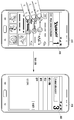
도 5 내지 도 12는 본 개시의 실시예에 따른 백그라운드 애플리케이션 제어를 위한 사용자 인터페이스를 설명하기 위한 도면이다.5 to 12 are diagrams for describing a user interface for background application control according to an embodiment of the present disclosure.
도 5는 전자 기기(410)에서 현재 동시에 실행 중인, 즉 멀티 태스킹되는 복수의 애플리케이션이 사용자의 가장 최근 사용된 순서에 의해 순차적으로 레이어링된 실행화면을 이미지로 도시하고 있다.FIG. 5 illustrates, as an image, an execution screen layered by the most recently used order of a plurality of applications that are currently being executed simultaneously in the
가장 최근 사용된 검색 웹 페이지(420)는 제1 레이어드로 설정되고, 그 다음으로 사용된 뮤직 플레이어의 실행화면(430)은 제2 레이어드로 설정되며, 가장 마지막으로 사용된 메일 브라우저 실행화면(440)은 제3 레이어드로 설정될 수 있다.The most recently used
도 5에 도시된 바와 같이 사용자에 의해 포그라운드 애플리케이션 실행화면(420) 상에 하나의 손가락을 통한 터치 이벤트가 발생되면, 제어부(110)는 터치 포인트의 개수를 1개로 판단하고, 이후 입력되는 터치 제스처들을 제1 레이어드에서 실행되는 검색 웹 페이지(420)에 대한 터치 이벤트로 검출할 수 있다.As illustrated in FIG. 5, when a touch event through one finger is generated on the foreground
도 6에 도시된 바와 같이 포그라운드 애플리케이션 실행화면(420) 상에 사용자에 의해 두 개의 손가락을 통한 터치 이벤트가 발생되면, 제어부(110)는 터치 포인트의 개수를 2개로 검출하여 이에 해당하는 제2 레이어드에서 구동되는 뮤직 플레이어 애플리케이션을 선택한다. 제어부(110)는 상기 터치 이벤트의 입력에 연속하여, 좌측에서 우측으로 입력되는 터치 제스처를 검출하면, 이를 뮤직 플레이어 애플리케이션의 실행을 제어하기 위한 터치 제스처로 판단하고, 상기 터치 제스처에 따라 뮤직 플레이어의 실행을 제어한다. 즉, 좌측에서 우측으로 입력되는 터치 제스처에 따라 목록 상에서 순서상으로 다음 순서에 해당하는 음원을 재생시킬 수 있다.As illustrated in FIG. 6, when a touch event through two fingers is generated by the user on the foreground
또는 도 7에 도시된 바와 같이 포그라운드 애플리케이션 실행화면(420) 상에 2개의 터치 포인트의 입력을 검출하고 이에 따라 제2 레이어드에서 구동되는 뮤직 플레이어 애플리케이션을 선택한 이후, 하측에서 상측으로 입력되는 터치 제스처를 검출하면, 제어부(110)는 이에 따라 뮤직 플레이어 재생 음원의 볼륨 크기를 크게 조절할 수 있다.Alternatively, as illustrated in FIG. 7, after detecting the input of two touch points on the foreground
즉, 포그라운드 애플리케이션 실행화면(420) 상에 입력되는 상기 터치 제스처에 의해 제2 레이어드 실행화면(430)의 볼륨 크기 인터페이스(435)가 조절되어 음량 크기가 조절될 수 있다. 이때, 제2 레이어드 실행화면(430)에 대응하는 뮤직 플레이어 애플리케이션은 여전히 백그라운드에서 구동되는 상태이고, 포그라운드에서 구동되는 앱 실행화면(420)에 입력되는 터치 제스처에 의해 제어될 수 있다.That is, the
반대로, 2개의 터치 포인트의 입력 검출 이후, 상측에서 하측으로 입력되는 터치 제스처를 검출하면, 제어부(110)는 뮤직 플레이어 재생 음원의 볼륨 크기를 작게 조절할 수 있다.Conversely, after detecting the input of the two touch points, if the touch gesture input from the upper side to the lower side is detected, the
도 8 내지 도 10은 포그라운드 애플리케이션 실행화면(420) 상에 입력되는 터치 포인트의 개수에 따라 적어도 하나의 백그라운드 애플리케이션 실행화면을 표시하는 실시예를 도시한 도면이다.8 to 10 are views illustrating an embodiment of displaying at least one background application execution screen according to the number of touch points input on the foreground
도 8을 참조하면, 제어부(110)는 포그라운드 애플리케이션 실행화면에 입력되는 터치 포인트 개수를 검출하여, 검출된 터치 포인트 개수에 대응하는 해당 백그라운드 애플리케이션 실행화면을 현재 포그라운드에서 구동되는 애플리케이션에 대응하는 실행화면의 일부에 오버랩하여 표시할 수 있다. Referring to FIG. 8, the
2개의 터치 포인트 개수에 대응하는 뮤직 플레이어의 음원 재생 실행화면(2)이 웹 페이지 검색 실행화면(1)의 하단의 일부에 표시되고 있다. 이때 뮤직 플레이어의 음원 재생 실행 화면은 검색 웹 페이지 화면의 상위, 하위 및 중간 중 적어도 한 부분에 백그라운드 애플리케이션 실행화면이 표시될 수 있고, 이의 표시 위치나 크기는 설계자 또는 사용자에 의해 미리 설정될 수 있다. 또는, 도 9에 도시된 바와 같이 검색 웹 페이지 화면의 전체에 뮤직 플레이어의 실행화면을 반투명 또는 소정의 미리 설정된 투명도에 따라 오버랩하여 표시할 수 있다.The music player
뮤직 플레이어의 음원 재생 실행 화면(2)은 웹 페이지 검색 실행 화면(1)에 소정 시간 동안 표시되다가 사라질 수도 있고, 소정 시간 동안 깜박이며 표시될 수도 있다.The music
도 9를 참조하면, 제어부(110)는 터치 포인트의 개수가 2이상인 경우, 전체 백그라운드 애플리케이션에 대응하는 실행화면을 포그라운드 애플리케이션 실행화면(1)의 일부에 표시할 수 있다.Referring to FIG. 9, when the number of touch points is 2 or more, the
즉, 제어부(110)는 적어도 하나 이상의 백그라운드에서 동작하는 애플리케이션 실행화면 전부를 포그라운드 애플리케이션 실행화면의 일부에 표시할 수 있다. 그리고 백그라운드 애플리케이션이 사용자에 의해 사용된 가장 최근 순으로 실행화면들이 나열될 수 있으며, 이 순서에 대응하는 숫자, 문자, 기호 중 적어도 하나가 같이 표시될 수 있다. 또한, 일부에 표시된 백그라운드 애플리케이션 실행화면은 반투명창으로 포그라운드 애플리케이션 실행화면에 오버랩되어 표시될 수 있다. 이와 같은 백그라운드 애플리케이션 전체에 해당하는 실행화면은 웹 페이지 검색 실행 화면(1)에 소정 시간 표시되다가 사라지거나, 깜박임 효과로 표시될 수 있으며, 이의 표시방법에 대해 한정하지 않을 수 있다.That is, the
도 11 및 도 12를 참조하면, 제어부(110)는 입력되는 포그라운드 애플리케이션 실행화면에 입력되는 터치 제스처에 따라 백그라운드 애플리케이션을 전적으로 포그라운드 애플리케이션으로 전환할 수도 있다. 예컨대, 3개의 손가락으로 미리 설정된 소정 시간 이내에 포그라운드 애플리케이션 실행화면에 탭 핑이 발생하면, 제어부(110)는 이를 제3 레이어드에 대응하는 백그라운드 애플리케이션 실행화면을 포그라운드에서 구동하라는 명령으로 판단할 수 있다. 이에 따라 도 11과 같이 포그라운드에서 구동되던 웹 페이지 검색 실행 화면(420)을 뒤로 숨기고, 메일 브라우저 실행화면(440)을 터치 스크린에 표시할 수 있다. 즉, 터치 제스처에 따라 백그라운드에서 구동되던 애플리케이션의 실행을 포그라운드로 전환할 수 있다.11 and 12, the
이와 같은 실시예는 백그라운드에서 실행중인 애플리케이션을 포그라운드로 전환하기 위해 홈 키와 취소 키 등을 수회 입력시켜야 했던 종래 기술에 비하여 미리 설정된 터치 제스처의 입력만으로 간편하게 백그라운드 애플리케이션을 제어할 수 있게 한다.Such an embodiment makes it possible to control a background application simply by inputting a preset touch gesture compared to a conventional technique in which a home key and a cancel key have to be input several times in order to switch an application running in the background to the foreground.
한편, 이상에서는 상기 도 5 내지 도 12를 참조하여, 백그라운드 애플리케이션 실행 제어 방법에 대하여 설명하였다. 하지만, 본 개시는 이에 한정되지 않는다. 예를 들어, 본 개시는 백그라운드 애플리케이션 제어를 위한 UI(User Interface)를 제공하는 갤러리(Gallery), 전자 책, 주소록 정보 표시 화면, 음악 재생 화면 등에 적용될 수 있음은 본 개시의 기술 분야에서 통상의 지식을 가진 자에게 있어 자명할 것이다.Meanwhile, in the above, a method of controlling background application execution has been described with reference to FIGS. 5 to 12. However, the present disclosure is not limited to this. For example, it is common knowledge in the technical field of the present disclosure that the present disclosure can be applied to galleries, e-books, address book information display screens, music playback screens, etc., which provide a user interface (UI) for background application control. It will be obvious to those who have it.
상술한 바와 같은 본 개시의 실시 예에 따른 백그라운드 애플리케이션의 실행 제어 방법은 다양한 컴퓨터 수단을 통하여 수행될 수 있는 프로그램 명령 형태로 구현되어 컴퓨터로 판독 가능한 기록 매체에 기록될 수 있다. 이때, 상기 컴퓨터로 판독 가능한 기록매체는 프로그램 명령, 데이터 파일, 데이터 구조 등을 단독으로 또는 조합하여 포함할 수 있다. 한편, 기록매체에 기록되는 프로그램 명령은 본 개시를 위하여 특별히 설계되고 구성된 것들이거나 컴퓨터 소프트웨어 당업자에게 공지되어 사용 가능한 것일 수도 있다. 상기 컴퓨터로 판독 가능한 기록매체에는 하드디스크, 플로피디스크 및 자기 테이프와 같은 자기매체(Magnetic Media), CD-ROM, DVD와 같은 광기록 매체(Optical Media), 플롭티컬 디스크(Floptical Disk)와 같은 자기-광 매체(Magneto-Optical Media), 및 롬(ROM), 램(RAM), 플래시 메모리 등과 같은 프로그램 명령을 저장하고 수행하도록 특별히 구성된 하드웨어 장치가 포함된다. 또한, 프로그램 명령에는 컴파일러에 의해 만들어지는 것과 같은 기계어 코드뿐만 아니라 인터프리터 등을 사용해서 컴퓨터에 의해서 실행될 수 있는 고급 언어 코드를 포함한다. 상술한 하드웨어 장치는 본 개시의 동작을 수행하기 위해 하나 이상의 소프트웨어 모듈로서 작동하도록 구성될 수 있다.The method for controlling execution of a background application according to an embodiment of the present disclosure as described above may be implemented in the form of program instructions that can be executed through various computer means and may be recorded on a computer-readable recording medium. In this case, the computer-readable recording medium may include program instructions, data files, data structures, or the like alone or in combination. Meanwhile, the program instructions recorded on the recording medium may be specially designed and configured for the present disclosure or may be known and usable by those skilled in computer software. The computer-readable recording medium includes magnetic media such as hard disks, floppy disks and magnetic tapes, magnetic media such as optical media such as CD-ROMs and DVDs, and floppy disks. -Hardware devices specially configured to store and execute program instructions such as magneto-optical media, and ROM, RAM, flash memory, and the like. In addition, the program instructions include not only machine language codes produced by a compiler, but also high-level language codes that can be executed by a computer using an interpreter or the like. The hardware device described above may be configured to operate as one or more software modules to perform the operations of the present disclosure.
이상에서는 본 개시의 실시 예에 따른 전자 기기 및 그의 애플리케이션 제어 방법에 대하여 본 명세서 및 도면을 통해 바람직한 실시 예들에 대하여 설명하였으며, 비록 특정 용어들이 사용되었으나 이는 단지 본 개시의 기술 내용을 쉽게 설명하고 발명의 이해를 돕기 위해 일반적인 의미에서 사용된 것일 뿐, 본 개시가 전술한 실시 예에 한정되는 것은 아니다. 즉, 본 개시의 기술적 사상에 바탕을 둔 다양한 실시 예가 가능함은 본 개시가 속하는 기술 분야에서 통상의 지식을 가진 자에게 자명한 것이다.In the above, preferred embodiments of the electronic device and its application control method according to embodiments of the present disclosure have been described through the specification and drawings. Although specific terms are used, they simply describe the technical content of the present disclosure and invent the invention. It is only used in a general sense to aid understanding of the present disclosure, and the present disclosure is not limited to the above-described embodiment. That is, various embodiments based on the technical spirit of the present disclosure are possible, and are apparent to those skilled in the art to which the present disclosure pertains.
110 : 제어부 120 : 저장부
130 : 터치스크린 131 : 표시 패널
132 : 터치 패널 140 : 입력부
150 : 무선 통신부 160 : 오디오 처리부
111 : 터치 포인트 수집부 113: 앱 실행 제어부110: control unit 120: storage unit
130: touch screen 131: display panel
132: touch panel 140: input unit
150: wireless communication unit 160: audio processing unit
111: Touch point collection unit 113: App execution control unit
Claims (15)
실행중인 복수의 앱을 가장 최근 실행된 순으로 레이어링하는 과정;
상기 레이어링된 복수의 앱을 터치 포인트의 개수와 순차적으로 매핑하여 저장하는 과정;
터치 스크린에 입력된 터치 포인트의 개수를 검출하고, 상기 터치 포인트의 개수에 해당하는 앱을 검출하는 과정;
상기 해당 앱을 제어하는 터치 제스처를 검출하는 과정; 및
상기 터치 제스처에 따라 실행화면 전환 없이 상기 해당 앱을 제어하는 과정을 포함하되,
상기 검출된 앱 실행화면을 표시하는 과정을 생략하는 것을 특징으로 하는 애플리케이션 제어 방법.In the application control method of the electronic device,
Layering the plurality of running apps in the order of the most recent execution;
A process of sequentially mapping and storing the plurality of layered apps with the number of touch points;
Detecting a number of touch points input to the touch screen and detecting an app corresponding to the number of touch points;
Detecting a touch gesture controlling the app; And
Including the process of controlling the corresponding app without switching the execution screen according to the touch gesture,
The method of controlling an application, wherein the process of displaying the detected app execution screen is omitted.
미리 설정된 소정 시간 이내에 상기 터치 스크린에 동시에 입력되는 터치 이벤트의 포인트 개수를 검출하는, 애플리케이션 제어 방법.According to claim 1, The process of detecting the number of the touch points,
An application control method for detecting the number of points of a touch event simultaneously input to the touch screen within a predetermined time period.
상기 해당 앱과 관련된 복수의 실행 제어 명령과 미리 매핑된 복수의 터치 제스처 중 동일한 하나의 터치 제스처를 검출하는, 애플리케이션 제어 방법.According to claim 1, The process of detecting the touch gesture,
An application control method for detecting the same one touch gesture among a plurality of touch gestures pre-mapped with a plurality of execution control commands related to the corresponding app.
실행중인 복수의 앱을 가장 최근 실행된 순으로 레이어링하는 과정;
상기 레이어링된 복수의 앱을 터치 포인트의 개수와 순차적으로 매핑하여 저장하는 과정;
제1 레이어드에 대응하는 앱 실행화면 상에 입력된 터치 포인트의 개수를 검출하고, 상기 터치 포인트의 개수에 해당하는 앱을 검출하는 과정;
상기 검출된 앱 실행화면을 일부에 표시하거나 전체에 반투명하게 표시하는 과정;
상기 검출된 앱을 제어하는 터치 제스처를 검출하는 과정; 및
상기 터치 제스처에 따라 실행화면 전환 없이 상기 해당 앱을 제어하는 과정을 포함하는, 애플리케이션 제어 방법.In the application control method of the electronic device,
Layering the plurality of running apps in the order of the most recent execution;
A process of sequentially mapping and storing the plurality of layered apps with the number of touch points;
Detecting the number of touch points input on the app execution screen corresponding to the first layer, and detecting the app corresponding to the number of touch points;
Displaying the detected app execution screen on a part or translucent on the whole;
Detecting a touch gesture for controlling the detected app; And
And controlling the corresponding app without switching an execution screen according to the touch gesture.
상기 제1 레이어드에 대응하는 앱 실행화면 상에 입력되는 터치 포인트의 개수 변경을 검출하는 과정; 및
상기 변경된 터치 포인트 개수에 해당하는 백그라운드 앱을 다시 검출하는 과정을 더 포함하는, 애플리케이션 제어 방법.The method of claim 4, after the detected app execution screen display process,
Detecting a change in the number of touch points input on the app execution screen corresponding to the first layer; And
And detecting a background app corresponding to the changed number of touch points again.
상기 앱 실행화면에 상기 검출된 앱의 레이어드를 나타내는 문자, 숫자, 기호 중 적어도 하나를 더 표시하는, 애플리케이션 제어 방법.The method of claim 4, wherein the detected application execution screen display process is
The application control method further displays at least one of letters, numbers, and symbols indicating the layering of the detected app on the app execution screen.
실행중인 복수의 앱을 가장 최근 실행된 순으로 레이어링하는 과정;
상기 레이어링된 복수의 앱을 터치 포인트의 개수와 순차적으로 매핑하여 저장하는 과정;
최상위 레이어드에 해당하는 앱 실행화면 상에 입력된 터치 포인트의 개수가 복수개인지 판단하는 과정;
상기 터치 포인트의 개수가 복수개이면, 상기 최상위 레이어드에 해당하는 앱 실행화면의 일부에 복수의 백그라운드 앱의 실행화면 전체를 표시하는 과정;
상기 터치 포인트의 개수에 해당하는 하나의 백그라운드 앱을 검출하는 과정;
상기 검출된 백그라운드 앱을 제어하는 터치 제스처를 검출하는 과정; 및
상기 터치 제스처에 따라 실행화면 전환 없이 상기 백그라운드 앱을 제어하는 과정을 포함하는, 애플리케이션 제어 방법.In the application control method of the electronic device,
Layering the plurality of running apps in the order of the most recent execution;
A process of sequentially mapping and storing the plurality of layered apps with the number of touch points;
Determining whether the number of touch points input on the app execution screen corresponding to the top layer is plural;
If the number of the touch points is plural, displaying the entire execution screen of the plurality of background apps on a part of the application execution screen corresponding to the top layer;
Detecting one background app corresponding to the number of touch points;
Detecting a touch gesture for controlling the detected background app; And
And controlling the background app without switching an execution screen according to the touch gesture.
입력되는 터치 포인트의 개수 변경을 검출하는 과정; 및
상기 변경된 터치 포인트 개수에 해당하는 백그라운드 앱을 다시 검출하는 과정을 더 포함하는, 애플리케이션 제어 방법.According to claim 8, After the execution screen display process of the plurality of background apps,
Detecting a change in the number of input touch points; And
And detecting a background app corresponding to the changed number of touch points again.
사용자에 의해 가장 최근 실행된 순서상으로 표시되거나, 해당 레이어드를 나타내는 문자, 숫자, 기호 중 적어도 하나가 더 표시되거나, 복수의 백그라운드 앱 실행화면이 썸네일 이미지로 포그라운드 앱 실행화면의 적어도 일부에 중첩되거나, 복수의 백그라운드 앱 실행화면이 포그라운드 앱 실행화면의 적어도 일부에 미리 설정된 투명창으로 오버랩되는 것 중 적어도 하나인, 애플리케이션 제어 방법. The entire process of displaying the execution screens of the plurality of background apps,
Displayed in the order of the most recently executed by the user, at least one of letters, numbers, and symbols representing the layer is displayed, or multiple background app execution screens are superimposed on at least a part of the foreground app execution screen as thumbnail images Or, at least one of the plurality of background app execution screen overlap with a preset transparent window on at least a portion of the foreground app execution screen, the application control method.
상기 터치 포인트의 개수를 검출하여 상기 터치 포인트의 개수에 매핑된 앱을 검출하고, 검출된 상기 앱을 터치 제스처에 따라 실행화면 전환 없이 제어하되, 백그라운드 앱을 포그라운드 앱 실행화면에 표시하는 동작을 수행하는 제어부; 및
상기 복수의 앱을 최근 사용된 순서에 따라 상기 터치 포인트의 개수와 순차적으로 매핑하여 저장하고, 복수의 상기 터치 제스처와 앱의 실행 명령들을 미리 매핑하여 저장하는 저장부를 포함하는, 전자기기.A touch panel for sensing a touch point for selecting any one of a plurality of running apps;
Detecting an app mapped to the number of touch points by detecting the number of touch points, and controlling the detected app without switching an execution screen according to a touch gesture, but displaying a background app on the foreground app execution screen A control unit to perform; And
And a storage unit that sequentially stores and stores the plurality of apps by sequentially mapping the number of the touch points according to a recently used order, and pre-maps the plurality of touch gestures and execution commands of the app.
미리 설정된 소정 시간 이내에 상기 터치 패널에 동시에 입력되는 터치 이벤트의 포인트 개수를 검출하는, 전자기기.The method of claim 11, wherein the control unit,
An electronic device that detects the number of points of a touch event simultaneously input to the touch panel within a predetermined time.
상기 터치 포인트의 개수에 매핑된 백그라운드 앱을 포그라운드 앱 실행화면의 일부에 표시하거나, 상기 포그라운드 앱 실행화면의 전체에 오버랩하여 표시하거나, 상기 백그라운드 앱이 복수의 앱 중 최근 사용된 순서를 나타내는 문자, 숫자 기호 중 적어도 하나를 더 표시하거나, 상기 터치 포인트의 개수가 복수이면, 백그라운드 앱 전체의 실행화면을 포그라운드 앱 실행화면에 표시하는, 전자기기. The method of claim 11, wherein the control unit,
The background app mapped to the number of touch points is displayed on a part of the foreground app execution screen, overlaps the entire screen of the foreground app execution screen, or the background app indicates a recently used order among a plurality of apps. When displaying at least one of letters and numbers, or when the number of the touch points is plural, an electronic device displaying the execution screen of the entire background app on the foreground app execution screen.
상기 백그라운드 앱 실행화면 표시 이후에 입력되는 터치 포인트의 개수 변경을 검출하고, 상기 변경된 터치 포인트 개수에 해당하는 백그라운드 앱을 다시 검출하는, 전자기기. The method of claim 11, wherein the control unit,
An electronic device that detects a change in the number of touch points input after the background app execution screen is displayed and detects a background app corresponding to the changed number of touch points again.
Priority Applications (6)
| Application Number | Priority Date | Filing Date | Title |
|---|---|---|---|
| KR1020130064120A KR102089447B1 (en) | 2013-06-04 | 2013-06-04 | Electronic device and method for controlling applications thereof |
| US14/287,808 US10152216B2 (en) | 2013-06-04 | 2014-05-27 | Electronic device and method for controlling applications in the electronic device |
| AU2014275680A AU2014275680B2 (en) | 2013-06-04 | 2014-05-28 | Electronic device and method for controlling applications in the electronic device |
| PCT/KR2014/004749 WO2014196760A1 (en) | 2013-06-04 | 2014-05-28 | Electronic device and method for controlling applications in the electronic device |
| CN201480031415.3A CN105393205B (en) | 2013-06-04 | 2014-05-28 | Electronic device and method for controlling application in electronic device |
| EP14808363.7A EP3005069B1 (en) | 2013-06-04 | 2014-05-28 | Electronic device and method for controlling applications in the electronic device |
Applications Claiming Priority (1)
| Application Number | Priority Date | Filing Date | Title |
|---|---|---|---|
| KR1020130064120A KR102089447B1 (en) | 2013-06-04 | 2013-06-04 | Electronic device and method for controlling applications thereof |
Publications (2)
| Publication Number | Publication Date |
|---|---|
| KR20140142546A KR20140142546A (en) | 2014-12-12 |
| KR102089447B1 true KR102089447B1 (en) | 2020-03-16 |
Family
ID=51986650
Family Applications (1)
| Application Number | Title | Priority Date | Filing Date |
|---|---|---|---|
| KR1020130064120A Expired - Fee Related KR102089447B1 (en) | 2013-06-04 | 2013-06-04 | Electronic device and method for controlling applications thereof |
Country Status (6)
| Country | Link |
|---|---|
| US (1) | US10152216B2 (en) |
| EP (1) | EP3005069B1 (en) |
| KR (1) | KR102089447B1 (en) |
| CN (1) | CN105393205B (en) |
| AU (1) | AU2014275680B2 (en) |
| WO (1) | WO2014196760A1 (en) |
Families Citing this family (32)
| Publication number | Priority date | Publication date | Assignee | Title |
|---|---|---|---|---|
| JP2015011636A (en) * | 2013-07-01 | 2015-01-19 | 富士通株式会社 | Terminal device, screen switching method, and screen switching program |
| KR102148725B1 (en) | 2013-07-31 | 2020-08-28 | 삼성전자주식회사 | Method and Apparatus for displaying application |
| EP3163403A4 (en) * | 2014-06-25 | 2018-02-28 | Sony Corporation | Display control device, display control method, and program |
| US9830167B2 (en) * | 2014-08-12 | 2017-11-28 | Linkedin Corporation | Enhancing a multitasking user interface of an operating system |
| DE102014012550A1 (en) * | 2014-08-20 | 2016-02-25 | e.solutions GmbH | Motor vehicle control device |
| KR102320072B1 (en) * | 2015-01-16 | 2021-11-02 | 삼성전자 주식회사 | Electronic device and method for controlling of information disclosure thereof |
| WO2016153258A1 (en) * | 2015-03-23 | 2016-09-29 | 주식회사 큐키 | Apparatus and method for executing application for mobile device |
| US10289290B2 (en) * | 2015-06-04 | 2019-05-14 | Samsung Electronics Co., Ltd. | Apparatus and method for displaying a portion of a plurality of background applications |
| CN108475169B (en) | 2015-11-23 | 2021-06-11 | 惠尔丰公司 | System and method for authentication code entry in a touch-sensitive screen-enabled device |
| US10705723B2 (en) | 2015-11-23 | 2020-07-07 | Verifone, Inc. | Systems and methods for authentication code entry in touch-sensitive screen enabled devices |
| CN105389116A (en) * | 2015-12-03 | 2016-03-09 | 广东欧珀移动通信有限公司 | Terminal application processing method and system for terminal equipment, terminal equipment |
| KR102544716B1 (en) * | 2016-03-25 | 2023-06-16 | 삼성전자주식회사 | Method for Outputting Screen and the Electronic Device supporting the same |
| CN106020628B (en) * | 2016-06-12 | 2019-03-26 | 浙江慧脑信息科技有限公司 | A kind of tab bar and menu bar show condition control method |
| CN109313531A (en) * | 2016-06-30 | 2019-02-05 | 华为技术有限公司 | A kind of graphic user interface that checking application program, method and terminal |
| CN107632746A (en) * | 2016-07-19 | 2018-01-26 | 中兴通讯股份有限公司 | A kind of application interface display methods and device |
| CN107844253A (en) * | 2016-09-20 | 2018-03-27 | 中兴通讯股份有限公司 | Display processing method and device |
| EP3485358B1 (en) | 2016-09-26 | 2024-03-06 | Samsung Electronics Co., Ltd. | Electronic device and method thereof for managing applications |
| DE102017217591A1 (en) * | 2017-10-04 | 2019-04-04 | Audi Ag | Operating system with three-dimensional display for a vehicle |
| CN108200278A (en) * | 2017-12-28 | 2018-06-22 | 维沃移动通信有限公司 | Application running state control method and mobile terminal |
| CN109992379B (en) * | 2017-12-29 | 2021-04-23 | Oppo广东移动通信有限公司 | Application freezing method, device, storage medium and terminal |
| US10864043B2 (en) * | 2018-02-09 | 2020-12-15 | Kathleen M Douglas | Interactive placement of a 3D digital representation of a surgical device or anatomic feature into a 3D radiologic image for pre-operative planning |
| CN109308159B (en) * | 2018-08-22 | 2023-01-17 | 深圳绿米联创科技有限公司 | Smart device control method, device, system, electronic device and storage medium |
| KR102760970B1 (en) | 2019-03-07 | 2025-02-03 | 삼성전자주식회사 | Electronic device and method of controlling application thereof |
| CN110083288B (en) * | 2019-04-22 | 2021-04-16 | 百度在线网络技术(北京)有限公司 | Display interface control method, device and system, computing equipment and readable medium |
| KR102751045B1 (en) * | 2019-09-09 | 2025-01-08 | 현대자동차주식회사 | Touch screen, Vehicle having the touch screen and method for controlling the vehicle |
| CN110851042A (en) * | 2019-11-11 | 2020-02-28 | 维沃移动通信有限公司 | Interface display method and electronic device |
| KR102929328B1 (en) * | 2020-02-11 | 2026-02-23 | 삼성전자주식회사 | Method for operating function based on gesture recognition and electronic device supporting the same |
| CN111610912B (en) * | 2020-04-24 | 2023-10-10 | 北京小米移动软件有限公司 | Application display method, application display device and storage medium |
| CN112118355B (en) * | 2020-09-21 | 2021-06-15 | 珠海格力电器股份有限公司 | Control method and device for terminal interface application |
| EP4302167A1 (en) | 2021-03-03 | 2024-01-10 | Telefonaktiebolaget LM Ericsson (publ) | A computer a software module arrangement, a circuitry arrangement, a user equipment and a method for an improved and extended user interface |
| AU2021431032B2 (en) * | 2021-03-03 | 2024-10-03 | Telefonaktiebolaget Lm Ericsson (Publ) | A computer a software module arrangement, a circuitry arrangement, a user equipment and a method for an improved user interface controlling multiple applications simultaneously |
| CN113849093B (en) * | 2021-09-28 | 2024-10-22 | 联想(北京)有限公司 | Control method, device and electronic equipment |
Citations (2)
| Publication number | Priority date | Publication date | Assignee | Title |
|---|---|---|---|---|
| US20110298724A1 (en) * | 2010-06-08 | 2011-12-08 | Sap Ag | Bridging Multi and/or Single Point Devices and Applications |
| JP2013084233A (en) * | 2011-09-28 | 2013-05-09 | Kyocera Corp | Device, method, and program |
Family Cites Families (17)
| Publication number | Priority date | Publication date | Assignee | Title |
|---|---|---|---|---|
| US20040145574A1 (en) | 2003-01-29 | 2004-07-29 | Xin Zhen Li | Invoking applications by scribing an indicium on a touch screen |
| US8230366B2 (en) * | 2003-10-23 | 2012-07-24 | Apple Inc. | Dynamically changing cursor for user interface |
| US8619039B2 (en) * | 2007-12-21 | 2013-12-31 | Motorola Mobility Llc | Translucent touch screen devices including low resistive mesh |
| KR101019335B1 (en) | 2008-11-11 | 2011-03-07 | 주식회사 팬택 | Application control method and system of mobile terminal using gesture |
| US20110157051A1 (en) | 2009-12-25 | 2011-06-30 | Sanyo Electric Co., Ltd. | Multilayer display device |
| KR101087479B1 (en) * | 2010-01-29 | 2011-11-25 | 주식회사 팬택 | Multi display device and its control method |
| JP5413673B2 (en) | 2010-03-08 | 2014-02-12 | ソニー株式会社 | Information processing apparatus and method, and program |
| US9098873B2 (en) | 2010-04-01 | 2015-08-04 | Microsoft Technology Licensing, Llc | Motion-based interactive shopping environment |
| US20110252430A1 (en) | 2010-04-07 | 2011-10-13 | Apple Inc. | Opportunistic Multitasking |
| KR101873787B1 (en) | 2011-02-10 | 2018-07-03 | 삼성전자주식회사 | Method for processing multi-touch input in touch screen terminal and device thereof |
| US20120246565A1 (en) * | 2011-03-24 | 2012-09-27 | Konica Minolta Laboratory U.S.A., Inc. | Graphical user interface for displaying thumbnail images with filtering and editing functions |
| CN102207825A (en) | 2011-05-23 | 2011-10-05 | 昆山富泰科电脑有限公司 | Method for switching multiple applications in portable multifunctional device and user graphical interface |
| KR101841590B1 (en) | 2011-06-03 | 2018-03-23 | 삼성전자 주식회사 | Method and apparatus for providing multi-tasking interface |
| JP5966557B2 (en) * | 2012-04-19 | 2016-08-10 | ソニー株式会社 | Information processing apparatus, information processing method, program, and information processing system |
| CN103593038B (en) * | 2012-08-14 | 2016-01-20 | 腾讯科技(深圳)有限公司 | A kind of method and apparatus controlling to apply |
| US9448694B2 (en) * | 2012-11-09 | 2016-09-20 | Intel Corporation | Graphical user interface for navigating applications |
| US9261380B2 (en) * | 2013-02-01 | 2016-02-16 | Apple Inc. | Intelligent adjustment of map viewports at launch |
-
2013
- 2013-06-04 KR KR1020130064120A patent/KR102089447B1/en not_active Expired - Fee Related
-
2014
- 2014-05-27 US US14/287,808 patent/US10152216B2/en not_active Expired - Fee Related
- 2014-05-28 AU AU2014275680A patent/AU2014275680B2/en not_active Ceased
- 2014-05-28 EP EP14808363.7A patent/EP3005069B1/en not_active Not-in-force
- 2014-05-28 WO PCT/KR2014/004749 patent/WO2014196760A1/en not_active Ceased
- 2014-05-28 CN CN201480031415.3A patent/CN105393205B/en not_active Expired - Fee Related
Patent Citations (2)
| Publication number | Priority date | Publication date | Assignee | Title |
|---|---|---|---|---|
| US20110298724A1 (en) * | 2010-06-08 | 2011-12-08 | Sap Ag | Bridging Multi and/or Single Point Devices and Applications |
| JP2013084233A (en) * | 2011-09-28 | 2013-05-09 | Kyocera Corp | Device, method, and program |
Also Published As
| Publication number | Publication date |
|---|---|
| KR20140142546A (en) | 2014-12-12 |
| EP3005069A1 (en) | 2016-04-13 |
| CN105393205A (en) | 2016-03-09 |
| EP3005069B1 (en) | 2018-08-01 |
| EP3005069A4 (en) | 2017-05-03 |
| WO2014196760A1 (en) | 2014-12-11 |
| CN105393205B (en) | 2018-09-21 |
| AU2014275680B2 (en) | 2017-05-04 |
| AU2014275680A1 (en) | 2015-10-08 |
| US10152216B2 (en) | 2018-12-11 |
| US20140359504A1 (en) | 2014-12-04 |
Similar Documents
| Publication | Publication Date | Title |
|---|---|---|
| KR102089447B1 (en) | Electronic device and method for controlling applications thereof | |
| US11782580B2 (en) | Application menu for video system | |
| US20250265409A1 (en) | Device, method, and graphical user interface for annotating text | |
| KR101761190B1 (en) | Method and apparatus for providing user interface in portable terminal | |
| KR102020345B1 (en) | The method for constructing a home screen in the terminal having touchscreen and device thereof | |
| KR101710418B1 (en) | Method and apparatus for providing multi-touch interaction in portable device | |
| US10365819B2 (en) | Device, method, and graphical user interface for displaying a character input user interface | |
| EP2735960A2 (en) | Electronic device and page navigation method | |
| US9690479B2 (en) | Method and apparatus for controlling application using key inputs or combination thereof | |
| AU2013276998B2 (en) | Mouse function provision method and terminal implementing the same | |
| US20150169216A1 (en) | Method of controlling screen of portable electronic device | |
| KR20130052151A (en) | Data input method and device in portable terminal having touchscreen | |
| KR20170076357A (en) | User terminal device, and mode conversion method and sound system for controlling volume of speaker thereof | |
| KR20140033561A (en) | Method and apparatus for displaying data | |
| KR20130133980A (en) | Method and apparatus for moving object in terminal having touchscreen | |
| KR20140026027A (en) | Method for running application and mobile device | |
| KR20200051783A (en) | Method and terminal for displaying multiple content cards | |
| KR20140106801A (en) | Apparatus and method for supporting voice service in terminal for visually disabled peoples | |
| EP2685367B1 (en) | Method and apparatus for operating additional function in mobile device | |
| KR20160018269A (en) | Device and method for controlling the same | |
| KR20130140361A (en) | Method for inputting data in terminal having touchscreen and apparatus thereof |
Legal Events
| Date | Code | Title | Description |
|---|---|---|---|
| PA0109 | Patent application |
St.27 status event code: A-0-1-A10-A12-nap-PA0109 |
|
| PG1501 | Laying open of application |
St.27 status event code: A-1-1-Q10-Q12-nap-PG1501 |
|
| A201 | Request for examination | ||
| PA0201 | Request for examination |
St.27 status event code: A-1-2-D10-D11-exm-PA0201 |
|
| E902 | Notification of reason for refusal | ||
| PE0902 | Notice of grounds for rejection |
St.27 status event code: A-1-2-D10-D21-exm-PE0902 |
|
| E13-X000 | Pre-grant limitation requested |
St.27 status event code: A-2-3-E10-E13-lim-X000 |
|
| P11-X000 | Amendment of application requested |
St.27 status event code: A-2-2-P10-P11-nap-X000 |
|
| P13-X000 | Application amended |
St.27 status event code: A-2-2-P10-P13-nap-X000 |
|
| E701 | Decision to grant or registration of patent right | ||
| PE0701 | Decision of registration |
St.27 status event code: A-1-2-D10-D22-exm-PE0701 |
|
| GRNT | Written decision to grant | ||
| PR0701 | Registration of establishment |
St.27 status event code: A-2-4-F10-F11-exm-PR0701 |
|
| PR1002 | Payment of registration fee |
St.27 status event code: A-2-2-U10-U11-oth-PR1002 Fee payment year number: 1 |
|
| PG1601 | Publication of registration |
St.27 status event code: A-4-4-Q10-Q13-nap-PG1601 |
|
| PC1903 | Unpaid annual fee |
St.27 status event code: A-4-4-U10-U13-oth-PC1903 Not in force date: 20230311 Payment event data comment text: Termination Category : DEFAULT_OF_REGISTRATION_FEE |
|
| PC1903 | Unpaid annual fee |
St.27 status event code: N-4-6-H10-H13-oth-PC1903 Ip right cessation event data comment text: Termination Category : DEFAULT_OF_REGISTRATION_FEE Not in force date: 20230311 |