JP7512007B2 - Image forming apparatus, communication apparatus, control method and program - Google Patents
Image forming apparatus, communication apparatus, control method and program Download PDFInfo
- Publication number
- JP7512007B2 JP7512007B2 JP2017254234A JP2017254234A JP7512007B2 JP 7512007 B2 JP7512007 B2 JP 7512007B2 JP 2017254234 A JP2017254234 A JP 2017254234A JP 2017254234 A JP2017254234 A JP 2017254234A JP 7512007 B2 JP7512007 B2 JP 7512007B2
- Authority
- JP
- Japan
- Prior art keywords
- identification information
- user
- image forming
- preset
- Prior art date
- Legal status (The legal status is an assumption and is not a legal conclusion. Google has not performed a legal analysis and makes no representation as to the accuracy of the status listed.)
- Active
Links
Images


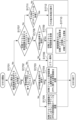

Classifications
-
- G—PHYSICS
- G06—COMPUTING OR CALCULATING; COUNTING
- G06F—ELECTRIC DIGITAL DATA PROCESSING
- G06F3/00—Input arrangements for transferring data to be processed into a form capable of being handled by the computer; Output arrangements for transferring data from processing unit to output unit, e.g. interface arrangements
- G06F3/12—Digital output to print unit, e.g. line printer, chain printer
- G06F3/1201—Dedicated interfaces to print systems
- G06F3/1202—Dedicated interfaces to print systems specifically adapted to achieve a particular effect
- G06F3/1222—Increasing security of the print job
-
- H—ELECTRICITY
- H04—ELECTRIC COMMUNICATION TECHNIQUE
- H04N—PICTORIAL COMMUNICATION, e.g. TELEVISION
- H04N1/00—Scanning, transmission or reproduction of documents or the like, e.g. facsimile transmission; Details thereof
- H04N1/0035—User-machine interface; Control console
-
- G—PHYSICS
- G06—COMPUTING OR CALCULATING; COUNTING
- G06F—ELECTRIC DIGITAL DATA PROCESSING
- G06F3/00—Input arrangements for transferring data to be processed into a form capable of being handled by the computer; Output arrangements for transferring data from processing unit to output unit, e.g. interface arrangements
- G06F3/12—Digital output to print unit, e.g. line printer, chain printer
- G06F3/1201—Dedicated interfaces to print systems
- G06F3/1223—Dedicated interfaces to print systems specifically adapted to use a particular technique
- G06F3/1229—Printer resources management or printer maintenance, e.g. device status, power levels
- G06F3/1231—Device related settings, e.g. IP address, Name, Identification
-
- G—PHYSICS
- G06—COMPUTING OR CALCULATING; COUNTING
- G06F—ELECTRIC DIGITAL DATA PROCESSING
- G06F3/00—Input arrangements for transferring data to be processed into a form capable of being handled by the computer; Output arrangements for transferring data from processing unit to output unit, e.g. interface arrangements
- G06F3/12—Digital output to print unit, e.g. line printer, chain printer
- G06F3/1201—Dedicated interfaces to print systems
- G06F3/1223—Dedicated interfaces to print systems specifically adapted to use a particular technique
- G06F3/1237—Print job management
- G06F3/1238—Secure printing, e.g. user identification, user rights for device usage, unallowed content, blanking portions or fields of a page, releasing held jobs
-
- G—PHYSICS
- G06—COMPUTING OR CALCULATING; COUNTING
- G06F—ELECTRIC DIGITAL DATA PROCESSING
- G06F3/00—Input arrangements for transferring data to be processed into a form capable of being handled by the computer; Output arrangements for transferring data from processing unit to output unit, e.g. interface arrangements
- G06F3/12—Digital output to print unit, e.g. line printer, chain printer
- G06F3/1201—Dedicated interfaces to print systems
- G06F3/1223—Dedicated interfaces to print systems specifically adapted to use a particular technique
- G06F3/1237—Print job management
- G06F3/1253—Configuration of print job parameters, e.g. using UI at the client
- G06F3/1257—Configuration of print job parameters, e.g. using UI at the client by using pre-stored settings, e.g. job templates, presets, print styles
-
- G—PHYSICS
- G06—COMPUTING OR CALCULATING; COUNTING
- G06F—ELECTRIC DIGITAL DATA PROCESSING
- G06F3/00—Input arrangements for transferring data to be processed into a form capable of being handled by the computer; Output arrangements for transferring data from processing unit to output unit, e.g. interface arrangements
- G06F3/12—Digital output to print unit, e.g. line printer, chain printer
- G06F3/1201—Dedicated interfaces to print systems
- G06F3/1278—Dedicated interfaces to print systems specifically adapted to adopt a particular infrastructure
- G06F3/1285—Remote printer device, e.g. being remote from client or server
-
- G—PHYSICS
- G06—COMPUTING OR CALCULATING; COUNTING
- G06F—ELECTRIC DIGITAL DATA PROCESSING
- G06F3/00—Input arrangements for transferring data to be processed into a form capable of being handled by the computer; Output arrangements for transferring data from processing unit to output unit, e.g. interface arrangements
- G06F3/12—Digital output to print unit, e.g. line printer, chain printer
- G06F3/1201—Dedicated interfaces to print systems
- G06F3/1278—Dedicated interfaces to print systems specifically adapted to adopt a particular infrastructure
- G06F3/1285—Remote printer device, e.g. being remote from client or server
- G06F3/1288—Remote printer device, e.g. being remote from client or server in client-server-printer device configuration
-
- G—PHYSICS
- G06—COMPUTING OR CALCULATING; COUNTING
- G06F—ELECTRIC DIGITAL DATA PROCESSING
- G06F3/00—Input arrangements for transferring data to be processed into a form capable of being handled by the computer; Output arrangements for transferring data from processing unit to output unit, e.g. interface arrangements
- G06F3/12—Digital output to print unit, e.g. line printer, chain printer
- G06F3/1201—Dedicated interfaces to print systems
- G06F3/1278—Dedicated interfaces to print systems specifically adapted to adopt a particular infrastructure
- G06F3/1292—Mobile client, e.g. wireless printing
-
- H—ELECTRICITY
- H04—ELECTRIC COMMUNICATION TECHNIQUE
- H04N—PICTORIAL COMMUNICATION, e.g. TELEVISION
- H04N1/00—Scanning, transmission or reproduction of documents or the like, e.g. facsimile transmission; Details thereof
- H04N1/00962—Input arrangements for operating instructions or parameters, e.g. updating internal software
- H04N1/0097—Storage of instructions or parameters, e.g. customised instructions or different parameters for different user IDs
-
- H—ELECTRICITY
- H04—ELECTRIC COMMUNICATION TECHNIQUE
- H04N—PICTORIAL COMMUNICATION, e.g. TELEVISION
- H04N1/00—Scanning, transmission or reproduction of documents or the like, e.g. facsimile transmission; Details thereof
- H04N1/44—Secrecy systems
- H04N1/4406—Restricting access, e.g. according to user identity
- H04N1/4413—Restricting access, e.g. according to user identity involving the use of passwords, ID codes or the like, e.g. PIN
Landscapes
- Engineering & Computer Science (AREA)
- Theoretical Computer Science (AREA)
- Human Computer Interaction (AREA)
- Physics & Mathematics (AREA)
- General Engineering & Computer Science (AREA)
- General Physics & Mathematics (AREA)
- Multimedia (AREA)
- Signal Processing (AREA)
- Computer Security & Cryptography (AREA)
- Computer Networks & Wireless Communication (AREA)
- Accessory Devices And Overall Control Thereof (AREA)
- Facsimiles In General (AREA)
- Software Systems (AREA)
Description
本発明は、データを受信して画像を形成する画像形成装置、通信装置、制御方法、及びプログラムに関するものである。 The present invention relates to an image forming device that receives data and forms an image, a communication device, a control method, and a program.
従来から、ネットワークを介して通信装置から印刷データを受信し、当該受信した印刷データに基づきシートに画像を形成する画像形成装置が知られている。また、個々の画像形成装置を使用するために設計されたプリンタドライバ(又はプリントアプリケーション)を使用して画像形成装置に送信する印刷データを生成することも従来から知られている。 Conventionally, image forming devices are known that receive print data from a communication device via a network and form an image on a sheet based on the received print data. It is also conventionally known to generate print data to be sent to an image forming device using a printer driver (or print application) designed for use with a particular image forming device.
また、近年、個々の画像形成装置を使用するために設計されたプリンタドライバ(又はプリントアプリケーション)を介さずに印刷データを生成することが知られている。例えば、通信装置のオペレーティングシステム(OS)の機能として提供される汎用のプリントクライアントやクラウド上のプリントサーバなどが提供する汎用のプリントクライアントによって印刷データを生成し、画像形成装置に送信する手段が知られている。このような汎用のプリントクライアントでは、画像形成装置に印刷を実行させるためのネットワークプロトコル(IPP:Internet Printing Protocol)に基づいて印刷を行う仕組みが実装されている。このプロトコルに従い画像形成装置と通信装置が通信を行うことで印刷処理を実現する。 In recent years, it has become known to generate print data without going through a printer driver (or print application) designed for use with an individual image forming device. For example, a method is known in which print data is generated and sent to an image forming device by a general-purpose print client provided as a function of the operating system (OS) of a communication device or a general-purpose print server on a cloud. In such a general-purpose print client, a printing mechanism is implemented based on a network protocol (IPP: Internet Printing Protocol) for causing an image forming device to execute printing. The print process is realized by the image forming device and the communication device communicating according to this protocol.
例えば特許文献1には、通信装置の画面で画像を選択して印刷を指示すると近くにある画像形成装置を検索し、検索した画像形成装置の一覧を表示することが開示されている。また、選択された画像形成装置が対応するプロトコル情報に基づいて画像データの送信に適したプロトコルを選択して印刷用の画像データを送信することが記載されている。
For example,
ところで、IPPの仕様を策定するPWG(Printer Working Groap)では、IPPに基づくプリントクライアントにおいてユーザの利便性を高めるために、印刷プリセットという機能が考えられている。PWGによって仕様策定中の印刷プリセット(IPP Presets)は、印刷設定項目ならびに印刷設定値の組の集合に名称を付与したものである。印刷プリセットを使用すると、例えば、両面、カラー設定、ステイプルの設定等、個々の印刷設定を一括して印刷設定に反映することができるためユーザの利便性が高い。 The Printer Working Group (PWG), which develops the IPP specifications, is considering a function called print presets to improve user convenience in IPP-based print clients. Print presets (IPP Presets), the specifications of which are being developed by the PWG, are names given to collections of print setting items and sets of print setting values. Using print presets makes it possible to reflect individual print settings, such as double-sided, color settings, and staple settings, all at once in the print settings, improving user convenience.
ここで、これらの印刷プリセットを画像形成装置の記憶領域などに予め記憶しておき、画像形成装置と連携するプリントクライアントに提供することが考えられる。 Here, it is conceivable that these print presets could be stored in advance in a storage area of the image forming device, and provided to a print client that works with the image forming device.
ところで、ユーザの好みやユーザが従事する業務などにより、当該ユーザによって好ましい印刷プリセットが異なることが考えられる。ここで、各ユーザの利便性を高めるために、各ユーザが使用したい印刷プリセットを画像形成装置内に記憶すると、画像形成装置が記憶する印刷プリセットの量が膨大となってしまう恐れがある。この場合において、プリントクライアントに画像形成装置が記憶するすべての印刷プリセットを提供すると、多数の印刷プリセットの中からユーザが所望する印刷プリセットを見つけることが困難となる懸念がある。 However, it is conceivable that different users may have different preferred print presets depending on their preferences and the type of work they are engaged in. If the print presets that each user wants to use are stored in the image forming device to increase convenience for each user, there is a risk that the number of print presets stored in the image forming device will become enormous. In this case, there is a concern that if all print presets stored in the image forming device are provided to the print client, it will be difficult for the user to find the print preset they want from the large number of print presets.
一方、画像形成装置に登録できる印刷プリセットの数に上限を設けることで設定が煩雑とならないように運用することも考えられるが、この場合、登録できる印刷プリセットが少なくなり、ユーザが所望する印刷プリセットを網羅できないといった問題がある。 On the other hand, it is possible to prevent the settings from becoming too complicated by setting an upper limit on the number of print presets that can be registered in the image forming device, but in this case, there is a problem that the number of print presets that can be registered is reduced, and it is not possible to cover all the print presets that the user desires.
本発明は上述の課題の少なくとも1つを鑑みなされたものである。本発明は、ユーザと印刷プリセットの対応情報を記憶することにより、プリントクライアントを利用する通信装置に対してユーザが使用する印刷プリセットを適切に通知できる仕組みを提供することを目的の1つとする。また、本発明の別の目的は、認証されたユーザによる操作に基づいて、適切に印刷プリセットを登録できる仕組みを提供することを目的とする。 The present invention has been made in consideration of at least one of the above problems. One of the objects of the present invention is to provide a mechanism that can properly notify a communication device that uses a print client of the print preset that the user is using by storing correspondence information between the user and the print preset. Another object of the present invention is to provide a mechanism that can properly register a print preset based on the operation by an authenticated user.
上記の少なくとも1つの目的を達成するために本発明の画像形成装置は、画像形成装置であって、複数の印刷設定値の第1の組と前記第1の組を識別する第1の識別情報とをゲストユーザの識別情報と対応づけて記憶し、複数の印刷設定値の第2の組と前記第2の組を識別するための第2の識別情報とをユーザ個人のユーザ識別情報と対応づけて記憶する記憶手段と、情報処理装置から、第1の取得要求を受信する受信手段と、受信した前記第1の取得要求に応じて、前記第1の組及び前記第1の識別情報を送信する送信手段と、を有し、前記送信手段は、前記情報処理装置が送信した前記ユーザ識別情報と対応づけされた前記第2の組及び前記第2の識別情報を取得するための第2の取得要求に応じて、ユーザ認証画面を前記情報処理装置に表示させるための要求を送信し、前記ユーザ認証画面を介した認証が成功した後に前記情報処理装置から受信した前記ユーザ識別情報と対応づけて前記記憶手段に記憶された前記第2の組及び前記第2の識別情報を前記情報処理装置に送信することを有することを特徴とする。 In order to achieve at least one of the above-mentioned objects, the image forming apparatus of the present invention is an image forming apparatus comprising: a storage means for storing a first set of a plurality of print setting values and first identification information for identifying the first set in correspondence with identification information of a guest user, and a second set of a plurality of print setting values and second identification information for identifying the second set in correspondence with user identification information of a user; a receiving means for receiving a first acquisition request from an information processing device; and a transmitting means for transmitting the first set and the first identification information in response to the received first acquisition request, wherein the transmitting means transmits a request to cause the information processing device to display a user authentication screen in response to a second acquisition request for acquiring the second set and the second identification information associated with the user identification information transmitted by the information processing device, and transmits to the information processing device the second set and the second identification information stored in the storage means in correspondence with the user identification information received from the information processing device after authentication via the user authentication screen is successful.
本発明によれば、ユーザと印刷プリセットの対応情報を記憶することにより、プリントクライアントを利用する通信装置に対してユーザが使用する印刷プリセットを適切に通知できるようになる。また、本発明の1つの側面としては、認証されたユーザによる操作に基づいて、適切に印刷プリセットを登録できる仕組みを提供することができる。 According to the present invention, by storing correspondence information between users and print presets, it becomes possible to properly notify a communication device using a print client of the print presets used by the user. In addition, one aspect of the present invention is to provide a mechanism for properly registering print presets based on operations by an authenticated user.
以下、本発明を実施するための実施形態について図面を用いて説明する。なお、以下の実施の形態は特許請求の範囲に係る発明を限定するものでなく、また実施の形態で説明されている特徴の組み合わせのすべてが発明の解決手段に必須のものとは限らない。 The following describes an embodiment of the present invention with reference to the drawings. Note that the following embodiment does not limit the invention as claimed, and not all of the combinations of features described in the embodiment are necessarily essential to the solution of the invention.
<第1の実施形態>
まず図1を用いて、本発明に係る画像形成システムの構成を説明する。本実施形態に係る画像形成システムは、通信装置102a~c、MFP(Multi Function Peripheral)101、AP(アクセスポイント)103を含む。ネットワーク100上には、MFP101、AP103、通信装置102cが互いに通信可能に接続されている。本実施形態では画像形成装置の一例としてMFP101を説明する。また、通信装置の一例として、通信装置102a~102b、及び、通信装置102cを説明する。本実施形態では、一例として、通信装置102aがタブレット端末、通信装置102bがスマートフォンなどの携帯端末、通信装置102cがPC(Personal Computer)である場合を示している。
First Embodiment
First, the configuration of the image forming system according to the present invention will be described with reference to FIG. 1. The image forming system according to this embodiment includes
通信装置102a~bはAP103を介してネットワーク100上のMFP101と互いに通信することができる。通信装置102cはLANケーブルを介してネットワーク100に接続され、ネットワーク100上のMFP101等の装置と互いに通信することができる。なお、本実施形態では、画像形成システムの一例として上記の構成を説明するが、これに限定されるものではない。1つ以上の通信装置と画像形成装置とがネットワークを介して通信可能に接続されていればよい。なお、AP103を介した通信は例えばIEEE802.11シリーズに準拠する無線通信である。更に、通信装置102とMFP101がWi-Fi Direct(登録商標)や、Wi-Fi Aware(登録商標)などのアドホックネットワークを介したダイレクト無線通信で相互通信することもできる。
The
まず、MFP101について説明する。MFP101は原稿上の画像を読み取る読取機能、シートに画像を印刷する印刷機能を有する。MFP101は、ネットワークを介して受信した印刷データに基づく印刷処理を実行することができる。 First, we will explain the MFP 101. The MFP 101 has a reading function for reading an image on a document, and a printing function for printing an image on a sheet. The MFP 101 can execute a printing process based on print data received via a network.
図2は、MFP101のハードウェア構成を示すブロック図である。MFP101はシート上の画像を読み取る読取機能、シートに画像を印刷する印刷機能を有する。他にもMFP101は、画像を外部の通信装置に送信するファイル送信機能などを有している。
Figure 2 is a block diagram showing the hardware configuration of the
なお、本実施形態では画像形成装置の一例としてMFP101を説明するが、これに限定されるものではない。例えば、読取機能を有さないSFP(Single Function Peripheral)等の印刷装置であってもよい。 In this embodiment, the MFP 101 is described as an example of an image forming device, but the image forming device is not limited to this. For example, the image forming device may be a printing device such as an SFP (Single Function Peripheral) that does not have a reading function.
CPU(Central Processing Unit)111を含む制御部110は、MFP101全体の動作を制御する。CPU111は、ROM(Read Only Memory)112又はストレージ114に記憶された制御プログラムを読み出して、印刷制御や読取制御などの各種制御を行う。ROM112は、CPU111で実行可能な制御プログラムを格納する。RAM(Random Access Memory)113は、CPU111の主記憶メモリであり、ワークエリア又は各種制御プログラムを展開するための一時記憶領域として用いられる。ストレージ114は、印刷データ、画像データ、各種プログラム、及び各種設定情報を記憶する。本実施形態ではストレージ114としてHDD(Hard Disk Drive)等の補助記憶装置を想定しているが、HDDの代わりにSSD(Solid State Drive)などの不揮発性メモリを用いるようにしても良い。このように、CPU111、ROM112、RAM113等のハードウェアは、いわゆるコンピュータを構成している。
The
なお、本実施形態のMFP101では、1つのCPU111が1つのメモリ(RAM113)を用いて後述するフローチャートに示す各処理を実行するものとするが、他の様態であっても構わない。例えば複数のCPU、RAM、ROM、及びストレージを協働させて後述するフローチャートに示す各処理を実行することもできる。また、ASIC(Application Specific Integrated Circuit)やFPGA(Field-Programmable Gate Array)等のハードウェア回路を用いて一部の処理を実行するようにしてもよい。
In the present embodiment, the
操作部インタフェース(I/F)115は、操作部116と制御部110を接続する。操作部116には、タッチパネル機能を有する液晶表示部や各種ハードキーなどが備えられ、情報を表示する表示部やユーザの指示を受け付ける受付部として機能する。
The operation unit interface (I/F) 115 connects the
読取部I/F117は、読取部118と制御部110を接続する。読取部118は原稿を読み取って、読取画像を生成する。なお、生成された読取画像はストレージ114又はRAM113に格納されるものとする。読取部118によって生成された読取画像は通信装置に送信されたり、シート上への画像の印刷に用いられたりする。
The reading unit I/
画像処理部124は、ネットワークを介して受信した印刷データを展開し印刷画像を生成するRIP(Raster Image Processor)を備えている。また、画像処理部124は、画像の解像度変換や補正処理を行うこともできる。なお、本実施形態では、画像処理部124がハードウェア回路(ASIC又はFPGAなど)で実現されることを想定しているが、これに限定されるものではない。例えば、MFP101が画像処理用途向けのプロセッサを備え、当該画像処理用途向けのプロセッサが画像処理プログラムを実行することにより画像処理や、印刷データの展開処理を実現してもよい。この場合、画像処理用のプロセッサとCPU111が協働して後述するフローチャートを実現するものとする。更には、画像処理を行うためのプログラムをCPU111が実行し、画像処理や印刷データの展開処理を行うように構成することもできる。また、これらのいずれかの組み合わせにより画像処理を行うようにしてもよい。
The
印刷部I/F119は、印刷部120と制御部110を接続する。画像処理部124によって印刷データを解析して生成された印刷画像は印刷部I/F119を介して制御部110から印刷部120に転送される。印刷部120は制御部110を介して制御コマンド及び印刷画像を受信し、当該画像に基づいて給紙カセット(不図示)から給送されたシートに画像を印刷する。なお、印刷部120の印刷方式は、電子写真方式であってもよいし、インクジェット方式であってもよい。また、熱転写方式などその他の印刷方式を適用することもできる。シート処理部I/F121は、制御部110とシート処理部122を接続する。シート処理部122はCPU111からの制御コマンドを受信し、その制御コマンドに従って印刷部120により印刷されたシートに後処理を施す。例えば、複数のシートを揃える、シートにパンチ穴を開ける、複数のシートを綴じる、などの後処理を実行する。また、シート処理部122が備える後処理の機能や後処理の能力は、予め(例えば、MFP101の起動時など)シート処理部I/F121を介して制御部110に通知され、ストレージ114又はRAM113に格納される。
The printing unit I/
また、制御部110は、通信部I/F123を介してネットワーク100に接続される。通信部I/F123は、ネットワーク100上の通信装置に画像や情報を送信したり、ネットワーク100上の通信装置から印刷データや情報を受信したりする。
The
続けて、通信装置102のハードウェア構成について図3を用いて説明する。図3は、通信装置102のハードウェア構成を示すブロック図である。
Next, the hardware configuration of the
制御部130に含まれるCPU131は、ROM132又はストレージ134に記憶された制御プログラムを読み出して、通信装置102を制御する。
The
制御部130は、バスに接続されたCPU131、ROM132、RAM133、ストレージ134、通信部I/F143、操作部I/F135を含む。
The
CPU131は制御部130全体の動作を制御する中央演算装置(プロセッサ)である。RAM133は揮発性メモリであり、ワークエリア、ROM132及びストレージ134に格納された各種制御プログラムを展開するための一時記憶領域として用いられる。
The
ROM132は不揮発性メモリであり、通信装置のブートプログラムなどが格納されている。ストレージ134はRAM133と比較して大容量な不揮発性のフラッシュメモリである。ストレージ134には、通信装置102の制御用プログラムが格納されている。また、通信装置102全体を制御するためのOS(Operating System)やIPP(Internet Printing Protocol)に準拠するプリントクライアントもストレージ134に格納されている。
CPU131はRAM133上に展開したOSのプログラムやプリントクライアントのプログラムを実行し、通信装置の制御を行う。このように、CPU131、ROM132、RAM133等のハードウェアは、いわゆるコンピュータを構成している。
The
なお、通信装置102は、1つのCPU131が後述するフローチャートに示す各処理を実行するものとするが、他の態様であっても構わない。例えば、複数のプロセッサが協働して後述するフローチャートに示す各処理を実行するようにすることもできる。
Note that the
操作部I/F135は、操作部136と制御部130を接続する。操作部136は、ユーザのタッチ操作を検出可能なタッチパネルと、各種画面を表示する表示パネルを備えている。操作部136は、情報を表示する表示部やユーザの指示を受け付ける受付部として機能する。操作部136には、OSやプリントクライアントが提供する各種画面が表示される。また、ユーザは操作部136に指などのオブジェクトを用いてタッチ操作を行うことで、通信装置102に所望の操作指示を入力することができる。また操作部136には、ハードウェアキーが備えられていてもよい。この場合ユーザはハードウェアキーを押下して通信装置102に操作指示を入力することもできる。
The operation unit I/
通信部I/F143は、通信装置と通信を行うためのインタフェースである。例えば、通信装置がタブレット端末102a、スマートフォン102bの場合AP103を介してネットワーク100上の通信装置とデータの送受信を行うことができる。なお、通信装置がPC102cの場合、LANケーブルを介してネットワーク100上の通信装置とデータの送受信を行うよう構成されていてもよい。
The communication unit I/
前述したように各通信装置102はプリントクライアントの機能を実現するプログラム(プリントクライアントアプリケーションのプログラムとも呼ぶ)を保持している。当該プリントクライアントの機能を実現するプログラムは図示省略のアプリケーションサーバを介して通信装置102にインストールされたり、OSの基本機能としてプリントクライアントの機能を実現するプログラムが組み込まれていたりするものとする。
As mentioned above, each
<MFP101のソフトウェア構成>
図4は本実施例におけるMFP101のソフトウェア構成の一例を示す図である。
<Software Configuration of
FIG. 4 is a diagram showing an example of the software configuration of the
MFP101は、Webサーバ機能を提供するWebサーバ416とWebサーバ上で動作してなんらかのサービスを提供するWebサービス(414、415)を有している。
The
Webサーバ416はHTTP(HyperText Transfer Protocol)通信でHTTPリクエストを受信し、リクエストで指定されたWebサービスにリクエストを割り振り、Webサービスにサービスを提供させる。Webサーバ416は、リクエストに含まれるポート番号やURL(Uniform Resourse Locater)に基づき割り振り先のWebサービスを決定するものとする。
The
IPPサービス414は、IPPに準拠するWebベースの印刷サービスを通信装置などの外部端末に提供するWebサービスである。IPPサービス414は、MFP101の属性情報(MFP101の印刷能力、後処理能力を示す情報や、印刷プリセット)を通信装置に通知したり、通信装置からIPPに準拠する印刷データを受信して印刷ジョブ生成部402に送信したりする機能を有する。また、IPPサービス414は、IPPに準拠するプリントクライアントから印刷プリセットの登録要求を受け付け、設定記憶部403に印刷プリセットを登録する機能を有する(印刷プリセットに関する詳細は後述する)。
The
リモートUIサービス415は、MFP101の機器設定及び管理を外部のWebブラウザを介して実行するリモートユーザインタフェース機能を提供するWebサービスである。通信装置102cのWebブラウザなどからリモートUIサービス415を利用することで、管理者等のユーザはMFP101の多種多様な機器設定をPCなどのディスプレイ上で確認したり、変更したりすることができる。本実施形態では、WebブラウザからリモートUIサービス415にアクセスすることで、少なくともIPPに関する設定変更や印刷プリセット(IPP Presets)に関する設定変更を行うことができるものとする。
The
UI制御部401は、操作部116に表示する画面を制御する。例えば、UI制御部401は、ジョブ制御部408から処理中の印刷ジョブの状態に関する情報を取得し、印刷ジョブの処理状況を操作部116上に表示する。また、UI制御部401は印刷プリセットの登録及び管理を行う画面を操作部116上に表示することもできる。
The
印刷ジョブ生成部402はIPPサービス414経由で受信した印刷データに基づきジョブ制御部408に新規ジョブを登録し印刷処理の開始を要求する。また、印刷ジョブ生成部402は受信した印刷データをデータ受信制御部406に転送する。
The print
印刷ジョブ生成部402により印刷ジョブが生成されると、ジョブ属性保存部409に印刷ジョブの属性が記憶される。
When a print job is generated by the print
ユーザ情報保存部404は、ユーザに関する情報を記憶する。ユーザに関する情報はユーザを認証するために使用する認証情報(ユーザIDやパスワードなどのクレデンシャル)や、ユーザ毎にMFP101で利用できる機能を制限する機能情報を含む。
The user information storage unit 404 stores information about users. The information about users includes authentication information (credentials such as a user ID and password) used to authenticate the user, and function information that restricts the functions that can be used on the
印刷プリセット保存部405はMFP101に保存された印刷プリセットの管理、更新、参照、保存の機能を提供する。IPPサービス414やリモートUIサービス415は、印刷プリセット保存部405に保存されている印刷プリセットを参照又は更新したり、新たな印刷プリセットを登録したりすることができる。
The print preset
データ受信制御部406は印刷ジョブ生成部402が受信した印刷データのバッファ領域であり、印刷ジョブ毎に受信データをストレージ114に一時保存する。ジョブ制御部408は、特定の印刷ジョブの実行準備が整ったことに従って、PDL解析部407に当該特定の印刷ジョブのPDL解析処理を指示する。PDL解析部407は、当該特定の印刷ジョブに対応する印刷データをデータ受信制御部406に要求する。データ受信制御部406は当該特定の印刷ジョブに対応する印刷データをPDL解析部407に転送する。
The data
PDL解析部407は、ジョブ属性保存部409に保存された特定の印刷ジョブの属性情報(例えば、部数、Nup、カラーモード、後処理の設定など)と、当該特定の印刷ジョブに対応する印刷データに基づき中間データを生成する。生成された中間データは、RIP制御部412に転送される。RIP制御部412は、画像処理部124が有するRIPと協働して中間データをラスターイメージに変換する。印刷制御部410はRIP制御部412により生成されたラスターイメージを取得し、CMYKに色分解した印刷画像をエンジン制御部413に転送する。エンジン制御部413は、印刷部120や、シート処理部122と協働して、CMYK別の印刷画像に基づきシートに画像を形成したり、画像形成済みのシートにステイプルなどの後処理を実行したりする。
The
<印刷プリセット>
続けて、印刷プリセットについて説明する。IPPに基づくプリントクライアントにおけるユーザの利便性を高めるために、印刷プリセットがPWG(Printer Working Groap)で考えられている。PWGによって仕様策定中の印刷プリセット(IPP Presets)は、印刷設定項目ならびに印刷設定値の組の集合に名称を付与したものである。印刷プリセットを使用すると、例えば、両面、カラー設定、ステイプルの設定等、個々の印刷設定の値(設定内容とも呼ぶ)を一括して印刷設定に反映することができるためユーザの利便性が高い。
<Print Preset>
Next, print presets will be described. In order to improve the convenience of users in a print client based on IPP, print presets are considered by the Printer Working Group (PWG). Print presets (IPP Presets), the specifications of which are being formulated by the PWG, are names given to a set of print setting items and print setting values. By using print presets, for example, the values of individual print settings (also called setting contents), such as double-sided printing, color settings, and staple settings, can be collectively reflected in the print settings, which increases the convenience of the user.
ここで、本実施形態では、これらの印刷プリセットを画像形成装置の記憶領域である印刷プリセット保存部405などに予め記憶しておき、画像形成装置と連携するプリントクライアントに提供するよう構成する。IPPに準拠するプリントクライアントは、当該印刷プリセットをMFP101から取得して、クライアント側における印刷設定に使用することができる。
In this embodiment, these print presets are stored in advance in the print preset
ところで、ユーザの好みやユーザが従事する業務などにより、ユーザ毎に好ましい印刷プリセットが異なることが考えられる。例えば、プレゼンテーションの配布資料を頻繁に印刷するユーザは、「A4、2in1、両面、シートの長辺の2箇所をステイプルで綴じる」などの印刷プリセットを使用したい。また例えば、図面を頻繁に印刷するユーザは「A3、モノクロ、片面、後処理を行わない」などの印刷プリセットを使用したいなど、ユーザ毎に好ましい印刷プリセットは異なる。 However, it is conceivable that preferred print presets will differ for each user, depending on the user's preferences and the type of work the user is engaged in. For example, a user who frequently prints handouts for presentations will want to use a print preset such as "A4, 2-in-1, double-sided, stapled in two places on the long side of the sheet." Similarly, a user who frequently prints drawings will want to use a print preset such as "A3, monochrome, single-sided, no post-processing." Preferred print presets will differ for each user.
ここで、各ユーザの利便性を高めるために、各ユーザが使用したい印刷プリセットを一律に画像形成装置内に記憶すると、画像形成装置が記憶する印刷プリセットの量が膨大となってしまう恐れがある。この場合、プリントクライアントに印刷プリセットを提供したとしても、多数の印刷プリセットの中からユーザが所望する印刷プリセットを見つけることが困難となる懸念がある。 If the print presets that each user wants to use are uniformly stored in the image forming device in order to increase convenience for each user, there is a risk that the number of print presets stored in the image forming device will become enormous. In this case, even if print presets are provided to print clients, there is a concern that it will be difficult for users to find the print preset they want from among the many print presets.
一方、画像形成装置に登録できる印刷プリセットの数に上限を設けることで設定が煩雑とならないように運用することも考えられる。しかしながら、この場合、登録できる印刷プリセットが少なくなり、ユーザが所望する印刷プリセットを網羅できないといった問題がある。 On the other hand, it is also possible to prevent the settings from becoming too complicated by setting an upper limit on the number of print presets that can be registered in the image forming device. However, in this case, there is a problem that the number of print presets that can be registered is reduced, and it is not possible to cover all the print presets that the user desires.
上述の課題の少なくとも1つを鑑み、本実施形態では、ユーザと印刷プリセットの対応情報を記憶することにより、プリントクライアントを利用する通信装置に対してユーザが使用する印刷プリセットを適切に通知できる仕組みを提供する。また、本実施形態では、認証されたユーザによる操作に基づいて、適切に印刷プリセットを登録できる仕組みを提供する。 In consideration of at least one of the above problems, this embodiment provides a mechanism for storing correspondence information between users and print presets, thereby allowing a communication device using a print client to be appropriately notified of the print preset used by the user. This embodiment also provides a mechanism for appropriately registering print presets based on operations by an authenticated user.
以下、本実施形態における印刷プリセットの通知、活用、登録の仕組みについて説明する。図5及び図6は、通信装置102とMFP101との通信の一例を示すシーケンス図である。
The following describes how print presets are notified, used, and registered in this embodiment. Figures 5 and 6 are sequence diagrams showing an example of communication between the
図5はプリントクライアントとの間でユーザ認証を行い、ユーザ毎にカスタマイズされた印刷プリセットを取得して使用する場合を例示するシーケンス図である。一方、図6は、プリントクライアントとの間でユーザ認証を行わずに、共通の印刷プリセットを取得して使用する場合を例示するシーケンス図である。 Figure 5 is a sequence diagram illustrating a case where user authentication is performed between the print client and a print preset customized for each user is obtained and used. On the other hand, Figure 6 is a sequence diagram illustrating a case where a common print preset is obtained and used without performing user authentication between the print client and the print client.
<管理者による印刷プリセットの登録>
まず、共通の印刷プリセットの登録管理について説明する。MFP101の管理者は、通信装置102cが備えるWebブラウザを介してリモートUIサービスが提供する印刷プリセットの管理画面にアクセスすることができる。管理者はWebブラウザに表示された管理画面を介して印刷プリセットに関する設定操作を行う(500)。通信装置102cは、500でなされた設定操作に基づいて印刷プリセットを更新又は登録するリクエストを送信する(501)。
<Registration of print presets by administrator>
First, the registration and management of common print presets will be described. The administrator of the
印刷プリセットを更新又は登録するリクエストを受信したMFP101のリモートUIサービス415は、印刷プリセット保存部405が管理する印刷プリセットを更新したり、保存部405に印刷プリセットを新規登録したりする(502)。
When the
続いて、図10を用いて、リモートUIサービス415を使用した印刷プリセットの管理について説明する。図10は、リモートUIサービス415が提供するWebページに基づき、通信装置102の操作部136に表示される画面の一例を示す図である。図10(A)~(C)では、図示省略のログイン画面を介して管理権限を有するユーザのログイン認証が行われた後の設定画面を例示している。管理者権限を有するユーザはリモートUIサービス415が提供する画面を介して様々な機器設定を行うことができる。図10(A)及び(B)はMFP101のネットワーク設定に属するIPP印刷に関する設定画面を例示している。本実施形態では、IPP印刷に関する設定画面から印刷プリセットの登録画面に遷移できるように画面を構成している。
Next, the management of print presets using the
図10(A)は、MFP101の機器設定としてIPP印刷を使用しない設定がなされている場合における設定画面である。表示アイテム1002は、印刷プリセットの登録画面に遷移するためのキーである。IPP印刷を使用しない設定がなされている場合においては、IPPで使用する印刷プリセットを登録する必要がないため、グレーアウトで表示するよう構成している。また、プリンタ名やDescriptionなどのインプットフィールドについても入力を受け付けないように構成している。
Figure 10 (A) shows the settings screen when the
なお、IPP印刷を使用しない設定がなされている場合における、Webページの形態はこれに限定されるものではない。例えば、1002に相当する表示アイテムや、「Manage Presets」のラベル及び説明を含まないWebページを提供するようにしてもよい。 Note that when the setting is made not to use IPP printing, the form of the web page is not limited to this. For example, it is possible to provide a web page that does not include the display item corresponding to 1002 or the label and explanation of "Manage Presets."
また、ユーザは、表示アイテム1001のチェックボックスを選択することにより、IPP印刷を行うか否かの設定を変更することができる。リモートUIサービス415は、ユーザによる変更指示によって発生したHTTPリクエストを受信すると、図10(B)に示す画面に対応するWebページを通信装置102cに返す。また、リモートUIサービス415は、MFP101の機器設定を変更する。具体的には、IPP印刷を使用しない(IPP印刷を許可しない)設定からIPP印刷を使用する設定に変更する。
The user can also change the setting of whether or not to perform IPP printing by selecting the check box of the
通信装置102cのWebブラウザは、HTTPリクエストのレスポンスとして受信したWebページに基づいて図10(B)に例示する画面を描画する。この処理により、MFP101のIPP印刷を使用する設定がONになされたことに連動して、IPPの印刷プリセットの登録を行うための表示アイテムが利用可能になる。この処理は、印刷プリセットの設定が行えることをより強調することができるという効果がある。
The web browser of
なお、本実施形態では、図10(A)から図10(B)への画面遷移をリモートUIサービス415と連携して実現する場合を例示したが、これに限定されるものではない。例えば、通信装置102のWebブラウザ上でスクリプトを実行させ、表示アイテム1002を表示するか表示アイテム1003を表示するかを動的に切り替えるようにすることもできる。 図10(B)の表示アイテム1003は、印刷プリセットの登録画面に遷移するためのキーである。図10(B)に例示しているように、表示アイテム1003は通常状態(グレーアウトしていない状態)で表示される。リモートUIサービス415は、表示アイテム1003がユーザにより選択されたことに応じて発生したHTTPリクエストを受信すると、図10(C)に示す管理画面に対応するWebページを通信装置102cに返す。図10(C)には、印刷プリセットの名称を示す領域1004と、当該印刷プリセットを編集するためのボタン1005及び、当該印刷プリセットを削除するためのボタン1006が表示される。管理者は図10(C)の管理画面を介して、MFP101で共通で使用される印刷プリセットを登録することができる。例えば、印刷コストを下げるために「2in1、両面、モノクロ」で印刷するといった印刷プリセットを事前登録し、ユーザに使用を促すことができる。なお、図10(C)では明示していないが、管理者は管理画面を介して認証ユーザによって登録された印刷プリセットを登録、編集、削除することもできるものとする。
In this embodiment, the screen transition from FIG. 10(A) to FIG. 10(B) is realized in cooperation with the
図10で説明した登録処理で登録された印刷プリセットは、印刷プリセット保存部405に記憶される。図7(A)~(C)は印刷プリセット保存部405が記憶する情報とユーザの関係を説明するための図である。設定項目701は、印刷プリセットを構成する各設定項目を示している。また属性値702は、個々の印刷プリセットを示す属性値を示している。
The print presets registered in the registration process described in FIG. 10 are stored in the print preset
本実施形態では、名称703と印刷プリセットを構成する設定項目706に加えて、ユーザが使用する印刷プリセットを決定づけるための識別情報を格納するための項目704及び項目705を有している。項目704は、印刷プリセットが共通、すなわち標準プリセットであるのか、個人用プリセットであるのかの識別をするための情報を格納するフィールドであり、「標準」又は「ユーザ」が格納される。また、項目705は、印刷プリセットの所有者を識別するためのフィールドであり、印刷プリセットの所有者が格納される。標準プリセットは、いずれのユーザでも参照が可能なため、項目705には「Guest」が格納される。一方、個人用プリセットにはユーザを識別するための識別情報が格納される。これらの項目704及び705を使用してプリントクライアントに通知すべき印刷プリセットを絞り込むことができる。
In this embodiment, in addition to the
なお、本実施形態では、個人用プリセットに関連付けてユーザの識別子(ユーザID)を登録することで印刷プリセットの所有者を特定する場合を例示しているがこれに限定されるものではない。例えば、複数のユーザをグループに紐付けて管理している場合、当該グループ単位で印刷プリセットを記憶するようにしてもよい。この変形例について図7(B)、(C)を用いて説明する。図7(C)は、MFP101においてユーザ認証を行う場合に使用するユーザDBの項目を例示するものである。ここでは、ユーザIDが「Suzuki」のユーザは、「Accounting」グループに属しており、ユーザIDが「Tanaka」、「Sato」のユーザは「Sales」グループに属している場合を例示している。なお、ユーザDBはMFP101が記憶していてもよいし、図示省略の認証サーバが有していても良い。認証サーバがユーザDBを有する構成の場合は、認証サーバにユーザの認証を依頼するものとする。
In this embodiment, the owner of the print preset is identified by registering a user identifier (user ID) in association with a personal preset, but the present invention is not limited to this. For example, when multiple users are managed by being linked to a group, the print preset may be stored for each group. This modified example will be described with reference to FIGS. 7B and 7C. FIG. 7C illustrates an example of items in a user DB used when performing user authentication in the
変形例では、図7(B)に示すように個人用プリセットとグループの識別子707を関連付けて登録する。このような形式でユーザとユーザが使用する印刷プリセットを関連付けるようにすると、個人用プリセットに比べてカスタマイズの粒度は下がるが、グループ毎に印刷プリセットを共有できるという利点がある。同じグループに属するユーザは同様の業務に関わるケースが多い。例えば、「Sales」グループに属するユーザは、顧客に提示するプレゼンテーションの配布資料などを頻繁に印刷するケースがあることが容易に想到される。このように、グループ間で印刷プリセットを共有するように変更してもよい。更に、グループに印刷プリセットを関連付けるか、ユーザに印刷プリセットを関連付けるかをMFP101の機器設定として事前設定できるようにすることもできる。これらの機器設定はストレージ114等に記憶される。この場合、MFP101はストレージに記憶された設定に応じて、ユーザ毎に個人用プリセットを登録するか、グループ単位でグループ用プリセットを登録するかを使用環境に応じて異ならせることができる。
In a modified example, as shown in FIG. 7B, a personal preset and a
このように、印刷プリセット保存部405は、ユーザを識別する情報に基づいて印刷プリセットを参照できる形式で情報を記憶する。データ構造はリレーショナルデータベースを採用してもよいし、NoSQLを採用することもできる。
In this way, the print preset
<印刷プリセットの取得>
図5の説明に戻り、プリントクライアントとの連携処理について説明する。通信装置102のユーザは、通信装置102の操作部136を介してプリントクライアントを起動するユーザ操作を行う(503)。プリントクライアントを起動するユーザ操作を受け付けた通信装置102は、周囲の画像形成装置などのプリンタを探索する探索要求をブロードキャストする(504)。例えば、探索要求はmDNS(Multicast Domain Name Service)などを使用することができる。なお、本動作はプリンタが登録されていない場合の処理を示している。使用可能なプリンタが事前登録されているケースにおいては、519の印刷設定画面に遷移する。
<Get print preset>
Returning to the explanation of FIG. 5, the process of cooperation with the print client will be explained. The user of the
探索要求を受信したMFP101は、検索に対する応答を送信する(505)。MFP101などのプリンタからの応答を受信した通信装置102は、プリンタの属性情報であって、プリンタの所有する能力や、共通で使用できる印刷プリセットなどを含むプリンタの属性情報を取得するためのリクエストを送信する(506)。なお、複数のプリンタが見つかった場合や、プリンタを確認する目的で図示省略の選択画面を表示し、当該選択画面を介して選択されたプリンタに対してリクエストを送信するよう構成にしてもよい。
The
ここでは、通信装置102は、IPPで規定されているGet-Printer-Attributesコマンドを使用して、MFP101に取得リクエストを送信するものとする。以降説明の簡略化のためにプリンタの所有する能力や共通で使用できる印刷プリセットなどを含むプリンタの属性情報を属性情報(共通)、共通の属性情報などと呼ぶものとする。なお、MFP101は、共通の属性情報としてゲストユーザ向けに機能制限された能力情報を通知するようにしてもよい。
Here, the
プリンタの属性情報を取得するためのリクエストであるGet-Printer-Attributesを受信したMFP101は、当該リクエストのレスポンスとして、MFP101の属性情報を送信する(507)。当該取得リクエストに基づいて取得される属性情報について図8を用いて説明する。図8(A)は、取得リクエストで送信される情報801と、当該取得リクエストのレスポンスとして得られる属性情報802の一例を示している。
Having received the Get-Printer-Attributes request to obtain printer attribute information, the
属性情報802には、MFP101の印刷や後処理の能力を示す能力情報と、標準で使用されるプリセット情報804が含まれる。MFP101は、自身の有する能力情報(例えば、サポートするカラーモード、用紙、後処理など)に基づき能力情報を生成する。更に、能力情報には、ユーザ毎の機能制限やカスタマイズをサポートするか否かの情報が含まれる。MFP101は、MFPの機器設定としてユーザ認証機能を使用する設定がなされている場合は当該ユーザ毎の機能制限やカスタマイズを行うためのオペレーションをサポートしていることを能力情報に記載する。一方、ユーザ認証機能を使用しない設定がなされている場合は、当該オペレーションをサポートしていることを能力情報に記載しないよう制御する。例えば、当該ユーザ毎の機能制限やカスタマイズを行うためのオペレーションは「Get-User-Printer-Attributes」である。
The
また、印刷プリセット保存部405に保存された印刷プリセットに基づいて、共通で使用される印刷プリセットの一覧を含むプリセット情報804を生成する。MFP101は、当該生成した能力情報と、プリセット情報を含む属性情報(共通)802を通信装置102に送信する。
In addition,
図5の説明に戻り、属性情報(共通)を受信した通信装置102は、プリンタの属性情報を更新する(508)。この処理により、通信装置102のプリントクライアントはプリンタの能力にあった印刷設定画面を表示したり、受信したゲスト用の印刷プリセットを活用したりできる状態となる。
Returning to the explanation of FIG. 5, the
以降のシーケンスでは、「Get-User-Printer-Attributes」をサポートするという応答が返ってきた場合の制御を説明する。なお、「Get-User-Printer-Attributes」をサポートしないという応答が返ってきた場合、通信装置102は、509乃至518の処理をスキップし、印刷設定のシーケンス(519以降の処理)に進むものとする。
In the following sequence, the control when a response is received indicating that "Get-User-Printer-Attributes" is supported will be described. Note that if a response is received indicating that "Get-User-Printer-Attributes" is not supported, the
続いて、通信装置102は、ユーザ毎の機能制限やユーザ毎のカスタマイズ情報を含むプリンタの属性情報を取得するリクエストをMFP101に対して送信する(509)。ここでは、PWGで仕様策定が進められているGet-User-Printer-Attributesコマンドを使用して、MFP101にユーザ毎の機能制限やカスタマイズ情報を含むプリンタの属性情報を取得する取得リクエストを送信するものとする。以降説明の簡略化のためにユーザ毎の機能制限やカスタマイズ情報を含むプリンタの属性情報を属性情報(個人)、個人の属性情報などと呼ぶものとする。
Then, the
属性情報(個人)の取得リクエストを受信したMFP101は、HTTPによるユーザ認証要求を送信する。例えば、認証要求は公知のBASIC認証やDigest認証を用いるものとする。この際、通信路上を流れるデータをTLSなどで暗号化する(IPPSを利用する)ようにしてもよい。なお、MFP101と通信装置との間で認証セッションが確立している場合は、510~515の処理はスキップされるものとする。MFP101は、RAM113又はストレージ114にセッションを管理するセッションIDに紐付いたセッション変数としてユーザIDを一時的に記憶する。この処理により当該セッションIDを含むリクエストがいずれのユーザから送られてきたものであるか特定することができる。また、当該セッションIDに基づきいずれのユーザの機能制限やカスタマイズ情報を送るべきか特定することができる。即ち、本実施形態において、通信装置102から受信したリクエストに含まれるセッションIDはユーザを識別する識別情報として利用される。
The
認証要求を受信した通信装置102は、認証画面を表示する(511)。認証画面について図11の画面を例に説明する。図11(A)~(D)はPCである通信装置102cのプリントクライアントが提供する画面の一例を示すものである。また、図11(A)の画面は511で表示される認証画面の一例を示している。ダイアログ1101は、ユーザ情報を入力するためのダイアログである。
The
個人用にカスタマイズされた印刷プリセットや、個人向けの機能制限を反映したいユーザは、認証情報(ユーザ名及びパスワード)を入力フィールド1102及び1103に入力し、OKボタン1104を押下する(512)。また、ゲストユーザの権限でMFP101を使用できれば良いユーザは、ゲストキー1105又はキャンセルキーを押下する。
A user who wishes to reflect a print preset customized for an individual or functional restrictions for an individual enters authentication information (user name and password) in
認証情報の入力が受け付けられ、OKボタンの押下されたことを検知した通信装置102は、当該認証情報をMFP101に送信する(513)。認証情報を受信したMFP101は当該受信した認証情報に基づき認証処理を実行する(514)。ここでは、ユーザIDが「Suzuki」であるユーザの認証が成功したものとして説明する。
When the
認証が成功するとMFP101は、認証がOKであること、セッションID、ユーザIDを通信装置102に送信する(515)。以降セッションが有効に管理されている期間は、セッションIDを使用して通信装置のユーザを特定することができるようになる。通信端末102は、受信したユーザID、セッションIDをストレージ134等に記憶する。
If the authentication is successful, the
続けて、通信装置102は、識別情報を含むプリンタの属性情報(個人)の取得リクエストをMFP101に対して送信する(516)。
Next, the
なお、本実施形態では、Digest認証又はBASIC認証を使用してユーザ認証を行う場合を例示したがこれに限定されるものではない。Oauthなどを使用してプリントクライアントにアクセストークンを付与するようにしてもよい。この場合、アクセストークンを含むプリンタの属性情報(個人)の取得リクエストがMFP101に対して送信されるものとする。
In this embodiment, the user authentication is performed using Digest authentication or BASIC authentication, but the present invention is not limited to this. An access token may be granted to the print client using OAuth or the like. In this case, a request to obtain printer attribute information (individual) including the access token is sent to the
識別情報(セッションID)を含むプリンタの属性情報(個人)の取得リクエストを受信したMFP101は、識別情報に基づき当該取得リクエストを送信したユーザを特定する。更に、当該ユーザの機能制限情報や、当該ユーザが使用できる個人用の印刷プリセットに基づきプリセット情報を含む属性情報(個人)を生成する。最後に、当該生成した属性情報(個人)を516で送信されたリクエストに対するレスポンスとして通信装置102に送信する(517)。
The
属性情報(個人)の取得リクエストに基づいて取得される属性情報について図8(B)を用いて説明する。図8(B)は、当該属性情報(個人)の取得リクエストで送信される情報805と、当該取得リクエストのレスポンスとして得られる属性情報806の一例を示すものである。805では図示を省略しているが当該取得リクエスト(HTTPリクエスト)の拡張ヘッダには識別情報としてのセッションIDが含まれている。情報808は、512~515の処理で認証されたユーザである「Suzuki」に対応付けられた印刷プリセットを示すプリセット情報である。具体的には、図7(A)、(B)で説明した「My preset-1」、「My preset-2」、「My Preset-3」が付加されている。なお、本実施形態では、このタイミングにおいては共通のプリセット情報を含まない属性情報806を送信するよう制御しているがこれに限定されるものではない。属性情報806に個人用のプリセット情報に加えて、共通のプリセット情報を含めて送信するようにしてもよい。
Attribute information acquired based on an acquisition request for attribute information (individual) will be described with reference to FIG. 8B. FIG. 8B shows an example of
続いて、属性情報(個人)を受信した通信装置102は、プリントクライアントのデフォルト設定を更新する。また、使用できる印刷プリセットを更新する(518)。
Next, the
以上の一連の流れによりユーザ毎の属性情報やユーザ毎にカスタマイズされた印刷プリセットをプリントクライアントの設定に反映することができる。 By following the above steps, attribute information for each user and print presets customized for each user can be reflected in the print client settings.
一連の初期設定が完了すると、通信装置102は、印刷設定画面を表示する。図11(B)の画面は初期設定が完了した後の印刷設定画面の一例を示している。
Once the initial settings are complete, the
<プリントクライアントを介した印刷プリセットの登録>
リスト1106は、印刷プリセットに関する設定を行うために使用する表示アイテムである。ユーザは、リスト1106に表示される選択肢を利用することでMFP101へ対する印刷プリセットの新規登録、更新、印刷プリセットの再取得、プリントクライアント内への印刷プリセットの新規登録などの操作を行うことができる。
<Registering print presets via print client>
A
図11(C)は図11(B)において、リスト1106が選択されたことに応じて操作部136に表示される画面の一例を示すものである。
Figure 11 (C) shows an example of a screen displayed on the
領域1107に表示されるプルダウンリストには印刷プリセット関連の機能の一覧が表示される。以下、各々の印刷プリセット関連の機能について説明する。
The pull-down list displayed in
選択肢1108は、通信装置102cにおけるIPP印刷設定時に、デフォルトで選択される印刷プリセットを設定するための選択肢である。選択肢1109は、前回使用した印刷プリセットを再セットするための選択肢である。
また、本実施形態では、頻繁に使用される印刷プリセットについて、印刷プリセットを選択する際に深い階層を辿らずに短手番で選択するための仕組みを有している。選択肢1110は頻繁に使用される印刷プリセットを簡単にセットするためのショートカットキーである。なお、本実施形態では選択肢が1つである場合を例示しているがこれに限定されず、頻繁に使用される印刷プリセットを複数(例えば、3つなど)表示するようにしてもよい。この場合、プリセット名称が分かるよう選択肢のラベルにプリセット名称を使用するものとする。
In addition, this embodiment has a mechanism for selecting frequently used print presets in a short order without having to go through a deep hierarchy when selecting a print preset.
選択肢1111は、現在の印刷設定に基づいて印刷プリセットを生成し、プリントクライアント内部に登録する場合に使用する選択肢である。選択肢1112は、選択肢1111とは異なり、現在の印刷設定状態を通信先のプリンタ(例えばMFP101)に登録する場合に使用する選択肢である。選択肢1111や1112が選択されたことを検知すると新たなプリセット名称を入力する画面である図11(D)に遷移する。図11(D)の画面にはプリセット名称を入力する入力フィールド1117が表示され、ユーザはプリセット名称を設定することができる。OKキーが押下されると印刷プリセットの登録処理が行われる(詳細は後述する)。
選択肢1113は、現在利用できるすべての印刷プリセットを表示するための選択肢である。ここですべての印刷プリセットとは、ローカル(プリントクライアント)に保存された印刷プリセットと、MFP101などのプリンタから取得された印刷プリセットを含むものとする。選択肢1114は、印刷プリセットを新規に作成する場合に使用する選択肢である。この場合、例えば図示省略の設定ウィザードなどを介して印刷プリセットを新規に作成することができる。
選択肢1115は、共有プリセットを再取得する場合に使用する選択誌である。選択肢1115が選択されると、通信装置102は、図5で説明した506~508に似た処理を実行し、印刷プリセットの更新処理を行う。選択肢1115に基づく処理と、506~508の処理との差異は、取得した印刷プリセットのみを更新し、プリンタの能力情報は更新しない点である。
選択肢1116は、MFP101に保持されている個人用プリセットを再取得する場合に使用する選択肢である。選択肢1116が選択されると、通信装置102は、図5で説明した509~518の処理を行い印刷プリセットの更新処理を行う。
図5の説明に戻り、印刷プリセットの登録処理について説明する。ユーザは図11(B)等の画面を介して印刷プリセットの登録操作を行う(520)。通信装置102は、MFP101へ印刷プリセットを登録するユーザ操作がなされたことを検知すると、通信装置102は、識別情報(セッションID)を含む印刷プリセットの登録リクエストを送信する(521)。ここでは、PWGで策定中のSet-User-Printer-Attributesコマンドを使用して印刷プリセットの登録をリクエストするものとする。なお、上記記載は一例であり、ワーキンググループなどで仕様検討がなされている同目的、類似目的のコマンドであってもよい。
Returning to the explanation of FIG. 5, the print preset registration process will be described. The user performs a print preset registration operation via a screen such as that shown in FIG. 11(B) (520). When the
印刷プリセットの登録リクエストを受信したMFP101は、登録処理を実行する(522)。ここでは、識別情報に基づき特定されたユーザに対応付けて同名の印刷プリセットが記憶されていれば、当該印刷プリセットを更新するよう制御する。また、同名の印刷プリセットがない場合は、当該ユーザに対応付けて新たな印刷プリセットを登録する。なお、図7(B)、(C)に示したように印刷プリセットをグループに紐付ける場合には、当該ユーザが所属するグループIDに対応付けて印刷プリセットを登録するものとする。なお、作成可能な個人用プリセットの所定の上限数(例えば、5つなど)に達している場合は、印刷プリセットを登録することなくエラーを通知するようにしてもよい。上限数に達している場合の処理はこれに限定されない。例えば、登録済みの印刷プリセット名称をユーザに通知し、不要な印刷プリセットを選択させ、当該不要な印刷プリセットに代えて新たな印刷プリセットを登録するよう制御することもできる。
The
MFP101は、522の登録処理が完了すると、完了通知を送信する(523)。以上説明した処理によりIPPに準拠するプリントクライアントから印刷プリセットの登録を受け付けることができる。
When the registration process of 522 is completed, the
<印刷プリセットの利用>
続いて、印刷プリセットの利用について説明する。ユーザは、図11(C)のプルダウンリストや図示省略の印刷プリセットの一覧画面から印刷プリセットを選択する操作を行う(524)。選択操作を検知した通信装置102は、当該選択された印刷プリセットに対応付けて記憶された印刷設定項目ならびに印刷設定値の組み合わせに基づいて印刷設定を更新する。また、操作部136に表示する印刷設定画面にも当該印刷設定を反映する(525)。ここでは、図7(A)又は(B)で説明した「My preset-1」が選択されたものとして説明する。
<Using print presets>
Next, the use of print presets will be described. The user performs an operation to select a print preset from the pull-down list in FIG. 11C or a list screen of print presets (not shown) (524). The
ユーザは、図11に示す画面を介して印刷開始の操作を行う(526)。印刷開始の操作を検知した通信装置102は、現在の設定に基づき印刷データを生成し、当該印刷データをMFP101へ送信する(527)。図9は、「My preset-1」が選択後に印刷開始の操作が行われたことに応じて生成された印刷データの属性情報を説明するための図である。901に示すように「My preset-1」で更新された印刷設定に基づいて「カラー、両面、左上1か所を綴じる」といった印刷属性が反映された印刷データが生成される。なお、印刷プリセットが選択された後にユーザによって更なる印刷設定が行われた場合には、当該設定が反映された印刷データが生成されるものとする。なお、図9に示すように印刷データの属性情報には、印刷を要求するユーザの名称が付加されている。この名称は、515の認証成功時に記憶したユーザIDに基づいて付加される。印刷データの属性情報に付加されたユーザIDを示す情報は、例えば、MFP101でユーザ毎の印刷枚数管理などを行う場合や、ユーザ毎に機能制限を満たす印刷データであるか検証する場合などに適宜活用される。
The user performs a print start operation via the screen shown in FIG. 11 (526). The
続いて、MFP101は、受信した印刷データに基づく印刷を実行し(528)、実行が完了すると当該ジョブの実行結果を通信装置102に通知する(529)。
Next, the
図6のシーケンス図は、図11(A)の画面を介してゲスト利用のユーザ操作がなされた場合の処理を説明するためのシーケンスである。603~611の処理は図5の503~611の処理と同様であるため省略する。ゲスト権限でMFP101を使用するユーザは、図11(A)のゲストキー1105を選択する操作を行う。ゲストキー1105を選択する操作を検知した通信装置102は、ゲスト利用が選択されたことをMFP101に通知する(613)。通知が完了すると、通信装置102は、操作部136に表示する画面をプリント設定画面に遷移させる(614)。このように、ゲスト利用が選択されるケースでは、属性情報(個人)の取得をスキップすることができる。以降の印刷シーケンスである624~629の処理は図5の524~529の処理と同様のため省略する。
The sequence diagram in FIG. 6 is a sequence for explaining the process when a user operation for guest use is performed via the screen in FIG. 11(A). The processes of 603 to 611 are the same as the processes of 503 to 611 in FIG. 5, and therefore will be omitted. A user who uses the
以上、図5及び図6のシーケンスでは、一例としてPCである通信装置102cのプリントクライアントが提供する画面(図11)を用いて説明した。一方、通信装置102がスマートフォンやタブレット端末のプリントクライアントは画面サイズやタッチ操作を意識して適宜画面構成を異ならせることができる。また、IPPに準拠するプリントクライアントであっても、当該クライアントの種類によって画面構成は異なる。以下、図12を用いてスマートフォンやタブレット端末のプリントクライアントにおける画面表示の変形例について説明する。なお、図11で説明した機能と同様の効果をもたらす表示アイテムについては説明を省略する。
The above sequence in Figures 5 and 6 has been explained using as an example the screen (Figure 11) provided by the print client of
<スマートフォンやタブレット端末での画面表示>
図5のシーケンス図における処理を適宜参照して説明する。図12(A)は通信装置のOSが提供するメニュー画面を例示している。メニュー画面は各種アプリケーション(例えばメモアプリなど)から呼び出され、当該メッセージやメール送信、プリントなどに活用するためにOSが提供する機能である。
<Screen display on smartphones and tablet devices>
The following description will be given with reference to the process in the sequence diagram of Fig. 5 as appropriate. Fig. 12A shows an example of a menu screen provided by the OS of the communication device. The menu screen is called up from various applications (e.g., a memo application), and is a function provided by the OS for use in sending messages and e-mails, printing, and the like.
通信装置102は、プリントキー1201を押下する操作を検知すると、図12(B)のプリント設定画面に遷移する。また、プリントクライアントは各種アプリケーションから受け取った印刷すべきデータに基づきプレビュー画像を生成し図12(B)に表示する。
When the
図12(B)では、プリンタが選択されていない場合を例示している。通信装置102は、選択肢1202が選択されたことを検知するとプリンタの探索処理を実行する画面に遷移するとともに、504で示したプリンタ探索要求を開始する。図12(C)は探索画面結果表示画面の一例である。図12(C)では、MFP101から探索応答が返り、当該探索応答に含まれるMFP101のIPPプリンタ名称である「PrinterXXX」を検索結果として表示する場合を例示している。
Figure 12 (B) shows an example of a case where no printer is selected. When the
通信装置102は、図12(C)の選択肢1203が選択されたことを検知すると、図5の506以降の処理を実行する。図12(D)の認証画面は図11(B)と同様であるため説明を省略する。図12(E)は、519の処理で表示する印刷設定画面の一例である。
When the
選択肢1206は、印刷プリセットを選択するための選択肢である。領域1207は、印刷プリセットの選択状態を示す情報などを表示する領域である。ここでは、図12(E)では、印刷プリセットが設定されていない場合を例示している。
通信装置102は、選択肢1206が選択されたことを検知すると、図12(F)の印刷プリセットに関する画面に進む。スマートフォンやタブレット等の通信装置では表示領域が狭いため、ドロップダウンリストによる表示は利便性が低い。従って、設定項目毎に単一の設定画面に遷移するよう構成し、ユーザの利便性を保っている。図12(F)の画面を介してユーザが実行する処理は図11(C)の1107と同様であるため説明を省略する。
When the
なお、本実施形態では、選択肢1206が選択されたことに応じて、図12(C)の画面に遷移する場合を例示したがこれに限定されるものではない。通信装置102は、選択肢1206が選択されたことに応じて印刷プリセットの一覧画面に遷移するようにしてもよい。これらの印刷プリセットの一覧は、使用頻度などに応じて適宜並び替えられ、ユーザによって利便性の高い選択が行えるように表示するものとする。この処理により、表示領域が狭いタブレット端末やスマートフォンなどにおいてもより簡単に、尚且つ、少ない手番で印刷プリセットを呼び出すことができるようになる。この場合、印刷プリセットの登録や再取得などの画面は他の階層の画面(例えば設定メニュー画面など)から遷移できるよう表示すればよい。
In this embodiment, the screen transition to that shown in FIG. 12C is shown as an example in response to the selection of
図12(G)は印刷プリセットが設定された後の印刷設定画面を例示している。ここでは、「My preset-2」が選択された場合を例示している。領域1213には「My preset-2」が選択されたことを示す情報が表示される。印刷プリセットの選択後、更にユーザによって設定が変更された場合、その旨をユーザに通知するようにしてもよい。この場合、例えば、「My preset-2(Modified)」などといった表示を行うようにすればよい。
Figure 12 (G) shows an example of the print settings screen after a print preset has been set. Here, an example is shown in which "My preset-2" has been selected.
続けて、本実施形態における印刷プリセットの通知、活用、登録を実現する制御方法に図13~図18のフローチャートを用いて説明する。 Next, the control method for notifying, utilizing, and registering print presets in this embodiment will be explained using the flowcharts in Figures 13 to 18.
<通信装置102の制御>
まず、通信装置102の動作について説明する。図13~図15は、通信装置102の制御を示すフローチャートである。図13~図15のフローチャートに示す各動作(ステップ)は、CPU131がROM132又はストレージ134に記憶された各制御モジュールを実現するためのプログラムをRAM133に読み出し、実行することにより実現される。なお、フローチャートで示す各処理は、OS310が提供する機能と、プリントクライアントを実現するためのプログラムモジュールとが協働して実現しているものとする。
<Control of
First, the operation of the
図13のフローチャートは、ユーザ操作によりプリントクライアントを起動する操作を受け付けたことに応じて実行される各処理を示している。S1301において、CPU131は、起動時処理を実行するか否かを判断する。PCなどで使用するプリントクライアントでは、プリンタを事前に登録することができる。プリンタが事前に登録済みであれば、起動時の取得処理を実行しないと判断する。起動時処理を実行すると判断した場合は、処理をS1302に進め、起動時処理を実行しないと判断した場合は、処理をS1316に進める。
The flowchart in FIG. 13 shows the various processes that are executed in response to receiving an operation to start a print client by a user operation. In S1301, the
S1302において、CPU131は、通信部I/F143を介してプリンタ探索要求を送信する。S1303において、CPU131は、プリンタ探索要求の結果見つかったプリンタ(例えばMFP101)へ属性情報(共通)の取得リクエストを送信する。ここでは、CPU131は、IPPで規定されているGet-Printer-Attributesコマンドを使用して、MFP101に取得リクエストを送信するものとする。なお、図11や図12を用いて説明したように、複数のプリンタが見つかった場合、ユーザ操作によりプリンタが選択されたことに応じてS1302のリクエストを送信するようにしてもよい。
In S1302, the
S1304において、CPU131は、S1303で送信したリクエストの応答として得られた属性情報に基づき、プリンタの属性情報と印刷プリセットを更新又は新規保存する。ここで、CPU131は、受信した印刷プリセットに含まれる属性Nameの値と、属性Ownerの値が一致する印刷プリセットを既に保存していることに従って、当該保存されている印刷プリセットを新しい印刷プリセットで更新する。一方、属性Nameの値と、属性Ownerの値のいずれかが一致しないことに従って印刷プリセットを新規保存する。
In S1304, the
S1305において、CPU131は、S1304で受信した属性情報に基づき当該プリンタがユーザ毎の機能制限やカスタマイズをサポートしているか否かを判断する。ユーザ毎の機能制限やカスタマイズをサポートしている場合は処理をS1306に進め、ユーザ毎の機能制限やカスタマイズをサポートしていない場合は処理をS1316に進める。
In S1305, the
S1306において、CPU131は、相手先へのセッションが維持されているか否かを判断する。セッションが維持されている場合は、S1307~S1312の認証処理をスキップし、処理をS1314に進める。一方、CPU131は、相手先へのセッションが維持されていない場合は、処理をS1307に進める。
In S1306, the
S1307において、CPU131は、プリンタの属性情報(個人)の取得要求を相手先の通信装置に対して送信する。ここでは、CPU131は、PWGで仕様策定中のGet-User-Printer-Attributesなどのコマンドを使用してMFP101に取得リクエストを送信するものとする。S1306が実行されるタイミングでは、通信相手先とのセッションを確立していないため、識別情報(セッションID)を含まない取得リクエストが送信されることになる。このリクエストの応答として、MFP101等のプリンタは図5の510で説明したユーザ認証要求を送信する。
In S1307, the
S1308において、CPU131は、S1307のリクエストの応答としてユーザ認証要求を受信したことに応じて、認証情報を入力するための認証画面を表示し、認証情報の入力操作を受け付ける。認証画面は、例えば、図11(A)や図12(D)で示したユーザ情報の入力画面である。
In S1308, in response to receiving a user authentication request in response to the request in S1307, the
S1309において、CPU131は、認証に関する指示の種類を判断する。CPU131はキャンセルキーが選択された場合は、処理をS1316に進め、ゲストキーが選択された場合は、処理をS1310に進める。またCPU131は、OKキーが選択された場合は処理をS1311に進める。
In S1309, the
S1310において、CPU131は、ゲスト利用であることをプリンタに通知し、処理をS1316に進める。
In S1310, the
S1311において、CPU131は、S1308で受け付けた認証情報をプリンタ(例えばMFP101)に送信する。認証情報を受信したMFP101は、図5の514で説明した認証を行い通信装置102へ結果を通知する。
In S1311, the
S1312において、CPU131は、S1311で送信した認証情報に基づく認証結果が成功したか否かを判断する。認証が成功した場合は処理をS1314に進め、認証が成功していない場合(認証が失敗した場合)は、S1308の処理に戻り再度認証情報の入力操作を待ち受ける。なお、認証が成功した場合は、セッションの確立処理が行われる。セッションの確立処理の結果、通信装置102は、通信先のプリンタ(MFP101)からセッションIDを受信する。
In S1312, the
S1314において、CPU131は、識別情報(セッションID)を含む属性情報(個人)の取得要求を相手先プリンタへ送信する。S1314が実行されるタイミングでは、通信相手先とのセッションが確立されているため、HTTPの拡張ヘッダに識別情報(セッションID)を付加した取得リクエストが送信されることになる。識別情報(セッションID)を含む属性情報(個人)の取得要求を受信した相手先プリンタ(MFP101)は、当該取得リクエストに対して、図5の517で説明したプリンタの属性情報(個人)を応答する。
In S1314, the
S1315において、CPU131は、S1314のリクエストの応答として得られたプリンタの属性情報(個人)に基づき属性情報及び印刷プリセットの更新処理を行う。CPU131は、受信した印刷プリセットに含まれる属性Nameの値と、属性Ownerの値が一致する印刷プリセットを既にプリントクライアント内に保存していることに従って、当該保存されている印刷プリセットを新しい印刷プリセットで更新する。一方、属性Nameの値と、属性Ownerの値のいずれかが一致しないことに従って印刷プリセットを新規保存する。
In S1315, the
続いて、S1316において、CPU131は、印刷設定に関する操作を受け付けたか否かを判断する。印刷設定に関する操作を受け付けた場合は処理をS1317に進め、印刷設定に関する操作を受け付けていない場合は処理をS1318に進める。なお、印刷設定に関する操作とは、印刷プリセットの選択操作や、印刷設定の変更操作(例えば、カラーからモノクロへの変更など)などである。
Next, in S1316, the
S1317において、CPU131は、印刷設定処理を実行する。印刷設定処理の詳細について図14のフローチャートを用いて説明する。S1401において、CPU131は、印刷プリセットの選択操作を受け付けたか否かを判断する。印刷プリセットの選択操作を受け付けた場合は処理をS1402に進め、印刷プリセットの選択操作を受け付けてない場合は処理をS1404に進める。
In S1317, the
S1402において、CPU131は、選択された印刷プリセットに基づいて印刷設定を更新する。例えば、選択された印刷プリセットが「My preset-1」の場合、印刷設定として「カラー、両面印刷、成果物の左上1か所を綴じる」といった設定が反映される。S1403において、CPU131は、現在の印刷設定に基づき表示画面を更新する。表示画面の更新が完了するとS1301の処理に進む。なお、印刷プリセットが選択される前に、既にユーザによって印刷設定がなされている場合には、現在設定されている印刷設定が破棄されることをユーザに通知するように構成してもよい。この場合、CPU131は、操作部136に介してユーザにOK又はキャンセルを問い合わせるようにする。OKが選択されたことを検知すると、S1402の印刷設定の変更を行い、キャンセルが選択されたことを検知すると、印刷プリセットに基づく設定変更を行うことなく、S1301の処理に進むようにすればよい。
In S1402, the
一方、S1404において、CPU131は、各種印刷設定を変更するユーザ操作を受け付けたか否かを判断する。各種印刷設定を変更するユーザ操作を受け付けた場合は処理をS1405に進め、各種印刷設定を変更するユーザ操作を受け付けていない場合は処理をS1301に進める。
On the other hand, in S1404, the
S1404において、CPU131は、ユーザ操作に基づく印刷設定の変更を反映し、当該変更に応じて操作画面の表示を更新する。変更及び更新処理が完了すると処理をS1301に進める。
In S1404, the
図13の説明に戻り、S1318において、CPU131は、印刷プリセットの編集操作を受け付けたか否かを判断する。印刷プリセットの編集操作を受け付けた場合は処理をS1319に進め、印刷プリセットの編集操作を受け付けていない場合は、処理をS1320に進める。
Returning to the explanation of FIG. 13, in S1318, the
S1319において、CPU131は、印刷プリセットの編集操作に基づいて印刷プリセットの編集処理を行う。ここで、印刷プリセットの編集操作とは、図10で説明した印刷プリセットのダウンロードや、印刷プリセットの登録操作を示している。印刷プリセットの編集操作の詳細について図15のフローチャートを用いて説明する。
In S1319, the
S1501において、CPU131は、個人プリセットをダウンロードするユーザ操作を受け付けたか否かを判断する。CPU131は、個人プリセットをダウンロードするユーザ操作を受け付けた場合は処理をS1306に進め、Get-User-Priter-Attributes等のコマンドを使用したプリンタの印刷属性(個人)の取得、反映処理を行う。一方、CPU131は、個人プリセットをダウンロードするユーザ操作を受け付けていない場合は、処理をS1502に進める。
In S1501, the
S1502において、CPU131は、共通プリセットをダウンロードするユーザ操作を受け付けたか否かを判断する。共通プリセットをダウンロードするユーザ操作を受け付けた場合は、処理をS1503に進め、共通プリセットをダウンロードするユーザ操作を受け付けていない場合は、処理をS1507に進める。
In S1502, the
S1503において、CPU131は、選択中のプリンタ(例えばMFP101)へプリンタの属性情報(共通)を取得するリクエストを送信する。プリンタの属性情報(共通)を取得するリクエストを受信したMFP101等のプリンタは、プリンタの属性情報(共通)を応答する。
In S1503, the
S1504において、CPU131は、選択中のプリンタに対応付けて記憶している属性情報が個人向けにカスタマイズされた属性情報であるか否かを判断する。個人向けにカスタマイズされた属性情報の場合は処理をS1505に進め、個人向けにカスタマイズされた属性情報でない場合は処理をS1506に進める。
In S1504, the
S1505において、CPU131は、受信した属性情報(共通)に含まれる印刷プリセットに基づいて、個人向けの機能制限が反映された印刷能力で使用できる印刷プリセットを抽出する。次に抽出された印刷プリセットをプリントクライアントが使用する印刷プリセットを登録又は更新する。この処理は、ユーザの権限では使用できない属性を含む印刷プリセットが設定されることを抑制する例外処理である。印刷プリセットの登録又は更新処理が完了すると、処理をS1301に進める。
In S1505, the
S1506において、CPU131は、受信した属性情報に基づくプリンタの属性情報及び印刷プリセットを登録又は更新する。登録又は更新が完了するとCPU131は、S1301の処理に戻る。
In S1506, the
一方、S1507において、CPU131は、印刷プリセットをプリンタに登録するユーザ操作を受け付けたか否かを判断する。印刷プリセットをプリンタに登録するユーザ操作を受け付けた場合は処理をS1508に進め、印刷プリセットをプリンタに登録するユーザ操作を受け付けていない場合は処理をS1509に進める。
On the other hand, in S1507, the
S1508において、CPU131は、印刷設定画面を介してなされた印刷設定に基づき印刷プリセットデータを生成し、選択中のプリンタに印刷プリセットを登録する登録リクエストを送信する。当該リクエストには、識別情報(セッションID)が含まれているものとする。ここでは、PWGで策定中のSet-User-Printer-Attributesコマンドを使用して印刷プリセットの登録をリクエストする。なお、上記記載は一例であり、ワーキンググループなどで仕様検討がなされている同目的、類似目的のコマンドであってもよい。登録処理が完了すると処理をS1301へ進める。
In S1508, the
S1509において、CPU131は、印刷プリセットをクライアントに登録するユーザ操作を受け付けたか否かを判断する。印刷プリセットをクライアントに登録するユーザ操作を受け付けた場合は処理をS1510に進め、印刷プリセットをクライアントに登録するユーザ操作を受け付けていない場合は処理をS1301に進める。
In S1509, the
S1510において、CPU131は、印刷設定画面を介してなされた印刷設定に基づき印刷プリセットデータを生成し、プリントクライアントが管理する印刷プリセットリストに登録する。登録処理が完了すると、CPU131は、処理をS1301に進める。
In S1510, the
図13の説明に戻り、S1320において、CPU131は、印刷開始指示を受け付けたか否かを判断する。印刷開始指示を受け付けた場合は、処理をS1321に進め、印刷開始指示を受け付けていない場合は、S1301に戻り、その他の操作を待つ。
Returning to the explanation of FIG. 13, in S1320, the
S1321において、CPU131は、印刷設定と印刷対象のデータに基づき印刷データを生成する。なお、印刷対象のデータは、プリントクライアントの起動時等にプリントアプリケーションから受け取っているものとする。
In S1321, the
S1322において、CPU131は、S1321において生成した印刷データを選択中のプリンタ(例えばMFP101)に送信する。S1323において、CPU131は、印刷プリセットの優先度の再決定処理を行う。この処理は図11で示した選択肢1110の表示制御や、印刷プリセットの一覧から印刷プリセットを選択するための選択画面における表示制御に使用される。この処理によりユーザの使用頻度が高い印刷プリセットを視認性の高い領域に表示することができるようになる。
In S1322, the
<MFP101の制御>
続いて、MFP101の動作について説明する。図16~図18は、MFP101の制御を示すフローチャートである。図16~図18のフローチャートに示す各動作(ステップ)は、CPU111がROM112又はストレージ114に記憶された各制御モジュールを実現するためのプログラムをRAM113に読み出し、実行することにより実現される。なお、本実施形態において、印刷処理やデータの送受信処理などは各I/Fや各機能を実現するためのハードウェアと協働して実現されるものとする。また、処理の実態を担うソフトウェアモジュールを明確に示したいケースにおいてはCPUを主語とせず、当該CPU処理を実行させるための各ソフトウェアモジュールの名称を主語として記載するものとする。
<Control of
Next, the operation of the
図16のフローチャートは、MFP101の電源が投入され、MFP101が通常モードで起動したことに応じて実行される各処理を示している。
The flowchart in FIG. 16 shows the processes that are executed when the
S1601において、CPU111は、通信装置102等の外部装置からプリンタの属性情報(共通)のリクエストを受信したか否かを判断する。プリンタの属性情報(共通)のリクエストを受信した場合は処理をS1602に進め、プリンタの属性情報(共通)のリクエストを受信していない場合は処理をS1605に進める。
In S1601, the
S1602において、CPU111は、ゲスト用のプリセットを取得する。Get-Printer-Attributes等のリクエストを受信したIPPサービス414は、印刷プリセット保存部405を参照し、カテゴリ704に「標準」が格納された印刷プリセットを取得する。
In S1602, the
S1603において、CPU111は、プリンタの能力情報を取得する。具体的には、IPPサービス414は、ストレージ114等に記憶された印刷部やシート処理部の能力情報を取得する。これらの能力情報には例えば、印刷能力や後処理の能力などが含まれている。なお、取得のタイミングはこれに限定されるものではない。例えば、IPPサービス414の起動時に能力情報を取得し、IPPサービス414が内部的に能力情報を保持するようにしてもよい。
In S1603, the
S1604において、CPU111は、S1602及びS1603で取得した情報に基づき、プリンタの属性情報(共通)を作成する。続いて、CPU111は、外部装置(例えば、通信装置102)から受信したリクエストに対する応答として、外部装置に対してプリンタの属性情報(共通)を送信する。IPPサービス414は、取得したデータに基づき図8(A)の802に示したようなプリンタの属性情報のレスポンスを生成する。生成したレスポンスはWebサーバ416を介して外部装置に送信される。送信が完了すると、CPU131は、処理をS1601に進める。
In S1604, the
S1605において、CPU111は、識別情報が含まれていないプリンタの属性情報(個人)のリクエストを受信したか否かを判断する。識別情報が含まれていないプリンタの属性情報(個人)のリクエストを受信した場合は、処理をS1606に進める。一方、識別情報が含まれていないプリンタの属性情報(個人)のリクエストを受信していない場合は、処理をS1611に進める。なおここでのリクエストは、Get-User-Printer-Attributes等のリクエストである。当該リクエストを受信したWebサーバ416は、自身が有効に管理しているセッションIDが含まれていない場合に識別情報が含まれていないと判断する。また、自身が有効に管理しているセッションIDが含まれている場合に識別情報が含まれていると判断する。
In S1605, the
S1606において、CPU111は、ユーザ認証機能を使用する機器設定であるか否かを判断する。ユーザ認証機能を使用する機器設定である場合は、処理をS1607に進め、ユーザ認証機能を使用する機器設定でない場合は、処理をS1602に進める。この処理は、MFP101がユーザ認証機能を使用しないケースを考慮するための例外処理である。
In S1606, the
S1607において、CPU111は、属性情報(個人)の取得リクエストを送信した通信装置へユーザ認証を要求する。S1608では、CPU111は、通信装置から認証情報を受信する。S1609では、CPU111は、認証情報に基づきユーザを認証し、認証OKであるかNGであるかを判断する。なお、認証サーバが装置外部にあるケースでは、MFP101は認証サーバに認証情報を転送し、認証の可否を問い合わせるものとする。認証の結果がOKの場合は、処理をS1610に進め、認証の結果がNGの場合は、S1607に戻り、ユーザ認証のリクエストを再送する。
In S1607, the
S1610において、CPU111は、相手先の通信装置へ認証成功を通知する。具体的には、Webサーバ416は、相手先の通信装置との間でセッションを確立し、認証が成功したこと及びセッションを管理するためのセッションIDを通知する。また、Webサーバ416は、当該セッションIDに関連付けるセッション変数として相手先から受信した認証情報に含まれるユーザIDを記憶する。このセッション変数はIPPサービス414からアクセス可能である。従って、IPPサービス414は受信したリクエストに含まれるセッションIDに基づきリクエストがいずれのユーザから送られてきたものであるか特定することができる。
In S1610, the
S1611において、CPU111は、識別情報を含むプリンタの属性情報(個人)の取得リクエストを受信したか否かを判断する。識別情報を含むプリンタの属性情報(個人)の取得リクエストを受信した場合は、処理をS1612に進め、識別情報を含むプリンタの属性情報(個人)の取得リクエストを受信していない場合は、処理をS1615に進める。
In S1611, the
S1612において、CPU111は、識別情報に対応するユーザが使用するプリセットを抽出する。具体的には、Webサーバ416とIPPサービス414は協働して識別情報(セッションID)からユーザIDを特定する。IPPサービス414は、設定記憶部403の印刷プリセット保存部405を参照し、特定したユーザIDに対応するユーザが利用する印刷プリセットを抽出する。印刷プリセットがユーザ毎に管理されている場合は、ユーザIDに基づきユーザが利用する印刷プリセットを抽出する。また、印刷プリセットがグループ毎に管理されている場合は、ユーザIDから当該ユーザが所属するグループを特定し、当該グループに対応付けて記憶された印刷プリセットを抽出する。
In S1612, the
S1613において、CPU111は、識別情報に対応するユーザの権限に基づいたプリンタの能力情報を取得する。具体的には、IPPサービス414は、ストレージ114等に記憶されたユーザ毎の機能制限情報を参照し、識別情報に対応するユーザの機能制限情報を取得する。
In S1613, the
S1614において、CPU111は、取得した情報に基づきプリンタの属性情報(個人)を作成し、相手先の通信装置に対する応答としてプリンタの属性情報(共通)を送信する。具体的には、IPPサービス414は、取得したデータに基づき図8(B)の806に示したようなプリンタの属性情報のレスポンスを生成する。生成したレスポンスはWebサーバ416を介して外部装置に送信される。送信が完了すると、CPU131は、処理をS1601に進める。
In S1614, the
S1615において、CPU111は、印刷データを受信したか否かを判断する。印刷データを受信した場合は処理をS1616に進め、印刷データを受信していない場合は処理をS1618に進める。
In S1615, the
S1616において、CPU111は、受信した印刷データに基づき印刷処理及び印刷がなされたシートに対する後処理を実行する。これらの処理は、モジュール402、406、407、408、412、413及び、当該モジュールによって制御される各I/F及びハードウェアが協働することにより実現される。印刷処理や後処理が完了すると、CPU111は、処理をS1617に進める。
In S1616,
S1617において、CPU111は、印刷データを送信した通信装置に対して印刷終了を通知し、処理をS1601に進める。
In S1617, the
一方、S1618において、CPU111は、リモートUIサービスへのリクエストを受信したか否かを判断する。Webサーバ416は、リモートUIサービスへのリクエストを受信した場合は処理をS1619に進め、リモートUIサービスへのリクエストを受信していない場合は処理をS1620に進める。
On the other hand, in S1618, the
S1619において、CPU111は、リモートUIサービスに関する処理を実行する。具体的な処理について図17を用いて説明する。なお、図17の処理はリモートUIサービス415とWebサーバ416が主体となって実行する処理である。
In S1619, the
S1701において、CPU111は、IPPに関する設定画面を要求するリクエストを受信したか否かを判断する。IPPに関する設定画面を要求するリクエストを受信した場合は処理をS1702に進め、IPPに関する設定画面を要求するリクエストを受信していない場合は処理をS1707に進める。
In S1701, the
S1702において、CPU111は、管理権限を有するユーザからのリクエストであるか判断する。管理権限を有するユーザからのリクエストである場合は、処理をS1703に進め、管理権限を有しないユーザからのリクエストである場合は、処理をS1706に進める。なお、ユーザの権限はHTTPリクエストに含まれている識別情報であるセッションIDに対応するユーザの権限を参照することで取得される。S1706において、CPU111は、相手先の通信装置に対してエラーを通知し、処理をS1601に進める。
In S1702,
S1703において、CPU111は、IPP印刷を使用する設定がなされているか否かを判断する。IPP印刷を使用する設定がなされている場合は、処理をS1705に進め、IPP印刷を使用しない(IPP印刷の使用を許可しない)設定がなされている場合は、処理をS1704に進める。
In S1703, the
S1704において、CPU111は、相手先の通信装置へプリセット管理画面に遷移可能なIPPに関する設定画面を示すWebページを送信する。一方、S1705において、CPU111は、相手先の通信装置へプリセット管理画面へ遷移するためのボタンをグレーアウトしたIPPに関する設定画面を示すWebページを送信する。
In S1704,
S1707において、CPU111は、プリセット管理画面を要求するHTTPリクエストを受信したか否かを判断する。プリセット管理画面を要求するHTTPリクエストを受信した場合は、処理をS1708に進め、プリセット管理画面を要求するHTTPリクエストを受信していない場合は、処理をS1711に進める。
In S1707, the
S1708において、CPU111は、IPP印刷を使用する設定がなされているか否かを判断する。IPP印刷を使用する設定がなされている場合は、処理をS1709に進め、IPP印刷を使用しない設定がなされている場合は、処理をS1706に進める。
In S1708, the
S1709において、CPU111は、相手先の通信装置へプリセット管理画面を示すWebページを送信する。S1710において、CPU111は、プリセット管理画面を介したユーザ操作を介して発生したプリセット登録要求を受信し、印刷プリセットを保存部405へ登録する。
In S1709, the
具体的には、Webサーバ416は、管理画面の入力フォームなどを介して設定された印刷設定を示すデータをHTTP通信で受信し、リモートUIサービス415に転送する。データを受信したリモートUIサービス415は当該データに基づき印刷プリセットを生成し、印刷プリセット部305に新たなプリセットを登録又は既存のプリセットの更新を行う。
Specifically, the
続けて、S1711において、CPU111は、その他のHTTPリクエストを受信したか否かを判断する。その他のHTTPリクエストを受信した場合は、処理をS1712に進め、その他のHTTPリクエストを受信していない場合は、処理をS1601に進める。
Next, in S1711, the
S1712において、CPU111は、その他の処理を実行する。その他の処理は、例えば、MFP101の機器設定を変更する処理であったり、MFP101のファームウェアを更新する処理であったりする。例えば、CPU111は、IPP印刷を使用する設定に変更する指示を外部装置から受け付けた場合は、当該処理を実行する。その他の処理の実行が完了すると、CPU111は、処理をS1601に進める。
In S1712,
図16の説明に戻り、S1620において、CPU111は、印刷プリセットを登録する登録リクエストを受信したか否かを判断する。印刷プリセットを登録する登録リクエストを受信した場合は、処理をS1621に進め、印刷プリセットを登録する登録リクエストを受信していない場合は、処理をS1622に進める。
Returning to the explanation of FIG. 16, in S1620, the
S1621において、CPU111は、印刷プリセットを登録する処理を行う。具体的な処理について図18を用いて説明する。
In S1621, the
S1801において、CPU111は、識別情報を含む印刷プリセットの登録リクエストを受信したか否かを判断する。識別情報を含む印刷プリセットの登録リクエストを受信した場合は、処理をS1802に進める。一方、識別情報を含む印刷プリセットの登録リクエストを受信していない場合(即ち、識別情報を含まない登録リクエストを受信した場合)は、相手先の通信装置に認証エラーを通知し、S1601の処理に戻る。
In S1801, the
S1802において、CPU111は、登録リクエストに付加された識別情報に対応するユーザを特定する。具体的には、IPPサービス414は、Webサーバ416と協働して、登録リクエストに含まれるセッションIDからユーザIDを特定する。
In S1802, the
S1803において、CPU111は、登録リクエストに含まれるプリセット情報に基づいて、印刷プリセットの登録処理を行う。具体的な処理については、図5の522で説明したため省略するが、新規登録、更新、又はエラー処理のいずれかを行う。登録処理が科料するとCPU111は、処理をS1601に進める。
In S1803, the
図16の説明に戻り、S1622では、CPU111は、シャットダウン指示を受け付けたか否かを判断する。シャットダウン指示を受け付けた場合は処理をS1623に進め、シャットダウン指示を受け付けていない場合は処理をS1601に進める。
Returning to the explanation of FIG. 16, in S1622, the
S1623において、CPU111は、MFP101のシャットダウン処理を行い、一連の処理を終了する。
In S1623, the
以上説明したように本実施形態では、画像形成装置であるMFP101がユーザと印刷プリセットの対応情報を記憶している。従って、プリントクライアントを利用する通信装置に対してユーザが使用する印刷プリセットを適切に通知できるようになる。また、本実施形態では、認証されたユーザによる操作に基づいて、適切に印刷プリセットを登録できる。また、本実施形態では、プリントクライアントからでも、Webブラウザからでも印刷プリセットの登録を行うことができる。また本実施形態のプリントクライアントは、MFP101などの画像形成装置が記憶する印刷プリセットを取得して使用したり、ユーザ操作によりプリントクライアント内部に登録された印刷プリセットを使用したりすることができるので利便性が高まる。このため、ユーザは基本となる印刷プリセットをMFP101から取得し、好みの印刷プリセットに改変することができ利便性が高い。
As described above, in this embodiment, the
<変形例>
なお、本実施形態では、通信端末102からのリクエストに含まれる識別情報がセッションIDやアクセストークンである場合を例示したがこれに限定されるものではない。例えば、通信端末102からMFP101に送信するリクエスト内にユーザIDなどの識別情報を付加するようにしてもよい。この場合、MFP101は、受信したリクエストに含まれるユーザIDに基づきいずれのユーザの通信端末からのリクエストであるかを判断するものとする。
<Modification>
In this embodiment, the identification information included in the request from the
また、本実施形態では、図5に示した511、512で認証情報の入力を促すように構成したが、これに限定されるものではない。例えば、IPPの認証に使用する認証情報をプリントクライアントの設定として記憶できるようにしてもよい。具体的には、プリントクライアントの設定画面を介してユーザにIPPの認証に関する認証情報を事前入力させ、ストレージ134に記憶する。また、510の認証要求を受け付けた通信装置102は、511、及び512の処理に代えて、ストレージ134に記憶された認証情報を取得し、当該認証情報をMFP101に送信するようにすればよい。
In addition, in this embodiment, the input of authentication information is prompted at 511 and 512 shown in FIG. 5, but the present invention is not limited to this. For example, the authentication information used for IPP authentication may be stored as a print client setting. Specifically, the user is prompted to input authentication information related to IPP authentication in advance via a print client setting screen, and the information is stored in
また、本実施形態では、印刷プリセットについて例示したがこれに限定されるものではない。例えば、通信端末からMFP101にスキャンを要求する場合に使用するスキャン設定を示すプリセットや、通信端末からMFP101にコピーを要求する場合に使用するコピー設定を示すプリセットなどに適用することもできる。
In addition, in this embodiment, a print preset is exemplified, but the present invention is not limited to this. For example, the present invention can be applied to a preset indicating scan settings to be used when a communication
<その他の実施形態>
本発明は、上述の各実施形態の1以上の機能を実現するプログラムを、ネットワーク又は記憶媒体を介してシステム又は装置に供給し、そのシステム又は装置のコンピュータにおける1つ以上のプロセッサがプログラムを読出し実行する処理でも実現可能である。また、1以上の機能を実現する回路(例えば、ASICやFPGA)によっても実現可能である。
<Other embodiments>
The present invention can also be realized by a process in which a program for realizing one or more of the functions of each of the above-mentioned embodiments is supplied to a system or device via a network or a storage medium, and one or more processors in a computer of the system or device read and execute the program. Also, the present invention can be realized by a circuit (e.g., ASIC or FPGA) for realizing one or more of the functions.
101 MFP
102 通信装置
111 CPU
123 通信部I/F
131 CPU
143 通信部I/F
101 MFP
102
123 Communication unit I/F
131 CPU
143 Communication unit I/F
Claims (14)
複数の印刷設定値の第1の組と前記第1の組を識別する第1の識別情報とをゲストユーザの識別情報と対応づけて記憶し、複数の印刷設定値の第2の組と前記第2の組を識別するための第2の識別情報とをユーザ個人のユーザ識別情報と対応づけて記憶する記憶手段と、
情報処理装置から、第1の取得要求を受信する受信手段と、
受信した前記第1の取得要求に応じて、前記第1の組及び前記第1の識別情報を送信する送信手段と、を有し、
前記送信手段は、前記情報処理装置が送信した前記ユーザ識別情報と対応づけされた前記第2の組及び前記第2の識別情報を取得するための第2の取得要求に応じて、ユーザ認証画面を前記情報処理装置に表示させるための要求を送信し、前記ユーザ認証画面を介した認証が成功した後に前記情報処理装置から受信した前記ユーザ識別情報と対応づけて前記記憶手段に記憶された前記第2の組及び前記第2の識別情報を前記情報処理装置に送信することを特徴とする画像形成装置。 An image forming apparatus,
a storage means for storing a first set of a plurality of print setting values and first identification information for identifying the first set in association with identification information of a guest user, and for storing a second set of a plurality of print setting values and second identification information for identifying the second set in association with user identification information of a user;
A receiving means for receiving a first acquisition request from the information processing device;
a transmitting means for transmitting the first set and the first identification information in response to the received first acquisition request,
The image forming apparatus is characterized in that the transmission means transmits a request to the information processing device to display a user authentication screen in response to a second acquisition request for acquiring the second set and the second identification information associated with the user identification information transmitted by the information processing device, and transmits to the information processing device the second set and the second identification information stored in the storage means in association with the user identification information received from the information processing device after authentication via the user authentication screen is successful.
前記送信手段は、前記受信手段が受信した前記第3の取得要求への応答として、前記第2の組及び前記第2の識別情報を前記情報処理装置に送信することを特徴とする請求項1乃至5のいずれか一項に記載の画像形成装置。 the receiving means receives a third acquisition request transmitted from the information processing device after the authentication is successful , the third acquisition request including the user identification information;
The image forming apparatus according to any one of claims 1 to 5, characterized in that the transmitting means transmits the second set and the second identification information to the information processing device in response to the third acquisition request received by the receiving means.
情報処理装置から、第1の取得要求を受信する第1の受信工程と、
受信した前記第1の取得要求に応じて、前記第1の組及び前記第1の識別情報を送信する第1の送信工程と、
前記情報処理装置から、前記ユーザ識別情報と対応づけされた前記第2の組及び前記第2の識別情報を取得するための第2の取得要求を受信する第2の受信工程と、
前記第2の取得要求に応じて、ユーザ認証画面を前記情報処理装置に表示させるための要求を送信する第2の送信工程と、
前記ユーザ認証画面を介した認証が成功した後に前記情報処理装置から受信した前記ユーザ識別情報と対応づけて前記記憶手段に記憶された前記第2の組及び前記第2の識別情報を前記情報処理装置に送信する第3の送信工程と、
を有することを特徴とする画像形成装置の制御方法。 1. A method for controlling an image forming apparatus having a storage unit that stores a first set of print setting values and first identification information for identifying the first set in association with identification information of a guest user, and stores a second set of print setting values and second identification information for identifying the second set in association with user identification information of an individual user, the method comprising:
a first receiving step of receiving a first acquisition request from the information processing device;
a first transmission step of transmitting the first set and the first identification information in response to the received first acquisition request;
a second receiving step of receiving, from the information processing device, a second acquisition request for acquiring the second set and the second identification information associated with the user identification information;
a second transmission step of transmitting a request for causing the information processing device to display a user authentication screen in response to the second acquisition request;
a third transmission step of transmitting to the information processing device the second set and the second identification information stored in the storage means in association with the user identification information received from the information processing device after the authentication via the user authentication screen has been successful ;
11. A method for controlling an image forming apparatus comprising:
前記画像形成装置は、
複数の印刷設定値の第1の組と前記第1の組を識別する第1の識別情報とをゲストユーザの識別情報と対応づけて記憶し、複数の印刷設定値の第2の組と前記第2の組を識別するための第2の識別情報とをユーザ個人のユーザ識別情報と対応づけて記憶する記憶手段と、
前記情報処理装置から、第1の取得要求を受信する受信手段と、
受信した前記第1の取得要求に応じて、前記第1の識別情報と前記第1の組を送信する第1の送信手段と、を有し、
前記第1の送信手段は、前記情報処理装置が送信した前記ユーザ識別情報と対応づけされた前記第2の組及び前記第2の識別情報を取得するための第2の取得要求に応じて、ユーザ認証画面を前記情報処理装置に表示させるための要求を送信し、前記ユーザ認証画面を介した認証が成功した後に前記情報処理装置から受信した前記ユーザ識別情報と対応づけて前記記憶手段に記憶された前記第2の組及び前記第2の識別情報を前記情報処理装置に送信し、
前記情報処理装置は、
送信された前記ユーザ認証画面を前記情報処理装置に表示させるための前記要求に基づき、前記ユーザ認証画面を表示させる表示制御手段と、
前記ユーザ認証画面に入力された前記ユーザ識別情報を前記画像形成装置に送信する第2の送信手段と、を有し、
前記表示制御手段は前記画像形成装置から送信された前記第2の識別情報を選択可能な印刷設定画面を表示し、前記第2の識別情報が選択されたとき、前記第2の組が示す印刷設定値を前記印刷設定画面に反映することを特徴とする印刷システム。 A printing system including an image forming apparatus and an information processing apparatus,
The image forming apparatus includes:
a storage means for storing a first set of a plurality of print setting values and first identification information for identifying the first set in association with identification information of a guest user, and for storing a second set of a plurality of print setting values and second identification information for identifying the second set in association with user identification information of a user;
A receiving means for receiving a first acquisition request from the information processing device;
a first transmission means for transmitting the first identification information and the first set in response to the received first acquisition request;
the first transmission means transmits a request to cause the information processing device to display a user authentication screen in response to a second acquisition request for acquiring the second set and the second identification information associated with the user identification information transmitted by the information processing device, and transmits to the information processing device the second set and the second identification information stored in the storage means in association with the user identification information received from the information processing device after authentication via the user authentication screen has been successful ;
The information processing device includes:
a display control means for displaying the user authentication screen on the information processing device based on the request for displaying the transmitted user authentication screen;
a second transmission means for transmitting the user identification information inputted on the user authentication screen to the image forming apparatus ,
The printing system is characterized in that the display control means displays a print setting screen on which the second identification information transmitted from the image forming device can be selected, and when the second identification information is selected, the print setting values indicated by the second set are reflected in the print setting screen .
Priority Applications (6)
| Application Number | Priority Date | Filing Date | Title |
|---|---|---|---|
| JP2017254234A JP7512007B2 (en) | 2017-12-28 | 2017-12-28 | Image forming apparatus, communication apparatus, control method and program |
| CN201880084510.8A CN111526993B (en) | 2017-12-28 | 2018-12-19 | Image forming apparatus, printing system, control method, and storage medium |
| PCT/JP2018/046819 WO2019131387A1 (en) | 2017-12-28 | 2018-12-19 | Image formation device, printing system, control method, and storage medium |
| EP18895170.1A EP3733421A4 (en) | 2017-12-28 | 2018-12-19 | IMAGE FORMATION DEVICE, PRINTING SYSTEM, ORDERING PROCESS AND STORAGE MEDIA |
| US16/908,917 US11922084B2 (en) | 2017-12-28 | 2020-06-23 | Image printing apparatus having print setting values, printing system, control method, and storage medium |
| US18/429,874 US20240201918A1 (en) | 2017-12-28 | 2024-02-01 | Image forming apparatus having print setting value, printing system, control method, and storage medium |
Applications Claiming Priority (1)
| Application Number | Priority Date | Filing Date | Title |
|---|---|---|---|
| JP2017254234A JP7512007B2 (en) | 2017-12-28 | 2017-12-28 | Image forming apparatus, communication apparatus, control method and program |
Publications (3)
| Publication Number | Publication Date |
|---|---|
| JP2019119089A JP2019119089A (en) | 2019-07-22 |
| JP2019119089A5 JP2019119089A5 (en) | 2021-04-08 |
| JP7512007B2 true JP7512007B2 (en) | 2024-07-08 |
Family
ID=67067372
Family Applications (1)
| Application Number | Title | Priority Date | Filing Date |
|---|---|---|---|
| JP2017254234A Active JP7512007B2 (en) | 2017-12-28 | 2017-12-28 | Image forming apparatus, communication apparatus, control method and program |
Country Status (5)
| Country | Link |
|---|---|
| US (2) | US11922084B2 (en) |
| EP (1) | EP3733421A4 (en) |
| JP (1) | JP7512007B2 (en) |
| CN (1) | CN111526993B (en) |
| WO (1) | WO2019131387A1 (en) |
Families Citing this family (23)
| Publication number | Priority date | Publication date | Assignee | Title |
|---|---|---|---|---|
| US11887175B2 (en) * | 2006-08-31 | 2024-01-30 | Cpl Assets, Llc | Automatically determining a personalized set of programs or products including an interactive graphical user interface |
| JP7497135B2 (en) | 2018-01-12 | 2024-06-10 | キヤノン株式会社 | Image forming apparatus and method for controlling said image forming apparatus |
| JP6954322B2 (en) * | 2019-03-08 | 2021-10-27 | セイコーエプソン株式会社 | Information processing device and learning device |
| JP7379949B2 (en) * | 2019-08-30 | 2023-11-15 | 富士フイルムビジネスイノベーション株式会社 | Process display system, display terminal, process control device, and process display program |
| JP7446815B2 (en) * | 2019-12-27 | 2024-03-11 | キヤノン株式会社 | Program and control method |
| JP7647129B2 (en) | 2020-02-05 | 2025-03-18 | ブラザー工業株式会社 | Printer and computer program for the printer |
| JP7388218B2 (en) | 2020-02-05 | 2023-11-29 | ブラザー工業株式会社 | Printers and computer programs for printers |
| US11233916B2 (en) | 2020-03-27 | 2022-01-25 | Brother Kogyo Kabushiki Kaisha | Printer and non-transitory computer-readable recording medium storing computer readable instructions for printer |
| JP7600682B2 (en) * | 2020-03-27 | 2024-12-17 | ブラザー工業株式会社 | Printer and computer program for the printer |
| JP7619049B2 (en) * | 2020-03-31 | 2025-01-22 | ブラザー工業株式会社 | Image processing device and computer program for the image processing device |
| US11442673B2 (en) | 2020-03-31 | 2022-09-13 | Brother Kogyo Kabushiki Kaisha | Image processing device configured to send setting data to a terminal device |
| JP7409611B2 (en) * | 2020-04-30 | 2024-01-09 | キヤノン株式会社 | Image forming apparatus, image forming apparatus control method, and program |
| JP7447667B2 (en) * | 2020-05-01 | 2024-03-12 | コニカミノルタ株式会社 | Programs, methods and devices for generating job data |
| JP7683337B2 (en) | 2020-06-26 | 2025-05-27 | ブラザー工業株式会社 | Image Processing Device |
| JP7491122B2 (en) * | 2020-07-28 | 2024-05-28 | ブラザー工業株式会社 | Function execution device and computer program for the function execution device |
| JP7625822B2 (en) * | 2020-10-16 | 2025-02-04 | ブラザー工業株式会社 | Image forming system, image forming apparatus |
| JP7585907B2 (en) * | 2021-03-19 | 2024-11-19 | ブラザー工業株式会社 | Support programs and printing systems |
| US11740846B2 (en) * | 2021-03-19 | 2023-08-29 | Brother Kogyo Kabushiki Kaisha | Printing system and non-transitory computer-readable recording medium therefor |
| JP7615801B2 (en) * | 2021-03-19 | 2025-01-17 | ブラザー工業株式会社 | Support programs and printing systems |
| CN115857300A (en) * | 2021-09-24 | 2023-03-28 | 珠海奔图电子有限公司 | Image forming control method, device, system and image forming device |
| JP2023082317A (en) * | 2021-12-02 | 2023-06-14 | キヤノン株式会社 | IMAGE PROCESSING DEVICE, CONTROL METHOD AND PROGRAM OF IMAGE PROCESSING DEVICE |
| JP2024049818A (en) * | 2022-09-29 | 2024-04-10 | キヤノン株式会社 | Web browsing system, communication terminal and control method thereof |
| JP2024057979A (en) * | 2022-10-13 | 2024-04-25 | キヤノン株式会社 | Information processing apparatus, method for registering a device connected to the information processing apparatus in a server, and program |
Citations (4)
| Publication number | Priority date | Publication date | Assignee | Title |
|---|---|---|---|---|
| JP2001154817A (en) | 1999-07-20 | 2001-06-08 | Canon Inc | Home printing via the Internet |
| JP2007272602A (en) | 2006-03-31 | 2007-10-18 | Canon Inc | Printing system |
| JP2009217516A (en) | 2008-03-10 | 2009-09-24 | Ricoh Co Ltd | Print item setting system, server device and print item setting method |
| JP2012147335A (en) | 2011-01-13 | 2012-08-02 | Canon Inc | Scan system, print system, service provision system, and control method |
Family Cites Families (29)
| Publication number | Priority date | Publication date | Assignee | Title |
|---|---|---|---|---|
| JP2002073304A (en) * | 2000-09-05 | 2002-03-12 | Minolta Co Ltd | Data processing device, print setting method and storage medium |
| WO2002042896A1 (en) * | 2000-11-20 | 2002-05-30 | Flexiworld Technologies, Inc. | tOBILE AND PERVASIVE OUTPUT COMPONENTS |
| JP4579597B2 (en) * | 2004-06-30 | 2010-11-10 | キヤノン株式会社 | Information processing apparatus, information processing method, and program |
| JP4533225B2 (en) * | 2005-04-20 | 2010-09-01 | キヤノン株式会社 | Image forming apparatus, control method therefor, and program |
| JP2007149069A (en) * | 2005-11-02 | 2007-06-14 | Canon Inc | Printing system and access control method thereof, information processing apparatus and control method thereof, and control program |
| US20070146732A1 (en) * | 2005-12-22 | 2007-06-28 | Canon Development Americas, Inc. | Method and system for generating job profiles |
| JP2007286908A (en) * | 2006-04-17 | 2007-11-01 | Canon Inc | Management system, control method therefor, computer program, and storage medium |
| JP4710920B2 (en) * | 2008-02-25 | 2011-06-29 | コニカミノルタビジネステクノロジーズ株式会社 | Data processing apparatus, data processing program, data processing method, server, process execution instruction program, and process execution instruction method |
| KR20100023620A (en) * | 2008-08-22 | 2010-03-04 | 삼성전자주식회사 | Client device for setting job profile and method thereof |
| JP5528018B2 (en) * | 2009-06-23 | 2014-06-25 | キヤノン株式会社 | Image processing apparatus, image processing apparatus control method, and program |
| JP5531791B2 (en) * | 2009-09-08 | 2014-06-25 | 株式会社リコー | Printing system, printing control apparatus, and printing control method |
| JP4979791B2 (en) | 2010-04-26 | 2012-07-18 | シャープ株式会社 | Printing system |
| JP5833822B2 (en) * | 2010-11-25 | 2015-12-16 | パナソニックIpマネジメント株式会社 | Electronics |
| JP5728275B2 (en) * | 2011-04-05 | 2015-06-03 | キヤノン株式会社 | Information processing apparatus and control method thereof |
| JP2013089153A (en) * | 2011-10-21 | 2013-05-13 | Kyocera Document Solutions Inc | Printer driver |
| JP6122245B2 (en) | 2012-03-05 | 2017-04-26 | キヤノン株式会社 | Information processing system, control method, and image processing apparatus |
| US9311038B2 (en) * | 2013-09-30 | 2016-04-12 | Samsung Electronics Co., Ltd. | System and method for providing cloud printing service |
| CN105849689B (en) * | 2013-09-30 | 2019-04-19 | 惠普打印机韩国有限公司 | System and method for providing cloud printing services |
| JP6305131B2 (en) * | 2014-03-14 | 2018-04-04 | キヤノン株式会社 | Image processing apparatus, information processing method, and program |
| JP6170864B2 (en) * | 2014-03-31 | 2017-07-26 | 株式会社沖データ | Printing system and printing method |
| US20150358505A1 (en) * | 2014-06-06 | 2015-12-10 | Lexmark International, Inc. | Imaging Device-Based User Authentication System and Methods |
| JP6602128B2 (en) | 2015-09-17 | 2019-11-06 | キヤノン株式会社 | Job processing apparatus, method for controlling job processing apparatus, program, and storage medium |
| US20170230536A1 (en) * | 2016-02-04 | 2017-08-10 | Ricoh Company, Ltd. | System, apparatus and method for easy access to casual or guest printing |
| JP6720735B2 (en) * | 2016-07-04 | 2020-07-08 | コニカミノルタ株式会社 | Printing system, device search method, and device search program |
| CN106383675B (en) * | 2016-09-14 | 2020-07-28 | 三星电子(中国)研发中心 | Location prompting method and device for printing equipment |
| JP7022558B2 (en) * | 2017-06-27 | 2022-02-18 | キヤノン株式会社 | Printing system, printing device and information processing device and their control method, and program |
| JP7057642B2 (en) * | 2017-10-27 | 2022-04-20 | キヤノン株式会社 | Information processing equipment, its control method, and programs |
| US10205846B1 (en) * | 2017-12-19 | 2019-02-12 | Kyocera Document Solutions Inc. | System to dynamically apply printer control preference settings |
| US10452323B2 (en) * | 2018-03-23 | 2019-10-22 | Konica Minolta Laboratory U.S.A., Inc. | Method, printer, and computer-readable medium for printing with user-specified and predefined settings |
-
2017
- 2017-12-28 JP JP2017254234A patent/JP7512007B2/en active Active
-
2018
- 2018-12-19 WO PCT/JP2018/046819 patent/WO2019131387A1/en not_active Ceased
- 2018-12-19 CN CN201880084510.8A patent/CN111526993B/en active Active
- 2018-12-19 EP EP18895170.1A patent/EP3733421A4/en active Pending
-
2020
- 2020-06-23 US US16/908,917 patent/US11922084B2/en active Active
-
2024
- 2024-02-01 US US18/429,874 patent/US20240201918A1/en active Pending
Patent Citations (4)
| Publication number | Priority date | Publication date | Assignee | Title |
|---|---|---|---|---|
| JP2001154817A (en) | 1999-07-20 | 2001-06-08 | Canon Inc | Home printing via the Internet |
| JP2007272602A (en) | 2006-03-31 | 2007-10-18 | Canon Inc | Printing system |
| JP2009217516A (en) | 2008-03-10 | 2009-09-24 | Ricoh Co Ltd | Print item setting system, server device and print item setting method |
| JP2012147335A (en) | 2011-01-13 | 2012-08-02 | Canon Inc | Scan system, print system, service provision system, and control method |
Also Published As
| Publication number | Publication date |
|---|---|
| WO2019131387A1 (en) | 2019-07-04 |
| EP3733421A4 (en) | 2021-09-22 |
| JP2019119089A (en) | 2019-07-22 |
| EP3733421A1 (en) | 2020-11-04 |
| US20200319830A1 (en) | 2020-10-08 |
| US11922084B2 (en) | 2024-03-05 |
| US20240201918A1 (en) | 2024-06-20 |
| CN111526993B (en) | 2022-04-12 |
| CN111526993A (en) | 2020-08-11 |
Similar Documents
| Publication | Publication Date | Title |
|---|---|---|
| JP7512007B2 (en) | Image forming apparatus, communication apparatus, control method and program | |
| JP7645956B2 (en) | Printing system, control method thereof, and program | |
| CN106878580B (en) | Information processing apparatus, control method for information processing apparatus, and storage medium | |
| US11789666B2 (en) | Server system and information processing apparatus | |
| JP6174896B2 (en) | Printing system, server, information processing apparatus, image processing apparatus, printing control method, and program | |
| EP4328735A1 (en) | Information processing apparatus, method for controlling information processing apparatus, and storage medium | |
| CN117648058A (en) | Information processing apparatus, control method for information processing apparatus, and storage medium | |
| JP6814246B2 (en) | Information processing equipment, its control method, and programs | |
| JP2018195268A (en) | Information processing apparatus, control method therefor, and program | |
| JP6526274B2 (en) | INFORMATION PROCESSING APPARATUS, CONTROL METHOD THEREOF, AND PROGRAM | |
| JP7745793B2 (en) | Information processing device, control method thereof, and program | |
| JP7233576B2 (en) | Information processing device and program | |
| JP2021044848A (en) | Information processing apparatus, method of controlling the same, and program |
Legal Events
| Date | Code | Title | Description |
|---|---|---|---|
| A621 | Written request for application examination |
Free format text: JAPANESE INTERMEDIATE CODE: A621 Effective date: 20201215 |
|
| A521 | Request for written amendment filed |
Free format text: JAPANESE INTERMEDIATE CODE: A523 Effective date: 20210222 |
|
| A131 | Notification of reasons for refusal |
Free format text: JAPANESE INTERMEDIATE CODE: A131 Effective date: 20211130 |
|
| A521 | Request for written amendment filed |
Free format text: JAPANESE INTERMEDIATE CODE: A523 Effective date: 20220124 |
|
| A131 | Notification of reasons for refusal |
Free format text: JAPANESE INTERMEDIATE CODE: A131 Effective date: 20220412 |
|
| A521 | Request for written amendment filed |
Free format text: JAPANESE INTERMEDIATE CODE: A523 Effective date: 20220603 |
|
| A02 | Decision of refusal |
Free format text: JAPANESE INTERMEDIATE CODE: A02 Effective date: 20220823 |
|
| A521 | Request for written amendment filed |
Free format text: JAPANESE INTERMEDIATE CODE: A523 Effective date: 20221117 |
|
| C60 | Trial request (containing other claim documents, opposition documents) |
Free format text: JAPANESE INTERMEDIATE CODE: C60 Effective date: 20221117 |
|
| A911 | Transfer to examiner for re-examination before appeal (zenchi) |
Free format text: JAPANESE INTERMEDIATE CODE: A911 Effective date: 20221128 |
|
| C21 | Notice of transfer of a case for reconsideration by examiners before appeal proceedings |
Free format text: JAPANESE INTERMEDIATE CODE: C21 Effective date: 20221129 |
|
| A912 | Re-examination (zenchi) completed and case transferred to appeal board |
Free format text: JAPANESE INTERMEDIATE CODE: A912 Effective date: 20230106 |
|
| C211 | Notice of termination of reconsideration by examiners before appeal proceedings |
Free format text: JAPANESE INTERMEDIATE CODE: C211 Effective date: 20230117 |
|
| A521 | Request for written amendment filed |
Free format text: JAPANESE INTERMEDIATE CODE: A523 Effective date: 20231201 |
|
| RD01 | Notification of change of attorney |
Free format text: JAPANESE INTERMEDIATE CODE: A7421 Effective date: 20231213 |
|
| A521 | Request for written amendment filed |
Free format text: JAPANESE INTERMEDIATE CODE: A523 Effective date: 20240410 |
|
| A61 | First payment of annual fees (during grant procedure) |
Free format text: JAPANESE INTERMEDIATE CODE: A61 Effective date: 20240626 |