JP7289208B2 - Program, Information Processing Apparatus, and Method - Google Patents
Program, Information Processing Apparatus, and Method Download PDFInfo
- Publication number
- JP7289208B2 JP7289208B2 JP2019049053A JP2019049053A JP7289208B2 JP 7289208 B2 JP7289208 B2 JP 7289208B2 JP 2019049053 A JP2019049053 A JP 2019049053A JP 2019049053 A JP2019049053 A JP 2019049053A JP 7289208 B2 JP7289208 B2 JP 7289208B2
- Authority
- JP
- Japan
- Prior art keywords
- touch screen
- omnidirectional
- area
- processor
- input
- Prior art date
- Legal status (The legal status is an assumption and is not a legal conclusion. Google has not performed a legal analysis and makes no representation as to the accuracy of the status listed.)
- Active
Links
Images






Landscapes
- Processing Or Creating Images (AREA)
- User Interface Of Digital Computer (AREA)
Description
本発明はプログラム、情報処理装置、および方法に関する。 The present invention relates to a program, an information processing device, and a method.
特許文献1には、全方位画像やパノラマ画像を表示した状態で、タッチパネルに接触させた指示体を、接触を維持したまま移動させる移動操作を入力することにより、全方位画像やパノラマ画像に対する種々の処理を実行する画像表示装置が開示されている。
In
また、動画(映像)を再生し、視聴者に該動画を閲覧させるアプリケーションであって、移動操作を受け付けることにより、該動画に関する処理を実行するアプリケーションが知られている。 Further, there is known an application that reproduces a moving image (video) and allows a viewer to view the moving image, and executes processing related to the moving image by accepting a movement operation.
このような技術には、操作性を向上することができる余地がある。 Such technology has room for improving operability.
本発明の一態様は、全天球映像の閲覧に関する操作の操作性を向上させることを目的とする。 An object of one aspect of the present invention is to improve the operability of an operation related to viewing an omnidirectional video.
本開示に係るプログラムは、プロセッサ、メモリ、およびタッチスクリーンを備えたコンピュータによって実行されるプログラムである。プログラムは、プロセッサに、閲覧可能な複数の全天球映像のうちの第1全天球映像について、該第1全天球映像の一部の領域である第1領域をタッチスクリーンに表示させるステップと、タッチスクリーンに対して入力された、移動操作である第1操作に応答して、第1全天球映像に関する第1処理を実行するステップと、タッチスクリーンに対して入力された、タップ操作である第2操作に応答して、第1処理と異なる、第1全天球映像に関する第2処理を実行するステップと、タッチスクリーンに対して入力された、第1操作と異なる移動操作、または、第2操作と異なるタップ操作である第3操作に応答して、第1全天球映像に関する第3処理を実行するステップと、を実行させる。 A program according to the present disclosure is a program executed by a computer having a processor, memory, and a touch screen. A step in which the program causes the processor to display, on the touch screen, a first area that is a partial area of the first omnidirectional image among the plurality of viewable omnidirectional images. executing a first process related to the first omnidirectional image in response to a first operation, which is a movement operation, input to the touch screen; and a tap operation input to the touch screen. a step of executing a second process related to the first omnidirectional video that is different from the first process in response to a second operation that is a moving operation that is input to the touch screen and is different from the first operation, or and executing a third process related to the first omnidirectional video in response to a third operation that is a tap operation different from the second operation.
本発明の一態様によれば、全天球映像の閲覧に関する操作の操作性を向上させる効果を奏する。 According to one aspect of the present invention, there is an effect of improving the operability of operations related to viewing omnidirectional video.
以下、この技術的思想の実施の形態について図面を参照しながら詳細に説明する。以下の説明では、同一の部品には同一の符号を付してある。それらの名称および機能も同じである。したがって、それらについての詳細な説明は繰り返さない。本開示において示される1以上の実施形態において、各実施形態が含む要素を互いに組み合わせることができ、かつ、当該組み合わせられた結果物も本開示が示す実施形態の一部をなすものとする。 Hereinafter, embodiments of this technical idea will be described in detail with reference to the drawings. In the following description, the same parts are given the same reference numerals. Their names and functions are also the same. Therefore, detailed description thereof will not be repeated. In one or more of the embodiments presented in this disclosure, elements of each embodiment may be combined with each other and the combined result shall also form part of the embodiments presented in this disclosure.
[動画配信システムの構成]
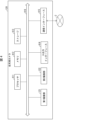
図1を参照して、動画配信システム100の構成について説明する。図1は、本実施の形態に従う動画配信システム100の構成の概略を表す図である。
[Video distribution system configuration]
The configuration of the
動画配信システム100は、一例として、動画撮影システム110A、110B、110C、110Dと、スマートフォン160A、160B、160C、160D(コンピュータ、情報処理装置)と、サーバ170と、ネットワーク2とを含む。動画配信システム100は、動画撮影システム110A、110B、110C、110Dの各々が撮影した動画を、ネットワーク2およびサーバ170を介して、スマートフォン160A、160B、160C、160Dの各々に配信するシステムである。以下、スマートフォン160A、160B、160C、160Dを総称して、スマートフォン160とも言う。
[スマートフォン160]
スマートフォン160は、配信された動画を、スマートフォン160のユーザに閲覧させる。つまり、スマートフォン160のユーザは、配信された動画の視聴者であるとも言える。スマートフォン160は、ネットワーク2を介してサーバ170と通信可能に構成される。動画配信システム100を構成するスマートフォン160の数は、4つに限られず、3つ以下でも、5つ以上でもよい。
[Smartphone 160]
Smartphone 160 allows the user of
図2を参照して、スマートフォン160について、さらに詳細に説明する。図2は、本実施の形態に従うスマートフォン160のハードウェア構成の一例を示すブロック図である。スマートフォン160は、主たる構成要素として、プロセッサ210と、メモリ220と、ストレージ230と、タッチスクリーン240と、通信インターフェイス250とを備える。各構成要素は、それぞれ、バス260に接続されている。
Smartphone 160 will be described in more detail with reference to FIG. FIG. 2 is a block diagram showing an example of the hardware configuration of
プロセッサ210は、スマートフォン160に与えられる信号に基づいて、あるいは、予め定められた条件が成立したことに基づいて、メモリ220またはストレージ230に格納されているプログラムに含まれる一連の命令を実行する。ある局面において、プロセッサ210は、CPU(Central Processing Unit)、GPU(Graphics Processing Unit)、MPU(Micro Processor Unit)、FPGA(Field-Programmable Gate Array)その他のデバイスとして実現される。
メモリ220は、プログラムおよびデータを一時的に保存する。プログラムは、例えば、ストレージ230からロードされる。データは、スマートフォン160に入力されたデータと、プロセッサ210によって生成されたデータとを含む。ある局面において、メモリ220は、RAM(Random Access Memory)その他の揮発メモリとして実現される。
Memory 220 temporarily stores programs and data. The program is loaded from
ストレージ230は、プログラムおよびデータを永続的に保持する。ストレージ230は、例えば、ROM(Read-Only Memory)、ハードディスク装置、フラッシュメモリ、その他の不揮発記憶装置として実現される。ストレージ230に格納されるプログラムは、動画をユーザに閲覧させるためのアプリケーションプログラム、シミュレーションプログラム、ユーザ認証プログラムを含んでもよい。ストレージ230に格納されるデータは、各プログラムのためのデータおよびオブジェクト等を含む。別の局面において、ストレージ230は、メモリカードのように着脱可能な記憶装置として実現されてもよい。さらに別の局面において、スマートフォン160に内蔵されたストレージ230の代わりに、外部の記憶装置に保存されているプログラムおよびデータを使用する構成が使用されてもよい。このような構成の場合、スマートフォン160は、ネットワーク2を介した通信、あるいは、WiFi(登録商標)(Wireless Fidelity)、Bluetooth(登録商標)、NFC(Near Field Communication)等の近距離無線通信により、該外部の記憶装置に保存されているプログラムおよびデータを使用してもよい。
タッチスクリーン240は、タッチパネル241とディスプレイ242とを備えた電子部品である。タッチパネル241は、入力面に対しユーザの操作(主にタッチ操作、スライド操作、スワイプ操作、およびタップ操作等の物理的接触操作)が入力された位置を検知して、位置を示す情報を入力信号として送信する機能を備える。タッチパネル241は、図示しないタッチセンシング部を備えていればよい。タッチセンシング部は、静電容量方式または抵抗膜方式等のどのような方式を採用したものであってもよい。ディスプレイ242は、例えば液晶ディスプレイ、または有機EL(Electro-Luminescence)ディスプレイ等によって構成される。
A
通信インターフェイス250は、ネットワーク2に接続されて、ネットワーク2に接続されている他のコンピュータ(例えば、サーバ170)と通信する。ある局面において、通信インターフェイス250は、例えば、LAN(Local Area Network)等の有線通信インターフェイス、あるいは、WiFi、Bluetooth、NFC等の無線通信インターフェイスとして実現される。通信インターフェイス250は上述のものに限られない。
The
ある局面において、プロセッサ210は、ストレージ230にアクセスし、ストレージ230に格納されている1つ以上のプログラムをメモリ220にロードし、当該プログラムに含まれる一連の命令を実行する。当該1つ以上のプログラムは、コンピュータ200のオペレーティングシステム、動画をユーザに閲覧させるためのアプリケーションプログラム等を含み得る。プロセッサ210は、ネットワーク2、サーバ170、および通信インターフェイス250を介して受信した動画をタッチスクリーン240(ディスプレイ242)に表示する。
In one aspect,
[動画撮影システム110A]
図1に戻り、動画撮影システム110Aの詳細について説明する。動画撮影システム110Aは、被写体150の動画(映像)を撮影するシステムである。本実施の形態に従う動画撮影システム110Aは、各フレームが全天球画像である全天球映像を撮影する。動画撮影システム110Aは、一例として、全天球カメラ120、全天球映像生成装置130、表示装置140と、を含む。本実施の形態では、動画撮影システム110B、110C、110Dについても、動画撮影システム110Aと同様に、全天球カメラ120、全天球映像生成装置130、表示装置140と、を含むものとして説明する。以下、動画撮影システム110A、110B、110C、110Dを総称して、動画撮影システム110とも言う。動画配信システム100を構成する動画撮影システム110の数は、4つに限られず、3つ以下でも、5つ以上でもよい。
[
Returning to FIG. 1, the details of the
(全天球カメラ120)
全天球カメラ120は、複数の撮像部を備え、被写体150を撮影する。一例として、全天球カメラ120は、2つの撮像部を備える。具体的には、全天球カメラ120は、第1撮像部121および第2撮像部122を備える。
(omnidirectional camera 120)
The
第1撮像部121および第2撮像部122は、動画像を撮像するように構成されており、CCD(Charge-Coupled Device)やCMOS(complementary metal-oxide semiconductor)などの撮像素子、および、レンズによって構成されている。以降、第1撮像部121および第2撮像部122が撮像する動画像を「撮影映像」と称する場合がある。
The first
図3は、ある実施の形態に従う全天球カメラ120の視野を説明するための図である。第1撮像部121および第2撮像部122は、一例として、互いに反対方向を撮像するように全天球カメラ120に配置されている。第1撮像部121は、一例として、図3に示す視野311を有する。また、第2撮像部122は、一例として、図3に示す視野312を有する。視野311および視野312は、それぞれ、第1撮像部121および第2撮像部122の撮像領域と表現することもできる。
FIG. 3 is a diagram for explaining the field of view of
図3は、全天球カメラ120の上面図であるため、視野311および視野312を、一部が欠けた円形(扇形)で示している。しかしながら、第1撮像部121および第2撮像部122は、垂直方向(紙面に垂直な方向)にも視野を有している。つまり、視野311および視野312は、実際は、一部が欠けた球形である。よって、全天球カメラ120の視野は、互いに反対方向であり、かつ、一部が欠けた球形の2つの視野である。これにより、全天球カメラ120は、全天球カメラ120の全周囲(360度)の領域を撮影することができる。
Since FIG. 3 is a top view of the
図4は、ある実施の形態に従う全天球カメラ120のハードウェア構成の一例を表すブロック図である。図4に示すように、全天球カメラ120は、主たる構成要素として、プロセッサ411と、メモリ412と、ストレージ413と、第1撮像部121と、第2撮像部122と、入出力インターフェイス414と、通信インターフェイス415とを備える。各構成要素は、それぞれ、バス416に接続される。
FIG. 4 is a block diagram showing an example of the hardware configuration of
プロセッサ411は、全天球カメラ120に与えられる信号に基づいて、あるいは、予め定められた条件が成立したことに基づいて、メモリ412またはストレージ413に格納されているプログラムに含まれる一連の命令を実行する。ある局面において、プロセッサ411は、CPU、GPU、MPU、FPGAその他のデバイスとして実現される。
メモリ412は、プログラムおよびデータを一時的に保存する。プログラムは、例えば、ストレージ413からロードされる。データは、全天球カメラ120に入力されたデータと、プロセッサ411によって生成されたデータとを含む。ある局面において、メモリ412は、RAMその他の揮発メモリとして実現される。
ストレージ413は、プログラムおよびデータを永続的に保持する。ストレージ413は、例えば、ROM、ハードディスク装置、フラッシュメモリ、その他の不揮発記憶装置として実現される。ストレージ413に格納されるプログラムは、撮影映像の撮像を実現するためのプログラム、その他の装置との通信を実現するためのプログラムなどを含んでもよい。ストレージ413に格納されるデータは、撮影映像(撮影映像データ)を含んでもよい。
別の局面において、ストレージ413は、メモリカードのように着脱可能な記憶装置として実現されてもよい。さらに別の局面において、全天球カメラ120に内蔵されたストレージ413の代わりに、外部の記憶装置に保存されているプログラムおよびデータを使用する構成が使用されてもよい。このような構成の場合、全天球カメラ120は、ネットワーク2を介した通信、あるいは、WiFi、Bluetooth、NFC等の近距離無線通信により、該外部の記憶装置に保存されているプログラムおよびデータを使用してもよい。
In another aspect,
第1撮像部121および第2撮像部122は、上述したように、撮影映像を撮像する。入出力インターフェイス414は、入出力機器との間で信号を通信する。ある局面において、入出力インターフェイス414は、USB、DVI、HDMI(登録商標)その他の端子を用いて実現される。入出力インターフェイス414は上述のものに限られない。通信インターフェイス1775は、ネットワーク2に接続されて、ネットワーク2に接続されている装置と通信する。ある局面において、通信インターフェイス415は、例えば、LAN等の有線通信インターフェイス、あるいは、WiFi,Bluetooth、NFC等の無線通信インターフェイスとして実現される。通信インターフェイス415は上述のものに限られない。なお、プロセッサ411は、通信インターフェイス415を用いて、撮影映像をリアルタイムに全天球映像生成装置130へ送信する。
The first
(全天球映像生成装置130)
全天球映像生成装置130は、全天球カメラ120から取得した撮影映像を用いて、全天球映像を生成する。ある局面において、全天球映像生成装置130は、ネットワーク2を介して全天球カメラ120から撮影映像を取得する。
(Spherical image generation device 130)
The omnidirectional
全天球映像生成装置130は、全天球カメラ120の第1撮像部121が撮像した撮影映像と、第2撮像部122が撮像した撮影映像とを取得する。図3に示すように、第1撮像部121の視野311と、第2撮像部122の視野312とは、一部が互いに重複している。このため、全天球カメラ120の第1撮像部121が撮像した撮影映像と、第2撮像部122が撮像した撮影映像とは、一部が互いに重複している。全天球映像生成装置130は、これら2つの撮影映像に含まれる、対応する2つのフレームを歪ませて、当該歪んだ2つのフレームをスティッチング処理する。「対応する2つのフレーム」とは、撮影時刻が一致する2つのフレームである。全天球映像生成装置130は、対応する2つのフレーム全てに対し、スティッチング処理を行うことにより、全天球映像を生成する。全天球映像生成装置130は、生成した全天球映像を、ネットワーク2を介して、サーバ170へ送信する。
The omnidirectional
全天球カメラ120が、全天球映像を生成し、サーバ170へ送信する機能を備えていてもよい。この例の場合、動画撮影システム110は、全天球映像生成装置130を含まなくてもよい。
The
(表示装置140)
表示装置140は、全天球映像生成装置130が生成した全天球映像を、ネットワーク2およびサーバ170を介して取得し、表示する。これにより、被写体150は、自身が撮影された全天球映像を確認しながら、撮影を行うことができる。表示装置140は、一例として、スマートフォン160のストレージ230に記憶されている、動画(全天球映像)をユーザに閲覧させるためのアプリケーションプログラムと同一のアプリケーションプログラムを記憶していてもよい。つまり、表示装置140は、該アプリケーションプログラムを用いて、全天球映像を表示してもよい。
(Display device 140)
The
[サーバ170]
サーバ170は、動画撮影システム110の各々から受信した全天球映像をスマートフォン160へ配信する。ある局面において、サーバ170は、スマートフォン160に対するユーザの入力に基づく第1指示を受信した場合、第1指示が示す全天球映像をスマートフォン160へ送信する。つまり、第1指示は、特定の全天球映像の送信指示である。
[Server 170]
[被写体の撮影]
図5は、動画撮影システム110Aを用いた被写体150の撮影の一例を示す図である。本実施の形態では、被写体150が女性である例を説明する。この例のように、被写体150が人間である場合、被写体150は映像の配信者と表現することもできる。
[Shooting a subject]
FIG. 5 is a diagram showing an example of photographing of subject 150 using moving
一例として、被写体150は、撮影中において、視聴者(スマートフォン160のユーザ)に向けて喋ったり、演技、演奏、歌唱などを行なったり、ゲームをプレイしたり、日常の行動をしたりする。つまり、視聴者は、全天球映像を視聴することで、一例として、被写体150のこれらの動作、行動を視聴する。なお、被写体150の撮影中の動作、行動はこの例に限定されない。 As an example, the subject 150 speaks to the viewer (the user of the smart phone 160), acts, performs, sings, plays a game, or performs daily activities during shooting. In other words, the viewer views these motions and behaviors of the subject 150 as an example by viewing the omnidirectional video. Note that the motions and behaviors of the subject 150 during shooting are not limited to this example.
全天球カメラ120は、被写体150を第1位置から撮影する。図5の例では、被写体150は、第1撮像部121の視野の正面に位置し、全天球カメラ120の方向を向いている。換言すれば、図5の例では、被写体150は第1撮像部121によって撮影される。なお、図5では、第1撮像部121は、表示装置140によって隠れているため、図示していない。
一例として、表示装置140は、図5に示すように、全天球カメラ120の上部に、表示領域が被写体150側となるように配置される。これにより、被写体150は、全天球カメラ120の撮像部(図5の例では第1撮像部121)に目線を向けながら、自身が撮影された全天球映像を確認することができる。換言すれば、被写体150は、カメラ目線を維持しながら、自身が撮影された全天球映像を確認することができる。
As an example, as shown in FIG. 5, the
一例として、全天球映像をユーザに閲覧させるためのアプリケーションプログラムは、視聴者が全天球映像を視聴しながらコメント等を入力する機能、および、該コメント等を表示する機能を備えていてもよい。これにより、被写体150は、自身が撮影された全天球映像を視聴している視聴者が入力したコメントを視認することができ、該コメントに対して応答することができる。なお、アプリケーションプログラムは、視聴者の入力に基づく処理の実行を、通知として表示する機能を備えていてもよい。一例として、視聴者に対する課金に関する処理が実行され、ギフトオブジェクトが被写体150に贈呈されたことを示す通知が、該機能によって表示されてもよい。 As an example, an application program for allowing a user to view an omnidirectional video may have a function of inputting comments, etc. while the viewer views the omnidirectional video, and a function of displaying the comments, etc. good. As a result, the subject 150 can visually recognize the comment input by the viewer viewing the omnidirectional video captured by the subject 150, and can respond to the comment. Note that the application program may have a function of displaying the execution of processing based on the viewer's input as a notification. As an example, the function may display a notification indicating that a process for billing the viewer has been performed and the gift object has been presented to the subject 150 .
[サーバ170のハードウェア構成]
図6を参照して、本実施の形態に係るサーバ170について、さらに詳細に説明する。図6は、ある実施の形態に従うサーバ170のハードウェア構成の一例を表すブロック図である。サーバ170は、主たる構成要素として、プロセッサ611と、メモリ612と、ストレージ613と、入出力インターフェイス614と、通信インターフェイス615とを備える。各構成要素は、それぞれ、バス616に接続されている。
[Hardware Configuration of Server 170]
プロセッサ611は、サーバ170に与えられる信号に基づいて、あるいは、予め定められた条件が成立したことに基づいて、メモリ612またはストレージ613に格納されているプログラムに含まれる一連の命令を実行する。ある局面において、プロセッサ611は、CPU、GPU、MPU、FPGAその他のデバイスとして実現される。
メモリ612は、プログラムおよびデータを一時的に保存する。プログラムは、例えば、ストレージ613からロードされる。データは、サーバ170に入力されたデータと、プロセッサ611によって生成されたデータとを含む。ある局面において、メモリ612は、RAMその他の揮発メモリとして実現される。
ストレージ613は、プログラムおよびデータを永続的に保持する。ストレージ613は、例えば、ROM、ハードディスク装置、フラッシュメモリ、その他の不揮発記憶装置として実現される。
別の局面において、ストレージ613は、メモリカードのように着脱可能な記憶装置として実現されてもよい。さらに別の局面において、サーバ170に内蔵されたストレージ613の代わりに、外部の記憶装置に保存されているプログラムおよびデータを使用する構成が使用されてもよい。このような構成の場合、サーバ170は、ネットワーク2を介した通信、あるいは、WiFi、Bluetooth(登録商標)、NFC等の近距離無線通信により、該外部の記憶装置に保存されているプログラムおよびデータを使用してもよい。
In another aspect,
入出力インターフェイス614は、入出力機器との間で信号を通信する。ある局面において、入出力インターフェイス614は、USB、DVI、HDMIその他の端子を用いて実現される。入出力インターフェイス614は上述のものに限られない。
Input/
通信インターフェイス615は、ネットワーク2に接続されて、ネットワーク2に接続されている全天球映像生成装置130、表示装置140、および、スマートフォン160と通信する。ある局面において、通信インターフェイス615は、例えば、LANその他の有線通信インターフェイス、あるいは、WiFi、Bluetooth、NFCその他の無線通信インターフェイスとして実現される。通信インターフェイス615は上述のものに限られない。
ある局面において、プロセッサ611は、ストレージ613にアクセスし、ストレージ613に格納されている1つ以上のプログラムをメモリ612にロードし、当該プログラムに含まれる一連の命令を実行する。当該1つ以上のプログラムは、サーバ170のオペレーティングシステム、スマートフォン160および表示装置140に全天球映像を配信するためのアプリケーションプログラム等を含み得る。プロセッサ611は、通信インターフェイス615、または、入出力インターフェイス614を介して、全天球映像をスマートフォン160および表示装置140に配信してもよい。
In one aspect,
ここで、図示してはいないが、サーバ170のモジュール構成の詳細について説明する。サーバ170は、コントロールモジュールと、メモリモジュールと、通信制御モジュールとを備える。ある局面において、コントロールモジュールは、プロセッサ611によって実現される。メモリモジュールは、メモリ612またはストレージ613によって実現される。通信制御モジュールは、通信インターフェイス615によって実現される。
Here, although not shown, the details of the module configuration of the
コントロールモジュールは、スマートフォン160から第1指示を受信すると、スマートフォン160に全天球映像を送信する。コントロールモジュールは、一例として、ライブ方式で全天球映像のストリーミング(ライブストリーミング)を行う。ライブストリーミングとは、データをダウンロードしつつ同時に再生する方式であるストリーミングの一種で、映像や音声をリアルタイムで配信し、リアルタイムでデータの変換(エンコード)を行い、そのままストリーミング再生することである。つまり、コントロールモジュールは、全天球映像生成装置130から受信した全天球映像のストリーミングをリアルタイムに行う。換言すれば、該全天球映像は、ライブストリーミング映像であると表現することもできる。
Upon receiving the first instruction from
つまり、動画配信システム100では、(1)全天球カメラ120から全天球映像生成装置130への撮影映像の送信、(2)全天球映像生成装置130による全天球映像の生成、および、該全天球映像のサーバ170への送信、(3)サーバ170から、第1指示を送信したスマートフォン160への全天球映像の送信がリアルタイムに行われる。これにより、視聴者は、現在撮影されている被写体150の全天球映像を視聴することができる。なお、第1指示は、表示装置140から送信されてもよい。
That is, in the
[スマートフォン160のモジュール構成]
図7および図8を参照して、スマートフォン160のモジュール構成について説明する。図7は、ある実施の形態に従うスマートフォン160をモジュール構成として表すブロック図である。図8は、ある実施の形態に従うスマートフォン160のモジュールの詳細構成を表すブロック図である。
[Module Configuration of Smartphone 160]
The module configuration of
図7に示すように、スマートフォン160は、コントロールモジュール710と、メモリモジュール720と、通信制御モジュール730とを備える。ある局面において、コントロールモジュール710は、プロセッサ210によって実現される。別の局面において、複数のプロセッサ210が、コントロールモジュール710として作動してもよい。メモリモジュール720は、メモリ220またはストレージ230によって実現される。通信制御モジュール730は、通信インターフェイス250によって実現される。
As shown in FIG. 7 ,
図8に示すように、コントロールモジュール710は、動画制御モジュール811、操作判別モジュール812、動画切換モジュール813、および、UI制御モジュール814を備えている。
As shown in FIG. 8 , the
動画制御モジュール811は、ユーザが閲覧する全天球映像を制御する。動画制御モジュール811は、例えば、ユーザがタッチスクリーン240に対して入力した操作に基づいて、サーバ170に第1指示を送信し、第1指示が示す全天球映像を再生する。ここで、「全天球映像を再生する」とは、全天球映像を受信し、タッチスクリーン240(ディスプレイ242)に表示することを指す。
The
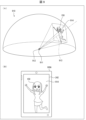
全天球映像の再生について、図9を参照して説明する。図9は、ある実施の形態に従う全天球映像、および、該全天球映像のスマートフォン160への表示例を示す図である。
Playback of omnidirectional video will be described with reference to FIG. FIG. 9 is a diagram showing an omnidirectional image according to an embodiment and an example of display of the omnidirectional image on
上述したように、全天球カメラ120は、全天球カメラ120の全周囲(360度)の領域を撮影する。このため、全天球映像は、球で表現することが可能である。換言すれば、球の外縁に全天球映像が貼り付いていると表現することもできる。図9(A)の例では、説明を複雑にしないために、全天球映像910の上半分(半球)を例示している。
As described above,
一方、動画の興趣性、ユーザによる動画の視認のしやすさなどを考慮すれば、スマートフォン16は、全天球映像の一部の領域をディスプレイ242に表示することが好ましい。つまり、本実施の形態において、全天球映像を再生するとは、ディスプレイ242に全天球映像の一部の領域を表示することである。以降、該一部の領域を「表示領域」と称する。
On the other hand, it is preferable that the smartphone 16 displays a partial area of the omnidirectional video on the
該表示領域の設定について説明する。全天球映像910の中心911は、撮影現場における全天球カメラ120の位置に対応する。動画制御モジュール811は、一例として、中心911を、表示領域の決定のための基準点912として設定する。動画制御モジュール811は、一例として、基準点912から球(半球)の外縁に向かう方向に延びる基準線913と、スマートフォン16のディスプレイ242のサイズに基づいて、全天球映像910の再生開始時の表示領域914を設定する。具体的には、動画制御モジュール811は、基準線913が全天球映像910(すなわち球の外縁)と交わる点を中心とする、ディスプレイ242のサイズと略同一の表示領域914を設定する。
Setting of the display area will be described. A
基準線913が延びる方向(全天球映像の基準方向)は、一例として、撮影現場における、全天球カメラ120から被写体150へ向かう方向に対応する。基準線913が延びる方向は、全天球映像の正面方向と表現することもできる。動画制御モジュール811は、設定された表示領域914を、図9(B)に示すように、ディスプレイ242に表示する。これにより、全天球映像の再生が開始された時点で、被写体150を含む映像がディスプレイ242に表示される。
The direction in which the
また、動画制御モジュール811は、例えば、ユーザがタッチスクリーン240に対して入力した操作に基づいて、表示領域を変更する。動画制御モジュール811は、一例として、該操作に応じた、基準線913とは異なる方向に延びる直線を特定する。そして、該直線が全天球映像910と交わる点を中心とする、ディスプレイ242のサイズと略同一の表示領域を特定し、該表示領域をディスプレイ242に表示する。この処理は、換言すれば、基準点から伸びる直線と、全天球映像910との交点の位置を、ユーザがタッチスクリーン240に対して入力した操作に基づいて移動させる処理とも言える。あるいは、この処理は、表示領域914を、ユーザがタッチスクリーン240に対して入力した操作に基づいて移動させる処理とも言える。
Also, the
操作判別モジュール812は、タッチスクリーン240(タッチパネル241)の出力に基づいて、ユーザの入力操作を受け付ける。具体的には、操作判別モジュール812は、ユーザの指などがタッチスクリーン240に接近したことを、タッチスクリーン240を構成する面の横軸及び縦軸からなる座標系の座標として検出する。例えば、操作判別モジュール812は、タッチパネル241に対する入力操作を受け付け、該入力操作の入力位置の座標を検出し、該入力操作の種類を特定する。操作判別モジュール812は、入力操作の種類として、例えばタッチ操作、スライド操作、スワイプ操作、およびタップ操作等を特定する。また、操作判別モジュール812は、連続して検知されていた入力が途切れると、タッチスクリーン240から接触入力が解除されたことを検知する。
The
操作判別モジュール812は、タッチスクリーン240に対するユーザの操作を判別する。操作判別モジュール812は、例えば、(1)「接近操作」、(2)「リリース操作」、(3)「タップ操作」、(4)「ダブルタップ操作」、(5)「長押し操作(ロングタッチ操作)」、(6)「ドラッグ操作(スワイプ操作)」、(7)「ムーブ操作」、(8)「フリック操作」、その他のユーザの操作を判別する。操作判別モジュール812が判別するユーザの操作は、上記に限られない。例えば、タッチスクリーン240が、ユーザがタッチスクリーン240に対して押下する圧力の大きさを検出可能な機構を有する場合、操作判別モジュール812は、ユーザにより押下された圧力の大きさを判別する。
An
(1)「接近操作」とは、ユーザが指などをタッチスクリーン240に接近させる操作である。タッチスクリーン240は、ユーザの指などが接近したこと(ユーザの指などがタッチスクリーン240に接触したことを含む)をタッチスクリーン240により検出し、検出したタッチスクリーン240の座標に応じた信号をコントロールモジュール710へ出力する。コントロールモジュール710は、タッチスクリーン240へのユーザの指などの接近を検出しない状態から、接近を検出したときに、状態が「タッチオン状態」になったと判別する。
(1) An “approach operation” is an operation by which the user brings a finger or the like closer to the
(2)「リリース操作」とは、ユーザがタッチスクリーン240を接近操作している状態を止める操作である。操作判別モジュール812は、例えば、ユーザが指などをタッチスクリーン240に接触させている状態から、指を離す操作をしたときに、ユーザの操作を「リリース操作」と判別する。コントロールモジュール710は、タッチスクリーン240へのユーザの指などの接近を検出している状態から、接近を検出しない状態になったときに、状態が「タッチオン状態」から「タッチオフ状態」になったと判別する。
(2) “Release operation” is an operation for stopping the state in which the user is operating the
(3)「タップ操作」とは、ユーザがタッチスクリーン240に対して指などを接近させる接近操作をした後に、接近操作をした位置でリリース操作を行うことである。操作判別モジュール812は、接近操作が検出されない状態(ユーザの指などがタッチスクリーン240から離れており、タッチスクリーン240がユーザの指などの接近を検出していない状態)から、タッチスクリーン240の出力に基づいて、ユーザの指などが接近したことを検出した場合に、その検出した座標を「初期タッチ位置」として保持する。操作判別モジュール812は、初期タッチ位置の座標と、リリース操作をした座標とがほぼ同一である場合(接近操作が検出された座標から一定範囲内の座標においてリリース操作の座標が検出された場合)に、ユーザの操作を「タップ操作」と判別する。
(3) “Tap operation” means that after the user performs an approach operation of approaching the
(4)「ダブルタップ操作」とは、ユーザがタップ操作を一定時間内に2回行う操作である。操作判別モジュール812は、例えば、ユーザの操作をタップ操作と判別してから一定時間内に、タップ操作にかかる座標で再びタップ操作を判別した場合に、ユーザの操作を「ダブルタップ操作」と判別する。
(4) A “double-tap operation” is an operation in which a user performs a tap operation twice within a certain period of time. For example, the
(5)「長押し操作」とは、ユーザがタッチスクリーン240を押し続ける操作である。タッチスクリーン240は、ユーザの操作を検出して接近操作を判別してから、接近操作が検出された座標において接近操作が継続している時間が一定時間を超えた場合に、ユーザの操作を「長押し操作」(「長押し操作」を、「ロングタッチ操作」と称することもある)と判別する。
(5) A “long press operation” is an operation in which the user keeps pressing the
(6)「ドラッグ操作」とは、ユーザがタッチスクリーン240に指などを接近させた接近状態を維持したまま、指をスライドさせる操作である。「ドラッグ操作」を「スライド操作」と称する場合もある。
(6) A “drag operation” is an operation in which the user slides a finger or the like while maintaining a close state in which the finger or the like is brought close to the
(7)「ムーブ操作」とは、ユーザがタッチスクリーン240において、接近操作を維持しつつ、タッチスクリーン240に指などを接近させている位置を移動させてリリース操作を行う一連の操作をいう。「ムーブ操作」を「スワイプ操作」と称する場合もある。
(7) “Move operation” refers to a series of operations in which the user performs a release operation by moving the position where the finger or the like is approaching the
(8)「フリック操作」は、ユーザがムーブ操作を予め定められた時間よりも短い時間で行う操作をいう。フリック操作は、ユーザがタッチスクリーン240で指を弾くような操作である。
(8) "Flick operation" refers to an operation in which the user performs a move operation in a time shorter than a predetermined time. A flick operation is an operation such that the user flicks a finger on the
なお、本実施形態では、ドラッグ操作とムーブ操作とは同じ操作であるものとして説明する。すなわち、本実施形態に係るドラッグ操作(スライド操作)は、ムーブ操作(スワイプ操作)と同様に、ユーザがタッチスクリーン240において、接近操作を維持しつつ、タッチスクリーン240に指などを接近させている位置を移動させてリリース操作を行う一連の操作をいう。
Note that in the present embodiment, a description will be given assuming that the drag operation and the move operation are the same operation. That is, in the drag operation (slide operation) according to the present embodiment, the user moves his or her finger or the like closer to the
動画切換モジュール813は、ユーザがタッチスクリーン240に対して入力した操作に基づいて、再生する全天球映像、すなわち、ディスプレイ242に表示する全天球映像を変更する。具体的には、動画切換モジュール813は、第1全天球映像を再生している場合において、ユーザがタッチスクリーン240に対して入力した操作に基づいて、第1全天球映像の再生を停止し、第1全天球映像と異なる第2全天球映像を再生する。
The
UI制御モジュール814は、全天球映像に重畳してディスプレイ242に表示されているユーザインターフェース(以下、「UI」と記載する)を制御する。UI制御モジュール814は、例えば、ユーザがタッチスクリーン240に対して入力した操作に基づいて、UIを非表示とする。
The
[処理フロー]
図10は、ある実施の形態に従うスマートフォン160において実行される処理、および、サーバ170において実行される処理の一部を示すシーケンス図である。本実施形態では、視聴者側の一連の処理が、スマートフォン160Aにより実行されるものとして説明する。ただし、当該処理は、他のスマートフォン160B、160C、160Dにより実行されてもよいし、当該処理の一部または全部がサーバ170によって実行されてもよい。
[Processing flow]
FIG. 10 is a sequence diagram showing a part of the processing executed in
ステップS1011において、サーバ170のプロセッサ611は、全天球映像生成装置130から全天球映像を受信する。具体的には、プロセッサ611は、現在撮影を行っている動画撮影システム110に含まれる全天球映像生成装置130の各々から、全天球映像を受信する。つまり、複数の動画撮影システム110において同時に撮影が行なわれている場合、プロセッサ611は、複数の全天球映像を受信する。
In step S<b>1011 , the
ステップS1001において、スマートフォン160Aのタッチパネル241は、第1全天球映像の再生操作を受け付ける。該操作は、例えば、ユーザが閲覧可能な複数の全天球映像それぞれを示す複数のUIを表示したタッチスクリーン240における、第1全天球映像を示すUIへのタップ操作であってもよい。該画面は、例えば、動画をユーザに閲覧させるためのアプリケーション(以下、単に「アプリケーション」と記載)を起動した直後に表示されてもよい。また、該複数のUIは、閲覧可能な複数の全天球映像それぞれのサムネイル画像であってもよい。ステップS1002において、スマートフォン160Aのプロセッサ210は、第1全天球映像の再生操作に基づく、第1全天球映像の再生指示をサーバ170へ送信する。
In step S1001,
ステップS1012において、プロセッサ611は、第1全天球映像の再生指示を受信したことに伴い、第1全天球映像をスマートフォン160Aへ送信する。
In step S1012,
ステップS1003において、プロセッサ210は、動画制御モジュール811として、受信した第1全天球映像を再生する。
At step S1003, the
図10に示してはいないが、プロセッサ210は、操作判別モジュール812として、全天球映像の再生中に、タッチパネル241にユーザの操作が入力された場合、該操作が、第1操作、第2操作、第3操作のいずれであるかを判別する。この処理の詳細については、図11を参照して後述する。図11は、ある実施の形態に従うスマートフォン160において実行される操作判別処理を示すフローチャートである。
Although not shown in FIG. 10, the
図12は、ある実施の形態に従う、スマートフォン160Aにおける全天球映像の表示例を示す図である。プロセッサ210は、一例として、図12(A)に示すように、全天球映像910の一部である表示領域1214A、および、UI1221A、1221B、1221Cをディスプレイ242に表示している。以下、UI1221A、1221B、1221Cを総称して、UI1221とも言う。また、図12(A)に示す表示領域1214Aは、基準線913に応じた表示領域、すなわち、全天球映像の正面であるとする。UI1221は、一例として、全天球映像の再生に関する各種処理を実行するための操作を受け付ける。各種処理とは、例えば、全天球映像の再生、停止、一時停止などであってもよいし、被写体150へ送信するコメントの入力、被写体へのギフトオブジェクトの贈呈などであってもよいが、これに限定されない。
FIG. 12 is a diagram showing a display example of omnidirectional video on
ステップS1004において、タッチパネル241は第1操作を受け付ける。ステップS1004は、すなわち、プロセッサ210が、ユーザの操作を第1操作と判別した場合に相当する。第1操作は、一例として、図12(A)に示すように、タッチスクリーン240へ指1230を接触させ、指1230を移動させる移動操作である。第1操作は、例えば、ドラッグ操作であってもよいし、フリック操作であってもよい。図12(A)の例では、第1操作により、指1230を第1方向1240へ移動させている。第1方向1240は、図12(A)の右方向である。
In step S1004,
ステップS1005において、プロセッサ210は、動画制御モジュール811として、第1操作に基づき、表示領域を変更する。具体的には、プロセッサ210は、第1操作の移動方向と移動距離とに応じて、第1全天球映像内で表示領域を移動させる。図12(A)の例では、指1230を右方向に移動させているので、プロセッサ210は、例えば、表示領域を右方向に、指1230の移動距離に応じた距離だけ移動させる。つまり、第1操作に基づく、全天球映像の表示領域を変更する処理は、第1操作の移動方向および移動距離に応じた処理であると言える。これにより、表示領域1214Aは表示領域1214Bに変更され、ディスプレイ242では、図12(B)に示すように、第1移動操作の前には視聴者が視認できなかった、被写体150の右側が表示される。なお、被写体150の右側とは、ユーザ(視聴者)から見た被写体150の右側である。
In step S1005, the
このように、本実施の形態に従うスマートフォン160Aは、第1操作により、全天球映像における、タッチスクリーン240に表示させる領域を変更することができる。スマートフォン160Aのユーザは、全天球映像の再生開始時にタッチスクリーン240に表示されていなかった領域を、第1操作の実行により視認することができる。
In this way,
図13は、スマートフォンの表示部の分割例を示す図である。本実施形態に係るスマートフォン160Aのタッチスクリーン240は、一例として、図13に示すように9つの領域に分割(9等分)される。換言すれば、該9つの領域の各々を示す情報が、メモリモジュール720に格納されている。該情報は、例えば、9つの領域(矩形領域)の左上および右下の頂点の座標であってもよい。以下、該9つの領域のうち、図13における右側の3つの領域を右側領域131、左側の3つの領域を左側領域132、中央の1つの領域を中央領域133と称する。
FIG. 13 is a diagram illustrating an example of division of a display unit of a smartphone. As an example, the
図14は、ある実施の形態に従う、スマートフォン160Aにおける全天球映像の表示例を示す図である。ステップS1006において、タッチパネル241は第2操作を受け付ける。ステップS1006は、すなわち、プロセッサ210が、ユーザの操作を第2操作と判別した場合に相当する。第2操作は、一例として、図14(A)に示すように、タッチスクリーン240へ指1230を接触させ、接触させた指1230を移動させることなく離す操作である。つまり、第2操作はタップ操作である。さらに言えば、第2操作は、右側領域131、または、左側領域132へのタップ操作である。なお、図13(A)は、左側領域132へのタップ操作の例を示している。
FIG. 14 is a diagram showing a display example of omnidirectional video on
プロセッサ210は、動画切換モジュール813として、第2操作に基づき、第1全天球映像を第2全天球映像に切り換える。具体的には、プロセッサ210は、ステップS1007において、第2全天球映像の再生指示をサーバ170へ送信する。ステップS1013において、プロセッサ611は、第2全天球映像の再生指示を受信したことに伴い、第1全天球映像の送信を中止し、第2全天球映像をスマートフォン160Aへ送信する。
ステップS1008において、プロセッサ210は、動画制御モジュール811として、受信した第2全天球映像を再生する。具体的には、図14(B)に示すように、第2全天球映像の一部である表示領域1314をディスプレイ242に表示する。第2全天球映像は、第1全天球映像とは異なる全天球映像であり、一例として、被写体150と異なる被写体1350を含む。
In step S1008, the
このように、本実施の形態に従うスマートフォン160Aは、第2操作により、第1全天球映像を、第1全天球映像と異なる第2全天球映像に変更することができる。スマートフォン160Aのユーザは、第2移動操作により、複数の全天球映像のザッピングを行うことができる。
In this way,
第2操作に基づく、全天球映像を切り換える処理は、第2操作が、右側領域131と左側領域132とのいずれへのタップ操作であるか、に応じた処理であると言える。一例として、第2操作の入力位置(以下、「タップ位置」と記載する)が左側領域132である場合、上述したように、プロセッサ210は、第1全天球映像を第2全天球映像に切り換える。一方、タップ位置が右側領域131である場合、プロセッサ210は、第1全天球映像を、第2全天球映像と異なる第3全天球映像に切り換える。なお、プロセッサ210は、タップ位置が右側領域131であるか左側領域132であるかに依らず、右側領域131または左側領域132へのタップ操作が入力された場合、1全天球映像を第2全天球映像に切り換えてもよい。
The process of switching the omnidirectional video based on the second operation can be said to be a process according to whether the second operation is a tap operation on the
図15は、ある実施の形態に従う、スマートフォン160Aにおける全天球映像の表示例を示す図である。ステップS1009において、タッチパネル241は第3操作を受け付ける。ステップS1009は、すなわち、プロセッサ210が、ユーザの操作を第3操作と判別した場合に相当する。第3操作は、一例として、図15(A)に示すように、タッチスクリーン240へ指1230を接触させ、接触させた指1230を移動させることなく離す操作である。つまり、第3操作は、第2操作と同様にタップ操作である。ただし、第3操作は、第2操作と異なり、中央領域133へのタップ操作である。
FIG. 15 is a diagram showing a display example of omnidirectional video on
ステップS1010において、プロセッサ210は、UI制御モジュール814として、第3移動操作に基づき、画面からUI1221を消去する。具体的には、図15(B)に示すように、ディスプレイ242において、UI1221を非表示とし、表示領域1214Aのみが表示された状態とする。
In step S1010, the
ユーザに、動画を閲覧させるアプリケーションにおいては、アプリケーションの操作性を向上させるために、UIを用いることが好ましい。一方で、UIをディスプレイに表示した場合、UIによって動画の視認性が低下する。これに対し、本実施の形態に従うスマートフォン160Aは、第3操作により、UI1221を非表示とすることができるので、UIによる全天球映像の視認性の低下を防ぐことができる。換言すれば、スマートフォン160Aは、UI1221が全天球映像に重畳することにより、全天球映像に視認できない部分が発生することを防ぐことができる。
An application that allows a user to browse moving images preferably uses a UI in order to improve the operability of the application. On the other hand, when the UI is displayed on the display, the UI reduces the visibility of the moving image. In contrast, since
なお、非表示となったUI1221は、ユーザの操作に基づいて再表示可能であることが望ましい。一例として、プロセッサ210は、UI制御モジュール814として、UI1221が非表示の場合における第3操作、すなわち、中央領域133へのタップ操作に基づき、非表示となったUI1221を再表示する。あるいは、プロセッサ210は、UI制御モジュールとして、第1操作、第2操作、第3操作の何れとも異なる操作に基づき、非表示となったUI1221を再表示してもよい。
Note that it is desirable that the UI 1221 that has become hidden can be redisplayed based on the user's operation. As an example, the
(操作判別処理)
図11を参照して、操作判別処理の詳細について説明する。図11に示す操作判別処理の前提として、プロセッサ210は、操作判別処理の開始から終了まで、操作判別モジュール812として機能する。また、ディスプレイ242には、全天球映像およびUI1221が表示されているものとする。ステップS1101において、プロセッサ210は、タッチパネル241が受け付けた操作が移動操作であるか否かを判定する。一例として、プロセッサ210は、タッチパネル241が受け付けた操作が以下の2つの条件を満たす場合、該操作が移動操作であると判定する。すなわち、(1)接近操作の座標(初期タッチ位置)とリリース操作の座標とが、いずれも単一の座標である(換言すれば、1本の指での操作である)、(2)初期タッチ位置とリリース操作の座標とが、所定の範囲内にない。移動操作であると判定した場合(ステップS1101でYES)、ステップS1102において、プロセッサ210は、タッチパネル241が受け付けた操作を第1操作と判別する。
(Operation determination processing)
Details of the operation determination process will be described with reference to FIG. 11 . As a premise of the manipulation determination processing shown in FIG. 11, the
一方、移動操作でないと判定した場合(ステップS1101でNO)、ステップS1103において、プロセッサ210は、タッチパネル241が受け付けた操作がタップ操作であるか否かを判定する。一例として、プロセッサ210は、タッチパネル241が受け付けた操作が以下の2つの条件を満たす場合、該操作がタップ操作であると判定する。すなわち、(1)接近操作の座標(初期タッチ位置)とリリース操作の座標とが、いずれも単一の座標である(換言すれば、1本の指での操作である)、(2)初期タッチ位置とリリース操作の座標とが、所定の範囲内にある。タップ操作であると判定した場合(ステップS1103でYES)、ステップS1104において、プロセッサ210は、タップ操作が入力された領域が、右側領域131または左側領域132であるか否かを判定する。右側領域131または左側領域132であると判定した場合(ステップS1104でYES)、ステップS1105において、プロセッサ210は、タッチパネル241が受け付けた操作を第2操作と判別する。
On the other hand, if it is determined that the operation is not a move operation (NO in step S1101), the
ステップS1104にて、タップ操作が入力された領域が、右側領域131または左側領域132でないと判定した場合(ステップS1104でNO)、ステップS1106において、プロセッサ210は、タップ操作が入力された領域が、中央領域133であるか否かを判定する。中央領域133であると判定した場合(ステップS1106でYES)、ステップS1107において、プロセッサ210は、タッチパネル241が受け付けた操作を第3操作と判別する。
If it is determined in step S1104 that the area to which the tap operation has been input is not the
一方、中央領域133でないと判定した場合(ステップS1106でNO)、プロセッサ210は、タップ操作が入力された領域が、右側領域131、左側領域132、中央領域133の何れでもないことを特定する。この場合におけるタップ操作が入力された領域は、例えば、図13に示す中央領域133の上側、あるいは下側の領域である。プロセッサ210は、この場合、タップ操作を第1操作、第2操作、第3操作の何れでもないと判別する。なお、この様なタップ操作をタッチパネル241が受け付けた場合、プロセッサ210は、一例として、いずれの処理も実行しない。
On the other hand, if the
ステップS1103にて、タップ操作でないと判定した場合(ステップS1103でNO)、ステップS1108において、プロセッサ210は、タッチパネル241が受け付けた操作をその他の操作と判別する。その他の操作の一例としては、指1230をタッチスクリーン240に接触させ、タッチスクリーン240を押し込もうとする操作、換言すれば、タッチスクリーン240に対して所定の閾値以上の圧力をかける操作である押し込み操作などが挙げられる。なお、その他の操作は該押し込み操作に限定されない。また、押し込み操作以外の操作は、タッチスクリーン240に対して、該所定の閾値未満の圧力をかけながら行う操作と表現することもできる。例えば、タップ操作は、指1230をタッチスクリーン240に接触させ、タッチスクリーン240に対して、該所定の閾値未満の圧力をかけた後に指1230をタッチスクリーン240から離す操作、と表現することもできる。
If it is determined in step S1103 that the operation is not a tap operation (NO in step S1103), then in step S1108 the
[作用効果]
以上のとおり、本実施形態に係るスマートフォン160のプロセッサ210は、閲覧可能な複数の全天球映像のうちの第1全天球映像について、該第1全天球映像の一部の領域(表示領域)を前記タッチスクリーンに表示させる。そして、プロセッサ210は、タッチスクリーン240に対して入力された、移動操作である第1操作に応答して、第1全天球映像に関する第1処理を実行する。また、プロセッサ210は、タッチスクリーンに対して入力された、タップ操作である第2操作に応答して、第1処理と異なる、第1全天球映像に関する第2処理を実行する。また、プロセッサ210は、タッチスクリーンに対して入力された、第2操作と異なるタップ操作である第3操作に応答して、第1全天球映像に関する第3処理を実行する。
[Effect]
As described above, the
具体的には、第2操作は、右側領域131または左側領域132に対して入力されたタップ操作であり、第3操作は、中央領域133に対して入力されたタップ操作である。また、上記第1処理は、表示領域を変更する処理であり、上記第2処理は、第1全天球映像を第2全天球映像に切り換える処理である。また、プロセッサ210は、表示領域とともに、UI1221を表示させる。そして、上記第3処理は、UI1221を非表示とする処理である。
Specifically, the second operation is a tap operation input to
このように、移動操作とタップ操作という簡易な操作により、スマートフォン160に、全天球映像に関する3つの異なる処理を実行させることができる。具体的には、1つの移動操作と、入力される領域が異なる2つのタップ操作により、スマートフォン160に、全天球映像に関する3つの異なる処理を実行させることができる。結果として、全天球映像の閲覧に関する操作の操作性が向上する。
In this way,
また、ユーザは、スマートフォン160に、全天球映像を再生したまま、表示領域の変更処理も全天球映像の切り換え処理も実行させることができる。よって、全天球映像の閲覧に関する操作について、操作性の良いアプリケーションを実現することができる。
In addition, the user can cause
[変形例]
(操作判別処理の変形例1)
図16は、ある実施の形態に従うスマートフォン160において実行される操作判別処理を示すフローチャートである。図16に示す操作判別処理の前提として、プロセッサ210は、操作判別処理の開始から終了まで、操作判別モジュール812として機能する。また、ディスプレイ242には、全天球映像およびUI1221が表示されているものとする。ステップS1601において、プロセッサ210は、タッチパネル241が受け付けた操作が移動操作であるか否かを判定する。移動操作であると判定した場合(ステップS1601でYES)、ステップS1602において、プロセッサ210は、移動操作が入力された領域が、中央領域133であるか否かを判定する。プロセッサ210は、ある局面において、接近操作が検出された座標とリリース操作が検出された座標とがいずれも中央領域133に含まれる場合、移動操作が入力された領域が中央領域133であると判定してもよい。また、プロセッサ210は、別の局面において、少なくとも接近操作が検出された座標が中央領域に133に含まれる場合、移動操作が入力された領域が中央領域133であると判定してもよい。
[Modification]
(Modified example 1 of operation determination processing)
FIG. 16 is a flowchart showing operation determination processing executed in
移動操作が入力された領域が中央領域133であると判定した場合(ステップS1602でYES)、ステップS1603において、プロセッサ210は、タッチパネル241が受け付けた操作を第1操作と判別する。
If it is determined that the area where the movement operation was input is central area 133 (YES in step S1602),
一方、中央領域133でないと判定した場合(ステップS1602でNO)、ステップS1604において、プロセッサ210は、移動操作が入力された領域が、右側領域131または左側領域132であるか否かを判定する。プロセッサ210は、ある局面において、接近操作が検出された座標とリリース操作が検出された座標とがいずれも右側領域131または左側領域132に含まれる場合、移動操作が入力された領域が右側領域131または左側領域132であると判定してもよい。また、プロセッサ210は、別の局面において、少なくとも接近操作が検出された座標が、右側領域131または左側領域132に含まれる場合、移動操作が入力された領域が右側領域131または左側領域132であると判定してもよい。
On the other hand, if it is determined that it is not central area 133 (NO in step S1602),
移動操作が入力された領域が右側領域131または左側領域132であると判定した場合(ステップS1604でYES)、ステップS1605において、プロセッサ210は、タッチパネル241が受け付けた操作を第4操作と判別する。第4操作は、第1操作、第2操作、第3操作の何れとも異なる操作である。タッチパネル241が受け付けた操作を第4操作と判別した場合、プロセッサ210は、一例として、図10に示すステップS1007の処理を実行する。すなわち、プロセッサ210は、第4操作に応答して、全天球映像を切り換える処理を実行する。換言すれば、ユーザは、第2操作または第4操作をタッチスクリーン240に入力することにより、全天球映像を切り換える処理をスマートフォン160に実行させることができる。
If it is determined that the area where the movement operation was input is
一方、右側領域131または左側領域132でないと判定した場合(ステップS1604でNO)、プロセッサ210は、移動操作が入力された領域が、右側領域131、左側領域132、中央領域133の何れでもないことを特定する。この場合における移動操作が入力された領域は、例えば、図13に示す中央領域133の上側、あるいは下側の領域である。プロセッサ210は、この場合、移動操作を第1操作、第2操作、第3操作、第4操作の何れでもないと判別する。なお、この様な移動操作をタッチパネル241が受け付けた場合、プロセッサ210は、一例として、いずれの処理も実行しない。
On the other hand, if the
ステップS1601において、移動操作でないと判定した場合(ステップS1601でNO)、ステップS1606において、プロセッサ210は、タッチパネル241が受け付けた操作がタップ操作であるか否かを判定する。タップ操作であると判定した場合(ステップS1606でYES)、ステップS1607において、プロセッサ210は、タップ操作が入力された領域が、右側領域131または左側領域132であるか否かを判定する。右側領域131または左側領域132であると判定した場合(ステップS1607でYES)、ステップS1608において、プロセッサ210は、タッチパネル241が受け付けた操作を第2操作と判別する。
If it is determined in step S1601 that the operation is not a move operation (NO in step S1601), the
一方、右側領域131または左側領域132でないと判定した場合(ステップS1607でNO)、ステップS1609において、プロセッサ210は、タップ操作が入力された領域が、中央領域133であるか否かを判定する。中央領域133であると判定した場合(ステップS1609でYES)、ステップS1610において、プロセッサ210は、タッチパネル241が受け付けた操作を第3操作と判別する。
On the other hand, if it is determined that it is neither the
一方、中央領域133でないと判定した場合(ステップS1609でNO)、プロセッサ210は、タップ操作が入力された領域が、右側領域131、左側領域132、中央領域133の何れでもないことを特定する。この場合におけるタップ操作が入力された領域は、例えば、図13に示す中央領域133の上側、あるいは下側の領域である。プロセッサ210は、この場合、タップ操作を第1操作、第2操作、第3操作、第4操作の何れでもないと判別する。なお、この様なタップ操作をタッチパネル241が受け付けた場合、プロセッサ210は、一例として、いずれの処理も実行しない。
On the other hand, if the
ステップS1606にて、タップ操作でないと判定した場合(ステップS1606でNO)、ステップS1611において、プロセッサ210は、タッチパネル241が受け付けた操作をその他の操作と判別する。その他の操作の具体例は、上述した実施形態で既に説明しているため、ここでは説明を繰り返さない。
If it is determined in step S1606 that the operation is not a tap operation (NO in step S1606), then in step S1611 the
(作用効果)
以上のとおり、本変形例に係るスマートフォン160のプロセッサ210は、閲覧可能な複数の全天球映像のうちの第1全天球映像について、該第1全天球映像の一部の領域(表示領域)を前記タッチスクリーンに表示させる。そして、プロセッサ210は、タッチスクリーン240に対して入力された、移動操作である第1操作に応答して、第1全天球映像に関する第1処理を実行する。また、プロセッサ210は、タッチスクリーンに対して入力された、タップ操作である第2操作に応答して、第1処理と異なる、第1全天球映像に関する第2処理を実行する。また、プロセッサ210は、タッチスクリーンに対して入力された、第2操作と異なるタップ操作である第3操作に応答して、第1全天球映像に関する第3処理を実行する。
(Effect)
As described above,
具体的には、第1操作は、中央領域133に対して入力された移動操作であり、第2操作は、右側領域131または左側領域132に対して入力されたタップ操作であり、第3操作は、中央領域133に対して入力されたタップ操作である。また、上記第1処理は、表示領域を変更する処理であり、上記第2処理は、第1全天球映像を第2全天球映像に切り換える処理である。また、プロセッサ210は、表示領域とともに、UI1221を表示させる。そして、上記第3処理は、UI1221を非表示とする処理である。
Specifically, the first operation is a move operation input to the
このように、移動操作とタップ操作という簡易な操作により、スマートフォン160に、全天球映像に関する3つの異なる処理を実行させることができる。具体的には、1つの移動操作と、入力される領域が異なる2つのタップ操作により、スマートフォン160に、全天球映像に関する3つの異なる処理を実行させることができる。結果として、全天球映像の閲覧に関する操作の操作性が向上する。
In this way,
また、プロセッサ210は、右側領域131または左側領域132に対して入力された移動操作に応答して、第1全天球映像を第2全天球映像に切り換える処理を実行する。つまり、スマートフォン160のユーザは、移動操作を入力する領域を異ならせることで、表示領域を変更する処理と、第1全天球映像を第2全天球映像に切り換える処理という2つの異なる処理をスマートフォン160に実行させることができる。
コンテンツの切り換えを移動操作で行うことは一般的であり、また、全天球映像の表示領域の変更を移動操作で行うこともまた一般的である。換言すれば、ユーザは、コンテンツを切り換えようとする場合も、全天球映像の表示領域を変更しようとする場合も、移動操作を想起する。一方で、複数の全天球映像を閲覧可能な場合においては、表示領域の変更のための操作と、全天球映像の切り換えのための操作とが移動操作として重複してしまう。 It is common to switch contents by a moving operation, and it is also common to change the display area of the omnidirectional video by a moving operation. In other words, the user recalls the movement operation when trying to switch the content or when trying to change the display area of the omnidirectional video. On the other hand, when a plurality of omnidirectional images can be browsed, the operation for changing the display area and the operation for switching the omnidirectional images overlap as movement operations.
そこで、中央領域133に入力された移動操作に表示領域変更処理を対応付け、右側領域131および左側領域132に入力された移動操作に動画切換処理を対応付けることで、これらの処理をいずれも移動操作で行うことができる。よって、ユーザは直感的な(慣れ親しんだ)操作を入力することで、いずれの処理についてもスマートフォン160に実行させることができる。
Therefore, by associating the display area change process with the movement operation input to the
該変形例のある局面において、プロセッサ210は、タッチパネル241が受け付けた操作が移動操作であると判定した場合、移動操作が入力された領域がいずれの領域であったとしても該操作を第1操作と判別してもよい。すなわち、この例において、プロセッサ210は、移動操作を第1操作と判別し、右側領域131または左側領域132に入力されたタップ操作を第2操作と判別し、中央領域133に入力されたタップ操作を第3操作と判別する。
In one aspect of the modification, when
また、該変形例の別の局面において、プロセッサ210は、タッチパネル241が受け付けた操作がタップ操作であると判定した場合、タップ操作が入力された領域がいずれの領域であったとしても該操作を第3操作と判別してもよい。すなわち、この例において、プロセッサ210は、中央領域133に入力された移動操作を第1操作と判別し、右側領域131または左側領域132に入力された移動操作を第2操作と判別し、タップ操作を第3操作と判別する。
Further, in another aspect of the modification, when
(操作判別処理の変形例2)
図17は、ある実施の形態に従うスマートフォン160において実行される操作判別処理を示すフローチャートである。図17に示す操作判別処理の前提として、プロセッサ210は、操作判別処理の開始から終了まで、操作判別モジュール812として機能する。また、ディスプレイ242には、全天球映像およびUI1221が表示されているものとする。ステップS1701において、プロセッサ210は、タッチパネル241が受け付けた操作が移動操作であるか否かを判定する。移動操作であると判定した場合(ステップS1701でYES)、ステップS1702において、プロセッサ210は、移動操作がフリック操作(第1移動操作)であるか否かを判定する。プロセッサ210は、一例として、接近操作が検出されてからリリース操作が検出されるまでの時間が所定の閾値である第1時間未満である場合、移動操作をフリック操作と判定する。移動操作がフリック操作であると判定した場合(ステップS1702でYES)、ステップS1703において、プロセッサ210は、タッチパネル241が受け付けた操作を第1操作と判別する。
(Modified example 2 of operation determination processing)
FIG. 17 is a flowchart showing operation determination processing executed in
一方、移動操作がフリック操作でないと判定した場合(ステップS1702でNO)、ステップS1704において、プロセッサ210は、タッチパネル241が受け付けた操作を第3操作と判別する。プロセッサ210は、一例として、接近操作が検出されてからリリース操作が検出されるまでの時間が第1時間以上である場合、移動操作をフリック操作でないと判定する。この場合、プロセッサ210は、例えば移動操作をドラッグ操作(第2移動操作)と判定する。すなわち、タッチパネル241がドラッグ操作を受け付けた場合、プロセッサ210は、該ドラッグ操作を第3操作と判別する。
On the other hand, when determining that the moving operation is not the flicking operation (NO in step S1702), the
ステップS1701において、移動操作でないと判定した場合(ステップS1701でNO)、ステップS1705において、プロセッサ210は、タッチパネル241が受け付けた操作がタップ操作であるか否かを判定する。タップ操作であると判定した場合(ステップS1705でYES)、ステップS1706において、プロセッサ210は、タッチパネル241が受け付けた操作を第2操作と判別する。
If it is determined in step S1701 that the operation is not a move operation (NO in step S1701), the
一方、タップ操作でないと判定した場合(ステップS1705でNO)、ステップS1707において、プロセッサ210は、タッチパネル241が受け付けた操作をその他の操作と判別する。その他の操作の具体例は、上述した実施形態で既に説明しているため、ここでは説明を繰り返さない。
On the other hand, if the
(作用効果)
以上のとおり、本変形例に係るスマートフォン160のプロセッサ210は、閲覧可能な複数の全天球映像のうちの第1全天球映像について、該第1全天球映像の一部の領域(表示領域)を前記タッチスクリーンに表示させる。そして、プロセッサ210は、タッチスクリーン240に対して入力された、移動操作である第1操作に応答して、第1全天球映像に関する第1処理を実行する。また、プロセッサ210は、タッチスクリーンに対して入力された、タップ操作である第2操作に応答して、第1処理と異なる、第1全天球映像に関する第2処理を実行する。また、プロセッサ210は、タッチスクリーンに対して入力された、第3操作と異なる移動操作である第3操作に応答して、第1全天球映像に関する第3処理を実行する。
(Effect)
As described above,
具体的には、第1操作は、指1230がタッチスクリーン240に接触している時間が第1時間未満である操作、いわゆるフリック操作であり、第3操作は、指1230がタッチスクリーン240に接触している時間が第1時間以上である操作、いわゆるドラッグ操作である。また、上記第1処理は、表示領域を変更する処理であり、上記第2処理は、第1全天球映像を第2全天球映像に切り換える処理である。また、プロセッサ210は、表示領域とともに、UI1221を表示させる。そして、上記第3処理は、UI1221を非表示とする処理である。
Specifically, the first operation is an operation in which the
このように、移動操作とタップ操作という簡易な操作により、スマートフォン160に、全天球映像に関する3つの異なる処理を実行させることができる。具体的には、操作の態様が異なる2つの移動操作と、1つのタップ操作により、スマートフォン160に、全天球映像に関する3つの異なる処理を実行させることができる。結果として、全天球映像の閲覧に関する操作の操作性が向上する。
In this way,
(操作判別処理の変形例3)
上述した実施形態、並びに、変形例1および2では、プロセッサ210は、ドラッグ操作とムーブ操作(以下、「スワイプ操作」と記載する)とを同じ操作として判別していた。これに対し、プロセッサ210は、これらの操作を別の操作として判別し、それぞれに異なる処理を対応付けてもよい。例えば、プロセッサ210は、タッチパネル241が受け付けた操作をドラッグ操作と判別した場合、全天球映像の表示領域を変更してもよい。また、プロセッサ210は、タッチパネル241が受け付けた操作をスワイプ操作と判別した場合、全天球映像を別の全天球映像に切り換えてもよい。
(Modified example 3 of operation determination processing)
In the above-described embodiment and modified examples 1 and 2, the
一方で、ドラッグ操作とスワイプ操作とは共に移動操作であるため、ユーザが入力した操作が異なる操作と判別され、結果として、ユーザの意図した処理が実行されない可能性がある。例えば、ユーザが表示領域を変更するためにドラッグ操作を入力したところ、スワイプ操作と判別され、再生中の全天球映像が別の全天球映像に切り換えられてしまう、といった状況が発生し得る。本変形例では、この問題の解決方法を説明する。 On the other hand, since both the drag operation and the swipe operation are movement operations, the operations input by the user may be determined as different operations, and as a result, the processing intended by the user may not be executed. For example, when the user inputs a drag operation to change the display area, it is determined to be a swipe operation, and the omnidirectional image being played back is switched to another omnidirectional image. . This modified example will explain how to solve this problem.
図18および図19は、ある実施の形態に従う、スマートフォン160Aにおける全天球映像の表示例を示す図である。図18(A)に示すように、プロセッサ210は、タッチスクリーン240へ指1230を接触させ、所定の閾値(以下、単に「閾値」と記載する)秒以上待機した後、指1230を移動させる操作を受け付ける。該操作は、タッチスクリーン240へ指1230を接触させた後、接触を維持したまま移動させない時間である待機時間(第2時間)が、閾値秒以上の移動操作であるとも表現することができる。また、該操作は、タッチスクリーン240へ指1230を接触させた後、接触を維持したまま、閾値秒以上移動させないという初期操作を含む移動操作であるとも表現することができる。図18(A)の例では、該移動操作により、指1230を第1方向1240へ移動させている。第1方向1240は、図18(A)の右方向である。本変形例では、プロセッサ210は、操作判別モジュール812として、該移動操作を第1操作(第3移動操作)と判別する。
18 and 19 are diagrams showing display examples of omnidirectional video on
「所定の閾値秒」の具体的な値(秒数)は、タッチパネル241の性能(レスポンス)に応じて適宜設定される。一例としては、該値は、0.01秒~0.1秒の範囲で好適な値を設定可能である。
A specific value (number of seconds) of the “predetermined threshold seconds” is appropriately set according to the performance (response) of the
なお、本変形例に係る第1操作は、具体的には、閾値秒待機してから行われるドラッグ操作を想定しているが、上記の条件を満たした移動操作であれば、ドラッグ操作に限定されない。例えば、第1操作は、上記の条件を満たしたフリック操作であってもよい。 Note that the first operation according to this modification is specifically assumed to be a drag operation performed after waiting for the threshold seconds, but if the move operation satisfies the above conditions, it is limited to the drag operation. not. For example, the first operation may be a flick operation that satisfies the above conditions.
プロセッサ210は、動画制御モジュール811として、第1操作に基づき表示領域を変更する。図18(A)の例では、指1230を右方向に移動させているので、プロセッサ210は、例えば、表示領域を右方向に、指1230の移動距離に応じた距離だけ移動させる。これにより、表示領域1214Aは表示領域1214Bに変更され、ディスプレイ242では、図12(B)に示すように、第1移動操作の前には視聴者が視認できなかった、被写体150の右側が表示される。なお、被写体150の右側とは、ユーザ(視聴者)から見た被写体150の右側である。
また、図19に示すように、プロセッサ210は、タッチスクリーン240へ指1230を接触させ、閾値秒が経過する前に、指1230を移動させる操作を受け付ける。該操作は、上述した待機時間が、閾値秒未満の移動操作であるとも表現することができる。また、該操作は、上述した初期操作を含まない移動操作であるとも表現することができる。本変形例では、プロセッサ210は、操作判別モジュール812として、該移動操作のうち、「図13(A)の左右方向へ指1230等の指示体を移動させる操作」を第4操作(第4移動操作)と判別する。図19(A)の例では、指1230を第1方向1240へ移動させている。第1方向1240は、図19(A)の右方向である。
In addition, as shown in FIG. 19,
なお、本変形例に係る第4操作は、具体的には、閾値秒待機せずに行われる左右方向へのフリック操作(左右方向への通常のフリック操作)、または、閾値秒待機せずに行われる左右方向へのスワイプ操作(左右方向への通常のスワイプ操作)を想定している。ただし、上記の条件を満たした移動操作であれば、フリック操作およびスワイプ操作に限定されない。例えば、第4操作は、上記の条件を満たしたドラッグ操作であってもよい。なお、本変形例では、実施形態および他の変形例と異なり、プロセッサ210は、スワイプ操作とドラッグ操作とを異なる操作として判別する。
Note that the fourth operation according to the present modification is, specifically, a left-right flick operation performed without waiting for the threshold seconds (normal flick operation in the left-right direction), or a flick operation performed without waiting for the threshold seconds. A swipe operation in the left and right direction (a normal swipe operation in the left and right direction) is assumed. However, the movement operation is not limited to the flick operation and the swipe operation as long as the movement operation satisfies the above conditions. For example, the fourth operation may be a drag operation that satisfies the above conditions. Note that in this modified example, unlike the embodiment and other modified examples, the
プロセッサ210は、動画切換モジュール813として、第4操作に基づき、第1全天球映像を第2全天球映像に切り換える。具体的には、図19(B)に示すように、第2全天球映像の一部である表示領域1314をディスプレイ242に表示する。第2全天球映像は、第1全天球映像とは異なる全天球映像であり、一例として、被写体150と異なる被写体1350を含む。
なお、本変形例に係る第2操作および第3操作は、実施形態に係る第2操作および第3操作と同一であるため、ここでは説明を繰り返さない。また、本変形例では、プロセッサ210は、操作判別モジュール812として、待機時間が閾値秒未満の移動操作のうち、「図13(A)の上下方向へ指1230等の指示体を移動させる操作」を、第1操作~第4操作と異なる第5操作と判別する。
Note that the second operation and the third operation according to this modified example are the same as the second operation and the third operation according to the embodiment, and thus description thereof will not be repeated here. In addition, in the present modification, the
プロセッサ210は、UI制御モジュール814として、第5操作に基づき、画面からUI1221を消去する。換言すれば、ユーザは、第3操作または第5操作をタッチスクリーン240に入力することにより、画面からUI1221を消去する処理をスマートフォン160に実行させることができる。
(作用効果)
以上のとおり、本実施形態に係るスマートフォン160のプロセッサ210は、閲覧可能な複数の全天球映像のうちの第1全天球映像について、該第1全天球映像の一部の領域(表示領域)を前記タッチスクリーンに表示させる。そして、プロセッサ210は、タッチスクリーン240に対して入力された、初期操作を含む移動操作である第1操作に応答して、第1全天球映像に関する第1処理を実行する。また、プロセッサ210は、タッチスクリーンに対して入力された、タップ操作である第2操作に応答して、第1処理と異なる、第1全天球映像に関する第2処理を実行する。また、プロセッサ210は、タッチスクリーンに対して入力された、第2操作と異なるタップ操作である第3操作に応答して、第1全天球映像に関する第3処理を実行する。
(Effect)
As described above, the
具体的には、第2操作は、右側領域131または左側領域132に対して入力されたタップ操作であり、第3操作は、中央領域133に対して入力されたタップ操作である。また、上記第1処理は、表示領域を変更する処理であり、上記第2処理は、第1全天球映像を第2全天球映像に切り換える処理である。また、プロセッサ210は、表示領域とともに、UI1221を表示させる。そして、上記第3処理は、UI1221を非表示とする処理である。
Specifically, the second operation is a tap operation input to
このように、移動操作とタップ操作という簡易な操作により、スマートフォン160に、全天球映像に関する3つの異なる処理を実行させることができる。具体的には、1つの移動操作と、入力される領域が異なる2つのタップ操作により、スマートフォン160に、全天球映像に関する3つの異なる処理を実行させることができる。結果として、全天球映像の閲覧に関する操作の操作性が向上する。
In this way,
また、プロセッサ210は、初期操作を含まない移動操作に応答して、第1全天球映像を第2全天球映像に切り換える処理を実行する。つまり、スマートフォン160のユーザは、初期操作を含む移動操作と、初期操作を含まない移動操作とを使い分けることで、表示領域を変更する処理と、第1全天球映像を第2全天球映像に切り換える処理という2つの異なる処理をスマートフォン160に実行させることができる。
コンテンツの切り換えを移動操作で行うことは一般的であり、また、全天球映像の表示領域の変更を移動操作で行うこともまた一般的である。換言すれば、ユーザは、コンテンツを切り換えようとする場合も、全天球映像の表示領域を変更しようとする場合も、移動操作を想起する。一方で、複数の全天球映像を閲覧可能な場合においては、表示領域の変更のための操作と、全天球映像の切り換えのための操作とが移動操作として重複してしまう。 It is common to switch contents by a moving operation, and it is also common to change the display area of the omnidirectional video by a moving operation. In other words, the user recalls the movement operation when trying to switch the content or when trying to change the display area of the omnidirectional video. On the other hand, when a plurality of omnidirectional images can be browsed, the operation for changing the display area and the operation for switching the omnidirectional images overlap as movement operations.
そこで、初期操作を含む移動操作に表示領域変更処理を対応付け、初期操作を含まない移動操作に動画切換処理を対応付けることで、これらの処理をいずれも移動操作で行うことができる。よって、ユーザは直感的な(慣れ親しんだ)操作を入力することで、いずれの処理についてもスマートフォン160に実行させることができる。
Therefore, by associating the display area changing process with the movement operation including the initial operation and the moving image switching process with the movement operation not including the initial operation, both of these processes can be performed by the movement operation. Therefore, the user can cause the
(各例における操作と処理との対応)
図20は、ある実施の形態に従う、スマートフォンに対する操作と、該操作に応じてスマートフォンが実行する処理との対応付けを示す図である。図20において、単一操作とは、1本の指(例えば、人差し指)で行う操作である。シェイクとは、把持したスマートフォン160を振る操作(以下、「シェイク操作」と記載する)である。指二本操作とは、2本の指(例えば、人差し指と中指、または、親指と人差し指)で行う操作である。ダブルタップトリガーとは、ダブルタップ操作を行った後、所定時間以内に任意の操作を行うことである。また、図20において、パターン1、2、3、4は、それぞれ、実施形態の例、変形例1、変形例2、変形例3に対応する。
(Correspondence between operations and processes in each example)
FIG. 20 is a diagram illustrating correspondences between operations performed on a smartphone and processes executed by the smartphone in response to the operations, according to an embodiment. In FIG. 20, a single operation is an operation performed with one finger (for example, index finger). A shake is an operation of shaking the gripped smartphone 160 (hereinafter referred to as a “shake operation”). A two-finger operation is an operation performed with two fingers (for example, index finger and middle finger, or thumb and index finger). A double-tap trigger is to perform an arbitrary operation within a predetermined time after performing a double-tap operation. In FIG. 20,
すなわち、パターン1において、スマートフォン160のプロセッサ210は、右側領域131または左側領域132に対するタップ操作を受け付けると、映像切替処理、すなわち、全天球映像を切り換える処理を実行する。また、パターン1において、プロセッサ210は、中央領域133に対するタップ操作を受け付けると、UI消去処理、すなわち、画面からUI1221を消去する処理を実行する。また、パターン1において、プロセッサ210は、フリック操作またはドラッグ操作(すなわち、移動操作)を受け付けると、表示領域変更処理、すなわち、移動方向と移動距離とに応じて、第1全天球映像内で表示領域を移動させる処理を実行する。
That is, in
パターン2において、プロセッサ210は、右側領域131または左側領域132に対するタップ操作を受け付けると、映像切替処理を実行する。また、パターン2において、プロセッサ210は、中央領域133に対するタップ操作を受け付けると、UI消去処理を実行する。また、パターン2において、プロセッサ210は、右側領域131または左側領域132に対する移動操作を受け付けると、映像切替処理を実行する。また、パターン2において、プロセッサ210は、中央領域133に対する移動操作を受け付けると、表示領域変更処理を実行する。
In
パターン3において、プロセッサ210は、タップ操作を受け付けると、映像切替処理を実行する。また、パターン3において、プロセッサ210は、フリック操作を受け付けると、表示領域変更処理を実行する。また、パターン3において、プロセッサ210は、ドラッグ操作を受け付けると、UI消去処理を実行する。
In
パターン4において、プロセッサ210は、右側領域131または左側領域132に対するタップ操作を受け付けると、映像切替処理を実行する。また、パターン4において、プロセッサ210は、中央領域133に対するタップ操作を受け付けると、UI消去処理を実行する。また、パターン4において、プロセッサ210は、フリック操作およびスワイプ操作を受け付けると、映像切替処理を実行する。また、パターン4において、プロセッサ210は、ドラッグ操作を受け付けると、表示領域変更処理を実行する。なお、ここでのフリック操作およびスワイプ操作は、初期操作を含まない操作であり、ドラッグ操作は、初期操作を含む操作である。
In
図20に示すパターン1、2、3、4において、プロセッサ210は、押し込み操作を受け付けると、メニュー表示処理を実行する、メニュー表示処理とは、プロセッサ210が実行可能な処理の一欄をタッチスクリーン240(ディスプレイ242)に表示させる処理である。
In
図20に示すパターン1、2、3、4において、プロセッサ210は、シェイク操作を受け付けると、映像切替処理を実行する。すなわち、スマートフォン160のユーザは、スマートフォン160を振ることにより、全天球映像を切り換えることができる。
In
図20に示すパターン1、2、4において、プロセッサ210は、並列移動操作を受け付けると、映像切替処理を実行する。並列移動操作とは、2本の指(例えば人差し指および中指)をタッチスクリーン240に接触(または近接)させてタッチスクリーン240上を移動させた後に、接触(または近接)を解除する操作である。すなわち、パターン1および2において、スマートフォン160のユーザは、タップ操作だけでなく、移動操作によっても全天球映像を切り換えることができる。
In
コンテンツの切り換えを移動操作で行うことは一般的であり、また、全天球映像の表示領域の変更を移動操作で行うこともまた一般的である。換言すれば、ユーザは、コンテンツを切り換えようとする場合も、全天球映像の表示領域を変更しようとする場合も、移動操作を想起する。一方で、複数の全天球映像を閲覧可能な場合においては、表示領域の変更のための操作と、全天球映像の切り換えのための操作とが移動操作として重複してしまう。 It is common to switch contents by a moving operation, and it is also common to change the display area of the omnidirectional video by a moving operation. In other words, the user recalls the movement operation when trying to switch the content or when trying to change the display area of the omnidirectional video. On the other hand, when a plurality of omnidirectional images can be browsed, the operation for changing the display area and the operation for switching the omnidirectional images overlap as movement operations.
そこで、2本の指を用いた並列移動操作を採用し、1本の指を用いた移動操作に表示領域変更処理を対応付け、並列移動操作に動画切替処理を対応付けることで、これらの処理をいずれも移動操作で行うことができる。よって、ユーザは直感的な(慣れ親しんだ)操作を入力することで、いずれの処理についてもスマートフォン160に実行させることができる。
Therefore, by adopting a parallel movement operation using two fingers, by associating display area change processing with the movement operation using one finger, and moving image switching processing with the parallel movement operation, these processes can be combined. Both can be done by moving. Therefore, the user can cause the
また、パターン3において、プロセッサ210は、並列移動操作を受け付けると、UI消去処理を実行する。あるいは、パターン3の別の例として、プロセッサ210は、並列移動操作を受け付けると、メニュー表示処理を実行する。あるいは、プロセッサ210は、指2本を用いたドラッグ操作を受け付けた場合、UI消去処理を実行し、指2本を用いたフリック操作を受け付けた場合、メニュー表示処理を実行してもよい。
Also, in
図20に示すパターン1、2、3、4において、プロセッサ210は、ピンチイン操作を受け付けると、縮小処理を実行する。ピンチイン操作とは、タッチスクリーン240に接触(または近接)させた2本の指を、該2本の指の間隔を狭めるように移動させる操作である。縮小処理とは、タッチスクリーン240(ディスプレイ242)に表示された全天球映像の表示倍率を下げる処理である(ズームアウト処理とも表現することができる)。また、パターン1、2、3、4において、プロセッサ210は、ピンチアウト操作を受け付けると、拡大処理を実行する。ピンチアウト操作とは、タッチスクリーンに接触(または近接)させた2本の指を、該2本の指の間隔を広げるように移動させる操作である。拡大処理とは、タッチスクリーン240(ディスプレイ242)に表示された全天球映像の表示倍率を上げる処理である(ズームイン処理とも表現することができる)。なお、ピンチイン操作に拡大処理が対応付けられ、ピンチアウト操作に縮小処理が対応付けられてもよい。
In
図20に示すパターン1、2、3、4において、プロセッサ210は、回転操作を受け付けると、表示領域変更処理を実行する。回転操作とは、2本の指をタッチスクリーン240に接触させ、該2本の指の1本を軸とし、もう1本の指を、軸を中心として回転させる操作である。
In
図20に示すパターン1、2、3、4において、プロセッサ210は、ダブルタップ操作を受け付けた後、所定時間以内にフリック操作を受け付けると、表示領域変更処理を実行する。また、図20に示すパターン1、3において、プロセッサ210は、ダブルタップ操作を受け付けた後、所定時間以内にドラッグ操作を受け付けると、映像切替処理を実行する。
In
なお、図20に示す操作と処理との対応付けは一例である。パターン1、2、3、4において、押し込み操作、シェイク操作、指二本操作の各々、ダブルタップトリガーの各々に対応付けられる操作は、図20の例に限定されない。
Note that the correspondence between operations and processes shown in FIG. 20 is an example. In
(その他の変形例)
上述した実施形態では、タッチスクリーン240が9等分され、右側領域131、左側領域132、中央領域133が設定されているが、タッチスクリーン240の分割はこの例に限定されない。例えば、タッチスクリーン240は、図13に示すタッチスクリーンの右端部が右側領域131であり、左端部が左側領域132であり、それ以外の領域が中央領域133であってもよい。ここで、右端部とは、図13に示すタッチスクリーン240(矩形)の2つの長辺のうち、右側の長辺と、該長辺と平行な線であって、該長辺の僅かに内側にある線と、該矩形の2つの短辺に囲まれる領域である。また、左端部とは、図13に示すタッチスクリーン240(矩形)の2つの長辺のうち、左側の長辺と、該長辺と平行な線であって、該長辺の僅かに内側にある線と、該矩形の2つの短辺に囲まれる領域である。
(Other modifications)
In the above-described embodiment, the
つまり、本変形例において、右側領域131および左側領域132は、左右方向の移動操作が入力できないほど、左右方向に狭い領域である。右側領域131、左側領域132、中央領域133がこのように設定されることにより、実施形態の例、すなわち、移動操作が第1操作、左右領域でのタップ操作が第2操作と判別される例において、第1操作(特にフリック操作)が第2操作(タップ操作)と誤って判別されることを防ぐことができる。なお、プロセッサ210は、右側領域131および左側領域132に入力された操作を、すべてタップ操作と判別してもよい。
In other words, in this modification, the
また、タッチスクリーン240は、図13に示すタッチスクリーンの上端部の領域、下端部の領域、それ以外の領域に分割されてもよい。ここで、上端部とは、図13に示すタッチスクリーン240(矩形)の2つの短辺のうち、上側の長辺と、該短辺と平行な線であって、該短辺の僅かに内側にある線と、該矩形の2つの長辺に囲まれる領域である。また、下端部とは、図13に示すタッチスクリーン240(矩形)の2つの短辺のうち、下側の短辺と、該短辺と平行な線であって、該短辺の僅かに内側にある線と、該矩形の2つの長辺に囲まれる領域である。
Also, the
つまり、本変形例において、上端部の領域および下端部の領域は、上下方向の移動操作が入力できないほど、上下方向に狭い領域である。この変形例において、上端部の領域または下端部の領域に対して入力された左右方向の移動操作が、全天球映像を切り換える処理に対応付けられ、それ以外の領域に対して入力された移動操作が、表示領域を変更する処理に対応付けられてもよい。 In other words, in this modified example, the upper end region and the lower end region are regions that are so narrow in the vertical direction that vertical movement operations cannot be input. In this modification, the left-right direction movement operation input to the upper end region or the lower end region is associated with the processing of switching the omnidirectional video, and the movement input to the other regions is associated with the process of switching the omnidirectional video. An operation may be associated with a process of changing the display area.
プロセッサ210は、動画制御モジュール811として、アプリケーションを起動した直後に、第1全天球映像の受信を自動的に開始し、第1全天球映像を再生してもよい。換言すれば、プロセッサ210は、閲覧可能な複数の全天球映像のうちの1つを自動的に選択し、再生してもよい。この場合、第1全天球映像の再生操作は、アプリケーションを起動するための操作に相当する。
The
プロセッサ210が、第3操作に基づき実行する処理は、UIの消去に限定されない。例えば、プロセッサ210は、第3操作に基づき、ユーザが閲覧可能な複数の全天球映像それぞれを示す複数のUI(サムネイル画像)を表示してもよい。プロセッサ210は、一例として、該複数のUIの何れかへのタップ操作を受け付けた場合、タップ操作を受け付けたUIが示す全天球映像を再生してもよい。つまり、この例において、ユーザは第3操作をスマートフォン160Aに入力することにより、第1全天球映像の再生を停止し、別の全天球映像を再生することができる。この例は、特に、ユーザが視聴したい全天球映像の視聴のために、複数回の第2操作を必要とする場合に有効である。
The process executed by the
第3操作によりUI1221を非表示とした状態で第2操作を受け付けた場合、プロセッサ210は、別の全天球映像を再生するとともに、UI1221を表示させてもよい。あるいは、プロセッサ210は、別の全天球映像を再生するとともに、UI1221を非表示のままとしてもよい。
If the second operation is received while the UI 1221 is hidden by the third operation, the
第2操作により、再生していた全天球映像を別の全天球映像に切り換えた場合、切り換え後の全天球映像はユーザの所定の操作を受け付けるまで再生しない構成としてもよい。 When the omnidirectional video being reproduced is switched to another omnidirectional video by the second operation, the omnidirectional video after switching may not be reproduced until a predetermined user operation is received.
ユーザが全天球映像を閲覧するために使用する端末装置は、タッチパネルを搭載した端末装置であればよく、スマートフォン160に限定されない。例えば、ユーザが全天球映像を閲覧するために使用する端末装置は、タブレット端末、タッチパネルを搭載したゲーム機(ゲーム端末)などであってもよい。
The terminal device used by the user to browse the omnidirectional video is not limited to the
以上、本開示の実施形態について説明したが、本発明の技術的範囲は、本実施形態の説明によって限定的に解釈されるべきではない。本実施形態は一例であって、特許請求の範囲に記載された発明の範囲内において、様々な実施形態の変更が可能であることが当業者によって理解されるところである。本発明の技術的範囲は、特許請求の範囲に記載された発明の範囲およびその均等の範囲に基づいて定められるべきである。 Although the embodiments of the present disclosure have been described above, the technical scope of the present invention should not be construed to be limited by the description of the embodiments. It should be understood by those skilled in the art that this embodiment is merely an example, and that various modifications of the embodiment are possible within the scope of the invention described in the claims. The technical scope of the present invention should be determined based on the scope of the invention described in the claims and their equivalents.
〔付記事項〕
本発明の一側面に係る内容を列記すると以下の通りである。
[Additional notes]
The contents of one aspect of the present invention are listed below.
(項目1) プログラムを説明した。本開示のある局面によると、プログラムは、プロセッサ(プロセッサ210)、メモリ(メモリ220)、およびタッチスクリーン(タッチスクリーン240)を備えたコンピュータ(スマートフォン160)によって実行される。プログラムは、プロセッサに、閲覧可能な複数の全天球映像のうちの第1全天球映像について、該第1全天球映像の一部の領域である第1領域をタッチスクリーンに表示させるステップ(ステップS1003)と、タッチスクリーンに対して入力された、移動操作である第1操作に応答して、第1全天球映像に関する第1処理を実行するステップ(ステップS1005)と、タッチスクリーンに対して入力された、タップ操作である第2操作に応答して、第1処理と異なる、第1全天球映像に関する第2処理(ステップS1008)を実行するステップと、タッチスクリーンに対して入力された、第1操作と異なる移動操作、または、第2操作と異なるタップ操作である第3操作に応答して、第1全天球映像に関する第3処理を実行するステップ(ステップS1010)と、を実行させる。 (Item 1) Explained the program. According to one aspect of the present disclosure, the program is executed by a computer (smartphone 160) with a processor (processor 210), memory (memory 220), and a touchscreen (touchscreen 240). A step in which the program causes the processor to display, on the touch screen, a first area that is a partial area of the first omnidirectional image among the plurality of viewable omnidirectional images. (step S1003); in response to a first operation, which is a movement operation, input to the touch screen, a step of executing a first process related to the first omnidirectional video (step S1005); executing a second process (step S1008) related to the first omnidirectional image, which is different from the first process, in response to a second operation, which is a tap operation, input to the touch screen; a step of executing a third process related to the first omnidirectional video in response to a third operation that is a moving operation different from the first operation or a tap operation different from the second operation (step S1010); to run.
(項目2) (項目1)において、第1処理を実行するステップでは、第1処理として、タッチスクリーンに表示させる領域を第1領域から、第1領域と異なる第1全天球映像の一部の領域である第2領域に変更する。第2処理を実行するステップでは、第2処理として、ユーザに閲覧させる全天球映像を第1全天球映像から、第1全天球映像と異なる複数の全天球映像のうちの第2全天球映像に変更する。 (Item 2) In the step of executing the first process in (Item 1), as the first process, the area to be displayed on the touch screen is changed from the first area to a part of the first omnidirectional video different from the first area. to the second area, which is the area of . In the step of executing the second process, as the second process, the omnidirectional video to be browsed by the user is selected from the first omnidirectional video and selected from the plurality of omnidirectional videos different from the first omnidirectional video. Change to spherical image.
(項目3) (項目2)において、表示させるステップでは、領域とともに、ユーザの操作を受け付けるユーザインターフェース部品(UI1221)をタッチスクリーンに表示させる。第3処理を実行するステップでは、タッチスクリーンの略中央に設定された第1範囲(中央領域133)に対して入力された第3操作としてのタップ操作に応答して、第3処理としてユーザインターフェース部品を非表示とする。第2処理を実行するステップでは、タッチスクリーンに設定された、第1範囲よりタッチスクリーンの左端部に近い第2範囲(左側領域132)、または、タッチスクリーンに設定された、第1範囲よりタッチスクリーンの右端部に近い第3範囲(右側領域131)に対して入力された第2操作としてのタップ操作に応答して、ユーザに閲覧させる全天球映像を、第1全天球映像から第2全天球映像に変更する。 (Item 3) In the step of displaying in (Item 2), the user interface component (UI 1221) that receives the user's operation is displayed on the touch screen together with the area. In the step of executing the third process, in response to a tap operation as a third operation input to a first range (central area 133) set substantially in the center of the touch screen, a user interface as a third process Hide parts. In the step of executing the second process, a second range (left region 132) set on the touch screen closer to the left end of the touch screen than the first range, or a touch from the first range set on the touch screen In response to the tap operation as the second operation input to the third range (right area 131) near the right end of the screen, the omnidirectional video to be viewed by the user is changed from the first omnidirectional video to the third. 2 Change to omnidirectional video.
(項目4) (項目3)において、第1処理を実行するステップでは、第1範囲に対して入力された第1操作としての移動操作に応答して、タッチスクリーンに表示させる領域を第1領域から第2領域に変更する。プログラムは、プロセッサに、第2範囲、または、第3範囲に対して入力された移動操作に応答して、ユーザに閲覧させる全天球映像を前記第1全天球映像から第2全天球映像に変更するステップ(ステップS1008)をさらに実行させる。 (Item 4) In (Item 3), in the step of executing the first process, the area to be displayed on the touch screen is changed to the first area in response to the movement operation as the first operation input to the first range. to the second area. The program causes the processor to change the omnidirectional image to be viewed by the user from the first omnidirectional image to the second omnidirectional image in response to a movement operation input with respect to the second range or the third range. The step of changing to video (step S1008) is further executed.
(項目5) (項目2)において、表示させるステップでは、領域とともに、ユーザの操作を受け付けるユーザインターフェース部品(UI1221)をタッチスクリーンに表示させる。第1処理を実行するステップでは、指示体(指1230)がタッチスクリーンに接触している時間が第1時間未満である第1操作としての第1移動操作に応答して、タッチスクリーンに表示させる領域を第1領域から第2領域に変更する。第3処理を実行するステップでは、指示体がタッチスクリーンに接触している時間が第1時間以上である第3操作としての第2移動操作に応答して、第3処理としてユーザインターフェース部品を非表示とする。 (Item 5) In the step of displaying in (Item 2), the user interface component (UI 1221) that receives user operations is displayed on the touch screen together with the area. In the step of executing the first process, the pointer (finger 1230) is displayed on the touch screen in response to the first movement operation as the first operation in which the time during which the pointer (finger 1230) is in contact with the touch screen is less than the first time. Change the area from the first area to the second area. In the step of executing the third process, in response to the second movement operation as the third operation in which the pointer is in contact with the touch screen for the first time or longer, the user interface component is turned off as the third process. display.
(項目6) (項目3)において、第1処理を実行するステップでは、タッチスクリーンへ指示体(指1230)を接触させた後、接触を維持したまま第2時間移動させない操作である初期操作を含む、第1操作としての第3移動操作に応答して、タッチスクリーンに表示させる領域を第1領域から第2領域に変更する。プログラムは、プロセッサに、初期操作を含まない移動操作である第4移動操作に応答して、ユーザに閲覧させる全天球映像を第1全天球映像から第2全天球映像に変更するステップをさらに実行させる。 (Item 6) In (Item 3), in the step of executing the first process, after the pointer (finger 1230) is brought into contact with the touch screen, an initial operation, which is an operation of not moving for a second time while maintaining the contact, is performed. In response to a third move operation as the first operation, the area displayed on the touch screen is changed from the first area to the second area. The program instructs the processor to change the omnidirectional image to be viewed by the user from the first omnidirectional image to the second omnidirectional image in response to a fourth movement operation that is a movement operation that does not include an initial operation. further execute.
(項目7) (項目1)から(項目6)のいずれか1項目において、プログラムは、プロセッサに、タッチスクリーンに対して入力された、指示体(指1230)をタッチスクリーンに押し込もうとする押し込み操作に応答して、実行可能な処理の一覧をタッチスクリーンに表示させるステップをさらに実行させる。 (Item 7) In any one item from (Item 1) to (Item 6), the program causes the processor to try to press the pointer (finger 1230) input to the touch screen into the touch screen. A step of displaying a list of executable processes on the touch screen in response to the pressing operation is further executed.
(項目8) (項目1)から(項目7)のいずれか1項目において、プログラムは、プロセッサに、ユーザが把持したコンピュータを振る操作であるシェイク操作に応答して、ユーザに閲覧させる全天球映像を、第1全天球映像から、第1全天球映像と異なる複数の全天球映像のうちの第2全天球映像に変更するステップをさらに実行させる。 (Item 8) In any one of (Item 1) to (Item 7), the program causes the processor to cause the user to browse the omnidirectional sphere in response to a shake operation, which is an operation to shake the computer held by the user. A step of changing the image from the first omnidirectional image to a second omnidirectional image among the plurality of omnidirectional images different from the first omnidirectional image is further executed.
(項目9) (項目1)から(項目8)のいずれか1項目において、プログラムは、プロセッサに、タッチスクリーンに対して入力された、タッチスクリーンに接触させた2つの指示体を、該2つの指示体の間隔を狭めるように移動させるピンチイン操作、または、タッチスクリーンに対して入力された、2つの指示体を、該2つの指示体の間隔を広げるように移動させるピンチアウト操作に応答して、タッチスクリーンに表示された全天球映像の表示倍率を変更するステップをさらに実行させる。 (Item 9) In any one of (Item 1) to (Item 8), the program causes the processor to input two pointers that are input to the touch screen and are brought into contact with the touch screen, In response to a pinch-in operation for narrowing the distance between the pointers, or a pinch-out operation for widening the distance between the two pointers input to the touch screen. , further executing a step of changing the display magnification of the omnidirectional image displayed on the touch screen.
(項目10) 情報処理装置を説明した。本開示のある局面によると、情報処理装置(スマートフォン160)は、プログラムを記憶する記憶部(メモリ220)と、プログラムを実行することにより、情報処理装置の動作を制御する制御部(プロセッサ210)と、タッチスクリーン(タッチスクリーン240)を備え、制御部は、閲覧可能な複数の全天球映像のうちの第1全天球映像について、該第1全天球映像の一部の領域である第1領域をタッチスクリーンに表示させ、タッチスクリーンに対して入力された、移動操作である第1操作に応答して、第1全天球映像に関する第1処理を実行し、タッチスクリーンに対して入力された、タップ操作である第2操作に応答して、第1処理と異なる、第1全天球映像に関する第2処理を実行し、タッチスクリーンに対して入力された、第1操作と異なる移動操作、または、第2操作と異なるタップ操作である第3操作に応答して、第1全天球映像に関する第3処理を実行する。 (Item 10) The information processing apparatus has been described. According to one aspect of the present disclosure, the information processing device (smartphone 160) includes a storage unit (memory 220) that stores a program, and a control unit (processor 210) that controls the operation of the information processing device by executing the program. and a touch screen (touch screen 240), and the control unit controls the first omnidirectional image among the plurality of viewable omnidirectional images. displaying a first region on the touch screen, executing a first process on the first omnidirectional image in response to a first operation, which is a movement operation, input to the touch screen; In response to the input second operation, which is a tap operation, a second process related to the first omnidirectional video that is different from the first process is executed, and the second operation is input to the touch screen and is different from the first operation. In response to a move operation or a third operation that is a tap operation different from the second operation, a third process relating to the first omnidirectional video is executed.
(項目11) プログラムを実行する方法を説明した。本開示のある局面によると、プログラムは、プロセッサ(プロセッサ210)、メモリ(メモリ220)、およびタッチスクリーン(タッチスクリーン240)を備えたコンピュータによって実行される。方法は、プロセッサが、閲覧可能な複数の全天球映像のうちの第1全天球映像について、該第1全天球映像の一部の領域である第1領域をタッチスクリーンに表示させるステップ(ステップS1003)と、タッチスクリーンに対して入力された、移動操作である第1操作に応答して、第1全天球映像に関する第1処理を実行するステップ(ステップS1005)と、タッチスクリーンに対して入力された、タップ操作である第2操作に応答して、第1処理と異なる、第1全天球映像に関する第2処理(ステップS1008)を実行するステップと、タッチスクリーンに対して入力された、第1操作と異なる移動操作、または、第2操作と異なるタップ操作である第3操作に応答して、第1全天球映像に関する第3処理を実行するステップ(ステップS1010)と、を含む。 (Item 11) I explained how to run the program. According to one aspect of the present disclosure, the program is executed by a computer having a processor (processor 210), memory (memory 220), and a touchscreen (touchscreen 240). The method comprises the step of causing the processor to display, on the touch screen, a first area that is a partial area of the first omnidirectional image among the plurality of viewable omnidirectional images. (step S1003); in response to a first operation, which is a movement operation, input to the touch screen, a step of executing a first process related to the first omnidirectional video (step S1005); executing a second process (step S1008) related to the first omnidirectional image, which is different from the first process, in response to a second operation, which is a tap operation, input to the touch screen; a step of executing a third process related to the first omnidirectional video in response to a third operation that is a moving operation different from the first operation or a tap operation different from the second operation (step S1010); including.
2 ネットワーク、100 動画配信システム、110,110A,110B,110C,110D 動画撮影システム、120 全天球カメラ、121 第1撮像部、122 第2撮像部、130 全天球映像生成装置、140 表示装置、150 被写体、160,160A,160B,160C,160D スマートフォン(コンピュータ、情報処理装置)、170 サーバ、210,411,611 プロセッサ(制御部)、220,412,612 メモリ(記憶部)、230,413,613 ストレージ、240 タッチスクリーン、241 タッチパネル、242 ディスプレイ、250,415,615 通信インターフェイス、260,416,616 バス、311,312 視野、414 入出力インターフェイス、710 コントロールモジュール、720 メモリモジュール、730 通信制御モジュール、811 動画制御モジュール、812 操作判別モジュール、813 動画切換モジュール、814 UI制御モジュール、910 全天球映像、911 中心、912 基準点、913基準線、914,1214A,1214B,1314 表示領域、1221,1221A,1221B,1221C UI、1230 指(指示体)、1240 第1方向、1440 第2方向
2 network, 100 moving image distribution system, 110, 110A, 110B, 110C, 110D moving image shooting system, 120 omnidirectional camera, 121 first imaging unit, 122 second imaging unit, 130 omnidirectional video generation device, 140 display device , 150 subject, 160, 160A, 160B, 160C, 160D smartphone (computer, information processing device), 170 server, 210, 411, 611 processor (control unit), 220, 412, 612 memory (storage unit), 230, 413 , 613 storage, 240 touch screen, 241 touch panel, 242 display, 250,415,615 communication interface, 260,416,616 bus, 311,312 field of view, 414 input/output interface, 710 control module, 720 memory module, 730
Claims (9)
前記プログラムは、前記プロセッサに、
閲覧可能な複数の全天球映像のうちの第1全天球映像について、該第1全天球映像の一部の領域である第1領域を前記タッチスクリーンに表示させるステップと、
前記タッチスクリーンに対して入力された、移動操作である第1操作に応答して、前記第1全天球映像に関する第1処理を実行するステップと、
前記タッチスクリーンに対して入力された、タップ操作である第2操作に応答して、前記第1処理と異なる、前記第1全天球映像に関する第2処理を実行するステップと、
前記タッチスクリーンに対して入力された、前記第1操作と異なる移動操作、または、前記第2操作と異なるタップ操作である第3操作に応答して、前記第1全天球映像に関する第3処理を実行するステップと、を実行させ、
前記第2処理を実行するステップでは、前記第2処理として、ユーザに閲覧させる全天球映像を前記第1全天球映像から、前記第1全天球映像と異なる前記複数の全天球映像のうちの第2全天球映像に変更する、プログラム。 A program executed by a computer with a processor, memory and touch screen, comprising:
The program causes the processor to:
displaying, on the touch screen, a first area, which is a partial area of the first omnidirectional image among the plurality of viewable omnidirectional images;
executing a first process related to the first omnidirectional image in response to a first operation, which is a movement operation, input to the touch screen;
a step of executing a second process related to the first omnidirectional video, different from the first process, in response to a second operation, which is a tap operation, input to the touch screen;
Third processing relating to the first omnidirectional video in response to a third operation that is a moving operation different from the first operation or a tap operation different from the second operation input to the touch screen and causing the
In the step of executing the second process, as the second process, an omnidirectional image to be viewed by the user is selected from the first omnidirectional image to the plurality of omnidirectional images different from the first omnidirectional image. A program that changes to a second omnidirectional image of .
前記第3処理を実行するステップでは、前記タッチスクリーンの略中央に設定された第1範囲に対して入力された前記第3操作としてのタップ操作に応答して、前記第3処理として前記ユーザインターフェース部品を非表示とし、
前記第2処理を実行するステップでは、前記タッチスクリーンに設定された、前記第1範囲より前記タッチスクリーンの左端部に近い第2範囲、または、前記タッチスクリーンに設定された、前記第1範囲より前記タッチスクリーンの右端部に近い第3範囲に対して入力された前記第2操作としてのタップ操作に応答して、ユーザに閲覧させる全天球映像を、前記第1全天球映像から前記第2全天球映像に変更する、請求項1に記載のプログラム。 In the displaying step, a user interface component for receiving an operation of the user is displayed on the touch screen together with the area;
In the step of executing the third process, in response to a tap operation as the third operation input to a first range set substantially in the center of the touch screen, the user interface as the third process hide the parts,
In the step of executing the second process, a second range set on the touch screen closer to the left end of the touch screen than the first range, or a range set on the touch screen closer to the first range In response to a tap operation as the second operation input to a third range near the right end of the touch screen, the omnidirectional video to be viewed by the user is changed from the first omnidirectional video to the third range. 2. The program according to claim 1 , for changing to omnidirectional video.
前記プログラムは、前記プロセッサに、前記第2範囲、または、前記第3範囲に対して入力された移動操作に応答して、ユーザに閲覧させる全天球映像を前記第1全天球映像から前記第2全天球映像に変更するステップをさらに実行させる、請求項3に記載のプログラム。 In the step of executing the first process, the area to be displayed on the touch screen is changed from the first area to the first area in response to a movement operation as the first operation input with respect to the first range. Change to a second area that is a partial area of the first omnidirectional video different from
The program causes the processor to change the omnidirectional video to be viewed by the user from the first omnidirectional video in response to a movement operation input with respect to the second range or the third range. 4. The program according to claim 3, further causing the step of changing to the second omnidirectional video.
前記プログラムは、前記プロセッサに、
閲覧可能な複数の全天球映像のうちの第1全天球映像について、該第1全天球映像の一部の領域である第1領域を前記タッチスクリーンに表示させるステップと、
前記タッチスクリーンに対して入力された、移動操作である第1操作に応答して、前記第1全天球映像に関する第1処理を実行するステップと、
前記タッチスクリーンに対して入力された、タップ操作である第2操作に応答して、前記第1処理と異なる、前記第1全天球映像に関する第2処理を実行するステップと、
前記タッチスクリーンに対して入力された、前記第1操作と異なる移動操作、または、前記第2操作と異なるタップ操作である第3操作に応答して、前記第1全天球映像に関する第3処理を実行するステップと、を実行させ、
前記第1処理を実行するステップでは、前記第1処理として、前記タッチスクリーンに表示させる領域を前記第1領域から、前記第1領域と異なる前記第1全天球映像の一部の領域である第2領域に変更し、
前記表示させるステップでは、前記領域とともに、ユーザの操作を受け付けるユーザインターフェース部品を前記タッチスクリーンに表示させ、
前記第1処理を実行するステップでは、指示体が前記タッチスクリーンに接触している時間が第1時間未満である前記第1操作としての第1移動操作に応答して、前記タッチスクリーンに表示させる領域を前記第1領域から前記第2領域に変更し、
前記第3処理を実行するステップでは、前記指示体が前記タッチスクリーンに接触している時間が前記第1時間以上である前記第3操作としての第2移動操作に応答して、前記第3処理として前記ユーザインターフェース部品を非表示とする、プログラム。 A program executed by a computer with a processor, memory and touch screen, comprising:
The program causes the processor to:
displaying, on the touch screen, a first area, which is a partial area of the first omnidirectional image among the plurality of viewable omnidirectional images;
executing a first process related to the first omnidirectional image in response to a first operation, which is a movement operation, input to the touch screen;
a step of executing a second process related to the first omnidirectional video, different from the first process, in response to a second operation, which is a tap operation, input to the touch screen;
Third processing relating to the first omnidirectional video in response to a third operation that is a moving operation different from the first operation or a tap operation different from the second operation input to the touch screen and causing the
In the step of executing the first process, as the first process, the area to be displayed on the touch screen is changed from the first area to a partial area of the first omnidirectional image different from the first area. change to the second area,
In the displaying step, a user interface component for receiving a user's operation is displayed on the touch screen together with the area;
In the step of executing the first process, displaying on the touch screen in response to a first movement operation as the first operation in which the pointer is in contact with the touch screen for less than a first time changing the area from the first area to the second area;
In the step of executing the third process, in response to a second movement operation as the third operation in which the pointer is in contact with the touch screen for the first time or more, the third process is performed. A program that hides the user interface component as .
前記プログラムは、前記プロセッサに、前記初期操作を含まない移動操作である第4移動操作に応答して、ユーザに閲覧させる全天球映像を前記第1全天球映像から前記第2全天球映像に変更するステップをさらに実行させる、請求項3に記載のプログラム。 In the step of executing the first process, a third movement operation as the first operation including an initial operation, which is an operation in which the pointer is kept in contact with the touch screen and then not moved for a second time while maintaining the contact. in response to changing the area to be displayed on the touch screen from the first area to a second area that is a partial area of the first omnidirectional image different from the first area ;
The program causes the processor to change the omnidirectional image to be viewed by the user from the first omnidirectional image to the second omnidirectional image in response to a fourth movement operation that is a movement operation that does not include the initial operation. 4. The program according to claim 3, further causing the step of changing to video.
前記プログラムは、前記プロセッサに、
閲覧可能な複数の全天球映像のうちの第1全天球映像について、該第1全天球映像の一部の領域である第1領域を前記タッチスクリーンに表示させるステップと、
前記タッチスクリーンに対して入力された、移動操作である第1操作に応答して、前記第1全天球映像に関する第1処理を実行するステップと、
前記タッチスクリーンに対して入力された、タップ操作である第2操作に応答して、前記第1処理と異なる、前記第1全天球映像に関する第2処理を実行するステップと、
前記タッチスクリーンに対して入力された、前記第1操作と異なる移動操作、または、前記第2操作と異なるタップ操作である第3操作に応答して、前記第1全天球映像に関する第3処理を実行するステップと、
前記タッチスクリーンに対して入力された、指示体を前記タッチスクリーンに押し込もうとする押し込み操作に応答して、実行可能な処理の一覧を前記タッチスクリーンに表示させるステップと、を実行させる、プログラム。 A program executed by a computer with a processor, memory and touch screen, comprising:
The program causes the processor to:
displaying, on the touch screen, a first area, which is a partial area of the first omnidirectional image among the plurality of viewable omnidirectional images;
executing a first process related to the first omnidirectional image in response to a first operation, which is a movement operation, input to the touch screen;
a step of executing a second process related to the first omnidirectional video, different from the first process, in response to a second operation, which is a tap operation, input to the touch screen;
Third processing relating to the first omnidirectional video in response to a third operation that is a moving operation different from the first operation or a tap operation different from the second operation input to the touch screen and
causing a list of executable processes to be displayed on the touch screen in response to a pressing operation of pressing an indicator into the touch screen , which is input to the touch screen ; program .
前記プログラムは、前記プロセッサに、
閲覧可能な複数の全天球映像のうちの第1全天球映像について、該第1全天球映像の一部の領域である第1領域を前記タッチスクリーンに表示させるステップと、
前記タッチスクリーンに対して入力された、移動操作である第1操作に応答して、前記第1全天球映像に関する第1処理を実行するステップと、
前記タッチスクリーンに対して入力された、タップ操作である第2操作に応答して、前記第1処理と異なる、前記第1全天球映像に関する第2処理を実行するステップと、
前記タッチスクリーンに対して入力された、前記第1操作と異なる移動操作、または、前記第2操作と異なるタップ操作である第3操作に応答して、前記第1全天球映像に関する第3処理を実行するステップと、
ユーザが把持した前記コンピュータを振る操作であるシェイク操作に応答して、前記ユーザに閲覧させる全天球映像を、前記第1全天球映像から、前記第1全天球映像と異なる前記複数の全天球映像のうちの第2全天球映像に変更するステップと、を実行させる、プログラム。 A program executed by a computer with a processor, memory and touch screen, comprising:
The program causes the processor to:
displaying, on the touch screen, a first area, which is a partial area of the first omnidirectional image among the plurality of viewable omnidirectional images;
executing a first process related to the first omnidirectional image in response to a first operation, which is a movement operation, input to the touch screen;
a step of executing a second process related to the first omnidirectional video, different from the first process, in response to a second operation, which is a tap operation, input to the touch screen;
Third processing relating to the first omnidirectional video in response to a third operation that is a moving operation different from the first operation or a tap operation different from the second operation input to the touch screen and
In response to a shake operation, which is an operation of shaking the computer held by the user, the omnidirectional images to be viewed by the user are selected from the first omnidirectional image to the plurality of omnidirectional images different from the first omnidirectional image. and a step of changing the omnidirectional image to a second omnidirectional image.
Priority Applications (1)
| Application Number | Priority Date | Filing Date | Title |
|---|---|---|---|
| JP2019049053A JP7289208B2 (en) | 2019-03-15 | 2019-03-15 | Program, Information Processing Apparatus, and Method |
Applications Claiming Priority (1)
| Application Number | Priority Date | Filing Date | Title |
|---|---|---|---|
| JP2019049053A JP7289208B2 (en) | 2019-03-15 | 2019-03-15 | Program, Information Processing Apparatus, and Method |
Publications (2)
| Publication Number | Publication Date |
|---|---|
| JP2020149626A JP2020149626A (en) | 2020-09-17 |
| JP7289208B2 true JP7289208B2 (en) | 2023-06-09 |
Family
ID=72430642
Family Applications (1)
| Application Number | Title | Priority Date | Filing Date |
|---|---|---|---|
| JP2019049053A Active JP7289208B2 (en) | 2019-03-15 | 2019-03-15 | Program, Information Processing Apparatus, and Method |
Country Status (1)
| Country | Link |
|---|---|
| JP (1) | JP7289208B2 (en) |
Citations (4)
| Publication number | Priority date | Publication date | Assignee | Title |
|---|---|---|---|---|
| JP2010097393A (en) | 2008-10-16 | 2010-04-30 | Casio Hitachi Mobile Communications Co Ltd | Image display device and program |
| JP2012033058A (en) | 2010-07-30 | 2012-02-16 | Sony Corp | Information processing apparatus, information processing method, and information processing program |
| US20180007340A1 (en) | 2016-06-29 | 2018-01-04 | Barbara Carey Stachowski | Method and system for motion controlled mobile viewing |
| JP2018163683A (en) | 2018-06-07 | 2018-10-18 | 株式会社リコー | Information processing method, information processing program, and information processing device |
-
2019
- 2019-03-15 JP JP2019049053A patent/JP7289208B2/en active Active
Patent Citations (4)
| Publication number | Priority date | Publication date | Assignee | Title |
|---|---|---|---|---|
| JP2010097393A (en) | 2008-10-16 | 2010-04-30 | Casio Hitachi Mobile Communications Co Ltd | Image display device and program |
| JP2012033058A (en) | 2010-07-30 | 2012-02-16 | Sony Corp | Information processing apparatus, information processing method, and information processing program |
| US20180007340A1 (en) | 2016-06-29 | 2018-01-04 | Barbara Carey Stachowski | Method and system for motion controlled mobile viewing |
| JP2018163683A (en) | 2018-06-07 | 2018-10-18 | 株式会社リコー | Information processing method, information processing program, and information processing device |
Also Published As
| Publication number | Publication date |
|---|---|
| JP2020149626A (en) | 2020-09-17 |
Similar Documents
| Publication | Publication Date | Title |
|---|---|---|
| US12541338B2 (en) | Shared-content session user interfaces | |
| US11822761B2 (en) | Shared-content session user interfaces | |
| US12449961B2 (en) | Adaptive video conference user interfaces | |
| US11175726B2 (en) | Gesture actions for interface elements | |
| US10165189B2 (en) | Electronic apparatus and a method for controlling the same | |
| CN108604175B (en) | Apparatus and associated methods | |
| KR102146858B1 (en) | Photographing apparatus and method for making a video | |
| CN110546601B (en) | Information processing device, information processing method and program | |
| JP7005161B2 (en) | Electronic devices and their control methods | |
| WO2015159548A1 (en) | Projection control device, projection control method, and recording medium recording projection control program | |
| CN113613053A (en) | Video recommendation method and device, electronic equipment and storage medium | |
| US20260037114A1 (en) | Adaptive video conference user interfaces | |
| JP7000289B2 (en) | Programs, information processing equipment, and methods | |
| CN111782113A (en) | Display method, apparatus and computer-readable storage medium | |
| JP7005160B2 (en) | Electronic devices and their control methods | |
| JP7289208B2 (en) | Program, Information Processing Apparatus, and Method | |
| JP6718937B2 (en) | Program, information processing apparatus, and method | |
| JP7087046B2 (en) | Programs, information processing equipment, and methods | |
| JP7210153B2 (en) | ELECTRONIC DEVICE, ELECTRONIC DEVICE CONTROL METHOD, PROGRAM, AND STORAGE MEDIUM | |
| EP4372533B1 (en) | Shared-content session user interfaces | |
| US20200257396A1 (en) | Electronic device and control method therefor | |
| US20230254555A1 (en) | Electronic apparatus, control method therefor, and computer-readable storage medium storing program | |
| WO2019102885A1 (en) | Electronic device with changeable image display section | |
| HK40098985A (en) | Element display method based on virtual reality, device, equipment, medium and product | |
| JP2025158865A (en) | Image processing device, image processing system, image processing program, and image processing method |
Legal Events
| Date | Code | Title | Description |
|---|---|---|---|
| A621 | Written request for application examination |
Free format text: JAPANESE INTERMEDIATE CODE: A621 Effective date: 20220215 |
|
| A977 | Report on retrieval |
Free format text: JAPANESE INTERMEDIATE CODE: A971007 Effective date: 20221115 |
|
| A131 | Notification of reasons for refusal |
Free format text: JAPANESE INTERMEDIATE CODE: A131 Effective date: 20221213 |
|
| A521 | Request for written amendment filed |
Free format text: JAPANESE INTERMEDIATE CODE: A523 Effective date: 20230130 |
|
| TRDD | Decision of grant or rejection written | ||
| A01 | Written decision to grant a patent or to grant a registration (utility model) |
Free format text: JAPANESE INTERMEDIATE CODE: A01 Effective date: 20230516 |
|
| A61 | First payment of annual fees (during grant procedure) |
Free format text: JAPANESE INTERMEDIATE CODE: A61 Effective date: 20230530 |
|
| R150 | Certificate of patent or registration of utility model |
Ref document number: 7289208 Country of ref document: JP Free format text: JAPANESE INTERMEDIATE CODE: R150 |