CN111831610A - File and database record acquisition method, computer equipment and storage medium - Google Patents
File and database record acquisition method, computer equipment and storage medium Download PDFInfo
- Publication number
- CN111831610A CN111831610A CN201910328219.7A CN201910328219A CN111831610A CN 111831610 A CN111831610 A CN 111831610A CN 201910328219 A CN201910328219 A CN 201910328219A CN 111831610 A CN111831610 A CN 111831610A
- Authority
- CN
- China
- Prior art keywords
- files
- folders
- same
- category
- mark
- Prior art date
- Legal status (The legal status is an assumption and is not a legal conclusion. Google has not performed a legal analysis and makes no representation as to the accuracy of the status listed.)
- Granted
Links
Images




Classifications
-
- G—PHYSICS
- G06—COMPUTING OR CALCULATING; COUNTING
- G06F—ELECTRIC DIGITAL DATA PROCESSING
- G06F16/00—Information retrieval; Database structures therefor; File system structures therefor
- G06F16/10—File systems; File servers
- G06F16/14—Details of searching files based on file metadata
- G06F16/148—File search processing
-
- G—PHYSICS
- G06—COMPUTING OR CALCULATING; COUNTING
- G06F—ELECTRIC DIGITAL DATA PROCESSING
- G06F16/00—Information retrieval; Database structures therefor; File system structures therefor
- G06F16/10—File systems; File servers
- G06F16/13—File access structures, e.g. distributed indices
-
- G—PHYSICS
- G06—COMPUTING OR CALCULATING; COUNTING
- G06F—ELECTRIC DIGITAL DATA PROCESSING
- G06F16/00—Information retrieval; Database structures therefor; File system structures therefor
- G06F16/10—File systems; File servers
- G06F16/16—File or folder operations, e.g. details of user interfaces specifically adapted to file systems
Landscapes
- Engineering & Computer Science (AREA)
- Theoretical Computer Science (AREA)
- Data Mining & Analysis (AREA)
- Databases & Information Systems (AREA)
- Physics & Mathematics (AREA)
- General Engineering & Computer Science (AREA)
- General Physics & Mathematics (AREA)
- Human Computer Interaction (AREA)
- Library & Information Science (AREA)
- Information Retrieval, Db Structures And Fs Structures Therefor (AREA)
Abstract
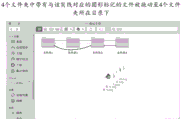
本申请实施例提供一种文件与数据库记录获取方法、计算机设备及存储介质。在本申请实施例中,将多个文件夹中的文件分类,在包含同类文件的文件夹之间通过可视化的关联标记透传出每类文件分布在哪些文件夹中以及每个文件夹包含哪些类别的文件等信息;进一步,可视化的关联标记具有交互功能,通过对可视化的关联标记进行交互操作,可以从包含同类文件的文件夹中获取相同类别的文件,而无需到每个文件夹中分别获取文件,简化了获取文件的操作,提高了获取文件的效率,尤其是随着文件夹数量的增多,这种文件获取方式的效率优势会越明显。

Embodiments of the present application provide a file and database record acquisition method, a computer device, and a storage medium. In the embodiment of the present application, the files in multiple folders are classified, and the folders containing files of the same type are transparently transmitted through a visual association mark to which folders each type of file is distributed in and which folders each folder contains. Category files and other information; further, the visual association mark has an interactive function. By interacting with the visual association mark, the files of the same category can be obtained from the folders containing the same type of files without going to each folder separately. Obtaining files simplifies the operation of obtaining files and improves the efficiency of obtaining files, especially as the number of folders increases, the efficiency advantage of this method of obtaining files will become more obvious.
Description
技术领域technical field
本申请涉及数据处理技术领域,尤其涉及一种文件与数据库记录获取方法、计算机设备及存储介质。The present application relates to the technical field of data processing, and in particular, to a file and database record acquisition method, computer equipment and storage medium.
背景技术Background technique
在各类计算机设备中,大多采用文件夹的方式存储和管理文件。用户可以根据文件的路径去相应文件夹中获取文件。在获取位于不同文件夹中的多个文件时,用户需要按照每个文件的路径分别到对应文件夹中获取文件,然后将文件迁移到新的地方。这种获取文件的方式,尤其在涉及文件夹较多的情况下,操作比较繁琐,效率较低。In all kinds of computer equipment, most files are stored and managed in the form of folders. The user can obtain the file from the corresponding folder according to the path of the file. When obtaining multiple files located in different folders, the user needs to obtain the files from the corresponding folder according to the path of each file, and then migrate the files to the new place. This method of obtaining files, especially in the case of involving many folders, is cumbersome and inefficient.
发明内容SUMMARY OF THE INVENTION
本申请的多个方面提供一种文件与数据库记录获取方法、计算机设备及存储介质,用以简化文件获取操作,提高文件获取效率。Various aspects of the present application provide a file and database record acquisition method, computer device, and storage medium, which are used to simplify file acquisition operations and improve file acquisition efficiency.
本申请实施例提供一种文件获取方法,包括:获取待搜索的多个文件夹,所述多个文件夹位于同一目录下;根据所述多个文件夹中文件的类别,在包含同类文件的文件夹之间生成可视化的关联标记;其中,每类文件对应一种可视化的关联标记;响应于对包含同类文件的文件夹之间可视化的关联标记的操作,从包含同类文件的文件夹中获取相同类别的文件。An embodiment of the present application provides a file acquisition method, including: acquiring multiple folders to be searched, where the multiple folders are located in the same directory; Generate a visual association mark between folders; wherein, each type of file corresponds to a visual association mark; in response to an operation on the visual association mark between folders containing files of the same type, obtain from the folders containing files of the same type files of the same category.
本申请实施例还提供一种计算机设备,包括:存储器和处理器;所述存储器,用于存储计算机程序和若干个文件夹,每个文件夹中存储有至少一个文件;所述处理器,与所述存储器耦合,用于执行所述计算机程序,以用于:从所述存储器中存储的若干个文件夹中,获取待搜索的多个文件夹,所述多个文件夹位于同一目录下;根据所述多个文件夹中文件的类别,在包含同类文件的文件夹之间生成可视化的关联标记;其中,每类文件对应一种可视化的关联标记;响应于对包含同类文件的文件夹之间存在的可视化的关联标记的操作,从包含同类文件的文件夹中获取相同类别的文件。Embodiments of the present application further provide a computer device, including: a memory and a processor; the memory is used to store a computer program and several folders, each folder stores at least one file; the processor, which is used with The memory is coupled to execute the computer program, so as to: obtain a plurality of folders to be searched from a plurality of folders stored in the memory, and the plurality of folders are located in the same directory; According to the categories of the files in the multiple folders, a visual association mark is generated between folders containing files of the same type; wherein, each type of file corresponds to a visual association mark; The operation of the visual association markers that exist between them, to get files of the same category from a folder containing files of the same type.
本申请实施例还提供一种存储有计算机程序的计算机可读存储介质,当所述计算机程序被一个或多个处理器执行时,致使所述一个或多个处理器执行本申请实施例提供的文件获取方法中的步骤。The embodiments of the present application further provide a computer-readable storage medium storing a computer program, and when the computer program is executed by one or more processors, the one or more processors are caused to execute the computer program provided by the embodiments of the present application. Steps in the file acquisition method.
本申请实施例还提供一种文件获取方法,包括:获取待搜索的多个文件夹;根据所述多个文件夹中文件的类型,在包含同类文件的文件夹之间生成可视化的关联标记;响应于对包含同类文件的文件夹之间可视化的关联标记的操作,从包含同类文件的文件夹中获取相同类别的文件。An embodiment of the present application also provides a method for obtaining a file, including: obtaining multiple folders to be searched; generating a visual association mark between folders containing files of the same type according to the types of files in the multiple folders; Files of the same category are obtained from folders containing files of the same type in response to manipulation of the visual association markers between folders containing files of the same type.
本申请实施例还提供一种数据库记录获取方法,包括:获取待搜索的多个数据库;根据所述多个数据库中记录的类别,在包含同类记录的数据库之间生成可视化的关联标记;响应于对所述关联标记的操作,从包含同类记录的数据库中获取相同类别的记录。An embodiment of the present application also provides a method for acquiring database records, including: acquiring multiple databases to be searched; generating a visual association mark between databases containing records of the same type according to the categories of records in the multiple databases; responding to For the operation of the association tag, records of the same category are obtained from a database containing records of the same type.
在本申请实施例中,将多个文件夹中的文件分类,在包含同类文件的文件夹之间通过可视化的关联标记透传出每类文件分布在哪些文件夹中以及每个文件夹包含哪些类别的文件等信息;进一步,可视化的关联标记具有交互功能,通过对可视化的关联标记进行交互操作,可以从包含同类文件的文件夹中获取相同类别的文件,而无需到每个文件夹中分别获取文件,简化了获取文件的操作,提高了获取文件的效率,尤其是随着文件夹数量的增多,这种文件获取方式的效率优势会越明显。In the embodiment of the present application, the files in multiple folders are classified, and the folders containing files of the same type are transparently transmitted through a visual association mark to which folders each type of file is distributed in and which folders each folder contains. Category files and other information; further, the visual association mark has an interactive function. By interacting with the visual association mark, the files of the same category can be obtained from the folders containing the same type of files without going to each folder separately. Obtaining files simplifies the operation of obtaining files and improves the efficiency of obtaining files, especially as the number of folders increases, the efficiency advantage of this method of obtaining files will become more obvious.
附图说明Description of drawings
此处所说明的附图用来提供对本申请的进一步理解,构成本申请的一部分,本申请的示意性实施例及其说明用于解释本申请,并不构成对本申请的不当限定。在附图中:The drawings described herein are used to provide further understanding of the present application and constitute a part of the present application. The schematic embodiments and descriptions of the present application are used to explain the present application and do not constitute an improper limitation of the present application. In the attached image:
图1为本申请示例性实施例提供的一种文件获取方法的流程示意图;FIG. 1 is a schematic flowchart of a file acquisition method provided by an exemplary embodiment of the present application;
图2为本申请示例性实施例提供的另一种文件获取方法的流程示意图;2 is a schematic flowchart of another file acquisition method provided by an exemplary embodiment of the present application;
图3a-图3f通过文件夹的状态变化对图2所示文件获取方法的过程进行了图示;Figures 3a-3f illustrate the process of the file acquisition method shown in Figure 2 by changing the state of the folder;
图4a为本申请示例性实施例提供的又一种文件获取方法的流程示意图;FIG. 4a is a schematic flowchart of yet another file acquisition method provided by an exemplary embodiment of the present application;
图4b为本申请示例性实施例提供的再一种文件获取方法的流程示意图;4b is a schematic flowchart of still another file acquisition method provided by an exemplary embodiment of the present application;
图5a为用户采用本申请实施例提供的方法从个人电脑剪贴照片到移动硬盘的示意图Fig. 5a is a schematic diagram of a user cutting photos from a personal computer to a mobile hard disk using the method provided by the embodiment of the present application
图5b为在数据库系统中采用本申请实施例提供的方法按照应用进行文件迁移的示意图;5b is a schematic diagram of file migration according to an application using the method provided by the embodiment of the present application in a database system;
图5c为本申请示例性实施例提供的一种数据库记录获取方法的流程示意图;5c is a schematic flowchart of a method for acquiring a database record provided by an exemplary embodiment of the present application;
图6为本申请示例性实施例提供的一种计算机设备的结构示意图。FIG. 6 is a schematic structural diagram of a computer device according to an exemplary embodiment of the present application.
具体实施方式Detailed ways
为使本申请的目的、技术方案和优点更加清楚,下面将结合本申请具体实施例及相应的附图对本申请技术方案进行清楚、完整地描述。显然,所描述的实施例仅是本申请一部分实施例,而不是全部的实施例。基于本申请中的实施例,本领域普通技术人员在没有做出创造性劳动前提下所获得的所有其他实施例,都属于本申请保护的范围。In order to make the objectives, technical solutions and advantages of the present application clearer, the technical solutions of the present application will be clearly and completely described below with reference to the specific embodiments of the present application and the corresponding drawings. Obviously, the described embodiments are only a part of the embodiments of the present application, but not all of the embodiments. Based on the embodiments in this application, all other embodiments obtained by those of ordinary skill in the art without creative efforts shall fall within the protection scope of this application.
在采用文件夹对文件进行分组存储和管理的各种场景中,用户可能需要同时使用多个文件夹中的文件。例如,在数据库系统中,当需要按照应用类型、文件类型或文件大小等属性对多个文件夹中的文件进行整理时,需要从多个文件夹中获取应用类型、文件类型或文件大小相同或相近的文件,并对这些文件进行后续处理,例如删除或迁移到新的存储位置等。又例如,在普通计算机设备中,当需要使用多个文件夹中同一类型的文件时,需要从多个文件夹中获取类型相同的文件,并根据这些文件进行后续处理。在现有技术中,若用户需要同时使用多个文件夹中的文件,用户需要到每个文件夹中分别获取所需的文件,这种操作比较繁琐,效率较低。In various scenarios where folders are used to store and manage files in groups, users may need to use files in multiple folders at the same time. For example, in a database system, when files in multiple folders need to be organized according to attributes such as application type, file type or file size, it is necessary to obtain the application type, file type or file size from multiple folders with the same or the same size. similar files, and perform subsequent processing on these files, such as deleting or migrating to a new storage location. For another example, in a common computer device, when files of the same type in multiple folders need to be used, it is necessary to obtain files of the same type from multiple folders, and perform subsequent processing according to these files. In the prior art, if a user needs to use files in multiple folders at the same time, the user needs to obtain the required files from each folder, which is cumbersome and inefficient.
针对该技术问题,在本申请一些实施例中,将多个文件夹中的文件分类,在包含同类文件的文件夹之间通过可视化的关联标记透传出每类文件分布在哪些文件夹中以及每个文件夹包含哪些类别的文件等信息;进一步,可视化的关联标记具有交互功能,通过对可视化的关联标记进行交互操作,可以从包含同类文件的文件夹中获取相同类别的文件,而无需到每个文件夹中分别获取文件,简化了获取文件的操作,提高了获取文件的效率,尤其是随着文件夹数量的增多,这种文件获取方式的效率优势会越明显。In view of this technical problem, in some embodiments of the present application, the files in multiple folders are classified, and the folders containing files of the same type are transparently transmitted through visual association marks to reveal which folders each type of file is distributed in and What kind of files each folder contains; further, the visual association mark has an interactive function. By interacting with the visual association mark, you can get files of the same category from the folders that contain the same kind of files without going to the Obtaining files separately in each folder simplifies the operation of obtaining files and improves the efficiency of obtaining files, especially as the number of folders increases, the efficiency advantage of this method of obtaining files will become more obvious.
在对本申请实施例展开说明之前,先对本申请实施例中的“文件夹”进行解释说明。在本申请实施例中,“文件夹”是一个广义的概念,是对文件进行存储和管理的一种管理单元,每个文件夹对应一定的存储空间。另外,在不同场景中,“文件夹”可能有不同的称谓,例如在数据库系统中,将对文件进行存储和管理的单元称为“文件组”。无论是普通计算机设备中的“文件夹”还是数据库系统中的“文件组”均属于本申请实施例中所述的“文件夹”。Before explaining the embodiments of the present application, the "folder" in the embodiments of the present application is explained first. In the embodiments of the present application, a "folder" is a broad concept, which is a management unit for storing and managing files, and each folder corresponds to a certain storage space. In addition, in different scenarios, a "folder" may have different names. For example, in a database system, a unit for storing and managing files is called a "file group". Whether it is a "folder" in a common computer device or a "file group" in a database system, both belong to the "folder" described in the embodiments of the present application.
另外,本申请实施例的执行主体可以是计算机设备,计算机设备可以是台式电脑、平板电脑、笔记本电脑、智能手机、穿戴设备等终端设备,也可以是常规服务器、云服务器、云主机、虚拟中心、服务器阵列等服务器设备,还可以是部署于各种服务器设备或终端设备中的虚拟机(VM)、容器(Docker)等。该计算机设备负责管理若干个文件夹,这些文件夹可以存储在计算机设备本地的存储介质中,也可以存储在远端的存储介质中。其中,每个文件夹中存储有至少一个文件,这些文件的格式可以相同,也可以不相同。这些文件可以包括但不限于:纯本文文件、图像文件、可执行文件等中的一种或多种。In addition, the execution body of the embodiment of the present application may be a computer device, and the computer device may be a terminal device such as a desktop computer, a tablet computer, a notebook computer, a smart phone, a wearable device, etc., or a conventional server, a cloud server, a cloud host, or a virtual center. , server arrays and other server devices, and may also be virtual machines (VMs), containers (Docker), etc. deployed in various server devices or terminal devices. The computer device is responsible for managing several folders, and these folders may be stored in a local storage medium of the computer device, or may be stored in a remote storage medium. Wherein, at least one file is stored in each folder, and the formats of these files may be the same or different. These files may include, but are not limited to, one or more of plain text files, image files, executable files, and the like.
图1为本申请示例性实施例提供的一种文件获取方法的流程示意图。如图1所示,该方法包括:FIG. 1 is a schematic flowchart of a file acquisition method provided by an exemplary embodiment of the present application. As shown in Figure 1, the method includes:
101、获取待搜索的多个文件夹,多个文件夹位于同一目录下。101. Acquire multiple folders to be searched, where the multiple folders are located in the same directory.
102、根据多个文件夹中文件的类别,在包含同类文件的文件夹之间生成可视化的关联标记;其中,每类文件对应一种可视化的关联标记。102. According to the categories of the files in the multiple folders, generate a visual association mark between folders containing files of the same type; wherein each type of file corresponds to a visual association mark.
103、响应于对包含同类文件的文件夹之间可视化的关联标记的操作,从包含同类文件的文件夹中获取相同类别的文件。103. Acquire files of the same category from folders containing files of the same type in response to an operation on the visual association mark between folders containing files of the same type.
在本实施例中,计算机设备可以获取待搜索的多个文件夹。可选地,计算机设备可以接收用户提交的搜索需求,该搜索需求中携带有文件夹标识信息。文件夹标识信息可以包括但不限于:文件夹名称的部分字符、文件夹的创建日期、文件夹的最新修改日期、文件夹的类型、大小等信息。若搜索需求中包括文件夹名称中的部分字符,则计算机设备可以获取名称包含该部分字符的多个文件夹作为待搜索的文件夹。又例如,若搜索需求中携带文件夹的创建日期,则计算机设备可以获取在该创建日期创建的多个文件夹,作为待搜索的文件夹。也就是说,计算机设备可以根据搜索需求中的文件夹标识信息,确定待搜索的多个文件夹。In this embodiment, the computer device can acquire multiple folders to be searched. Optionally, the computer device may receive a search requirement submitted by a user, and the search requirement carries folder identification information. The folder identification information may include, but is not limited to, some characters of the folder name, the creation date of the folder, the latest modification date of the folder, the type and size of the folder, and other information. If the search requirement includes part of the characters in the folder name, the computer device can obtain multiple folders whose names include the part of the characters as the folders to be searched. For another example, if the creation date of the folder is included in the search request, the computer device may acquire multiple folders created on the creation date as the folders to be searched. That is, the computer device may determine multiple folders to be searched according to the folder identification information in the search requirement.
在本实施例中,可选地,要求待搜索的多个文件夹位于同一目录下。可选地,若多个文件夹原本就在同一目录下,则可以不做处理;若多个文件夹分散在不同目录下,则可以将多个文件夹拷贝到同一目录下。这里的“同一目录”可以是某些文件夹所在的目录,也可以是多个文件夹所在目录共同隶属的父目录,还可以是新创建的一个目录。对计算机设备来说,在确定待搜索的多个文件夹之后,可以结合所维护的文件夹之间的层级关系,确定各文件夹是否在同一目录下。In this embodiment, optionally, multiple folders to be searched are required to be located in the same directory. Optionally, if multiple folders are originally in the same directory, no processing is required; if multiple folders are scattered in different directories, multiple folders can be copied to the same directory. The "same directory" here can be the directory where some folders are located, or the parent directory to which the directories where multiple folders are located, or a newly created directory. For a computer device, after multiple folders to be searched are determined, it can be determined whether each folder is in the same directory in combination with the maintained hierarchical relationship between the folders.
例如,若待搜索的多个文件夹中,有一部分文件夹是D盘下A文件夹下面的子文件夹,另一部分文件夹是D盘下B文件夹下面的子文件夹,则可以将B文件夹下面作为待搜索文件夹的子文件夹拷贝到A文件夹下面,也可以将A文件夹下面作为待搜索文件夹的子文件夹拷贝到B文件夹下面,或者可以将A文件夹和B文件夹下面作为待搜索文件夹的子文件夹均拷贝到D盘下面,还可以在D盘下面创建一个C文件夹,将将A文件夹和B文件夹下面作为待搜索文件夹的子文件夹均拷贝到C文件夹下面,使得待搜索的多个文件夹位于同一目录下。For example, if some of the multiple folders to be searched are subfolders under the A folder under the D drive, and another part of the folders are subfolders under the B folder under the D drive, you can set the B The subfolder under the folder is copied to the A folder as a subfolder of the folder to be searched, and the subfolder of the A folder can also be copied to the B folder as a subfolder of the folder to be searched, or the A folder and the B folder can be copied. The subfolders of the folder below the folder to be searched are copied to the D drive. You can also create a C folder under the D drive, and the A folder and the B folder will be used as the subfolders of the to-be-searched folder. are copied to the C folder, so that the multiple folders to be searched are located in the same directory.
由上述可知,在对文件夹进行层级管理的场景中,待搜索的多个文件夹可以包括位于同一目录下的文件夹,也可以包括位于不同目录下的文件夹。也就是说,待搜索的多个文件夹的级别可以相同,也可以不相同。As can be seen from the above, in the scenario of hierarchical management of folders, the multiple folders to be searched may include folders located in the same directory, or may include folders located in different directories. That is, the levels of the multiple folders to be searched may be the same or different.
无论待搜索的多个文件原本是否在同一目录下,在本实施例中,要求多个文件夹位于同一目录下,这样在该目录下可同时看到多个文件夹。基于此,可以根据多个文件夹中文件的类别,在包含同类文件的文件夹之间生成可视化的关联标记。值得说明的是,包含同类文件的文件夹一般是两个或两个以上的文件夹。另外,两个文件夹所包含的同类文件的类别数量可以是一类,也可以是两类或两类以上。其中,每类文件对应一种可视化的关联标记。若两个文件夹所包含的同类文件的类别数量是一类,则这两个文件夹之间可添加一种可视化的关联标记;若两个文件夹所包含的同类文件的类别数量是两类或两类以上,则这两个文件夹之间可添加两种或两种以上的可视化的关联标记。两个文件夹之间可视化的关联标记,与这两个文件夹所包含的同类文件的类别数量相同。Regardless of whether the multiple files to be searched are originally in the same directory, in this embodiment, multiple folders are required to be located in the same directory, so that multiple folders can be viewed simultaneously in the directory. Based on this, visual association markers can be generated between folders containing files of the same type based on the categories of files in multiple folders. It is worth noting that a folder containing similar files is generally two or more folders. In addition, the number of types of files of the same type contained in the two folders may be one type, or two types or more than two types. Among them, each type of file corresponds to a visual associated marker. If the number of categories of the same type of files contained in the two folders is one type, a visual association mark can be added between the two folders; if the number of categories of the same type of files contained in the two folders is two types Or two or more types, two or more visual association marks can be added between the two folders. A visual association marker between two folders that contains the same number of categories of files of the same type.
在本实施例中,并不限定可视化的关联标记的样式,凡是可视化的标记样式均适用于本申请实施例,具体关联标记的样式可参见后续实施例中给出的示例。本实施例的关联标记,除了具有可视化的特点之外,还可以标识出哪些文件夹中存在同类文件以及具体是哪类文件。进一步,本实施例的关联标记还具有指向性和交互功能。其中,指向性是关联标记可以指向其所关联的各文件夹中对应类别的文件。交互性是指允许用户对关联标记进行交互操作,这里的交互操作主要是指用户通过关联标记发出的获取位于多个文件夹中的某类文件的操作。对计算机设备而言,可响应于用户对包含同类文件的文件夹之间可视化的关联标记的操作,从包含同类文件的文件夹中获取相同类别的文件。In this embodiment, the style of the visual association mark is not limited, and all visual mark styles are applicable to the embodiments of the present application. For the specific style of the association mark, refer to the examples given in the subsequent embodiments. In addition to the visualization feature, the association mark in this embodiment can also identify which files of the same type exist in which folders and which types of files exist. Further, the associated mark in this embodiment also has directivity and interaction functions. Wherein, the directivity means that the association mark can point to the corresponding category of files in the associated folders. Interactivity refers to allowing the user to perform interactive operations on the associated tags, and the interactive operation here mainly refers to the operation of obtaining certain types of files located in multiple folders issued by the user through the associated tags. For a computer device, files of the same category may be retrieved from folders containing files of the same type in response to user manipulation of a visual association marker between folders containing files of the same type.
在本实施例中,将多个文件夹中的文件分类,在包含同类文件的文件夹之间通过可视化的关联标记透传出每类文件分布在哪些文件夹中以及每个文件夹包含哪些类别的文件等信息;进一步,可视化的关联标记具有交互功能,通过对可视化的关联标记进行交互操作,可以从包含同类文件的文件夹中获取相同类别的文件,而无需到每个文件夹中分别获取文件,简化了获取文件的操作,提高了获取文件的效率。尤其,随着文件夹数量的增多,这种文件获取方式的效率优势会越明显。In this embodiment, the files in multiple folders are classified, and the folders containing files of the same type are transparently transmitted through a visual association mark to reveal which folders each type of file is distributed in and which categories each folder contains. and other information; further, the visual association mark has an interactive function. By interacting with the visual association mark, the files of the same category can be obtained from the folders containing the same type of files, without the need to obtain each folder separately. file, which simplifies the operation of obtaining the file and improves the efficiency of obtaining the file. In particular, as the number of folders increases, the efficiency advantage of this file acquisition method will become more obvious.
图2为本申请示例性实施例提供的另一种文件获取方法的流程示意图。如图2所示,该方法包括:FIG. 2 is a schematic flowchart of another file acquisition method provided by an exemplary embodiment of the present application. As shown in Figure 2, the method includes:
201、获取待搜索的多个文件夹,多个文件夹位于同一目录下。201. Acquire multiple folders to be searched, where the multiple folders are located in the same directory.
202、对多个文件夹中的文件进行类别标记;其中,相同或相似文件具有相同的类别标记。202. Perform category marking on files in multiple folders; wherein the same or similar files have the same category marking.
203、根据多个文件夹中文件的类别标记,在包含相同类别标记的文件夹之间添加与所述相同类别标记对应的可视化的关联标记;其中,一种类别标记对应一种可视化的关联标记。203. Add a visual association mark corresponding to the same category mark between folders containing the same category mark according to the category marks of the files in the multiple folders; wherein, one kind of category mark corresponds to one kind of visual association mark .
204、响应于对包含相同类别标记的文件夹之间可视化的关联标记的操作,从包含相同类别标记的文件夹中获取相同类别的文件。204. Acquire files of the same category from the folders containing the same category tags in response to the operation on the visual association tags between the folders containing the same category tags.
在本实施例中,在获取待搜索的多个文件夹之后,对多个文件夹中的文件进行类别标记,为每个文件添加类别标记,且相同或相似的文件具有相同的类别标记。根据应用场景的不同,文件之间的“相同”或“相似”可有不同的定义,可根据应用需求适应性定义。可选地,可以根据文件的内容来定义文件之间是否相同或相近。例如,若两个文件的内容相同或相似度大于设定的相似度阈值,则可以定义两个文件相同或相似,反之,定义两个文件不相同且不相似。可选地,可以根据文件的创建时间定义文件之间是否相同或相似。例如,若两个文件的创建时间相同或时间差小于设定的时间差阈值,则可以定义两个文件相同或相近,反之,定义两个文件不相同且不相近。可选地,可以根据文件隶属的应用来定义文件之间是否相同或相近。例如,若两个文件隶属于同一应用或同一类别的应用,则可以定义两个文件之间相同或相似,反之,定义两个文件不相同且不相近。In this embodiment, after acquiring the multiple folders to be searched, the files in the multiple folders are marked with a category, and a category mark is added to each file, and the same or similar files have the same category mark. According to different application scenarios, "same" or "similar" between files may have different definitions, which can be defined adaptively according to application requirements. Optionally, whether the files are the same or similar may be defined according to the content of the files. For example, if the content of the two files is the same or the similarity is greater than the set similarity threshold, the two files may be defined as the same or similar, otherwise, the two files may be defined as different and dissimilar. Optionally, whether the files are identical or similar can be defined according to the creation time of the files. For example, if the creation time of the two files is the same or the time difference is less than the set time difference threshold, the two files can be defined to be the same or similar, otherwise, the two files are defined to be different and not similar. Optionally, whether the files are the same or similar may be defined according to the application to which the files belong. For example, if two files belong to the same application or the same category of applications, it can be defined that the two files are the same or similar; otherwise, the two files are defined to be different and not similar.
在为每个文件夹中的文件进行类别标记之后,可根据每个文件夹中文件的类别标记,识别出包含相同类别标记的文件夹,在所识别出的包含相同类别标记的文件夹之间添加与该类别标记对应的可视化的关联标记。After classifying the files in each folder, it is possible to identify folders that contain the same class label according to the class labels of the files in each folder, and between the identified folders that contain the same class label Adds the associated tag for the visualization corresponding to the category tag.
值得说明的是,若两个文件夹之间包含一种相同的类别标记,则这两个文件夹之间添加一种可视化的关联标记;若两个文件夹之间包含两种或两种以上相同的类别标记,则这两个文件夹之间添加两种或两种以上的可视化的关联标记。每种可视化的关联标记对应一种类别标记,也就是对应一类文件。进而,可响应于对包含同类文件的文件夹之间可视化的关联标记的操作,从包含同类文件的文件夹中获取相同类别的文件。It is worth noting that if two folders contain the same category mark, a visual association mark is added between the two folders; if two or more types of labels are contained between the two folders For the same category tag, add two or more visual association tags between the two folders. Each visual associated tag corresponds to a category tag, that is, corresponds to a category of files. In turn, files of the same category may be retrieved from folders containing files of the same type in response to manipulation of the visual association markers between folders containing files of the same type.
在本实施例中,在获取待搜索的多个文件夹之后,可按需对多个文件夹中的文件进行类别标记,而无需预先对所有文件夹中的文件进行类别标记,这种方式对文件存储过程没有任何影响,可兼容现有的文件存储方式,可应用于采用现有文件存储方式的文件管理场景中。In this embodiment, after obtaining the multiple folders to be searched, the files in the multiple folders can be classified as needed, and it is not necessary to classify the files in all the folders in advance. The file storage process has no impact, is compatible with existing file storage methods, and can be applied to file management scenarios using existing file storage methods.
下面结合图3a-图3f所示的文件夹状态图,对图2所示实施例的文件获取过程进行说明。The following describes the file acquisition process of the embodiment shown in FIG. 2 with reference to the folder state diagrams shown in FIG. 3a-FIG. 3f.
参见图3a,计算机设备根据搜索需求中的文件夹标识信息,获取4个文件夹,分别是文件夹1、文件夹2、文件夹3和文件夹4,需要同时从这4个文件夹中获取多个相似文件。如图3a所示,这4个文件夹位于同一目录下。Referring to Figure 3a, the computer device obtains 4 folders according to the folder identification information in the search requirement, namely folder 1, folder 2, folder 3 and folder 4, and needs to be obtained from these 4 folders at the same time Multiple similar files. As shown in Figure 3a, these 4 folders are located in the same directory.
参见图3b,计算机设备可响应用户打开文件夹1的操作,打开文件夹1;在文件夹1中,按照相似文件的定义对文件夹1中的文件进行类别标记。在图3b中,存在3类相似文件,分别使用圆形、正方形和三角形对这3类相似文件进行标记,且同一类相似文件使用相同的类别标记。同理,可以打开文件夹2、文件夹3和文件夹4,并按照相似文件的定义对其中的文件进行类别标记。为便于描述和区分,将圆形、正方形和三角形代表的文件类别分别称为第一类、第二类和第三类。值得说明的是,对文件夹1、2、3和4来说,相似文件的定义是相同的,并且同类文件使用相同的类别标记。例如,若文件夹2、3和4中存在第一类文件,则文件夹2、3和4中的第一类文件也使用圆形标记;若文件夹2、3和4中存在第二类文件,则文件夹2、3和4中的第二类文件也使用正方形标记,以此类推。另外,如图3b所示,在同一文件夹中,同一类文件的数量可以是一个,也可以是多个。Referring to FIG. 3b, the computer device can open the folder 1 in response to the user's operation of opening the folder 1; in the folder 1, the files in the folder 1 are classified according to the definition of similar files. In Figure 3b, there are 3 types of similar files, which are marked with circles, squares and triangles respectively, and the same type of similar files are marked with the same category. Similarly, folder 2, folder 3, and folder 4 can be opened, and the files in them can be classified according to the definition of similar files. For the convenience of description and distinction, the file categories represented by circles, squares and triangles are referred to as the first category, the second category and the third category, respectively. It is worth noting that the definitions of similar files are the same for folders 1, 2, 3, and 4, and the same category tags are used for similar files. For example, if there are files of the first type in folders 2, 3 and 4, the first type of files in folders 2, 3 and 4 are also marked with a circle; if there are files of the second type in folders 2, 3 and 4 files, the second type of files in folders 2, 3, and 4 are also marked with squares, and so on. In addition, as shown in Fig. 3b, in the same folder, the number of files of the same type may be one or multiple.
在本实施例中,做如下假设:文件夹1-4中均包含第一类文件,第一类文件的类别标记是一圆形;文件夹1-3均包含第二类文件,第二类文件的类别标记是一正正方形;文件夹1、3和4包含第三类文件,第三类文件的类别标记是一三角形。基于此假设,继续参见图3c。In this embodiment, the following assumptions are made: Folders 1-4 all contain files of the first category, and the category mark of the first category of files is a circle; folders 1-3 all contain files of the second category, The file's category marker is a square; folders 1, 3, and 4 contain a third category of files whose category marker is a triangle. Based on this assumption, continue to refer to Figure 3c.
参见图3c,因为文件夹1-4中均包含第一类文件,第一类文件的类别标记是一个圆形,故在文件夹1-4之间添加圆形标记对应的关联标记,即实线;又因为文件夹1-3均包含第二类文件,第二类文件的类别标记是一个正方形,故在文件夹1-3之间添加正方形标记对应的关联标记,即短横线型的虚线;同理,因为文件夹1、3和4均包含第三类文件,第三类文件的类别标记是一三角形,故在文件夹1、3和4之间添加该三角形对应的关联标记,即点型的虚线。其中,实线、短横线型的虚线、点型的虚线均被显示出来,达到了可视化的效果。Referring to Figure 3c, because folders 1-4 all contain the first type of files, and the category mark of the first type of file is a circle, so add an association mark corresponding to the circle mark between folders 1-4, that is, the real line; and because folders 1-3 all contain the second type of file, the category mark of the second type of file is a square, so add the association mark corresponding to the square mark between the folders 1-3, that is, the dash type Dotted line; for the same reason, because folders 1, 3, and 4 all contain files of the third type, and the category mark of the third type of file is a triangle, the associated mark corresponding to the triangle is added between folders 1, 3, and 4. That is, a dotted line. Among them, the dotted lines of the solid line, the dashed line and the dotted line are all displayed, which achieves the effect of visualization.
值得说明的是,被上述实线、短横线型的虚线或点型的虚线连接的文件夹包含有相同的类别标记。如图3c所示,文件夹1和2之间以及文件夹2和3之间同时存在实线和短横线型的虚线,这意味着文件夹1、2和3中均包含有第一类文件和第二类文件;同理,文件夹1与3之间以及文件夹3与4之间同时存在实线和点型的虚线,这意味着文件夹1、3和4中均包含有第一类文件和第三类文件。It should be noted that folders connected by the above-mentioned solid line, dashed dashed line, or dotted dashed line contain the same category mark. As shown in Figure 3c, there are both solid and dashed dashed lines between folders 1 and 2 and between folders 2 and 3, which means that folders 1, 2 and 3 all contain the first category files and the second type of files; similarly, there are both solid and dotted lines between folders 1 and 3 and between folders 3 and 4, which means that folders 1, 3 and 4 all contain the first Class I files and Class III files.
图3c中的实线、短横线型的虚线或点型的虚线均具有交互功能。当用户需要从文件夹1-4中同时获取某类文件时,可以通过该类文件对应的关联标记发出文件获取操作。例如,如图3d所示,用户可以选中实线并拖动,则计算机设备可以将文件夹1、2和3中包含的第一类文件全部复制或剪贴出来并放置到拖动操作对应的目标位置处,如图3e和3f所示。The solid line, the dashed line of the dash type or the dashed line of the dot type in Fig. 3c all have interactive functions. When a user needs to acquire a certain type of files from folders 1-4 at the same time, a file acquisition operation can be issued through the associated tag corresponding to this type of file. For example, as shown in Figure 3d, the user can select the solid line and drag it, then the computer device can copy or clip all the first type files contained in folders 1, 2 and 3 and place them on the target corresponding to the drag operation position, as shown in Figures 3e and 3f.
可选地,如图3f所示,在用户完成文件获取操作之后,文件夹之间的关联标记可隐藏或消失,但并不限于此。除此之外,用户可以通过设置隐藏关联标记的操作,将文件夹之间的关联标记隐藏。当然,用户还可以通过设置显示关联标记的操作,将文件夹之间的关联标记显示出来。Optionally, as shown in FIG. 3f, after the user completes the file acquisition operation, the association marks between the folders may be hidden or disappeared, but not limited thereto. In addition, the user can hide the association marks between folders by setting the operation of hiding the association marks. Of course, the user can also display the associated markers between the folders by setting the operation of displaying the associated markers.
由上述可见,用户只需要点击并拖动实线,即可同时获取文件夹1、2和3中包含的多个第一类文件,即文件1、2、9、10和11,而无需将文件夹1、2和3逐个打开后从中获取所包含的第一类文件,其操作更为简单,效率也更高。As can be seen from the above, the user only needs to click and drag the solid line to obtain multiple first-type files contained in folders 1, 2 and 3 at the same time, namely files 1, 2, 9, 10 and 11, without the need to Folders 1, 2, and 3 are opened one by one to obtain the first type of files contained therefrom, and the operation is simpler and more efficient.
本申请实施例提供的文件获取方法,除了可以在获取待搜索的多个文件夹之后,对多个文件夹中的文件进行类别标记之外,还可以采用其它方式,例如还可以在存储文件的过程中预先对文件进行类别标记,进而基于各文件已有的类别标记进行文件获取操作。In the file acquisition method provided by the embodiment of the present application, in addition to classifying the files in the multiple folders after acquiring the multiple folders to be searched, other methods can also be used, for example, in the storage file In the process, the files are marked with categories in advance, and then the file acquisition operation is performed based on the existing category marks of each file.
图4a为本申请示例性实施例提供的又一种文件获取方法的流程示意图。如图4a所示,该方法包括:FIG. 4a is a schematic flowchart of still another file acquisition method provided by an exemplary embodiment of the present application. As shown in Figure 4a, the method includes:
401、在向所维护的文件夹中存储文件时,对所存储的文件进行类别标记,其中,相同或相似文件具有相同的类别标记。401. When storing files in the maintained folder, perform category marking on the stored files, wherein the same or similar files have the same category marking.
402、在需要从多个文件夹中获取文件时,从所维护的文件夹中获取待搜索的多个文件夹,多个文件夹位于同一目录下。402. When files need to be obtained from multiple folders, obtain multiple folders to be searched from the maintained folders, and the multiple folders are located in the same directory.
403、根据多个文件夹中文件的类别标记,在包含相同类别标记的文件夹之间添加与所述相同类别标记对应的可视化的关联标记;其中,一种类别标记对应一种可视化的关联标记。403. Add a visual association mark corresponding to the same category mark between folders containing the same category mark according to the category marks of the files in the multiple folders; wherein, one kind of category mark corresponds to one kind of visual association mark .
404、响应于对包含相同类别标记的文件夹之间可视化的关联标记的操作,从包含相同类别标记的文件夹中获取相同类别的文件。404. Acquire files of the same category from the folders containing the same category tags in response to the operation on the visual association tags between the folders containing the same category tags.
在本实施例中,计算机设备维护有文件夹,所维护的文件夹的数量为多个。其中,步骤401描述的是在向所维护的各文件夹中存储文件的过程中,对所存储的文件进行类别标记的过程。步骤402-步骤404描述的是在步骤401的基础上,通过在包含相同类别标记的文件夹之间添加可视化的关联标记一次性地从多个文件夹中获取同类文件的过程。In this embodiment, the computer device maintains folders, and the number of the maintained folders is multiple. Wherein, step 401 describes the process of marking the stored files by category in the process of storing files in each maintained folder.
在本实施例中,在向文件夹中存储文件的过程中,预先对文件进行类别标记,这样当需要从多个文件夹中获取多个同类文件时,不需要再对多个文件夹中的文件进行类别标记,有利于进一步简化文件获取操作,提高文件获取效率。In this embodiment, in the process of storing files in the folders, the files are classified in advance, so that when multiple files of the same type need to be acquired from multiple folders, there is no need to further classify the files in the multiple folders. It is helpful to further simplify the file acquisition operation and improve the file acquisition efficiency by tagging the files by category.
需要说明的是,在前面实施例中,要求多个文件夹位于同一目录下,目的是为了在同一目录下同时看到多个文件夹以及文件夹之间的关联标记,便于展示和用户操作,但并不限于此。例如,多个文件夹也可以位于不同目录下,在这种情况下,通过一定的展示手段,例如可以将多个文件夹映射成虚拟文件夹,通过一个虚拟目录来同时展示映射出的多个虚拟文件夹,让用户同时看到多个虚拟文件夹以及虚拟文件夹之间的关联标记,通过虚拟文件夹之间的关联标记对多个文件夹进行操作。当然,虚拟文件夹和虚拟目录也仅是一种示例性实施方式,凡是能够让用户看到多个文件夹之间的关联标记并且可以通过关联标记从多个文件夹中获取同类文件的方式均适用于本申请实施例。另外,在前面实施例中,以每类文件对应一种可视化的关联标记为例进行了说明,但实际上并不限制每类文件对应的可视化关联标记的数量,例如,每类文件也可以使用多种可视化的关联标记,只要不同类别的文件所使用的关联标记能够相互区分即可。It should be noted that, in the previous embodiment, multiple folders are required to be located in the same directory, the purpose is to simultaneously see multiple folders and the associated marks between the folders in the same directory, which is convenient for display and user operations. But not limited to this. For example, multiple folders can also be located in different directories. In this case, through a certain display method, for example, multiple folders can be mapped into virtual folders, and multiple mapped folders can be displayed simultaneously through one virtual directory. Virtual folders allow users to see multiple virtual folders and associated marks between virtual folders at the same time, and operate multiple folders through the associated marks between virtual folders. Of course, the virtual folder and the virtual directory are only an exemplary implementation, and any method that allows the user to see the association marks between multiple folders and obtain the same files from the multiple folders through the association marks are all applicable. applicable to the embodiments of the present application. In addition, in the previous embodiment, each type of file corresponds to one type of visual association mark as an example for description, but the number of visual association marks corresponding to each type of file is not actually limited. For example, each type of file can also use A variety of visual associated markers, as long as the associated markers used by different types of files can be distinguished from each other.
基于上述分析,本申请实施例还提供一种文件获取方法,如图4b所示,该方法包括以下步骤:Based on the above analysis, an embodiment of the present application also provides a method for acquiring a file, as shown in FIG. 4b, the method includes the following steps:
41、获取待搜索的多个文件夹。41. Obtain multiple folders to be searched.
42、根据多个文件夹中文件的类别,在包含同类文件的文件夹之间生成可视化的关联标记。42. According to the categories of files in multiple folders, generate visual association markers between folders containing files of the same type.
43、响应于对包含同类文件的文件夹之间可视化的关联标记的操作,从包含同类文件的文件夹中获取相同类别的文件。43. Obtaining files of the same category from folders containing files of the same type in response to an operation on the visual association markers between folders containing files of the same type.
图4b所描述的实施例与前面实施例类似,区别在于:图4b所示实施例并未对多个文件夹是否位于同一目录下进行限定,也未对每类文件对应的可视化的关联标记的数量做限定,关于这部分内容可参见上一段内容,在此不再赘述。另外,关于图4b所示实施例中的其它内容可参见前述实施例,在此不再赘述。The embodiment described in FIG. 4b is similar to the previous embodiment, the difference is that: the embodiment shown in FIG. 4b does not limit whether multiple folders are located in the same directory, and does not specify the visual association mark corresponding to each type of file. The number is limited. For this part of the content, please refer to the previous paragraph, and will not repeat them here. In addition, for other content in the embodiment shown in FIG. 4b, reference may be made to the foregoing embodiment, and details are not described herein again.
在上述各实施例中,无论是在获取多个文件夹之后对多个文件夹中的文件进行类别标记,还是在获取多个文件夹之前,在向文件夹中存储文件过程中对文件进行类别标记,对文件进行类别标记的过程相同或类似,区别仅在于被标记的文件范围不同。下面以在获取多个文件夹之后,对多个文件夹中的文件进行类别标记为例,对类别标记的方式进行举例说明。In each of the above-mentioned embodiments, whether after acquiring the multiple folders, classifying the files in the multiple folders, or before acquiring the multiple folders, classifying the files in the process of storing the files in the folders Marking, the process of categorizing files is the same or similar, the only difference is the scope of the files being marked. In the following, after obtaining multiple folders, classifying the files in the multiple folders is used as an example to illustrate the manner of classifying the files.
方式1:为多个文件夹中存在的相同或相似的文件添加相同的颜色,以对多个文件夹中的文件进行类别标记。在方式1中,主要是通过颜色对文件进行类别区分,同一类文件使用相同的颜色进行标记,不同类别的文件使用不同的颜色进行标记。Way 1: Add the same color to the same or similar files existing in multiple folders to categorize files in multiple folders. In Mode 1, the categories of files are mainly distinguished by color, the files of the same category are marked with the same color, and the files of different categories are marked with different colors.
在方式1中,并不限定具体的标记方式,凡是可以通过颜色对文件进行类别区分的标记方式均适用于本申请实施例。根据被添加颜色的对象的不同,下面对方式1的具体标记方式进行举例说明:In Mode 1, the specific marking method is not limited, and any marking method that can classify files by color is applicable to the embodiment of the present application. According to the different objects to be colored, the following is an example of the specific marking method of Mode 1:
方式1.1:将多个文件夹中存在的相同或相似的文件的图标渲染成相同的颜色,以对多个文件夹中的文件进行类别标记。结合图3a-3f所示的文件夹以及文件夹中的文件,假设文件夹1、2、和3中包含相同或相似的文件,分别是文件1、2、9、10和11,则可以将文件1、2、9、10和11的图标渲染成同一种颜色,例如红色,从而表示这五个文件属于同一类文件。另外,在文件夹1中,文件3和4属于第二类文件,则可以将文件3和4的图标渲染成同一种颜色,例如绿色,从而表示这两个文件属于同一类文件;同理,在文件1中,文件5和6属于第三类文件,则可以将文件5和6的图标渲染成同一种颜色,例如黄色,从而表示这两个文件属于同一类文件。Mode 1.1: Render the icons of the same or similar files existing in multiple folders into the same color, so as to classify the files in multiple folders. Combined with the folders shown in Figures 3a-3f and the files in the folders, assuming that folders 1, 2, and 3 contain the same or similar files, which are files 1, 2, 9, 10, and 11, respectively, then the The icons for files 1, 2, 9, 10, and 11 are rendered in the same color, such as red, to indicate that the five files belong to the same class of files. In addition, in folder 1, files 3 and 4 belong to the second category of files, then the icons of files 3 and 4 can be rendered into the same color, such as green, to indicate that the two files belong to the same category of files; similarly, In file 1, files 5 and 6 belong to the third type of files, then the icons of files 5 and 6 can be rendered into the same color, such as yellow, to indicate that the two files belong to the same type of files.
方式1.2:将多个文件夹中存在的相同或相似的文件的名称渲染成相同的颜色,以对多个文件夹中的文件进行类别标记。这里“将相同或相似的文件的名称渲染成相同的颜色”,可以是指将相同或相似文件的名称的字体颜色设置为同一种颜色,也可以是为相同或相似文件的名称添加同一种颜色的背景色。Mode 1.2: Render the names of the same or similar files existing in multiple folders into the same color to categorize files in multiple folders. Here "rendering the names of the same or similar files into the same color" can mean setting the font color of the names of the same or similar files to the same color, or adding the same color to the names of the same or similar files background color.
方式1.3:将多个文件夹中存在的相同或相似的文件的图标和名称均渲染成相同的颜色,以对多个文件夹中的文件进行类别标记。在上述方式1.1和1.2中,或者将相同或相似文件的图标渲染成相同的颜色,或者将相同或相似文件的名称渲染成相同颜色,在方式1.3中,可以同时将相同或相似文件的图标和名称渲染成相同颜色。Mode 1.3: The icons and names of the same or similar files existing in multiple folders are rendered into the same color, so as to classify the files in multiple folders. In the above methods 1.1 and 1.2, either the icons of the same or similar files are rendered into the same color, or the names of the same or similar files are rendered into the same color. In mode 1.3, the icons of the same or similar files and Names are rendered in the same color.
方式2:为多个文件夹中存在的相同或相似的文件添加相同的标签,以对多个文件夹中的文件进行类别标记。在方式2中,主要通过标签对文件进行类别区分,同一类文件使用相同的标签进行标记,不同类别的文件使用不同的标签进行标记。Way 2: Add the same tag to the same or similar files existing in multiple folders to categorize files in multiple folders. In Mode 2, the categories of files are mainly distinguished by tags, the same category of files are marked with the same tag, and the files of different categories are marked with different tags.
在方式2中,并不对标签的标记位置、形式、样式等属性进行限定,凡是可以通过标签对文件进行类别区分的标记方式均适用于本申请实施例。根据添加标签的对象和标签形式的不同,下面对方式2的具体标记方式进行举例说明:In Mode 2, attributes such as the marking position, form, and style of the tag are not limited, and any marking method that can classify files by tags is applicable to the embodiment of the present application. According to the different labeling objects and labeling forms, the following is an example of the specific labeling method of Mode 2:
方式2.1:在多个文件夹中存在的相同或相似的文件的名称附近添加相同的图形,以对多个文件夹中的文件进行类别标记。在方式2.1中,标签采用图形这种形式实现。其中,这里的“相同的图形”可以是指图形的形状相同,也可以是图形的颜色相同,还可以是图形的形状和颜色均相同。另外,“名称的附近”可以是名称的左侧、右侧、上方或下方等距离文件名称相对较近的区域。结合图3a-3f所示的文件夹以及文件夹中的文件,假设文件夹1、2、和3中包含相同或相似的文件,分别是文件1、2、9、10和11,则可以将文件1、2、9、10和11的名称的左侧添加圆形标记。如图3b,在文件夹1中,文件1和2属于第一类文件,在文件1和2的名称的左侧添加有圆形标记;文件3和4属于第二类文件,在文件3和4的名称的左侧添加有正方形标记;文件5和6属于第三类文件,在文件5和6的名称的左侧添加有三角形标记。另外需要说明的是,同类文件对应的图形的形状不仅相同,而且颜色也相同。例如,在图3b中,圆形的颜色相同,例如均为红色;正方形的颜色也相同,例如均为绿色;三角形的颜色也相同,例如均为黄色。Method 2.1: Add the same graphic near the names of the same or similar files existing in multiple folders to categorize the files in multiple folders. In mode 2.1, the label is realized in the form of graphics. Wherein, the "same graphics" here may refer to the graphics having the same shape, the graphics having the same color, or the graphics having the same shape and color. Additionally, "near the name" may be an area relatively close to the file name, such as to the left, right, above, or below the name. Combined with the folders shown in Figures 3a-3f and the files in the folders, assuming that folders 1, 2, and 3 contain the same or similar files, which are files 1, 2, 9, 10, and 11, respectively, then the Add circular marks to the left of the names of files 1, 2, 9, 10, and 11. As shown in Figure 3b, in folder 1, files 1 and 2 belong to the first category of files, and a circle mark is added to the left of the names of files 1 and 2; files 3 and 4 belong to the second category of files, and the A square mark is added to the left of the name of 4; files 5 and 6 belong to the third category of documents, and a triangle mark is added to the left of the name of files 5 and 6. In addition, it should be noted that the shapes corresponding to the same files are not only the same in shape, but also in the same color. For example, in Fig. 3b, the circles are of the same color, for example, all are red; the squares are also of the same color, for example, all of green; and the triangles are also of the same color, for example, all of yellow.
方式2.2:在多个文件夹中存在的相同或相似的文件的图标上添加相同的角标,以对多个文件夹中的文件进行类别标记。在方式2.2中,标签采用角标这种形式实现。可选地,可以采用数字角标,且对于相同或相似的文件,使用相同的数字作为角标。另外,角标也可以采用图像或图形,且对于相同或相似的文件,使用相同的图像、图形作为角标。可选地,角标的位置可以是图标的左上角、右上角、左下角或右下角,当然也可以是除边角之外的其它区域。Method 2.2: Add the same corner mark to the icons of the same or similar files existing in multiple folders, so as to mark the files in the multiple folders as categories. In Mode 2.2, the label is implemented in the form of a corner label. Optionally, numerical superscripts may be used, and for the same or similar files, the same numbers are used as superscripts. In addition, the superscript can also be an image or a graphic, and for the same or similar files, the same image and graphic are used as the superscript. Optionally, the position of the corner mark may be the upper left corner, the upper right corner, the lower left corner or the lower right corner of the icon, and of course it may also be other areas except the corners.
方式2.3:在多个文件夹中存在的相同或相似的文件的名称附近添加相同的图像,以对多个文件夹中的文件进行类别标记。在方式2.3中,标签采用图像这种形式实现。对于同一类文件,可以在这些文件的名称的附近添加相同的图像,从而表示这些文件属于同一类文件。对于不同类别的文件,在这些文件的名称的附近添加不同的图像,这样可以表示这些文件属于不同类别。“名称的附近”可以是名称的左侧、右侧、上方或下方等距离文件名称相对较近的区域。Way 2.3: Add the same image near the names of the same or similar files existing in multiple folders to categorize files in multiple folders. In Mode 2.3, the label is implemented in the form of an image. For files of the same class, you can add the same image near the names of these files to indicate that the files belong to the same class of files. For files of different categories, add different images near the names of these files to indicate that the files belong to different categories. "Near name" can be an area that is relatively close to the file name, such as to the left, right, above, or below the name.
值得说明的是,上述方式2.1-2.3可以单独使用,也可以以任意方式组合使用。It is worth noting that the above methods 2.1-2.3 can be used alone or in combination in any manner.
方式3:为多个文件夹中存在的相同或相似的文件添加相同的后缀,以对多个文件夹中的文件进行类别标记。在方式3中,主要通过后缀对文件进行类别区分,同一类文件使用相同的后缀进行标记,不同类别的文件使用不同的后缀进行标记。在方式3中,并不对后缀的形式进行限定,可以根据需求灵活设置,凡是不影响文件正常打开和使用的后缀形式均适用于本申请实施例。Way 3: Add the same suffix to the same or similar files existing in multiple folders to categorize files in multiple folders. In Mode 3, the categories of files are mainly distinguished by suffixes, files of the same category are marked with the same suffix, and files of different categories are marked with different suffixes. In Mode 3, the form of the suffix is not limited, and can be set flexibly according to requirements. Any suffix form that does not affect the normal opening and use of the file is applicable to the embodiments of the present application.
方式4:为多个文件夹中存在的相同或相似文件的图标添加相同的外框,以对多个文件夹中的文件进行类别标记。在方式4中,主要通过外框对文件进行类别区分,同一类文件使用相同的外框进行标记,不同类别的文件使用不同的外框进行标记。这里“相同的外框”可以是外框的形状相同,也可以是外框的颜色相同,也可以是外框的形状和颜色均相同等。外框的形状可以是但不限于:圆形、正方形、菱形、三角形、五边形等等。结合图3a-图3f,假设第一类文件可以使用圆形外框,则可以为文件1和2的图标添加圆形外框;第二类文件使用正方形外框,则可以为文件3和4的图标添加正方形外框;第三类文件使用三角形外框,则可以为文件5和6的图标添加三角形外框。Method 4: Add the same outline to the icons of the same or similar files existing in multiple folders to categorize the files in multiple folders. In Mode 4, the categories of files are mainly distinguished by the outer frame, the same type of files are marked with the same outer frame, and the files of different categories are marked with different outer frames. Here, the "same outer frame" may mean that the shape of the outer frame is the same, the color of the outer frame may be the same, or the shape and color of the outer frame may be the same. The shape of the outer frame can be but not limited to: circle, square, rhombus, triangle, pentagon and so on. With reference to Figure 3a-3f, assuming that the first type of file can use a circular frame, then a circular frame can be added to the icons of files 1 and 2; the second type of file uses a square frame, then files 3 and 4 can be used. The icon of file 5 and 6 can add a square outline; the third type of file uses a triangle outline, and you can add a triangle outline to the icons of files 5 and 6.
需要说明的是,上述方式1-4可以单独使用,也可以以任意方式组合使用。It should be noted that the above-mentioned methods 1-4 can be used alone or in any combination.
在上述各实施例中,需要在包含相同类别标记的文件夹之间添加与所述相同类别标记对应的可视化的关联标记。其中,一种类别标记对应一种可视化的关联标记。关于关联标记与类别标记的对应关系以及关联标记的具体样式均不做限定。下面对可视化的关联标记进行举例说明:In the above embodiments, it is necessary to add a visual association mark corresponding to the same category mark between folders containing the same category mark. Among them, a category marker corresponds to a visual association marker. There is no limitation on the corresponding relationship between the association mark and the category mark and the specific style of the association mark. The following is an example of the visual association markup:
方式a、根据多个文件夹中文件的类别标记,识别出包含相同类别标记的文件夹,在包含相同类别标记的文件夹之间添加与该相同类别标记对应的连接线,不同类别标记对应不同的连接线。一般来说,包含相同类别标记的文件夹为多个,当然,也可以是一个,本申请各实施例重点以多个为例进行说明。Method a. Identify folders containing the same category tag according to the category tags of files in multiple folders, and add a connection line corresponding to the same category tag between the folders containing the same category tag. Different category tags correspond to different connection line. Generally speaking, there are multiple folders containing the same category mark. Of course, there may also be one folder. The embodiments of the present application focus on using multiple folders as an example for description.
如图3c所示,文件夹1、2、3和4均包含第一类文件,第一类文件使用的类别标记是圆形,该类别标记圆形对应的关联标记使用实线表示,则在文件夹1、2、3和4之间添加有实线。另外,文件夹1、2和3均包含第二类文件,第二类文件使用的类别标记是正方形,类别标记正方形对应的关联标记是短线型的虚线,则在文件夹1、2和3之间添加有短线型的虚线。文件夹1、3和4中均包含第三类文件,第三类文件使用的类别标记是三角形,类别标记三角形对应的关联标记使用点型的虚线表示,则在文件夹1、3和4中添加有点型的虚线。As shown in Figure 3c, folders 1, 2, 3, and 4 all contain the first type of files. The category mark used by the first type of file is a circle, and the associated mark corresponding to the circle of the category mark is represented by a solid line. Solid lines are added between folders 1, 2, 3, and 4. In addition, folders 1, 2 and 3 all contain the second type of files, the category mark used by the second type of file is a square, and the associated mark corresponding to the category mark square is a short-line dashed line. A dashed line with a short line is added between. Folders 1, 3, and 4 all contain the third type of files. The category mark used by the third type of file is a triangle, and the associated mark corresponding to the category mark triangle is represented by a dotted line, then in folders 1, 3 and 4 Add a dotted line.
由上述可知,对任意两个文件夹来说,两个文件夹共同包含的类别标记可以是一种,也可能是多种。对于两个文件夹共同包含多种类别标记的情况,在这两个文件夹之间添加每种类别标记对应的关联标记。如图3c所示,文件夹1和2之间分别添加有类别标记圆形对应的关联标记(即实线),类别标记正方形对应的关联标记(即短线型的虚线),以及类别标记三角形对应的关联标记(即点型的虚线)。It can be seen from the above that, for any two folders, the two folders may contain one type of category mark, and may also be multiple types. In the case where two folders contain multiple category tags together, add an association tag corresponding to each category tag between the two folders. As shown in Figure 3c, between folders 1 and 2, an association mark corresponding to the category mark circle (ie, a solid line), an association mark corresponding to the category mark square (ie, a short-line dashed line), and a category mark triangle corresponding to associated markers (ie, dotted lines).
方式b、根据多个文件夹中文件的类别标记,识别出包含相同类别标记的文件夹,为包含相同类别标记的文件夹分别添加与所述相同类别标记对应的标签,不同类别标记对应不同的标签。Mode b. Identify folders containing the same category tags according to the category tags of files in multiple folders, and add tags corresponding to the same category tags to the folders containing the same category tags, and different category tags correspond to different categories. Label.
在方式b中,并不对标签的标记位置、形式、样式等属性进行限定,凡是可以通过标签对包含相同或相似文件的文件夹进行关联的标记方式均适用于本申请实施例。根据添加标签的对象和标签形式的不同,下面对方式b的具体标记方式进行举例说明:In mode b, attributes such as labeling position, form, and style are not limited, and any labeling method that can associate folders containing the same or similar files through labels is applicable to the embodiment of the present application. According to the different labeling objects and label forms, the following is an example of the specific labeling method of mode b:
方式b.1:根据多个文件夹中文件的类别标记,识别出包含相同类别标记的文件夹,在包含相同类别标记的文件夹的图标上分别添加与所述相同类别标记对应的角标。Mode b.1: Identify folders containing the same category mark according to the category marks of the files in the multiple folders, and add a corner mark corresponding to the same category mark on the icons of the folders containing the same category mark.
在方式b.1中,标签采用角标这种形式实现。可选地,可以采用数字角标,也可以采用图像或图形作为角标。角标的位置可以是图标的左上角、右上角、左下角或右下角,当然也可以是除边角之外的其它区域。其中,对于包含相同类别标记的不同文件夹而言,它们的图标上会具有相同的角标。对于一个文件夹而言,若包含多种类别标记,则其图标上会具有多个不同的角标。In mode b.1, the label is implemented in the form of an angle label. Optionally, digital superscripts, or images or graphics may be used as superscripts. The position of the corner mark may be the upper left corner, the upper right corner, the lower left corner or the lower right corner of the icon, and of course it may also be other areas except the corners. Among them, for different folders containing the same category mark, their icons will have the same corner mark. For a folder that contains multiple category tags, its icon will have multiple different corner tags.
方式b.2:根据多个文件夹中文件的类别标记,识别出包含相同类别标记的文件夹,在包含相同类别标记的文件夹的名称附近分别添加与所述相同类别标记对应的图形。Mode b.2: Identify folders containing the same category tags according to the category tags of files in multiple folders, and add graphics corresponding to the same category tags near the names of the folders containing the same category tags.
在方式b.2中,标签采用图形这种形式实现。其中,一种类别标记对应一种相同的图形,这里的“相同的图形”可以是指图形的形状相同,也可以是图形的颜色相同,还可以是图形的形状和颜色均相同。另外,“名称的附近”可以是名称的左侧、右侧、上方或下方等距离文件名称相对较近的区域。其中,对于包含相同类别标记的不同文件夹而言,它们的名称附近会具有相同的图形。对于一个文件夹而言,若包含多种类别标记,则其名称附近会具有多个不同的图形。In mode b.2, the label is realized in the form of graphics. Wherein, one category mark corresponds to one kind of the same graphics, and the "same graphics" here may refer to the graphics having the same shape, the graphics having the same color, or the graphics having the same shape and color. Additionally, "near the name" may be an area relatively close to the file name, such as to the left, right, above, or below the name. Here, different folders that contain the same category tag will have the same graphic near their name. A folder that contains more than one category tag will have several different graphics near its name.
方式b.3:根据多个文件夹中文件的类别标记,识别出包含相同类别标记的文件夹,在包含相同类别标记的文件夹的名称附近分别与所述相同类别标记对应的图像。Mode b.3: Identify folders containing the same category tag according to the category tags of the files in the multiple folders, and images corresponding to the same category tag are located near the names of the folders containing the same category tag.
在方式b.3中,标签采用图像这种形式实现。一种类别标签对应一种图像。“名称的附近”可以是名称的左侧、右侧、上方或下方等距离文件名称相对较近的区域。其中,对于包含相同类别标记的不同文件夹而言,它们的名称附近会具有相同的图像。对于一个文件夹而言,若包含多种类别标记,则其名称附近会具有多个不同的图像。In mode b.3, the label is implemented in the form of an image. One class label corresponds to one image. "Near name" can be an area that is relatively close to the file name, such as to the left, right, above, or below the name. Here, different folders that contain the same category tag will have the same image near their name. A folder that contains multiple category tags will have multiple different images near the name.
需要说明的是,上述方式b.1-b.3可以单独使用,也可以以任意方式组合使用。同理,上述方式a和b也可以单独使用,也可以组合使用。It should be noted that the above-mentioned methods b.1-b.3 may be used alone or in any combination. Similarly, the above methods a and b can also be used alone or in combination.
无论采用哪种方式,在包含同类文件的文件夹之间生成可视化的关联标记之后,用户可以通过这些具有交互功能的关联标记发出获取文件的操作。考虑到包含同类文件的文件夹之间可能存在多种关联标记,为了便于描述和区分,将用户需要操作的关联标记称为目标关联标记,该目标关联标记可以是包含同类文件的文件夹之间存在的任一可视化的关联标记。基于此,用户需要对目标关联标记发出选择操作,选中目标关联标记;然后对目标关联标记进行拖动,直至拖动到目标位置后释放该目标关联标记。其中,该目标位置可以是多个文件夹所在目录下的某个位置,也就是目标关联标记对应类别的文件需要被移动到的位置。其中,用户对目标关联标记的选择操作可以包括但不限于:单击、双击、触控、鼠标悬停或长按等。对计算机设备来说,可响应于对包含同类文件的文件夹之间的目标关联标记的选择操作,从包含同类文件的文件夹中选中与目标关联标记对应类别的文件;然后,响应于将目标关联标记拖动到目标位置的操作,将包含同类文件的文件夹中被选中的文件复制或剪贴到目标位置。值得说明的是,采用复制方式还是剪贴方式,可根据应用需求灵活设置。如果需要在原文件夹中保留这些文件,可以采用复制方式;如果不需要在原文件夹中保留这些文件,可以采用剪贴方式。Either way, after generating visual association markers between folders containing files of the same type, users can issue file-fetching operations through these interactive association markers. Considering that there may be multiple association tags between folders containing the same kind of files, for the convenience of description and distinction, the association tags that users need to operate are called target association tags, and the target association tags can be between folders containing similar files. An associated marker for any visualization that exists. Based on this, the user needs to perform a selection operation on the target association marker, select the target association marker, and then drag the target association marker until the target association marker is dragged to the target position and then release the target association marker. Wherein, the target location may be a certain location under the directory where the multiple folders are located, that is, the location to which the files of the corresponding category of the target association mark need to be moved. Wherein, the user's selection operation on the target associated mark may include but is not limited to: single click, double click, touch, mouse hover or long press, and the like. For the computer device, in response to the selection operation of the target association mark between the folders containing the files of the same kind, the files of the category corresponding to the target association mark can be selected from the folder containing the files of the same kind; The operation of dragging the associated marker to the target location will copy or paste the selected files in the folder containing the same files to the target location. It is worth noting that the copy method or the cut-and-paste method can be flexibly set according to the application requirements. If you need to keep these files in the original folder, you can use the copy method; if you don't need to keep these files in the original folder, you can use the cut-and-paste method.
值得说明的是,先选择目标关联标记,再拖动目标关联标记是基于目标关联标记从包含目标关联标记的多个文件夹中同时获取该目标关联标记对应类别的多个文件的一种操作方式,并不限于此。例如,用户也可以只与目标关联标记进行一次交互操作,例如可以单击、双击或触控一下目标关联标记,计算机设备可以响应于对目标关联标记的单击、双击或触控操作,从包含同类文件的文件夹中选中与目标关联标记对应类别的文件并将被选中的文件复制或剪贴到指定位置。该指定位置可由用户预先设置,也可以是系统中默认的位置。It is worth noting that selecting the target association mark first, and then dragging the target association mark is an operation method to simultaneously obtain multiple files of the corresponding category of the target association mark from multiple folders containing the target association mark based on the target association mark. , not limited to this. For example, the user can also only perform an interactive operation with the target associated marker, for example, the target associated marker can be clicked, double-clicked or touched, and the computer device can respond to the single-click, double-click or touch operation of the target associated marker, from including the target associated marker. In the folder of similar files, select the files of the corresponding category associated with the target and copy or paste the selected files to the specified location. The designated location may be preset by the user, or may be the default location in the system.
进一步,为了提高本申请各实施例在使用过程中的灵活性,在本申请一些可选实施例中,面向用户提供设置功能,允许用户对可视化的关联标记进行隐藏或显示设置。这样,在生成可视化的关联标记之后,如果用户不需要使用可视化的关联标记从多个文件夹中同时获取相同类别的多个文件,则用户可以通过设置功能发出设置隐藏关联标记的操作,则计算机设备可响应于用户设置隐藏关联标记的操作,将包含相同类别标记的文件夹之间可视化的关联标记隐藏。当然,当用户需要基于可视化的关联标记从多个文件夹中同时获取相同类别的多个文件时,还可以通过设置功能发出设置显示关联标记的操作,则计算机设备可响应于用户设置显示关联标记的操作,将包含相同类别标记的文件夹之间可视化的关联标记显示出来。Further, in order to improve the flexibility of the embodiments of the present application in the use process, in some optional embodiments of the present application, a setting function is provided for the user, allowing the user to hide or display the visual associated markers. In this way, after generating the visual association mark, if the user does not need to use the visual association mark to obtain multiple files of the same category from multiple folders at the same time, the user can issue the operation of setting the hidden association mark through the setting function, then the computer The device may hide the visual association marks between folders containing the same category marks in response to the user setting the operation of hiding the association marks. Of course, when the user needs to simultaneously obtain multiple files of the same category from multiple folders based on the visualized association marks, the setting function can also be used to issue an operation of setting and displaying the association marks, and the computer device can display the association marks in response to the user's setting. action to display the visual association tags between folders that contain tags of the same category.
更进一步,在根据需要获取所需类别的文件之后,文件上的类别标记可以保留,也可以被删除。可选地,若文件上的类别标记只需要使用一次,后续不再使用,则可以将其删除;反之,若文件上的类别标记可能会被重复使用,则可以保留,以避免后续重复对文件进行类别标记,节约资源。Going a step further, after fetching a file of the desired category as needed, the category tag on the file can be retained or removed. Optionally, if the category tag on the file only needs to be used once and is no longer used in the future, it can be deleted; on the contrary, if the category tag on the file may be reused, it can be retained to avoid subsequent repeated use of the file. Category tagging to save resources.
需要说明的是,本申请各实施例的技术方案可实现为不同的产品形态。例如,本申请各实施例的技术方案可以实现为操作系统级的代码,该代码被植入计算机设备的操作系统中,这样计算机设备执行该操作系统级的代码即可实现上述各实施例的技术方案。又例如,本申请各实施例的技术方案也可以实现为独立的应用程序,在计算机设备上安装该应用程序,计算机设备运行该应用程序可实现上述各实施例的技术方案。再例如,本申请各实施例的技术方案还可以实现为一种插件,在计算机设备上安装该插件,计算机设备运行该插件并配合操作系统关于文件夹、文件管理等功能,可实现上述各实施例的技术方案。根据本申请各实施例的技术方案在产品实现上的不同,上述面向用户提供的设置功能的实现形式也会有所不同,对此不做详细说明。It should be noted that the technical solutions of the embodiments of the present application can be implemented in different product forms. For example, the technical solutions of the embodiments of the present application may be implemented as operating system-level codes, and the codes are implanted into the operating system of a computer device, so that the computer device executes the operating system-level codes to implement the technologies of the above-mentioned embodiments. Program. For another example, the technical solutions of the embodiments of the present application can also be implemented as an independent application program, the application program is installed on a computer device, and the computer device runs the application program to implement the technical solutions of the above-mentioned embodiments. For another example, the technical solutions of the embodiments of the present application can also be implemented as a plug-in. The plug-in is installed on a computer device, the computer device runs the plug-in and cooperates with the operating system to manage functions such as folders and files, and the above implementations can be implemented. example technical solution. According to the difference in product implementation of the technical solutions of the various embodiments of the present application, the implementation form of the above-mentioned setting function provided for the user will also be different, which will not be described in detail.
在一种应用场景中,用户的个人电脑上存在多个盘符,每个盘符对应硬盘上存在若干个文件夹,用户的个人照片和家人照片分散其中多个文件夹中,这些文件夹的名称中都包含“个人”两字。为了整理电脑上的存储空间,用户希望将自己的个人照片和家人照片存储至外部的移动硬盘上。如图5a所示,用户可以采用电脑上的搜索功能,搜索名称中包含“个人”字样的所有文件夹,这些文件夹会出现在搜索结果目录下。值得说明的是,这些文件夹中不一定全部包含用户的个人或家人照片。另外,为了简化描述,假设这些文件夹中包含的图像格式的文件只有用户的个人照片和家人照片。然后,用户对这些文件夹中的文件进行类别标记,标记出图像格式的文件和非图像格式的文件,标记方式可以采用上述方式1-4中的任一方式或组合方式。在类别标记完成后,电脑会自动识别出每个文件夹中包含的类别标记,并在包含相同类别标记的文件夹之间添加相应的可视化的关联标记。用户选中图像格式的文件对应的关联标记并拖动该关联标记至移动硬盘所在的盘符,电脑会将搜索到的名称中包含“个人”字样的所有文件夹中存在的图像格式的文件剪贴到移动硬盘中。对用户来说,只需进行上述简单操作,无需逐个进入每个文件夹,可提高照片的迁移效率。In one application scenario, there are multiple drive letters on the user's personal computer, each drive letter corresponds to several folders on the hard disk, and the user's personal photos and family photos are scattered in multiple folders. The names all contain the word "personal". In order to organize the storage space on the computer, users want to store their personal photos and family photos on an external mobile hard disk. As shown in Figure 5a, the user can use the search function on the computer to search for all folders containing the word "personal" in the name, and these folders will appear in the search result directory. It's worth noting that not all of these folders contain the user's personal or family photos. Also, to simplify the description, it is assumed that the files in the image format contained in these folders are only the user's personal photos and family photos. Then, the user marks the files in these folders by category, and marks the files in the image format and the files in the non-image format. After the category mark is completed, the computer will automatically identify the category mark contained in each folder, and add the corresponding visual association mark between the folders containing the same category mark. The user selects the associated tag corresponding to the file in the image format and drags the associated tag to the drive letter where the mobile hard disk is located. on the mobile hard disk. For users, only need to perform the above simple operations without entering each folder one by one, which can improve the efficiency of photo migration.
在另一种应用场景中,数据库P1中存储有大量文件,这些文件按照文件类型分散在不同文件组中。为了让对外提供更加丰富和灵活的数据查询和存储服务,需要将一部分应用App1-Appk下的文件从数据库P1迁移到数据库P2中,由数据库P2为这些应用M1-Mk提供数据查询和存储服务,k是正整数,表示应用的数量。这需要从大量文件组中,识别出应用App1-Appk下的文件,将这些文件从数据库P1迁移到数据库P2,并在数据库P2上按照应用维度对这些文件进行存储。如果采用现有方式,用户需要到每个文件组中进行多次筛选,筛选出每个应用下的文件,将每个应用下的文件迁移到数据库P2并从应用维度对这些文件进行存储,操作繁琐,效率低。如图5b所示,采用本申请实施例提供的技术方案,按照文件所属的应用对每个文件组中的文件进行类别标记,然后在这些包含相同应用的文件的文件组之间会生成可视化的关联标记;用户选中与应用App1-Appk中各应用对应的关联标记并拖动选中的关联标记,就可以将隶属于App1-Appk中各应用下的文件从多个文件组一并迁移到数据库P2并存储至数据库P2上相应应用对应的文件组中,这样可以快速、高效地将各应用下的文件迁移到数据库P2并实现从应用维度对文件进行存储和管理的目的。In another application scenario, a large number of files are stored in the database P1, and these files are scattered in different file groups according to file types. In order to provide more abundant and flexible data query and storage services to the outside world, it is necessary to migrate some files under the applications App 1 to App k from the database P1 to the database P2, and the database P2 provides data queries for these applications M 1 to M k . and storage services, where k is a positive integer representing the number of applications. This requires identifying files under applications App 1 -App k from a large number of file groups, migrating these files from database P1 to database P2, and storing these files on database P2 according to the application dimension. If the existing method is adopted, the user needs to filter multiple times in each file group, filter out the files under each application, migrate the files under each application to the database P2, and store these files from the application dimension. Cumbersome and inefficient. As shown in Fig. 5b, using the technical solution provided by the embodiment of the present application, the files in each file group are classified according to the application to which the file belongs, and then a visual image is generated between these file groups containing files of the same application. Association mark; the user selects the association mark corresponding to each application in App 1 -App k and drags the selected association mark, the files belonging to each application in App 1 -App k can be combined from multiple file groups Migrate to database P2 and store in the file group corresponding to the corresponding application on database P2, so that files under each application can be quickly and efficiently migrated to database P2 and the purpose of storing and managing files from the application dimension is achieved.
值得说明的是,在前述实施例中,以从多个文件夹中获取同类别文件为例对本申请技术方案进行了说明,但本申请技术方案不仅可以用于从多个文件夹中获取同类别文件这一种场景,可以应用到其它需要获取同类别信息的场景中,例如还可以用来从多个数据库中获取同类别记录。如图5c所示,为本申请示例性实施例提供的一种数据库记录获取方法的流程,包括以下步骤:It is worth noting that, in the foregoing embodiment, the technical solution of the present application is described by taking the acquisition of files of the same category from multiple folders as an example, but the technical solution of the present application can not only be used to obtain files of the same category from multiple folders. This scenario of file can be applied to other scenarios where information of the same type needs to be obtained, for example, it can also be used to obtain records of the same type from multiple databases. As shown in Figure 5c, the process of a method for acquiring a database record provided by an exemplary embodiment of the present application includes the following steps:
51、获取待搜索的多个数据库。51. Acquire multiple databases to be searched.
52、根据所述多个数据库中记录的类别,在包含同类记录的数据库之间生成可视化的关联标记。52. According to the categories of the records in the multiple databases, generate a visual association mark between the databases containing the records of the same type.
53、响应于对所述关联标记的操作,从包含同类记录的数据库中获取相同类别的记录。53. In response to an operation on the associated tag, obtain records of the same category from a database containing records of the same type.
在本实施例中,每个数据库中存储有多条记录,多条记录可能属于同一类别,也可能属于不同类别。当需要跨数据库获取某一类别的记录时,可以获取待搜索的多个数据库。可选地,计算机设备可以接收用户提交的搜索需求,该搜索需求中携带有数据库标识信息,根据搜索需求中的数据库标识信息,可以获取待搜索的多个数据库。数据库标识信息可以是数据库的名称、ID等信息。In this embodiment, each database stores multiple records, and multiple records may belong to the same category or may belong to different categories. When you need to obtain records of a certain category across databases, you can obtain multiple databases to be searched. Optionally, the computer device may receive a search requirement submitted by a user, the search requirement carries database identification information, and multiple databases to be searched may be acquired according to the database identification information in the search requirement. The database identification information may be information such as the name and ID of the database.
在获取待搜索的多个数据库之后,可根据多个数据库中记录的类别,在包含同类记录的数据库之间生成可视化的关联标记。值得说明的是,包含同类记录的数据库一般是两个或两个以上。另外,两个数据库所包含的同类记录的类别数量可以是一类,也可以是两类或两类以上。其中,不同类记录对应不同的可视化的关联标记。本实施例的关联标记,除了具有可视化的特点之外,还可以标识出哪些数据库中存在同类记录以及具体是哪类记录。进一步,本实施例的关联标记还具有指向性和交互功能。其中,指向性是关联标记可以指向其所关联的各数据库中对应类别的记录。交互性是指允许用户对关联标记进行交互操作,这里的交互操作主要是指用户通过关联标记发出的获取位于多个数据库中的某类记录的操作。对计算机设备而言,可响应于用户对包含同类记录的数据库之间可视化的关联标记的操作,从包含同类记录的数据库中获取相同类别的记录。After acquiring multiple databases to be searched, a visual association mark can be generated between databases containing records of the same type according to the categories of records in the multiple databases. It is worth noting that there are generally two or more databases containing records of the same type. In addition, the number of categories of records of the same type contained in the two databases may be one category, or two categories or more than two categories. Among them, different types of records correspond to different visual association markers. In addition to the visualization feature, the association mark in this embodiment can also identify which records of the same type exist in the database and which type of records are. Further, the associated mark in this embodiment also has directivity and interaction functions. Wherein, the directivity means that the association mark can point to the records of the corresponding category in each database to which it is associated. Interactivity refers to allowing the user to perform interactive operations on the associated markers, and the interactive operations here mainly refer to the operations issued by the user through the associated markers to obtain certain types of records located in multiple databases. For a computer device, records of the same category may be retrieved from a database containing records of the same type in response to user manipulation of a visual association marker between the databases containing records of the same type.
值得说明的是,关于关联标记的样式、添加关联标识的方式以及与记录相关的类别标记等内容,与前述实施例相同或类似,可参见前述实施例的描述,在此不再赘述。It is worth noting that the style of the association mark, the way of adding the association mark, and the category mark related to the record are the same as or similar to the foregoing embodiments, and reference may be made to the descriptions of the foregoing embodiments, which will not be repeated here.
在本实施例中,将多个数据库中的记录分类,在包含同类记录的数据库之间通过可视化的关联标记透传出每类记录分布在哪些数据库中以及每个数据库包含哪些类别的记录等信息;进一步,可视化的关联标记具有交互功能,通过对可视化的关联标记进行交互操作,可以从包含同类记录的数据库中获取相同类别的记录,而无需到每个数据库中分别获取记录,简化了获取记录的操作,提高了获取记录的效率。尤其,随着数据库数量的增多,这种记录获取方式的效率优势会越明显。In this embodiment, records in multiple databases are classified, and information such as which databases each type of records is distributed in and which types of records each database contains are transparently transmitted between databases containing records of the same type through a visual association mark ;Further, the visual association mark has an interactive function. By interacting with the visual association mark, the records of the same category can be obtained from the database containing the same type of records, without the need to obtain records from each database separately, which simplifies the acquisition of records. operation, which improves the efficiency of obtaining records. In particular, as the number of databases increases, the efficiency advantage of this record acquisition method will become more obvious.
需要说明的是,上述实施例所提供方法的各步骤的执行主体均可以是同一设备,或者,该方法也由不同设备作为执行主体。比如,步骤101至步骤103的执行主体可以为设备A;又比如,步骤101和102的执行主体可以为设备A,步骤103的执行主体可以为设备B;等等。It should be noted that, the execution subject of each step of the method provided in the above-mentioned embodiments may be the same device, or the method may also be executed by different devices. For example, the execution subject of
另外,在上述实施例及附图中的描述的一些流程中,包含了按照特定顺序出现的多个操作,但是应该清楚了解,这些操作可以不按照其在本文中出现的顺序来执行或并行执行,操作的序号如101、102等,仅仅是用于区分开各个不同的操作,序号本身不代表任何的执行顺序。另外,这些流程可以包括更多或更少的操作,并且这些操作可以按顺序执行或并行执行。需要说明的是,本文中的“第一”、“第二”等描述,是用于区分不同的消息、设备、模块等,不代表先后顺序,也不限定“第一”和“第二”是不同的类型。In addition, in some of the processes described in the above embodiments and the accompanying drawings, multiple operations appearing in a specific order are included, but it should be clearly understood that these operations may be performed out of the order in which they appear in this document or performed in parallel , the sequence numbers of the operations, such as 101, 102, etc., are only used to distinguish different operations, and the sequence numbers themselves do not represent any execution order. Additionally, these flows may include more or fewer operations, and these operations may be performed sequentially or in parallel. It should be noted that the descriptions such as "first" and "second" in this document are used to distinguish different messages, devices, modules, etc., and do not represent a sequence, nor do they limit "first" and "second" are different types.
图6为本申请实施例提供的一种计算机设备的结构示意图。如图6所示,该计算机设备包括:存储器61和处理器62。FIG. 6 is a schematic structural diagram of a computer device according to an embodiment of the present application. As shown in FIG. 6 , the computer device includes: a
存储器61,用于存储计算机程序,并可被配置为存储其它各种数据以支持在计算机设备上的操作。这些数据的示例包括用于在计算机设备上操作的任何应用程序或方法的指令,联系人数据,电话簿数据,消息,图片,视频等,以及计算机设备所维护的若干个文件夹,每个文件夹中存储有至少一个文件。
存储器61可以由任何类型的易失性或非易失性存储设备或者它们的组合实现,如静态随机存取存储器(SRAM),电可擦除可编程只读存储器(EEPROM),可擦除可编程只读存储器(EPROM),可编程只读存储器(PROM),只读存储器(ROM),磁存储器,快闪存储器,磁盘或光盘。
处理器62,与存储器61耦合,用于执行存储器61中的计算机程序,以用于:A
从存储器61中存储的若干个文件夹中,获取待搜索的多个文件夹,多个文件夹位于同一目录下;From several folders stored in the
根据多个文件夹中文件的类别,在包含同类文件的文件夹之间生成可视化的关联标记;其中,每类文件对应一种可视化的关联标记;According to the categories of files in multiple folders, a visual association mark is generated between folders containing files of the same type; wherein each type of file corresponds to a visual association mark;
响应于对包含同类文件的文件夹之间可视化的关联标记的操作,从包含同类文件的文件夹中获取相同类别的文件。Files of the same category are obtained from folders containing files of the same type in response to manipulation of the visual association markers between folders containing files of the same type.
在一可选实施例中,处理器62还用于:在获取待搜索的多个文件夹之后,对多个文件夹中的文件进行类别标记;或者,在获取待搜索的多个文件夹之前,在向所维护的若干个文件夹中存储文件时,对所存储的文件进行类别标记,多个文件夹属于所维护的若干个文件夹;其中,相同或相似文件具有相同的类别标记。In an optional embodiment, the
进一步可选地,处理器62在对多个文件夹中的文件进行类别标记时,具体用于执行以下至少一种操作:Further optionally, the
为多个文件夹中存在的相同或相似的文件添加相同的颜色,以对多个文件夹中的文件进行类别标记;Add the same color to the same or similar files present in multiple folders to categorize files in multiple folders;
为多个文件夹中存在的相同或相似的文件添加相同的标签,以对多个文件夹中的文件进行类别标记;Add the same tag to the same or similar files present in multiple folders to categorize files in multiple folders;
为多个文件夹中存在的相同或相似的文件添加相同的后缀,以对多个文件夹中的文件进行类别标记;Add the same suffix to the same or similar files present in multiple folders to categorize files in multiple folders;
为多个文件夹中存在的相同或相似文件的图标添加相同的外框,以对多个文件夹中的文件进行类别标记。Adds the same outline to icons of identical or similar files that exist in multiple folders to categorize files in multiple folders.
更进一步,处理器62在为多个文件夹中存在的相同或相似的文件添加相同的颜色时,具体用于:将多个文件夹中存在的相同或相似的文件的图标或名称渲染成相同的颜色,以对多个文件夹中的文件进行类别标记。Further, when adding the same color to the same or similar files existing in the multiple folders, the
更进一步,处理器62在为多个文件夹中存在的相同或相似的文件添加相同的标签时,具体用于执行以下至少一种操作:Further, when adding the same label to the same or similar files existing in multiple folders, the
在多个文件夹中存在的相同或相似的文件的名称附近添加相同的图形,以对多个文件夹中的文件进行类别标记;Add the same graphic near the names of identical or similar files that exist in multiple folders to categorize files in multiple folders;
在多个文件夹中存在的相同或相似的文件的图标上添加相同的角标,以对多个文件夹中的文件进行类别标记;Add the same corner label to the icons of the same or similar files existing in multiple folders to categorize files in multiple folders;
在多个文件夹中存在的相同或相似的文件的名称附近添加相同的图像,以对多个文件夹中的文件进行类别标记。Add the same image near the name of the same or similar files that exist in multiple folders to categorize files in multiple folders.
进一步可选地,处理器62在根据多个文件夹中文件的类别,在包含同类文件的文件夹之间生成可视化的关联标记时,具体用于:根据多个文件夹中文件的类别标记,在包含相同类别标记的文件夹之间添加与相同类别标记对应的可视化的关联标记,一种类别标记对应一种可视化的关联标记。Further optionally, the
更进一步,处理器62在根据多个文件夹中文件的类别标记,在包含相同类别标记的文件夹之间添加与相同类别标记对应的可视化的关联标记时,具体用于执行以下至少一种操作:Further, the
根据多个文件夹中文件的类别标记,在包含相同类别标记的文件夹之间添加与相同类别标记对应的连接线,不同类别标记对应不同的连接线;According to the category marks of files in multiple folders, add connecting lines corresponding to the same category marks between folders containing the same category marks, and different category marks correspond to different connecting lines;
根据多个文件夹中文件的类别标记,为包含相同类别标记的文件夹分别添加与相同类别标记对应的标签,不同类别标记对应不同的标签。According to the category tags of files in multiple folders, tags corresponding to the same category tags are added to folders containing the same category tags, and different category tags correspond to different tags.
更进一步,处理器62在根据多个文件夹中文件的类别标记,为包含相同类别标记的文件夹分别添加与相同类别标记对应的标签时,具体用于执行以下至少一种操作:Further, when adding tags corresponding to the same category tags to folders containing the same category tags according to the category tags of the files in the multiple folders, the
根据每个文件夹中文件的类别标记,在包含相同类别标记的文件夹的图标上分别添加与相同类别标记对应的角标;According to the category mark of the files in each folder, add the corner marks corresponding to the same category mark on the icons of the folders containing the same category mark;
根据每个文件夹中文件的类别标记,在包含相同类别标记的文件夹的名称附近分别添加与相同类别标记对应的图形;According to the category tags of the files in each folder, graphics corresponding to the same category tags are added near the names of the folders containing the same category tags;
根据每个文件夹中文件的类别标记,在包含相同类别标记的文件夹的名称附近分别与相同类别标记对应的图像。Images corresponding to the same category tag are respectively near the name of the folder containing the same category tag, according to the category tag of the files in each folder.
在一可选实施例中,处理器62还用于:在包含同类文件的文件夹之间生成可视化的关联标记之后,响应于用户设置隐藏关联标记的操作,将包含相同类别标记的文件夹之间可视化的关联标记隐藏;或者,响应于用户设置显示关联标记的操作,将包含多个文件夹之间可视化的关联标记显示出来。In an optional embodiment, the
在一可选实施例中,处理器62在获取待搜索的多个文件夹时,具体用于:根据搜索需求中的文件夹标识信息,确定待搜索的多个文件夹;若多个文件夹分散在不同目录下,将多个文件夹拷贝到同一目录下。In an optional embodiment, when acquiring multiple folders to be searched, the
在一可选实施例中,处理器62在响应于对包含同类文件的文件夹之间可视化的关联标记的操作,从包含同类文件的文件夹中获取相同类别的文件时,具体用于:In an optional embodiment, when the
响应于对包含同类文件的文件夹之间的目标关联标记的选择操作,从包含同类文件的文件夹中选中与目标关联标记对应类别的文件;In response to the selection operation of the target association mark between the folders containing the files of the same kind, the files of the category corresponding to the target association mark are selected from the folders containing the files of the same kind;
响应于将目标关联标记拖动到目标位置的操作,将包含同类文件的文件夹中被选中的文件复制或剪贴到目标位置;In response to the operation of dragging the target association marker to the target location, copy or paste the selected files in the folder containing the same kind of files to the target location;
其中,目标关联标记是包含同类文件的文件夹之间存在的任一可视化的关联标记。The target association mark is any visual association mark that exists between folders containing files of the same type.
进一步,如图6所示,该计算机设备还包括:通信组件63、显示器64、电源组件65、音频组件66等其它组件。图6中仅示意性给出部分组件,并不意味着计算机设备只包括图6所示组件。另外,图6中用虚线框示出的组件为可选组件,可视计算机设备的具体实现形态而定。Further, as shown in FIG. 6 , the computer device further includes: a
本实施例的计算机设备可以是台式电脑、平板电脑、笔记本电脑、智能手机、穿戴设备等终端设备,也可以是常规服务器、云服务器、云主机、虚拟中心、服务器阵列等服务器设备。The computer device in this embodiment may be a terminal device such as a desktop computer, a tablet computer, a notebook computer, a smart phone, and a wearable device, or a server device such as a conventional server, a cloud server, a cloud host, a virtual center, and a server array.
值得说明的是,本实施例提供的计算机设备除了具有上述功能之外,还具有从多个数据库中获取同类别记录的功能;相应地,计算机设备的处理器62还可用于,获取待搜索的多个数据库;根据所述多个数据库中记录的类别,在包含同类记录的数据库之间生成可视化的关联标记;响应于对所述关联标记的操作,从包含同类记录的数据库中获取相同类别的记录。其中,关于数据库之间的关联标记的样式、添加关联标识的方式以及与记录相关的类别标记等内容,与前述实施例相同或类似,可参见前述实施例的描述,在此不再赘述。It is worth noting that, in addition to the above-mentioned functions, the computer device provided in this embodiment also has the function of acquiring records of the same category from multiple databases; A plurality of databases; according to the categories of records in the plurality of databases, a visual association mark is generated between the databases containing the records of the same kind; in response to the operation on the association mark, the database of the same category is obtained from the database containing the records of the same kind Record. The styles of the association marks between databases, the way of adding association marks, and the category marks related to records are the same as or similar to the foregoing embodiments, and reference may be made to the descriptions of the foregoing embodiments, which will not be repeated here.
相应地,本申请实施例还提供一种存储有计算机程序的计算机可读存储介质,计算机程序被一个或多个处理器执行时,致使一个或多个处理器实现上述各方法实施例中的步骤。Correspondingly, an embodiment of the present application further provides a computer-readable storage medium storing a computer program. When the computer program is executed by one or more processors, the one or more processors cause the steps in the above method embodiments to be implemented by the one or more processors. .
上述图6中的通信组件被配置为便于通信组件所在设备和其他设备之间有线或无线方式的通信。通信组件所在设备可以接入基于通信标准的无线网络,如WiFi,2G或3G,或它们的组合。在一个示例性实施例中,通信组件经由广播信道接收来自外部广播管理系统的广播信号或广播相关信息。在一个示例性实施例中,所述通信组件还可以包括近场通信(NFC)模块,射频识别(RFID)技术,红外数据协会(IrDA)技术,超宽带(UWB)技术,蓝牙(BT)技术等。The above-mentioned communication components in FIG. 6 are configured to facilitate wired or wireless communication between the device where the communication components are located and other devices. The device where the communication component is located can access a wireless network based on a communication standard, such as WiFi, 2G or 3G, or a combination thereof. In one exemplary embodiment, the communication component receives broadcast signals or broadcast related information from an external broadcast management system via a broadcast channel. In an exemplary embodiment, the communication component may further include a Near Field Communication (NFC) module, Radio Frequency Identification (RFID) technology, Infrared Data Association (IrDA) technology, Ultra Wide Band (UWB) technology, Bluetooth (BT) technology Wait.
上述图6中的显示器包括屏幕,其屏幕可以包括液晶显示器(LCD)和触摸面板(TP)。如果屏幕包括触摸面板,屏幕可以被实现为触摸屏,以接收来自用户的输入信号。触摸面板包括一个或多个触摸传感器以感测触摸、滑动和触摸面板上的手势。所述触摸传感器可以不仅感测触摸或滑动动作的边界,而且还检测与所述触摸或滑动操作相关的持续时间和压力。The above-mentioned display in FIG. 6 includes a screen, and the screen may include a liquid crystal display (LCD) and a touch panel (TP). If the screen includes a touch panel, the screen may be implemented as a touch screen to receive input signals from a user. The touch panel includes one or more touch sensors to sense touch, swipe, and gestures on the touch panel. The touch sensor may not only sense the boundaries of a touch or swipe action, but also detect the duration and pressure associated with the touch or swipe action.
上述图6中的电源组件,为电源组件所在设备的各种组件提供电力。电源组件可以包括电源管理系统,一个或多个电源,及其他与为电源组件所在设备生成、管理和分配电力相关联的组件。The power supply assembly in FIG. 6 above provides power for various components of the equipment where the power supply assembly is located. A power supply assembly may include a power management system, one or more power supplies, and other components associated with generating, managing, and distributing power to the equipment in which the power supply assembly is located.
上述图6中的音频组件,可被配置为输出和/或输入音频信号。例如,音频组件包括一个麦克风(MIC),当音频组件所在设备处于操作模式,如呼叫模式、记录模式和语音识别模式时,麦克风被配置为接收外部音频信号。所接收的音频信号可以被进一步存储在存储器或经由通信组件发送。在一些实施例中,音频组件还包括一个扬声器,用于输出音频信号。The audio components in FIG. 6, described above, may be configured to output and/or input audio signals. For example, the audio component includes a microphone (MIC) that is configured to receive external audio signals when the device in which the audio component is located is in operating modes, such as call mode, recording mode, and speech recognition mode. The received audio signal may be further stored in memory or transmitted via the communication component. In some embodiments, the audio assembly further includes a speaker for outputting audio signals.
本领域内的技术人员应明白,本发明的实施例可提供为方法、系统、或计算机程序产品。因此,本发明可采用完全硬件实施例、完全软件实施例、或结合软件和硬件方面的实施例的形式。而且,本发明可采用在一个或多个其中包含有计算机可用程序代码的计算机可用存储介质(包括但不限于磁盘存储器、CD-ROM、光学存储器等)上实施的计算机程序产品的形式。As will be appreciated by one skilled in the art, embodiments of the present invention may be provided as a method, system, or computer program product. Accordingly, the present invention may take the form of an entirely hardware embodiment, an entirely software embodiment, or an embodiment combining software and hardware aspects. Furthermore, the present invention may take the form of a computer program product embodied on one or more computer-usable storage media (including, but not limited to, disk storage, CD-ROM, optical storage, etc.) having computer-usable program code embodied therein.
本发明是参照根据本发明实施例的方法、设备(系统)、和计算机程序产品的流程图和/或方框图来描述的。应理解可由计算机程序指令实现流程图和/或方框图中的每一流程和/或方框、以及流程图和/或方框图中的流程和/或方框的结合。可提供这些计算机程序指令到通用计算机、专用计算机、嵌入式处理机或其他可编程数据处理设备的处理器以产生一个机器,使得通过计算机或其他可编程数据处理设备的处理器执行的指令产生用于实现在流程图一个流程或多个流程和/或方框图一个方框或多个方框中指定的功能的装置。The present invention is described with reference to flowchart illustrations and/or block diagrams of methods, apparatus (systems), and computer program products according to embodiments of the invention. It will be understood that each flow and/or block in the flowchart illustrations and/or block diagrams, and combinations of flows and/or blocks in the flowchart illustrations and/or block diagrams, can be implemented by computer program instructions. These computer program instructions may be provided to the processor of a general purpose computer, special purpose computer, embedded processor or other programmable data processing device to produce a machine such that the instructions executed by the processor of the computer or other programmable data processing device produce Means for implementing the functions specified in a flow or flow of a flowchart and/or a block or blocks of a block diagram.
这些计算机程序指令也可存储在能引导计算机或其他可编程数据处理设备以特定方式工作的计算机可读存储器中,使得存储在该计算机可读存储器中的指令产生包括指令装置的制造品,该指令装置实现在流程图一个流程或多个流程和/或方框图一个方框或多个方框中指定的功能。These computer program instructions may also be stored in a computer-readable memory capable of directing a computer or other programmable data processing apparatus to function in a particular manner, such that the instructions stored in the computer-readable memory result in an article of manufacture comprising instruction means, the instructions The apparatus implements the functions specified in the flow or flows of the flowcharts and/or the block or blocks of the block diagrams.
这些计算机程序指令也可装载到计算机或其他可编程数据处理设备上,使得在计算机或其他可编程设备上执行一系列操作步骤以产生计算机实现的处理,从而在计算机或其他可编程设备上执行的指令提供用于实现在流程图一个流程或多个流程和/或方框图一个方框或多个方框中指定的功能的步骤。These computer program instructions can also be loaded on a computer or other programmable data processing device to cause a series of operational steps to be performed on the computer or other programmable device to produce a computer-implemented process such that The instructions provide steps for implementing the functions specified in the flow or blocks of the flowcharts and/or the block or blocks of the block diagrams.
在一个典型的配置中,计算设备包括一个或多个处理器(CPU)、输入/输出接口、网络接口和内存。In a typical configuration, a computing device includes one or more processors (CPUs), input/output interfaces, network interfaces, and memory.
内存可能包括计算机可读介质中的非永久性存储器,随机存取存储器(RAM)和/或非易失性内存等形式,如只读存储器(ROM)或闪存(flash RAM)。内存是计算机可读介质的示例。Memory may include non-persistent memory in computer readable media, random access memory (RAM) and/or non-volatile memory in the form of, for example, read only memory (ROM) or flash memory (flash RAM). Memory is an example of a computer-readable medium.
计算机可读介质包括永久性和非永久性、可移动和非可移动媒体可以由任何方法或技术来实现信息存储。信息可以是计算机可读指令、数据结构、程序的模块或其他数据。计算机的存储介质的例子包括,但不限于相变内存(PRAM)、静态随机存取存储器(SRAM)、动态随机存取存储器(DRAM)、其他类型的随机存取存储器(RAM)、只读存储器(ROM)、电可擦除可编程只读存储器(EEPROM)、快闪记忆体或其他内存技术、只读光盘只读存储器(CD-ROM)、数字多功能光盘(DVD)或其他光学存储、磁盒式磁带,磁带磁磁盘存储或其他磁性存储设备或任何其他非传输介质,可用于存储可以被计算设备访问的信息。按照本文中的界定,计算机可读介质不包括暂存电脑可读媒体(transitory media),如调制的数据信号和载波。Computer-readable media includes both persistent and non-permanent, removable and non-removable media, and storage of information may be implemented by any method or technology. Information may be computer readable instructions, data structures, modules of programs, or other data. Examples of computer storage media include, but are not limited to, phase-change memory (PRAM), static random access memory (SRAM), dynamic random access memory (DRAM), other types of random access memory (RAM), read only memory (ROM), Electrically Erasable Programmable Read Only Memory (EEPROM), Flash Memory or other memory technology, Compact Disc Read Only Memory (CD-ROM), Digital Versatile Disc (DVD) or other optical storage, Magnetic tape cassettes, magnetic tape magnetic disk storage or other magnetic storage devices or any other non-transmission medium that can be used to store information that can be accessed by a computing device. Computer-readable media, as defined herein, excludes transitory computer-readable media, such as modulated data signals and carrier waves.
还需要说明的是,术语“包括”、“包含”或者其任何其他变体意在涵盖非排他性的包含,从而使得包括一系列要素的过程、方法、商品或者设备不仅包括那些要素,而且还包括没有明确列出的其他要素,或者是还包括为这种过程、方法、商品或者设备所固有的要素。在没有更多限制的情况下,由语句“包括一个……”限定的要素,并不排除在包括所述要素的过程、方法、商品或者设备中还存在另外的相同要素。It should also be noted that the terms "comprising", "comprising" or any other variation thereof are intended to encompass a non-exclusive inclusion such that a process, method, article or device comprising a series of elements includes not only those elements, but also Other elements not expressly listed or inherent to such a process, method, article of manufacture or apparatus are also included. Without further limitation, an element qualified by the phrase "comprising a..." does not preclude the presence of additional identical elements in the process, method, article of manufacture or device that includes the element.
以上所述仅为本申请的实施例而已,并不用于限制本申请。对于本领域技术人员来说,本申请可以有各种更改和变化。凡在本申请的精神和原理之内所作的任何修改、等同替换、改进等,均应包含在本申请的权利要求范围之内。The above descriptions are merely examples of the present application, and are not intended to limit the present application. Various modifications and variations of this application are possible for those skilled in the art. Any modification, equivalent replacement, improvement, etc. made within the spirit and principle of this application shall be included within the scope of the claims of this application.
Claims (22)
Priority Applications (1)
| Application Number | Priority Date | Filing Date | Title |
|---|---|---|---|
| CN201910328219.7A CN111831610B (en) | 2019-04-23 | 2019-04-23 | File and database record acquisition method, computer equipment and storage medium |
Applications Claiming Priority (1)
| Application Number | Priority Date | Filing Date | Title |
|---|---|---|---|
| CN201910328219.7A CN111831610B (en) | 2019-04-23 | 2019-04-23 | File and database record acquisition method, computer equipment and storage medium |
Publications (2)
| Publication Number | Publication Date |
|---|---|
| CN111831610A true CN111831610A (en) | 2020-10-27 |
| CN111831610B CN111831610B (en) | 2024-06-14 |
Family
ID=72911834
Family Applications (1)
| Application Number | Title | Priority Date | Filing Date |
|---|---|---|---|
| CN201910328219.7A Active CN111831610B (en) | 2019-04-23 | 2019-04-23 | File and database record acquisition method, computer equipment and storage medium |
Country Status (1)
| Country | Link |
|---|---|
| CN (1) | CN111831610B (en) |
Cited By (1)
| Publication number | Priority date | Publication date | Assignee | Title |
|---|---|---|---|---|
| CN116680237A (en) * | 2023-06-07 | 2023-09-01 | 宁波市电力设计院有限公司 | A method, system and storage medium for organizing files based on cloud storage |
Citations (6)
| Publication number | Priority date | Publication date | Assignee | Title |
|---|---|---|---|---|
| US20080313158A1 (en) * | 2007-06-15 | 2008-12-18 | Tsu-Shun Lin | Database file management system, integration module and browsing interface of database file management system, database file management method |
| CN101346688A (en) * | 2006-05-03 | 2009-01-14 | 索尼计算机娱乐公司 | Multimedia playback device and menu screen display method |
| KR20130053152A (en) * | 2011-11-15 | 2013-05-23 | 조성수 | Method of file management based on tag and system of the same |
| CN104750485A (en) * | 2015-03-24 | 2015-07-01 | 包头市悠然网络科技有限公司 | Method and system used for arranging desktop application used for mobile terminal |
| CN106095236A (en) * | 2016-06-07 | 2016-11-09 | 北京小米移动软件有限公司 | The method and device of arranging desktop icons |
| CN109074372A (en) * | 2016-03-30 | 2018-12-21 | 微软技术许可有限责任公司 | Apply metadata using drag and drop |
-
2019
- 2019-04-23 CN CN201910328219.7A patent/CN111831610B/en active Active
Patent Citations (6)
| Publication number | Priority date | Publication date | Assignee | Title |
|---|---|---|---|---|
| CN101346688A (en) * | 2006-05-03 | 2009-01-14 | 索尼计算机娱乐公司 | Multimedia playback device and menu screen display method |
| US20080313158A1 (en) * | 2007-06-15 | 2008-12-18 | Tsu-Shun Lin | Database file management system, integration module and browsing interface of database file management system, database file management method |
| KR20130053152A (en) * | 2011-11-15 | 2013-05-23 | 조성수 | Method of file management based on tag and system of the same |
| CN104750485A (en) * | 2015-03-24 | 2015-07-01 | 包头市悠然网络科技有限公司 | Method and system used for arranging desktop application used for mobile terminal |
| CN109074372A (en) * | 2016-03-30 | 2018-12-21 | 微软技术许可有限责任公司 | Apply metadata using drag and drop |
| CN106095236A (en) * | 2016-06-07 | 2016-11-09 | 北京小米移动软件有限公司 | The method and device of arranging desktop icons |
Cited By (1)
| Publication number | Priority date | Publication date | Assignee | Title |
|---|---|---|---|---|
| CN116680237A (en) * | 2023-06-07 | 2023-09-01 | 宁波市电力设计院有限公司 | A method, system and storage medium for organizing files based on cloud storage |
Also Published As
| Publication number | Publication date |
|---|---|
| CN111831610B (en) | 2024-06-14 |
Similar Documents
| Publication | Publication Date | Title |
|---|---|---|
| CN110750197B (en) | File sharing method, device, system, corresponding device and storage medium | |
| US11226976B2 (en) | Systems and methods for graphical exploration of forensic data | |
| CN111259644B (en) | Rich text processing method and editor, device and storage medium | |
| CN103119588B (en) | Method and apparatus for prerendering desired system responses | |
| US10649647B2 (en) | Device and method of providing handwritten content in the same | |
| US12373633B2 (en) | Systems and methods for displaying digital forensic evidence | |
| US10990256B2 (en) | Modifying default display configurations for objects in a user interface | |
| JPH10293760A (en) | Object management methods | |
| CN106155988A (en) | Data drawing list method for drafting based on excel and relevant apparatus | |
| CN111338625B (en) | Data processing method, system, terminal equipment and storage medium | |
| CN110083346A (en) | Screening configuration method and device based on data visualization interface | |
| WO2017143996A1 (en) | Data presentation method and device | |
| CN103119587A (en) | Method and apparatus for choosing resources based on context and inheritance | |
| CN111273826A (en) | Desktop icon management method, device, equipment and storage medium | |
| WO2024208195A1 (en) | Information display method, device, and storage medium | |
| CN115933946A (en) | Page jump method, device, computer equipment and storage medium | |
| CN106462580A (en) | Media organization | |
| CN107045447A (en) | The tag displaying method and device of a kind of data object | |
| CN111831610A (en) | File and database record acquisition method, computer equipment and storage medium | |
| US20240303886A1 (en) | Systems and methods for performing bulk design edits | |
| US10514841B2 (en) | Multi-layered ink object | |
| US20180300301A1 (en) | Enhanced inking capabilities for content creation applications | |
| CN115619620A (en) | An image recognition algorithm model calling method and storage medium | |
| CN115640783A (en) | Method, device, equipment and storage medium for document content display | |
| US12299791B2 (en) | Systems and methods for automatically generating designs |
Legal Events
| Date | Code | Title | Description |
|---|---|---|---|
| PB01 | Publication | ||
| PB01 | Publication | ||
| SE01 | Entry into force of request for substantive examination | ||
| SE01 | Entry into force of request for substantive examination | ||
| GR01 | Patent grant | ||
| GR01 | Patent grant |