Detailed Description
In order to make the objects, technical solutions and advantages of the present invention more apparent, the present invention is described in further detail below with reference to the accompanying drawings and embodiments. It is to be understood that the described embodiments are merely a few embodiments of the invention, and not all embodiments. All other embodiments, which can be derived by a person skilled in the art from the embodiments given herein without making any creative effort, shall fall within the protection scope of the present invention.
The embodiments of the present invention will be described in detail with reference to the accompanying drawings.
The first embodiment:
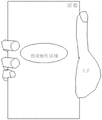
fig. 1 is a schematic flow chart of an interaction method according to a first embodiment of the present invention. Fig. 2 is a schematic diagram of a punching screen provided by a first embodiment of the present invention. Fig. 3 is a first schematic diagram of a preset operation region according to a first embodiment of the present invention. Fig. 4 is a second schematic diagram of the preset operation region according to the first embodiment of the present invention. For a clear description of the interaction method provided by the first embodiment of the present invention, please refer to fig. 1 to fig. 4.
The interaction method provided by the first embodiment of the invention comprises the following steps:
and S11, acquiring operation information for the preset operation area.
In one embodiment, before the operation information for the preset operation region is acquired in step S11, the method may include, but is not limited to: display instructions and/or status information are obtained. And displaying the preset operation area according to the display instruction and/or the state information.
In an embodiment, in the step of obtaining the display instruction and/or the status information, the step of obtaining the display instruction may include, but is not limited to: verifying whether the control information aiming at the preset control object meets the preset control condition. And if the control information aiming at the preset control object meets the preset control condition, triggering a display instruction.
In an embodiment, in the step of verifying whether the manipulation information for the preset manipulation object satisfies the preset manipulation condition, the preset manipulation object may include, but is not limited to: the terminal comprises at least one of an interactive switch control (a virtual control), a terminal preset screen area, a terminal preset physical key, a terminal preset fingerprint sensor and the like.
In an embodiment, in the step of verifying whether the manipulation information for the preset manipulation object satisfies a preset manipulation condition, the preset manipulation condition may include, but is not limited to, at least one of the following conditions: the interactive switch control receives a first preset operation instruction. And the terminal screen preset area receives a second preset operation instruction. And the terminal preset physical key receives a third preset operation instruction. And the terminal preset fingerprint sensor receives a fourth preset operation instruction.
In an embodiment, the first preset operation instruction, the second preset operation instruction, the third preset operation instruction, and the fourth preset operation instruction may be the same or different.
In an embodiment, the first preset operation instruction, the second preset operation instruction, the third preset operation instruction, and the fourth preset operation instruction may include, but are not limited to, at least one of the following manipulation information: touch information including at least one of a single click, a double click, a long press, a swipe, and the like. And/or, contact information including at least one of a contact area, a contact position, a contact time length, a contact operation direction (e.g., left operation, right operation, up operation, down operation, etc.), and the like.
In other embodiments, the display instructions may also be, but are not limited to being, retrieved from voice information of the user.
In one embodiment, in the step of obtaining the display instruction and/or the status information, the status information may include, but is not limited to: at least one of user status information, terminal status information, environment status information, and the like.
In an embodiment, the user status information may include, but is not limited to: at least one of human eye information, user speed information and a handheld terminal. The user speed information may include a movement speed of the user (the user speed information may be acquired by the terminal itself, or acquired and sent by the wearable terminal). The information of the handheld terminal can be acquired by the terminal itself, or can be detected by other terminals and sent to the terminal.
In an embodiment, the terminal state information may include, but is not limited to: at least one of running APP information (e.g., music player, etc.), time information, location information, speed information, terminal posture information, and the like.
In one embodiment, the environmental status information includes: at least one of brightness information and noise information.
In an embodiment, in the step of displaying the preset operation region according to the display instruction and/or the state information, the displayed preset operation region may include, but is not limited to, the following display states: perfect circles, ovals, squares, rectangles, drag bars, and the like.
In an embodiment, in the step that the interactive switch control receives the first preset operation instruction to trigger the display instruction, so as to display the preset operation area according to the display instruction, the method may include, but is not limited to: and amplifying the interactive switch control according to the display instruction to form the preset operation area. For example, the touch information included in the first preset operation instruction is double-click or re-pressing, and the display instruction is triggered according to the touch information (that is, the display instruction is triggered when the user double-clicks or re-presses the interactive switch control), so that the interactive switch control is enlarged according to the display instruction to form the preset operation area. For example, the touch information included in the first preset operation instruction is a slide, and when the slide meets a preset slide rule (for example, when a user selects an interactive switch control and then performs any slide operation), a display instruction is triggered, so that the interactive switch control is enlarged according to the display instruction to form the preset operation area. For another example, the touch information included in the first preset operation instruction triggers a display instruction (for example, the display instruction is triggered when two fingers press the position of the interactive switch control at the same time) when the contact area is larger than the preset area value, so as to enlarge the interactive switch control to form the preset operation area. For another example, when the contact position matches the preset contact position (for example, clicking a lower right corner of the interactive switch control), the touch information included in the first preset operation instruction enlarges the interactive switch control to form the preset operation area.
In an embodiment, in the step that the interactive switch control receives the first preset operation instruction to trigger the display instruction, so as to display the preset operation area according to the display instruction, the method may include, but is not limited to: and popping out a preset operation area in a display interface corresponding to the interactive switch control according to the display instruction.
In an embodiment, in the step that the interactive switch control receives the first preset operation instruction to trigger the display instruction, so as to display the preset operation area according to the display instruction, the method may include, but is not limited to: and jumping to an interactive control interface according to the display instruction, wherein the interactive control interface comprises a preset operation area.
In an embodiment, in the step of receiving the first preset operation instruction by the interactive switch control to trigger the display instruction, the method may include, but is not limited to: and receiving a first preset operation instruction at the interactive switch control. And triggering a display instruction according to the operation information in the first preset operation instruction. For example, a display instruction is triggered according to touch information (e.g., at least one of single click, double click, re-press, long-press, and sliding) included in the first preset operation instruction. For another example, the first preset operation instruction includes contact information (the contact information includes at least one of a contact area, a contact position, and a contact duration), and the display instruction is triggered when the contact information meets the preset contact condition. For another example, the first preset operation instruction includes an operation direction, and the display instruction is triggered when the operation direction (e.g., a sliding direction of the sliding interactive switch control) matches the preset direction.
In an embodiment, the display instruction is triggered according to touch information included in the first preset operation instruction, where the touch information may include, but is not limited to, at least one of a single click, a double click, a long press, a slide, and the like. For example, when the user performs a sliding operation on the interactive switch control, the first preset operation instruction that the touch information is sliding can be acquired, and when the sliding meets a preset sliding rule, a display instruction is triggered.
In an embodiment, for specific embodiments that the preset area of the terminal screen receives the second preset operation instruction, the preset physical key of the terminal receives the third preset operation instruction, and the preset fingerprint sensor of the terminal receives the fourth preset operation instruction, the specific embodiment that the interactive switch control receives the first preset operation instruction may be referred to above, and will not be described herein again.
In an embodiment, the step of displaying the preset operation region according to the display instruction and/or the status information may include, but is not limited to: and when the state information accords with the preset rule, displaying the preset operation area. Wherein, the condition that the state information meets the preset condition comprises at least one of the following conditions (or the preset rule comprises at least one of the following rules): the method comprises the steps that a user watches a terminal screen, the user holds the terminal, the user speed is within a preset allowable speed range, the terminal time is within a preset allowable time period (such as daytime), the terminal place is within a preset allowable place range (such as at home, in a toilet and the like), the terminal speed is within a preset speed range, the terminal posture is in a held state, the environment brightness value is larger than or equal to a preset brightness threshold value, and the environment noise value is smaller than or equal to a preset noise threshold value.
In an embodiment, after the step of acquiring the display instruction and the state information, in the step of displaying the preset operation region according to the display instruction and the state information, the step may include, but is not limited to: and when the state information accords with the preset display rule, displaying the preset operation area. And/or when the state information does not accord with the preset display rule, the preset operation area is not displayed.
In one embodiment, the display rules are preset, including at least one of the following rules: the method comprises the steps that a user watches a terminal screen, the user holds the terminal, the speed of the user is within a preset allowed speed range, the speed of the terminal is within a preset speed range, and the posture of the terminal is in a held state.
In one embodiment, when the status information conforms to the predetermined display rule, the predetermined operation area is displayed. For example, in fig. 2, when the user looks at the terminal screen, the preset operation area is displayed. For example, as shown in fig. 3, when the user holds the terminal, the preset operation area is displayed.
In an embodiment, the preset operation area may include, but is not limited to, at least one of a mobile terminal screen punching area, a mobile terminal preset screen area, and the like. The mobile terminal screen punching area can be a punching area of a front camera of the punching screen. The perforating screen literally means perforating holes on the screen, and the camera under the screen, the photosensitive element, the microphone and other elements are integrated perfectly, so that only one small hole is reserved on the screen, the screen is guaranteed to have a larger display area, and the perforating screen is a development product of full-screen display of the terminal.
In one embodiment, referring to FIG. 2, punch area A301 of the front facing camera of the punch screen may be, but is not limited to, being located in the upper left corner of punch screen A3, e.g., punch area A301 may also be located in the upper right corner of punch screen A3 (not shown).
In one embodiment, in step S11, operation information for the preset operation region is obtained, where the operation information may refer to a specific embodiment of the above-mentioned manipulation information, specifically, the operation information, such as clicking the preset operation region, pressing the preset operation region for a long time, sliding down within the preset operation region, and clicking the preset operation region with two fingers.
In one embodiment, the operation information for the manipulation area is a slide, and the manipulation area includes a punching area of a front camera of the punching screen, the slide may include, but is not limited to, two operation modes, the first mode is that a finger slides completely through the punching area; the second is that the finger is in sliding contact with the perforated area, i.e. without passing completely through the perforated area. Therefore, the interaction method provided by the embodiment can make full use of the punching area to increase the quick interaction operation of the user, and can judge the validity of the operation information according to whether the user contacts the punching area, so that the interaction accuracy can be improved.
In other embodiments, the step S11 of obtaining the operation information for the preset operation area may include, but is not limited to: the operation information is acquired by the operation acquisition means. The operation acquiring device may include, but is not limited to, a motion sensing device, an image pickup device, and the like. The preset operation area may be, but is not limited to, a detection area of the motion sensing device or the image capturing device. Therefore, the interaction method provided by the embodiment can realize the space-separated interactive operation so as to improve the experience of the user.
And S12, responding to the operation information according to the first preset rule to obtain the target instruction.
In one embodiment, the first preset rule includes: and when the operation information meets the preset setting condition, triggering a target setting instruction. Or when the operation information meets the preset starting condition, triggering a starting target instruction. Or when the operation information meets the preset control condition, triggering a control target instruction.
In an embodiment, specifically, the interaction method provided in this embodiment can match the target instruction according to the operation information for the preset operation area.
In one embodiment, the first preset rule may be, but is not limited to, preset and stored by the user according to the use habit thereof. The first preset rule can enable the operation information and the target instruction to form a mapping relation.
In one embodiment, before responding to the operation information according to the first preset rule to obtain the target instruction in step S12, the method may include, but is not limited to: biometric information of a user is acquired. And when judging that the first preset rule corresponding to the biological characteristic information of the user is not stored, sending a first preset rule acquisition request to the server to acquire and store the first preset rule sent by the server, wherein the first preset rule acquisition request can include but is not limited to the biological characteristic information of the user. Therefore, the interaction method provided by the embodiment can prevent the user from resetting the first preset rule after replacing the mobile phone.
And S13, controlling the target object according to a second preset rule based on the target instruction.
In one embodiment, the second preset rule includes: the target object includes: at least one of foreground object, background object and preset object. And/or, if the target instruction is a set target instruction, acquiring and storing foreground object information and corresponding operation information of the mobile terminal, and/or background object information and corresponding operation information.
In one embodiment, the foreground object information and/or the background object information includes: and starting an entrance of a foreground object and/or a background object. And/or, a launch entry for a function of a foreground object and/or a background object.
In one embodiment, the second preset rule includes: and if the target instruction is the starting target instruction, matching with the operation information corresponding to the target object according to the operation information. And if the matching is successful, starting the corresponding target object and/or displaying the corresponding target object. Or if the matching is unsuccessful, outputting prompt information.
In one embodiment, the second preset rule includes: and if the target instruction is a control target instruction, searching and outputting the corresponding control instruction according to the operation information. Thereby, the target object is caused to respond according to the control instruction.
In one embodiment, S13, before the step of controlling the target object according to the second preset rule based on the target instruction, the step may include, but is not limited to: and acquiring a target object corresponding to the current display interface. And acquiring a second preset rule corresponding to the target object. For example, the target object corresponding to the current display interface is a system application, the target instruction is a target opening instruction, and screen locking control is performed according to a second preset rule based on the target instruction. For another example, when the operation information is a double click, the obtained target instruction is an open target instruction, and the wechat application is started according to a second preset rule based on the target instruction.
In an embodiment, the target instruction obtained according to the operation information is a control target instruction, and in step S13, controlling the target object according to the second preset rule based on the target instruction may include, but is not limited to: and controlling the target object according to a second preset rule based on the control target instruction so that the target object sends the Internet of things control instruction to other equipment. The target object can be an internet of things control application. Therefore, the interaction method provided by the embodiment can realize the control of the internet of things, for example, control of an air conditioner, a refrigerator, a lighting lamp, a vehicle and the like.
The interaction method provided by the first embodiment of the invention comprises the following steps: and S11, acquiring operation information for the preset operation area. And S12, responding to the operation information according to the first preset rule to obtain the target instruction. And S13, controlling the target object according to a second preset rule based on the target instruction. Therefore, when the interaction method provided by the first embodiment of the present invention obtains the operation information for the preset operation area, the target instruction can be obtained according to the operation information and the first preset rule, the target object is selected according to the target instruction and the second preset rule, and the target object is controlled, so as to implement human-computer interaction. Therefore, the interaction method provided by the first embodiment of the invention can enable the degree of freedom of man-machine interaction to be higher and control functions to be more, thereby improving the use experience of users.
Second embodiment:
fig. 5 is a schematic structural diagram of an interaction device according to a second embodiment of the present invention. For a clear description of the interaction device provided in the second embodiment of the present invention, please refer to fig. 5.
An interaction apparatus provided in a second embodiment of the present invention includes: a display module B1, an operation receiving module B2 and a control module B3.
The display module B1 is configured to display a preset operation area and/or a target object.
In an embodiment, the preset operation area may include, but is not limited to, at least one of a screen punching area and a preset screen area.
In an embodiment, the target object may include, but is not limited to: at least one of foreground object, background object and preset object, and starting inlet of foreground object and/or background object. And/or, a launch entry for a function of a foreground object and/or a background object.
In one embodiment, the display module B1 includes an acquisition unit and a display unit. The acquisition unit is used for acquiring the display instruction and/or the state information. And the display unit is used for displaying the preset operation area according to the display instruction and/or the state information.
In one embodiment, the obtaining unit may include a verifying subunit and a triggering subunit. The verification subunit is configured to verify whether the manipulation information for the preset manipulation object satisfies a preset manipulation condition. And the triggering subunit is used for triggering the display instruction if the control information aiming at the preset control object meets the preset control condition.
The operation receiving module B2 is configured to receive operation information of a preset operation area.
In one embodiment, the operation information may include, but is not limited to: touch information including at least one of a single click, a double click, a long press, a swipe, and the like. And/or, contact information including at least one of a contact area, a contact position, a contact time length, a contact operation direction (e.g., left operation, right operation, up operation, down operation, etc.), and the like.
In other embodiments, the operation receiving module B2 may also be, but is not limited to, used for acquiring operation information through the operation acquiring device. The operation acquiring device may include, but is not limited to, a motion sensing device, an image pickup device, and the like. The preset operation area may be, but is not limited to, a detection area of the motion sensing device or the image capturing device. Therefore, the interaction device provided by the embodiment can realize the space-separated interaction operation, so as to improve the experience of the user.
The control module B3 is configured to control the target object according to the operation information.
In one embodiment, the target object is controlled according to the operation information, including that a target instruction is triggered through the operation information, and the target instruction includes at least one of a setting instruction (or a setting target instruction), a starting instruction (or a starting target instruction) and a control instruction (or a control target instruction); and if the target instruction is the set target instruction, acquiring and storing foreground object information and corresponding operation information and/or background object information and corresponding operation information. Or, if the target instruction is a starting target instruction, matching with the operation information corresponding to the target object according to the operation information; and if the matching is successful, starting the corresponding target object and/or displaying the corresponding target object. Or if the matching is unsuccessful, outputting prompt information. Or if the target instruction is a control target instruction, searching the corresponding control instruction according to the operation information and outputting the control instruction.
In one embodiment, the control module B3 may include, but is not limited to, an instruction obtaining unit, a control unit. The instruction obtaining unit may be configured to respond to the operation information according to a first preset rule to obtain the target instruction. The control unit may be configured to control the target object according to a second preset rule based on the target instruction.
In an embodiment, the interaction method provided in the first embodiment of the present invention may be referred to as a collective embodiment and advantageous effects of the interaction device provided in this embodiment, and will not be described herein again.
An interaction apparatus provided in a second embodiment of the present invention includes: a display module B1, an operation receiving module B2 and a control module B3. The display module B1 is configured to display a preset operation area and/or a target object. The operation receiving module B2 is configured to receive operation information of a preset operation area. The control module B3 is configured to control the target object according to the operation information. Therefore, when the interaction device provided by the second embodiment of the present invention obtains the operation information for the preset operation area, the interaction device can obtain the target instruction according to the operation information and the first preset rule, select the target object according to the target instruction and the second preset rule, and control the target object, so as to implement human-computer interaction. Therefore, the interaction device provided by the second embodiment of the invention can enable the degree of freedom of human-computer interaction to be higher and control functions to be more, thereby improving the use experience of users.
The third embodiment:
fig. 6 is a schematic structural diagram of a mobile terminal according to a third embodiment of the present invention. For a clear description of the mobile terminal 1 according to the third embodiment of the present invention, please refer to fig. 6.
A mobile terminal 1 according to a third embodiment of the present invention includes: a processor a101 and a memory a201, wherein the processor a101 is configured to execute the computer program a6 stored in the memory a201 to implement the steps of the interaction method as described in the first embodiment.
In an embodiment, the mobile terminal 1 provided in this embodiment may include at least one processor a101 and at least one memory a 201. Wherein, at least one processor A101 may be referred to as a processing unit A1, and at least one memory A201 may be referred to as a memory unit A2. Specifically, the storage unit a2 stores a computer program a6, and when the computer program a6 is executed by the processing unit a1, the mobile terminal 1 provided by this embodiment implements the steps of the interaction method as described above, for example, step S11 shown in fig. 1: acquiring operation information for a preset operation region; step S12, responding the operation information according to a first preset rule to obtain a target instruction; and step S13, controlling the target object according to a second preset rule based on the target instruction.
In an embodiment, the mobile terminal 1 provided in the present embodiment may include a plurality of memories a201 (referred to as a storage unit A2 for short), and the storage unit A2 may include, for example, a Random Access Memory (RAM) and/or a cache memory and/or a Read Only Memory (ROM), and/or the like.
In one embodiment, the mobile terminal 1 further includes a bus connecting the various components (e.g., processor A101 and memory A201, perforated screen A3, etc.).
In one embodiment, the mobile terminal 1 in this embodiment may further include a communication interface (e.g., I/O interface a4), which may be used for communication with an external device.
In an implementation, the mobile terminal 1 provided in this embodiment may further include a communication device a 5.
The mobile terminal 1 provided by the third embodiment of the present invention includes a memory a101 and a processor a201, and the processor a101 is configured to execute the computer program a6 stored in the memory a201 to implement the steps of the interaction method described in the first embodiment, so that the mobile terminal 1 provided by this embodiment can enable a higher degree of freedom of human-computer interaction and more control functions, thereby improving the user experience.
The third embodiment of the present invention also provides a computer-readable storage medium, which stores a computer program a6, and when being executed by the processor a101, the computer program a6 implements the steps of the interaction method as in the first embodiment, for example, the steps shown in fig. 1 are S11 to S13.
In an embodiment, the computer readable storage medium provided by the embodiment may include any entity or device capable of carrying computer program code, a recording medium, such as ROM, RAM, magnetic disk, optical disk, flash memory, and the like.
When the processor a101 executes the computer program a6 stored in the computer-readable storage medium provided by the third embodiment of the present invention, the degree of freedom of human-computer interaction can be higher, and more control functions can be realized, so that the use experience of the user can be improved.
The technical features of the embodiments described above may be arbitrarily combined, and for the sake of brevity, all possible combinations of the technical features in the embodiments described above are not described, but should be considered as being within the scope of the present specification as long as there is no contradiction between the combinations of the technical features.
As used herein, the terms "comprises," "comprising," or any other variation thereof, are intended to cover a non-exclusive inclusion, including not only those elements listed, but also other elements not expressly listed.
The present invention is not limited to the above preferred embodiments, and any modification, equivalent replacement or improvement made within the spirit and principle of the present invention should be included in the protection scope of the present invention.