CN101965266B - Wireless handheld device capable of accepting text input and method for entering text on wireless handheld device - Google Patents
Wireless handheld device capable of accepting text input and method for entering text on wireless handheld device Download PDFInfo
- Publication number
- CN101965266B CN101965266B CN2008801131652A CN200880113165A CN101965266B CN 101965266 B CN101965266 B CN 101965266B CN 2008801131652 A CN2008801131652 A CN 2008801131652A CN 200880113165 A CN200880113165 A CN 200880113165A CN 101965266 B CN101965266 B CN 101965266B
- Authority
- CN
- China
- Prior art keywords
- key
- display screen
- character
- contact
- equipment
- Prior art date
- Legal status (The legal status is an assumption and is not a legal conclusion. Google has not performed a legal analysis and makes no representation as to the accuracy of the status listed.)
- Expired - Fee Related
Links
Images




Classifications
-
- G—PHYSICS
- G06—COMPUTING OR CALCULATING; COUNTING
- G06F—ELECTRIC DIGITAL DATA PROCESSING
- G06F3/00—Input arrangements for transferring data to be processed into a form capable of being handled by the computer; Output arrangements for transferring data from processing unit to output unit, e.g. interface arrangements
- G06F3/01—Input arrangements or combined input and output arrangements for interaction between user and computer
- G06F3/048—Interaction techniques based on graphical user interfaces [GUI]
- G06F3/0487—Interaction techniques based on graphical user interfaces [GUI] using specific features provided by the input device, e.g. functions controlled by the rotation of a mouse with dual sensing arrangements, or of the nature of the input device, e.g. tap gestures based on pressure sensed by a digitiser
- G06F3/0488—Interaction techniques based on graphical user interfaces [GUI] using specific features provided by the input device, e.g. functions controlled by the rotation of a mouse with dual sensing arrangements, or of the nature of the input device, e.g. tap gestures based on pressure sensed by a digitiser using a touch-screen or digitiser, e.g. input of commands through traced gestures
- G06F3/04886—Interaction techniques based on graphical user interfaces [GUI] using specific features provided by the input device, e.g. functions controlled by the rotation of a mouse with dual sensing arrangements, or of the nature of the input device, e.g. tap gestures based on pressure sensed by a digitiser using a touch-screen or digitiser, e.g. input of commands through traced gestures by partitioning the display area of the touch-screen or the surface of the digitising tablet into independently controllable areas, e.g. virtual keyboards or menus
-
- G—PHYSICS
- G06—COMPUTING OR CALCULATING; COUNTING
- G06F—ELECTRIC DIGITAL DATA PROCESSING
- G06F3/00—Input arrangements for transferring data to be processed into a form capable of being handled by the computer; Output arrangements for transferring data from processing unit to output unit, e.g. interface arrangements
- G06F3/01—Input arrangements or combined input and output arrangements for interaction between user and computer
- G06F3/02—Input arrangements using manually operated switches, e.g. using keyboards or dials
- G06F3/023—Arrangements for converting discrete items of information into a coded form, e.g. arrangements for interpreting keyboard generated codes as alphanumeric codes, operand codes or instruction codes
- G06F3/0233—Character input methods
- G06F3/0236—Character input methods using selection techniques to select from displayed items
-
- G—PHYSICS
- G06—COMPUTING OR CALCULATING; COUNTING
- G06F—ELECTRIC DIGITAL DATA PROCESSING
- G06F3/00—Input arrangements for transferring data to be processed into a form capable of being handled by the computer; Output arrangements for transferring data from processing unit to output unit, e.g. interface arrangements
- G06F3/01—Input arrangements or combined input and output arrangements for interaction between user and computer
- G06F3/048—Interaction techniques based on graphical user interfaces [GUI]
- G06F3/0487—Interaction techniques based on graphical user interfaces [GUI] using specific features provided by the input device, e.g. functions controlled by the rotation of a mouse with dual sensing arrangements, or of the nature of the input device, e.g. tap gestures based on pressure sensed by a digitiser
- G06F3/0488—Interaction techniques based on graphical user interfaces [GUI] using specific features provided by the input device, e.g. functions controlled by the rotation of a mouse with dual sensing arrangements, or of the nature of the input device, e.g. tap gestures based on pressure sensed by a digitiser using a touch-screen or digitiser, e.g. input of commands through traced gestures
- G06F3/04883—Interaction techniques based on graphical user interfaces [GUI] using specific features provided by the input device, e.g. functions controlled by the rotation of a mouse with dual sensing arrangements, or of the nature of the input device, e.g. tap gestures based on pressure sensed by a digitiser using a touch-screen or digitiser, e.g. input of commands through traced gestures for inputting data by handwriting, e.g. gesture or text
-
- G—PHYSICS
- G06—COMPUTING OR CALCULATING; COUNTING
- G06F—ELECTRIC DIGITAL DATA PROCESSING
- G06F3/00—Input arrangements for transferring data to be processed into a form capable of being handled by the computer; Output arrangements for transferring data from processing unit to output unit, e.g. interface arrangements
- G06F3/16—Sound input; Sound output
- G06F3/167—Audio in a user interface, e.g. using voice commands for navigating, audio feedback
Landscapes
- Engineering & Computer Science (AREA)
- General Engineering & Computer Science (AREA)
- Theoretical Computer Science (AREA)
- Human Computer Interaction (AREA)
- Physics & Mathematics (AREA)
- General Physics & Mathematics (AREA)
- Input From Keyboards Or The Like (AREA)
- User Interface Of Digital Computer (AREA)
Abstract
Description
技术领域 technical field
本发明一般涉及用于通信的无线手持设备,并且具体地涉及向前述设备输入文本。The present invention relates generally to wireless handheld devices for communication, and in particular to entering text into the aforementioned devices.
背景技术 Background technique
在由于大小限制而不能包括QWERTY键盘的手持电子设备上通常使用数字键区(numeric keypad)。这些设备例如可以包括移动电话、媒体播放器、遥控器等。包括在前述设备中的通信功能(例如即时消息传输、短串消息传输等)数目的增长带来了对利用这些数字键区进行文本输入的需求。Numeric keypads are commonly used on handheld electronic devices that cannot include a QWERTY keyboard due to size limitations. These devices may include, for example, mobile phones, media players, remote controls, and the like. The increase in the number of communication functions (such as instant messaging, short message transmission, etc.) included in the aforementioned devices has created a need for text entry using these numeric keypads.
利用数字键区输入文本的常见方式是“多敲击(multi-tap)”方法,其中,以每个键被标有3个或4个字母的方式使得键2至9被标有字母A-Z。为了输入文本,可以通过重复激活相对应的键来键入字母。例如,键6被标有字母“MNO”。单次键按下产生M,双次键按下产生N,而按下键三次产生字母O。虽然这种方法是普通的,然而不可否认,其需要用户手指的高敏捷度,并且也是相当单调的。A common way to enter text using a numeric keypad is the "multi-tap" method, in which keys 2 to 9 are labeled with the letters A-Z in such a way that each key is labeled with 3 or 4 letters. In order to enter text, letters can be typed by repeatedly activating the corresponding key. For example, key 6 is labeled with the letters "MNO". A single key press produces an M, a double key press produces an N, and a triple key press produces the letter O. While this method is common, it cannot be denied that it requires high dexterity of the user's fingers and is also rather tedious.
另一种利用数字键区输入文本的常见方法涉及预测性文本输入系统。在此方法中,根据初始的单键按下序列来提议所希望的单词/短语。例如,如果键2被按下两次并且键3被按下一次,则可以建议类似“BET,BELL,BETTER”等之类的单词。然而,这种系统的准确性是有问题的,尤其当输入名字、地址和缩略语时,从而可能妨碍而非改进文本输入。Another common method of entering text using a numeric keypad involves predictive text entry systems. In this method, the desired word/phrase is suggested based on an initial sequence of single key presses. For example, if key 2 was pressed twice and
发明内容 Contents of the invention
在第一方面,提供了一种能够接受文本输入的无线手持设备。该设备包括显示屏;以及虚拟键区,该虚拟键区具有显示在显示屏上的多个键。虚拟键区的第一键可操作来响应于指示体对与第一键相对应的在显示屏上的第一区域的第一接触,来将与第一键相关联的第一字符显示在显示屏上示出的文本段中,第一接触包括在指示体与显示屏连续接触的同时,指示体接触第一区域并从第一区域沿着第一方向移动。优选地,虚拟键区的第一键还可操作来响应于指示体对与第一键相对应的在显示屏上的第一区域的第二接触,来将与第一键相关联的第二字符显示在显示屏上示出的文本段中,第二接触包括在指示体与显示屏连续接触的同时,指示体接触第一区域并从第一区域沿着第二方向移动。指示体可以是手指或尖笔指示体。In a first aspect, a wireless handheld device capable of accepting text input is provided. The device includes a display; and a virtual keypad having a plurality of keys displayed on the display. A first key of the virtual keypad is operable to display a first character associated with the first key on the display in response to a first contact of the pointer on a first area on the display screen corresponding to the first key. In the text segment shown on the screen, the first contact includes the pointer touching the first area and moving from the first area along the first direction while the pointer is in continuous contact with the display screen. Preferably, the first key of the virtual keypad is further operable to set the second key associated with the first key in response to a second contact of the pointer with the first area on the display screen corresponding to the first key. The characters are displayed in the text segment shown on the display screen, and the second contact includes the pointer touching the first area and moving from the first area along the second direction while the pointer is in continuous contact with the display screen. The pointing body may be a finger or a stylus pointing body.
该设备可以根据由用户选择用于显示在文本段中的字符来提供反馈。反馈可以是字符的听觉表示或者字符的视觉表示。有利地,听觉反馈使得用户能够在不看显示屏的情况下向设备输入字符。The device may provide feedback based on the characters selected by the user for display in the text segment. Feedback may be an auditory representation of the character or a visual representation of the character. Advantageously, the auditory feedback enables the user to enter characters into the device without looking at the display screen.
优选地,虚拟键区的第一键可操作来响应于与第一键相对应的在显示屏上的第一区域与指示体之间的第一接触的发生,来在显示屏所示的文本段中显示与第一键相关联的第三字符,接触的发生是对第一键的延长的不间断接触。虚拟键区的第一键还可操作来响应于与第一键相对应的在显示屏上的第一区域与指示体之间的至少两次连续接触的发生,来改变显示屏所示出的文本段中与第一键相关联的模式。该模式可以涉及对在显示屏上示出的文本段中生成的字符的大写化和去大写化。Preferably, the first key of the virtual keypad is operable to respond to the occurrence of the first contact between the first area on the display screen corresponding to the first key and the pointer, to display the text displayed on the display screen A third character associated with the first key is displayed in the segment, and the contact occurs as an extended uninterrupted contact of the first key. The first key of the virtual keypad is also operable to change an image shown on the display screen in response to occurrence of at least two consecutive contacts between a first area on the display screen corresponding to the first key and the pointer. The pattern associated with the first key in the text segment. The mode may involve the capitalization and de-capitalization of characters generated in the text segment shown on the display screen.
优选地,方向是通过将指示体的随后位置与显示屏上的第一区域相比较来确定的。该设备例如可以是移动电话、媒体播放器、遥控器、PDA等。Preferably, the direction is determined by comparing the subsequent position of the pointer with the first area on the display screen. The device may be, for example, a mobile phone, a media player, a remote control, a PDA, or the like.
有利地,该设备还可以包括用来辅助用户在输入文本时抓握设备的至少一个物理标记,至少一个物理标记例如是设备壳体上的触感的变化、显示屏上的凹痕、显示屏上的凹陷,显示屏上的粗糙表面区域以及作为手指的向导的壳体上的受体等。Advantageously, the device may also include at least one physical marking to assist the user in gripping the device when inputting text, such as a tactile change on the device housing, an indentation on the display, Dimples, rough surface areas on the display, receptors on the housing that act as guides for the fingers, etc.
优选地,设备还可以包括“键定位”模式,用来准确地定位第一键,并且在去激活“键定位”模式之后通过根据第一键参考虚拟键区的其它键,来利用虚拟键区输入文本。Preferably, the device may further comprise a "key positioning" mode for accurately positioning the first key, and after deactivating the "key positioning" mode, utilize the virtual keypad by referring to other keys of the virtual keypad according to the first key Enter text.
在第二方面中,提供了一种能够接受文本输入的无线手持设备。该设备包括:显示屏;以及虚拟键区,该虚拟键区具有显示在显示屏上的多个键。优选地,虚拟键区的第一键可操作来响应于指示体对与第一键相对应的在显示屏上的第一区域的第一接触的发生,来呈现与第一键相关联的字符的选择,以供在显示屏上示出的文本段中使用,接触的发生是对第一键的延长的不间断接触。响应于指示体的动作来从字符的选择中选择字符。指示体可以是手指或尖笔指示体。In a second aspect, a wireless handheld device capable of accepting text input is provided. The device includes: a display screen; and a virtual keypad having a plurality of keys displayed on the display screen. Preferably, a first key of the virtual keypad is operable to present a character associated with the first key in response to occurrence of a first contact of the pointer with a first area on the display screen corresponding to the first key , for use in the text segment shown on the display screen, the contact occurs as an extended uninterrupted contact of the first key. A character is selected from a selection of characters in response to motion of the pointer. The pointing body may be a finger or a stylus pointing body.
设备可以根据由用户选择用于显示在文本段中的字符来提供反馈。反馈可以是字符的听觉表示或者字符的视觉表示。有利地,听觉反馈使得用户能够在不看显示屏的情况下向设备输入字符。设备例如可以是移动电话、媒体播放器、遥控器、PDA等。The device may provide feedback based on the characters selected by the user for display in the text segment. Feedback may be an auditory representation of the character or a visual representation of the character. Advantageously, the auditory feedback enables the user to enter characters into the device without looking at the display screen. A device may be, for example, a mobile phone, a media player, a remote control, a PDA, and the like.
有利地,设备还可以包括用来辅助用户在输入文本时抓握设备的至少一个物理标记,至少一个物理标记例如是设备壳体上的触感的变化、显示屏上的凹痕、显示屏上的凹陷,显示屏上的粗糙表面区域以及作为手指的向导的壳体上的受体。Advantageously, the device may also include at least one physical mark for assisting the user in gripping the device when inputting text, such as a tactile change on the device housing, an indentation on the display screen, a dent on the display screen, etc. Dimples, rough surface areas on the display, and receptors on the housing that act as guides for the fingers.
优选地,设备还可以包括“键定位”模式,用来准确地定位第一键,并且在去激活“键定位”模式之后通过根据第一键参考虚拟键区的其它键,来利用虚拟键区输入文本。Preferably, the device may further comprise a "key positioning" mode for accurately positioning the first key, and after deactivating the "key positioning" mode, utilize the virtual keypad by referring to other keys of the virtual keypad according to the first key Enter text.
优选地,对字符的选择的呈现可以通过将选择显示在显示屏的可用部分上或者向用户读出选择中的字符来进行。在选择的显示中选择字符的动作可以通过利用指示体接触字符来进行。替代地,在读出选择时选择字符的动作可以通过断开指示体与第一键的接触来进行。Preferably, the presentation of the selection of characters may be by displaying the selection on an available portion of the display screen or by reading the selected characters to the user. The action of selecting a character in the selected display may be performed by touching the character with a pointing body. Alternatively, the action of selecting a character when the selection is read out may be performed by breaking the pointer from contact with the first key.
在第三方面中,提供了一种能够接受文本输入的无线手持设备。该设备包括显示屏;以及虚拟键区,该虚拟键区具有显示在显示屏上的多个键。优选地,虚拟键区的第一键可操作来响应于指示体对与第一键相对应的在显示屏上的第一区域的初次动作,来将与第一键相关联的第一字符显示在显示屏上示出的文本段中,初次动作包括在指示体与显示屏连续接触的同时,指示体接触第一区域并从第一区域沿着顺时针或逆时针圆弧移动,并且随后,对与第一键相关联的字符的选择按由指示体离每个字符的距离所确定的顺序被读出给用户。优选地,一旦用户听见了所希望的字符被读出,则响应于指示体的动作来从字符的选择中选择字符。指示体可以是手指或尖笔指示体。In a third aspect, a wireless handheld device capable of accepting text input is provided. The device includes a display; and a virtual keypad having a plurality of keys displayed on the display. Preferably, the first key of the virtual keypad is operable to display the first character associated with the first key in response to the initial action of the pointer on the first area on the display screen corresponding to the first key In the text segment shown on the display screen, the initial action includes the pointer touching a first area and moving from the first area along a clockwise or counterclockwise circular arc while the pointer is in continuous contact with the display screen, and then, A selection of characters associated with the first key is read to the user in an order determined by the distance of the pointer from each character. Preferably, the user selects a character from the selection of characters in response to motion of the pointer once the user hears the desired character read. The pointing body may be a finger or a stylus pointing body.
设备可以根据由用户选择用于显示在文本段中的字符来提供反馈。反馈可以是字符的听觉表示或者字符的视觉表示。有利地,听觉反馈使得用户能够在不看显示屏的情况下向设备输入字符。The device may provide feedback based on the characters selected by the user for display in the text segment. Feedback may be an auditory representation of the character or a visual representation of the character. Advantageously, the auditory feedback enables the user to enter characters into the device without looking at the display screen.
设备例如可以是移动电话、媒体播放器、遥控器、PDA等。A device may be, for example, a mobile phone, a media player, a remote control, a PDA, and the like.
有利地,设备还可以包括用来辅助用户在输入文本时抓握设备的至少一个物理标记,至少一个物理标记例如是设备壳体上的触感的变化、显示屏上的凹痕、显示屏上的凹陷,显示屏上的粗糙表面区域以及作为手指的向导的壳体上的受体。Advantageously, the device may also include at least one physical mark for assisting the user in gripping the device when inputting text, such as a tactile change on the device housing, an indentation on the display screen, a dent on the display screen, etc. Dimples, rough surface areas on the display, and receptors on the housing that act as guides for the fingers.
优选地,设备还可以包括“键定位”模式,用来准确地定位第一键,并且在去激活“键定位”模式之后通过根据第一键参考虚拟键区的其它键,来利用虚拟键区输入文本。Preferably, the device may further comprise a "key positioning" mode for accurately positioning the first key, and after deactivating the "key positioning" mode, utilize the virtual keypad by referring to other keys of the virtual keypad according to the first key Enter text.
优选地,在读出选择时选择字符的动作是从包括如下动作的组中选出的:指示体断开与第一键的接触并且再次接触第一键、指示体进一步按下第一键,以及用户扳动包括在手持无线设备中的确认按钮。Preferably, the action of selecting a character when reading the selection is selected from the group consisting of: the pointer breaks contact with the first key and contacts the first key again, the pointer further presses the first key, And the user toggles an acknowledgment button included in the handheld wireless device.
在第四方面中,提供了一种用于在手持无线设备上输入文本的方法,该手持无线设备包括显示屏以及具有显示在显示屏上的多个键的虚拟键区。该方法包括:检测指示体对与第一键相对应的在显示屏上的第一区域的第一接触,第一接触包括在指示体与显示屏连续接触的同时,指示体接触第一区域并从第一区域沿着第一方向移动;响应于对第一接触的检测在显示屏上示出的文本段中显示与第一键相关联的第一字符;检测指示体对与第一键相对应的在显示屏上的第一区域的第二接触,第二接触包括在指示体与显示屏连续接触的同时,指示体接触第一区域并从第一区域沿着第二方向移动;以及响应于对第二接触的检测在显示屏上示出的文本段中显示与第一键相关联的第二字符。指示体可以是手指或尖笔指示体。In a fourth aspect, there is provided a method for entering text on a handheld wireless device comprising a display and a virtual keypad having a plurality of keys displayed on the display. The method includes: detecting a first contact of the pointer on a first area on the display screen corresponding to the first key, the first contact comprising the pointer touching the first area while the pointer is in continuous contact with the display screen and Moving from the first area along the first direction; in response to detecting the first contact, displaying a first character associated with the first key in a text segment shown on the display screen; detecting that the pointer pair is associated with the first key corresponding to a second contact of the first area on the display screen, the second contact comprising the pointer touching the first area and moving from the first area in a second direction while the pointer is in continuous contact with the display screen; and responding A second character associated with the first key is displayed in the text segment shown on the display screen upon detection of the second contact. The pointing body may be a finger or a stylus pointing body.
优选地,方法还可以包括根据由用户选择用于显示在文本段中的字符来提供反馈。该反馈是字符的听觉表示或者字符的视觉表示。有利地,听觉反馈使得用户能够在不看显示屏的情况下向设备输入字符。Preferably, the method may further comprise providing feedback based on characters selected by the user for display in the text segment. The feedback is an auditory representation of the character or a visual representation of the character. Advantageously, the auditory feedback enables the user to enter characters into the device without looking at the display screen.
优选地,在该方法中,方向是通过将指示体的随后位置与显示屏上的第一区域相比较来确定的。设备例如可以是移动电话、媒体播放器、遥控器、PDA等。Preferably, in the method, the direction is determined by comparing the subsequent position of the pointing body with the first area on the display screen. A device may be, for example, a mobile phone, a media player, a remote control, a PDA, and the like.
优选地,该方法还可以包括:检测与第一键相对应的在显示屏上的第一区域与指示体之间的第一接触的发生,接触的发生是对第一键的延长的不间断接触;作为响应,在显示屏上示出的文本段中显示与第一键相关联的第三字符;检测与第一键相对应的在显示屏上的第一区域与指示体之间的至少两次连续接触的发生;以及改变显示屏上示出的文本段中与第一键相关联的模式。优选地,模式涉及对在显示屏上示出的文本段中生成的字符的大写化和去大写化。Preferably, the method may further include: detecting an occurrence of a first contact between a first area on the display screen corresponding to the first key and the indicator, the occurrence of the contact being an extended uninterrupted period of the first key contacting; in response, displaying a third character associated with the first key in a text segment shown on the display screen; detecting at least a distance between a first area on the display screen corresponding to the first key and the pointer the occurrence of two consecutive contacts; and changing the mode associated with the first key in the text segment shown on the display screen. Preferably, the mode involves the capitalization and de-capitalization of characters generated in the text segment shown on the display screen.
优选地,方法还包括在至少一个物理标记的辅助下抓握设备以输入文本,至少一个物理标记例如是设备壳体上的触感的变化、显示屏上的凹痕、显示屏上的凹陷,显示屏上的粗糙表面区域以及作为手指的向导的壳体上的受体。Preferably, the method further comprises gripping the device with the aid of at least one physical indicium, such as a tactile change on the device housing, an indentation on the display, a depression on the display, a display Rough surface areas on the screen and receptors on the housing that act as guides for the fingers.
该方法还可以包括在“键定位”模式期间定位第一键,以便在去激活“键定位”模式之后通过根据第一键参考虚拟键区的其它键,来利用虚拟键区输入文本。The method may also include positioning the first key during the "keymap" mode to enter text using the virtual keypad by referring to other keys of the virtual keypad from the first key after deactivating the "keymap" mode.
在最后一方面中,提供了一种用于在手持无线设备上输入文本的方法,该手持无线设备包括显示屏以及具有显示在显示屏上的多个键的虚拟键区。该方法包括:检测指示体对与第一键相对应的在显示屏上的第一区域的第一接触的发生,接触的发生是对第一键的延长的不间断接触;响应于对第一接触的发生的检测或者对初次动作的检测,来呈现与第一键相关联的字符的选择,以在所示文本段中使用;以及响应于指示体的动作来从字符的选择中选择字符。指示体可以是手指或尖笔指示体。In a final aspect, there is provided a method for entering text on a handheld wireless device comprising a display and a virtual keypad having a plurality of keys displayed on the display. The method includes: detecting an occurrence of a first contact of a pointer to a first area on a display screen corresponding to a first key, the occurrence of the contact being an extended uninterrupted contact of the first key; detection of occurrence of contact or detection of an initial action to present a selection of characters associated with the first key for use in the text segment shown; and selecting a character from the selection of characters in response to movement of the pointer. The pointing body may be a finger or a stylus pointing body.
优选地,该方法还可以包括根据由用户选择用于显示在文本段中的字符来提供反馈。反馈是字符的听觉表示或者字符的视觉表示。有利地,听觉反馈使得用户能够在不看显示屏的情况下向设备输入字符。Preferably, the method may further comprise providing feedback based on characters selected by the user for display in the text segment. Feedback is an auditory representation of the character or a visual representation of the character. Advantageously, the auditory feedback enables the user to enter characters into the device without looking at the display screen.
优选地,该方法中的方向是通过将指示体的随后位置与显示屏上的第一区域相比较来确定的。该设备例如可以是移动电话、媒体播放器、遥控器、PDA等。Preferably, the direction in the method is determined by comparing the subsequent position of the pointing body with the first area on the display screen. The device may be, for example, a mobile phone, a media player, a remote control, a PDA, or the like.
优选地,该方法还可以包括在至少一个物理标记的辅助下抓握设备以输入文本,至少一个物理标记例如是设备壳体上的触感的变化、显示屏上的凹痕、显示屏上的凹陷,显示屏上的粗糙表面区域以及作为手指的向导的壳体上的受体。Preferably, the method may further comprise gripping the device with the aid of at least one physical marker, such as a tactile change on the device housing, an indentation on the display screen, a depression on the display screen, to input text. , the rough surface area on the display and the receptors on the housing as a guide for the fingers.
该方法还可以包括在“键定位”模式期间定位第一键,以便在去激活“键定位”模式之后通过根据第一键参考虚拟键区的其它键,来利用虚拟键区输入文本。The method may also include positioning the first key during the "keymap" mode to enter text using the virtual keypad by referring to other keys of the virtual keypad from the first key after deactivating the "keymap" mode.
优选地,对字符的选择的呈现可以通过将选择显示在显示屏的可用部分上或者向用户读出选择中的字符来进行。在选择的显示中选择字符的动作是通过利用指示体接触字符来进行的。在读出选择时选择字符的动作是通过断开指示体与第一键的接触来进行的。Preferably, the presentation of the selection of characters may be by displaying the selection on an available portion of the display screen or by reading the selected characters to the user. The action of selecting a character in the selected display is performed by touching the character with the pointing body. The action of selecting a character when reading a selection is performed by breaking the contact of the pointer with the first key.
初次动作可以包括在指示体与显示屏连续接触的同时,指示体接触第一区域并从第一区域沿着顺时针或逆时针圆弧移动。优选地,对与第一键相关联的字符的选择按由指示体到第一键所指示的每个字符的距离所确定的顺序被顺次读出,其中,最接近指示体的字符被读出。在读出选择时选择字符的动作是从包括如下动作的组中选出的:指示体断开与第一键的接触并且再次接触第一键、指示体进一步按下第一键,以及用户扳动包括在手持无线设备中的确认按钮。The initial action may include that the pointer touches the first area and moves along a clockwise or counterclockwise arc from the first area while the pointer is in continuous contact with the display screen. Preferably, the selection of characters associated with the first key is sequentially read in an order determined by the distance of the pointer from each character indicated by the first key, wherein the character closest to the pointer is read out. The action of selecting a character while reading a selection is selected from the group consisting of: the pointing body breaks contact with the first key and contacts the first key again, the pointing body further presses the first key, and the user pulls actuate the acknowledgment button included in the handheld wireless device.
附图说明 Description of drawings
为了使本发明可以得到全面理解并且容易获得实际效果,现在将以非限制性示例的方式来仅描述本发明的优选实施例,描述参考了所附说明性附图。In order that the invention may be fully understood and readily obtained in practical effect, only preferred embodiments of the invention will now be described, by way of non-limiting example, with reference to the accompanying illustrative drawings.
图1示出了设备的透视图。Figure 1 shows a perspective view of the device.
图2示出了设备的第一使用实施例的第一示例。Figure 2 shows a first example of a first usage embodiment of the device.
图3示出了设备的第一使用实施例的第一示例的第一步骤。Figure 3 shows a first step of a first example of a first embodiment of use of the device.
图4示出了设备的第一使用实施例的第一示例的第二步骤。Figure 4 shows a second step of the first example of the first embodiment of use of the device.
图5示出了设备的第一使用实施例的第一示例的第三步骤。Figure 5 shows a third step of the first example of the first embodiment of use of the device.
图6示出了设备的第一使用实施例的第二示例。Figure 6 shows a second example of the first usage embodiment of the device.
图7示出了设备的第一使用实施例的第二示例的第一步骤。Figure 7 shows a first step of a second example of the first embodiment of use of the device.
图8示出了设备的第一使用实施例的第二示例的第二步骤。Figure 8 shows a second step of a second example of the first embodiment of use of the device.
图9示出了设备的第一使用实施例的第二示例的第三步骤。Figure 9 shows a third step of the second example of the first embodiment of use of the device.
图10(a)示出了设备的第二使用实施例。Figure 10(a) shows a second embodiment of use of the device.
图10(b)示出了在设备的第二使用实施例中的变化。Figure 10(b) shows a variation in a second usage embodiment of the device.
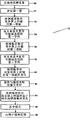
图11示出了方法的第一实施例的处理流程。Fig. 11 shows the processing flow of the first embodiment of the method.
图12示出了方法的第二实施例的处理流程。Fig. 12 shows the processing flow of the second embodiment of the method.
图13示出了视觉反馈的示例表示。Figure 13 shows an example representation of visual feedback.
图14示出了“键定位”模式的表示。Fig. 14 shows a representation of the "key positioning" mode.
图15示出了虚拟键区的键的可能表示。Figure 15 shows a possible representation of the keys of the virtual keypad.
图16示出了设备的第三使用实施例的第一步骤。Figure 16 shows a first step of a third embodiment of use of the device.
图17示出了设备的第三使用实施例的第二步骤。Figure 17 shows the second step of the third usage embodiment of the device.
图18示出了设备的第三使用实施例的第三步骤。Figure 18 shows a third step of the third usage embodiment of the device.
具体实施方式 Detailed ways
参考图1,示出了能够接受文本输入的无线手持设备20。设备20例如可以是移动电话、媒体播放器、遥控器、PDA等。设备20可以包括显示屏22。显示屏22可以是由对触摸敏感的面板(即,触摸屏)制成的。显示屏22可以是电阻式面板或电容式面板。显示屏22可以显示具有优选地像数字键区那样布置的多个键的虚拟键区24。虚拟键区24可以覆盖在显示屏22上,但不必一直出现在显示屏22上。虚拟键区24可以仅在需要时出现。手21,更具体地,手指19被示为与虚拟键区24交互。虽然图1所示的手指19是食指,然而,应当注意,任何其它手指以及拇指可以用来与虚拟键区24交互。此外,虚拟键区24的每个键的形状、数字标签和大小仅仅是代表性的并且不以任何方式受限制。图15示出了为每个键加标签的一些示例。Referring to FIG. 1, a
图2示出了对在第一实施例的第一示例中使用的虚拟键区24的描绘。每个键的标签仅仅是用于第一示例的意图而不是限制性的。图3-5还辅助描述了第一示例。虚拟键区24的第一键“a”26可操作来在显示屏22上示出的文本段28中显示与第一键26相关联的第一字符。在该非限制性实例中,与第一键26相关联的字符为“a、b、c、2以及<字符删除>”。第一字符是响应于手指19对与第一键26相对应的显示屏22上的第一区域32的第一接触而生成的。手指19充当指示体,应当注意,还可以使用尖笔指示体。在第一示例中,第一接触包括:当要从位置(a)移到位置(b)时,手指19在与显示屏22连续接触的同时,手指19与34(在图3中用阴影区域示出)接触并且从第一区域32沿着第一方向36(如图2-5所示的向右的方向上)移动。当用户做这样的动作时,在文本段28中生成了字符“c”。Fig. 2 shows a depiction of the
虚拟键区24的第一键26还可操作来在文本段28中显示与第一键26相关联的另一字符。针对此节,参考图2和图4。第一键26所对应的显示屏22上的第一区域32与手指19之间的第一接触的发生34(在图4中用阴影区域示出)在文本段28中生成“a”12。接触的发生可以在与第一键26不间断的接触的情况下被延长。第一键26所对应的显示屏22上的第一区域32与手指19之间的至少两次连续接触的发生34可以将文本段28中所示的字符的模式从[小写]改为[大写]。应当注意,可以将类似模式切换功能之类的常用功能而不只是一个键包括在键区24中。The
然后,当要从位置(c)移到位置(d)时,手指19在与显示屏22连续接触的同时,手指19接触34并从第一区域32沿着第二方向38(如图2-5所示的向上的方向上)移动,则字符“b”14被生成在文本段28中。应注意,手指19的移动不一定在如图2-5所示的第一键26的周边内。Then, when moving from position (c) to position (d),
下面的章节被包括来辅助理解第一实施例的第一示例。在手指19与显示屏22连续接触的同时,手指19接触34并从第一区域32沿着第三方向40(如图2所示的向下的方向上)移动,则字符“2”被生成在文本段28中。以类似的方式,在手指19与显示屏22连续接触的同时,手指19接触34并从第一区域32沿着第四方向42(如图2所示的向左的方向上)移动,则在文本段28中激活了针对先前包括的字符的<字符删除>功能。应当注意,可以将类似<字符删除>功能之类的常用功能而不只是一个键包括在键区24中。The following sections are included to assist in understanding the first example of the first embodiment. While the
第一、第二、第三和第四方向可以通过将手指19的随后位置与显示屏22上的第一区域32相比较来确定。虽然图2-5所示的四个方向是正交的,然而应当注意,这并非强制性的。The first, second, third and fourth directions may be determined by comparing the subsequent position of the
在前述第一示例中在设备20上生成字符的期间,设备20可以根据由用户选择用于显示在文本段28中的字符来向用户提供反馈。反馈是字符的听觉表示或字符的视觉表示。听觉表示例如可以是字符的文本至语音转换、字符的特定音调/韵律、字符的可变频率音频信号等等。视觉表示例如可以包括:包括在设备20中的LED阵列(未示出)的闪亮序列、在使字体大小最小化以适合文本段28之前用较大字体60来表示字符(如图13所示),等等。可变频率音频信号可以在人类可听见的频率范围内,但是某些人可能由于诸如年龄、听力障碍等之类的因素而不能听见一些信号。每个键可以具有特定的音调/韵律,并且从每个键的接触发生移动可以生成特定音调/韵律的滑音变化。有利地,设备20的听觉反馈使得用户能够在不看设备20的显示屏22的情况下向设备20输入字符。During the generation of characters on
为了进一步辅助用户在不看显示屏22的情况下向设备20输入字符,设备20可以包括用来辅助用户按正确的方向和/或正确的位置来抓握设备20的物理标记。物理标记可以在设备20的壳体17上或者在显示屏22上。物理标记例如可以是壳体17的触感的变化(例如,通过利用沟槽16并且通过利用用于壳体17的不同材料)、显示屏22上的凹痕、显示屏22上的凹陷、显示屏22上的粗糙表面区域、作为用于在抓握设备20的同时使手指落在所希望位置的向导的壳体17上的受体,等等。To further assist the user in entering characters into
参考图14,可以用来辅助用户在不看显示屏22的情况下向设备20输入字符的另一特征涉及:将“键定位”模式包括在设备20中。“键定位”模式可以在需要文本输入的每个场合的开始处被自动地激活或者可以在需要时由用户激活。在“键定位”模式中,虚拟键区24可以被呈现在显示屏22中,但是利用虚拟键区24进行实际文本输入在此“键定位”模式期间可能不被使能,“键定位”模式可以在虚拟键区24能够输入文本之前被激活预定时间段。在可能持续达三秒的“键定位”模式中,用户可以使用手指19来感觉虚拟键区24的键,并且与每个键的接触向用户提供了指示与该键相关联的字符的听觉反馈8。以这种方式,用户能够准确地定位第一键,并且在去激活“键定位”模式之后通过利用第一键来参考虚拟键区24的其它键,从而利用虚拟键区24输入文本。Referring to FIG. 14 , another feature that may be used to assist a user in entering characters into
图6示出了在第一实施例的第二示例中使用的虚拟键区24的描绘。虚拟键区240的第一键“2”260可操作来将与第一键260相关联的第一字符显示在显示屏22所示的文本段28中。在此非限制性实例中,与第一键260相关联的字符是“a、b、c、2和<字符删除>”。第一字符是响应于手指19对第一键260所对应的显示屏22上的第一区域320的第一接触而生成的。第一接触包括:当要从位置(e)移到位置(f)时,手指19在与显示屏22连续接触的同时,手指19接触340并且从第一区域320沿着第一方向360(如图6-9所示的向下的方向上)移动。当用户做出这样的动作时,在文本段280中生成字符“c”200。类似地,当要从位置(g)移到位置(h)时,手指19在与显示屏22连续接触的同时,手指19接触340并且从第一区域320沿着第二方向380(如图6-9所示的向上的方向上)移动,则在文本段280中生成字符“a”202。应当注意,手指19的移动不一定在第一键260的周边内。Fig. 6 shows a depiction of the
下面的章节被包括来辅助理解第一实施例的第二示例。当要从位置(i)移到位置(j)时,在手指19与显示屏22连续接触的同时,手指19接触34并从第一区域320沿着第三方向400(如图6-9所示的向右的方向上)移动,则字符“b”204被生成在文本段28中。以类似的方式,在手指19与显示屏22连续接触的同时,手指19接触34并从第一区域320沿着第四方向420(如图6-9所示的向左的方向上)移动,则在文本段28中激活了针对先前包括的字符的<字符删除>功能。应当注意,可以将类似<字符删除>功能之类的常用功能而不只是一个键包括在键区24中。The following sections are included to assist in understanding the second example of the first embodiment. When moving from position (i) to position (j), while
第一、第二、第三和第四方向可以通过将手指19的随后位置与显示屏22上的第一区域320相比较来确定。虽然图6所示的四个方向是正交的,然而应当注意,这并非强制性的。The first, second, third and fourth directions may be determined by comparing the subsequent position of the
虚拟键区240的第一键260还可以操作来在文本段280中显示与第一键260相关联的第五字符。第一键260所对应的显示屏22上的第一区域与手指19之间的第一接触的发生340在文本段280中生成“2”。接触的发生340可以在与第一键260不间断的接触的情况下被延长。第一键26所对应的显示屏22上的第一区域320与手指19之间的至少两次连续接触的发生340可以将文本段28中所示的字符的模式从[小写]改为[大写]。应当注意,可以将类似模式切换功能之类的常用功能而不只是一个键包括在键区24中。The
在前述第二示例中在设备20上生成字符的期间,设备20可以根据由用户选择用于显示在文本段280中的字符来向用户提供反馈。反馈是字符的听觉表示或字符的视觉表示。听觉表示例如可以是字符的文本至语音转换、字符的特定音调/韵律、字符的可变频率音频信号等等。视觉表示例如可以包括:包括在设备20中的LED阵列(未示出)的闪亮序列、在使字体大小最小化以适合文本段280之前用较大字体60来表示字符(如图13所示),等等。可变频率音频信号可以在人类可听见的频率范围内,但是某些人可能由于诸如年龄、听力障碍等之类的因素而不能听见一些信号。每个键可以具有特定的音调/韵律,并且从每个键的接触发生移动可以生成特定音调/韵律的滑音变化。有利地,设备20的听觉反馈使得用户能够在不看设备20的显示屏22的情况下向设备20输入字符。During the generation of characters on
为了进一步辅助用户在不看显示屏22的情况下向设备20输入字符,设备20可以包括用来辅助用户按正确的方向和/或正确的位置来抓握设备20的物理标记。物理标记可以在设备20的壳体17上或者在显示屏22上。物理标记例如可以是壳体17的触感的变化(例如,通过利用沟槽16并且通过利用用于壳体17的不同材料)、显示屏22上的凹痕、显示屏22上的凹陷、显示屏22上的粗糙表面区域、作为用于在抓握设备20的同时使手指落在所希望位置的向导的壳体17上的受体,等等。To further assist the user in entering characters into
参考图14,可以用来辅助用户在不看显示屏22的情况下向设备20输入字符的另一特征涉及:将“键定位”模式包括在设备20中。“键定位”模式可以在需要文本输入的每个场合的开始处被自动地激活或者可以在需要时由用户激活。在“键定位”模式中,虚拟键区24可以被呈现在显示屏22中,但是利用虚拟键区24进行实际文本输入在此“键定位”模式期间可能不被使能,“键定位”模式可以在虚拟键区24能够输入文本之前被激活预定时间段。在可能持续达三秒的“键定位”模式中,用户可以使用手指19来感觉虚拟键区24的键,并且与每个键的接触向用户提供了指示与该键相关联的字符的听觉反馈。以这种方式,用户能够准确地定位第一键,并且在去激活“键定位”模式之后通过利用第一键来参考虚拟键区24的其它键,从而利用虚拟键区24输入文本。Referring to FIG. 14 , another feature that may be used to assist a user in entering characters into
图10(a)示出了对在设备20的第二实施例中使用的虚拟键区24的描绘。在此实施例中,虚拟键区24的第一键“3”26可操作来响应于手指19对第一键26所对应的显示屏22上的第一区域32的第一接触的发生52来在文本段28中显示供使用的与第一键26相关联的字符的选择50。在该非限制性说明实例中,选择50包括“d、e、f、3、D、E、F和<字符删除>”。可见,每个字符的大小写版本可供选择。具有变音标记的元音也可以包括在选择50中。选择50可以被呈现在显示屏22的可用部分中,并且可以响应于手指19对与所希望字符的表示相对应的区域处的显示屏22上的部分的接触来从字符的选择50中选出所希望的字符。根据第一实施例,除手指19以外,还可以使用尖笔指示体。FIG. 10( a ) shows a depiction of the
替代地,如图10(b)所示,取代将选择50呈现在显示屏22上的可用部分,可以在手指19连续接触第一区域32(被示为19(y))的同时向用户读出选择50。一旦所希望的字符被读出给用户,则当手指19与第一区域32之间的接触断开时(被示为19(z)),就产生了对字符的选择。这也有助于用户在不看设备20的显示屏22的情况下向设备20输入字符。Alternatively, as shown in FIG. 10(b), instead of presenting the
在前述的在设备20上生成字符期间,设备20可以根据由用户选择用于显示在文本段280中的字符来向用户提供反馈。反馈是字符的听觉表示或字符的视觉表示。听觉表示例如可以是字符的选择50的文本至语音转换、字符的特定音调/韵律、字符的可变频率音频信号等等。视觉表示例如可以包括:包括在设备20中的LED阵列(未示出)的闪亮序列、在使字体大小最小化以适合文本段280之前用较大字体60来表示字符(如图13所示),等等。可变频率音频信号可以在人类可听见的频率范围内,但是某些人可能由于诸如年龄、听力障碍等之类的因素而不能听见一些信号。每个键可以具有特定的音调/韵律,并且从每个键的接触发生移动可以生成特定音调/韵律的滑音变化。有利地,设备20的听觉反馈使得用户能够在不看设备20的显示屏22的情况下向设备20输入字符。During the aforementioned generation of characters on
为了进一步辅助用户在不看显示屏22的情况下向设备20输入字符,设备20可以包括用来辅助用户按正确的方向和/或正确的位置来抓握设备20的物理标记。物理标记可以在设备20的壳体17上或者在显示屏22上。物理标记例如可以是壳体17的触感的变化(例如,通过利用沟槽16并且通过利用用于壳体17的不同材料)、显示屏22上的凹痕、显示屏22上的凹陷、显示屏22上的粗糙表面区域、作为用于在抓握设备20的同时使手指落在所希望位置的向导的壳体17上的受体,等等。To further assist the user in entering characters into
可以用来辅助用户在不看显示屏22的情况下向设备20输入字符的另一特征涉及:将“键定位”模式包括在设备20中。“键定位”模式可以在需要文本输入的每个场合的开始处被自动地激活或者可以在需要时由用户激活。在“键定位”模式中,虚拟键区24可以被呈现在显示屏22中,但是利用虚拟键区24进行实际文本输入在此“键定位”模式期间可能不被使能,“键定位”模式可以在虚拟键区24能够输入文本之前被激活预定时间段。在可能持续达三秒的“键定位”模式中,用户可以使用手指来感觉虚拟键区24的键,并且与每个键的接触向用户提供了指示与该键相关联的字符的听觉反馈。以这种方式,用户能够准确地定位第一键,并且在去激活“键定位”模式之后通过利用第一键来参考虚拟键区24的其它键,从而利用虚拟键区24输入文本。Another feature that may be used to assist a user in entering characters into
再次参考图2,其示出了对在第三实施例中使用的虚拟键区24的描绘。图16-18还辅助描述了第三示例。虚拟键区24的第一键“a”26可操作来在显示屏22上示出的文本段28中显示与第一键26相关联的第一字符。在该非限制性实例中,与第一键26相关联的字符为“a、b、c、2以及<字符删除>”。第一字符是响应于手指19对与第一键26相对应的显示屏22上的第一区域32的初次动作而生成的。手指19充当指示体,应当注意,还可以使用尖笔指示体。在第三实施例中,初次动作包括:当要从位置(m)移到位置(n)时,手指19在与显示屏22连续接触的同时,手指19接触34(在图16中用阴影区域示出)并且从第一区域32沿着顺时针圆弧120移动。当用户做这样的动作时,与第一键26相关联的字符的选择按照由手指19到第一键26所示的每个字符的距离的顺序被读出给用户,其中,最接近手指19的字符被读出。在此示例中,当手指19在接近第一键26上的字符“c”之前接近第一键26上的字符“b”时,“a”、“b”和“c”顺次被读出。当“c”被读出时,用户发起动作以选择“c”10用于在文本段28中生成。该动作例如可以是手指19与第一键26断开接触并再次接触第一键26,手指19进一步地按下第一键26,用户扳动包括在设备20中的确认按钮等。Referring again to Figure 2, there is shown a depiction of the
虚拟键区24的第一键26还可操作来在文本段28中显示与第一键26相关联的另一字符。针对此节,参考图17。显示屏22上的第一区域32与手指19之间的第一接触的发生34(在图17中用阴影区域示出)使得“a”被读出给用户。当“a”被读出时,用户发起动作以选择“a”12用于在文本段28中生成。该动作例如可以是手指19与第一键26断开接触并再次接触第一键26,手指19进一步地按下第一键26,用户扳动包括在设备20中的确认按钮等。接触的发生可以在与第一键26不间断的接触的情况下被延长。第一键26所对应的显示屏22上的第一区域32与手指19之间的至少两次连续接触的发生34可以将文本段28中所示的字符的模式从[小写]改为[大写]。应当注意,可以将类似模式切换功能之类的常用功能而不只是一个键包括在键区24中。The
然后,当要从位置(p)移到位置(q)时,手指19在与显示屏22连续接触的同时,手指19接触34并从第一区域32沿着顺时针圆弧120(如图18所示)移动,则字符“a”和“b”在手指19接近第一键26上的字符“b”时被顺次读出。当“b”被读出时,用户发起动作以选择“b”14用于在文本段28中生成。该动作例如可以是手指19与第一键26断开接触并再次接触第一键26,手指19进一步地按下第一键26,用户扳动包括在设备20中的确认按钮等。应注意,手指19的移动不一定在第一键26的周边内。Then, when moving from position (p) to position (q),
下面的章节被包括来辅助理解第三实施例。在手指19与显示屏22连续接触的同时,手指19接触34并从第一区域32沿着顺时针圆弧120(在键26的周边附近或之内)移动时,则字符“a、b、c、2和<删除>”在手指移动到前述每个字符附近时被顺序地读出。当所希望的字符被读出时,用户发起动作以选择该字符用于在文本段28中生成。该动作例如可以是手指19与第一键26断开接触并再次接触第一键26,手指19进一步地按下第一键26,用户扳动包括在设备20中的确认按钮等。如在键26上所示的手指离每个字符的距离可以取直线距离。The following sections are included to assist understanding of the third embodiment. While the
在前述第一示例中在设备20上生成字符的期间,设备20可以根据由用户选择用于显示在文本段28中的字符来向用户提供反馈。反馈是字符的听觉表示或字符的视觉表示。听觉表示例如可以是字符的文本至语音转换、字符的特定音调/韵律、字符的可变频率音频信号等等。视觉表示例如可以包括:包括在设备20中的LED阵列(未示出)的闪亮序列、在使字体大小最小化以适合文本段28之前用较大字体60来表示字符(如图13所示),等等。可变频率音频信号可以在人类可听见的频率范围内,但是某些人可能由于诸如年龄、听力障碍等之类的因素而不能听见一些信号。每个键可以具有特定的音调/韵律,并且从每个键的接触发生移动可以生成特定音调/韵律的滑音变化。有利地,设备20的听觉反馈使得用户能够在不看设备20的显示屏22的情况下向设备20输入字符。During the generation of characters on
为了进一步辅助用户在不看显示屏22的情况下向设备20输入字符,设备20可以包括用来辅助用户按正确的方向和/或正确的位置来抓握设备20的物理标记。物理标记可以在设备20的壳体17上或者在显示屏22上。物理标记例如可以是壳体17的触感的变化(例如,通过利用沟槽16并且通过利用用于壳体17的不同材料)、显示屏22上的凹痕、显示屏22上的凹陷、显示屏22上的粗糙表面区域、作为用于在抓握设备20的同时使手指落在所希望位置的向导的壳体17上的受体,等等。To further assist the user in entering characters into
参考图14,可以用来辅助用户在不看显示屏22的情况下向设备20输入字符的另一特征涉及:将“键定位”模式包括在设备20中。“键定位”模式可以在需要文本输入的每个场合的开始处被自动地激活或者可以在需要时由用户激活。在“键定位”模式中,虚拟键区24可以被呈现在显示屏22中,但是利用虚拟键区24进行实际文本输入在此“键定位”模式期间可能不被使能,“键定位”模式可以在虚拟键区24能够输入文本之前被激活预定时间段。在可能持续达三秒的“键定位”模式中,用户可以使用手指19来感觉虚拟键区24的键,并且与每个键的接触向用户提供了指示与该键相关联的字符的听觉反馈8。以这种方式,用户能够准确地定位第一键,并且在去激活“键定位”模式之后通过利用第一键来参考虚拟键区24的其它键,从而利用虚拟键区24输入文本。Referring to FIG. 14 , another feature that may be used to assist a user in entering characters into
虽然在第三实施例中提到了沿着顺时针圆弧移动手指19,然而,应当注意,还可以沿着逆时针圆弧来移动手指19。Although it is mentioned in the third embodiment that the
在图11所示的另一方面中,提供了一种用于在手持无线设备上输入文本的方法70。手持无线设备应当包括显示屏以及具有显示在显示屏上的多个键的虚拟键区。该设备例如可以是移动电话、媒体播放器、遥控器、PDA等。方法70包括检测指示体对与第一键相对应的显示屏上的第一区域的第一接触。第一接触可以包括在指示体与显示屏连续接触的同时,指示体接触第一区域并从第一区域沿着第一方向移到另一位置(72)。指示体可以是手指或尖笔指示体。In another aspect shown in FIG. 11, a
响应于对第一接触的检测,可以在显示屏上所示的文本段中生成与第一键相关联的第一字符(74)。类似地,检测指示体对与第一键相对应的显示屏上的第一区域的第二接触(76),将在显示屏上所示的文本段中生成与第一键相关联的第二字符(78),其中,第二接触包括在指示体与显示屏连续接触的同时,指示体接触第一区域并从第一区域沿着第二方向移到另一位置。In response to detection of the first contact, a first character associated with the first key can be generated in a text segment shown on the display screen (74). Similarly, detecting a second contact (76) of the pointer with the first area on the display screen corresponding to the first key will generate a second text associated with the first key in the text segment shown on the display screen. A character (78), wherein the second contact includes the pointer touching the first area and moving from the first area to another position along the second direction while the pointer is in continuous contact with the display screen.
第一和第二方向可以通过将指示体的随后位置与显示屏上的第一区域相比较来确定。第一和第二方向不必彼此垂直。还可以根据指示体移动的方向来生成第三以及后续字符。The first and second directions may be determined by comparing the subsequent position of the pointer to the first area on the display screen. The first and second directions do not have to be perpendicular to each other. The third and subsequent characters can also be generated according to the moving direction of the pointer.
方法70还可以包括:检测与第一键相对应的显示屏上的第一区域与指示体之间的第一接触的发生(80),接触的发生在与第一键不间断的接触的同时被延长。对第一接触的发生的检测将在显示屏所示的文本段中生成与第一键相关联的第三字符(82)。以类似的方式,对与第一键相对应的显示屏上的第一区域与指示体之间的至少两次连续接触(84)的发生将改变显示屏上示出的文本段中与第一键相关联的模式(86)。模式可以涉及对在显示屏上示出的文本段中生成的字符的大写化和去大写化。The
在前述方法70中,可以根据由用户选择用于显示在文本段中的字符来向用户提供反馈(88)。反馈是字符的听觉表示或字符的视觉表示。听觉表示例如可以是字符的文本至语音转换、字符的特定音调/韵律、字符的可变频率音频信号等等。视觉表示例如可以包括:包括在设备中的LED阵列的闪亮序列、在使字体大小最小化以适合文本段28之前用较大字体60来表示字符(如图13所示),等等。可变频率音频信号可以在人类可听见的频率范围内,但是某些人可能由于诸如年龄、听力障碍等之类的因素而不能听见一些信号。每个键可以具有特定的音调/韵律,并且从每个键的接触发生移动可以生成特定音调/韵律的滑音变化。有利地,设备的听觉反馈使得用户能够在不看设备的显示屏的情况下向设备输入字符。In the
方法70还可以包括按正确的方向和/或正确的位置来正确地抓握设备(69)。就此而言,设备可以包括辅助用户抓握设备的物理标记。物理标记可以在设备的壳体上或者在显示屏上。物理标记例如可以是壳体的触感的变化(例如,通过利用沟槽并且通过利用用于壳体的不同材料)、显示屏上的凹痕、显示屏上的凹陷、显示屏22上的粗糙表面区域、作为用于在抓握设备的同时使手指落在所希望位置的向导的壳体上的受体,等等。
方法70还可以包括定位虚拟键区中的键(71)。可以存在“键定位”模式,其中,虚拟键区可以被呈现在显示屏中,但是利用虚拟键区进行实际文本输入在虚拟键区24能够输入文本之前不被使能达预定时间段。“键定位”模式可以在需要文本输入的每个场合的开始处被自动地激活或者可以在需要时由用户激活。在可能持续达三秒的“键定位”模式中,用户可以使用指示体来感觉虚拟键区的键,并且与每个键的接触向用户提供了指示与该键相关联的字符的听觉反馈。以这种方式,用户能够准确地定位第一键,并且在去激活“键定位”模式之后通过利用第一键来参考虚拟键区的其它键,从而利用虚拟键区输入文本。
在图12所示的最后一方面中,示出了用于在手持无线设备上输入文本的方法90,该手持无线设备包括显示屏以及具有显示在显示屏上的多个键的虚拟键区。该设备例如可以是移动电话、媒体播放器、遥控器、PDA等。方法90包括检测指示体对与第一键相对应的显示屏上的第一区域的第一接触的发生(92),接触的发生在与第一键不间断的接触的同时被延长。然后,在显示屏上的可用部分处显示对在显示屏所示的文本段中使用的与第一键相关联的字符的选择(94)。In a final aspect shown in FIG. 12, a
用户随后可以通过用手指接触与字符的表示相对应的区域处的显示屏上的可用部分,来从字符的选择中选出该字符(96)。指示体可以是手指或尖笔指示体。The user may then select a character from a selection of characters by touching the available portion of the display screen at the area corresponding to the representation of the character with a finger (96). The pointing body may be a finger or a stylus pointing body.
替代地,取代将选择显示在显示屏上的可用部分中,可以在指示体连续接触第一区域的同时向用户读出该选择。一旦所希望的字符被读出给用户,则当指示体与第一区域之间的接触断开时就产生了对字符的选择。这也有助于用户在不看设备的显示屏的情况下向设备输入字符。Alternatively, instead of displaying the selection in the available portion on the display screen, the selection may be read to the user while the pointer continues to contact the first area. Once the desired character has been read to the user, selection of the character occurs when contact between the pointer and the first area is broken. This also helps the user enter characters into the device without looking at the display of the device.
可以响应于初次动作来向用户读出选择也是可能的,初次动作是在指示体与显示屏连续接触的同时,在第一键的周边附近或之内,从第一区域沿着顺时针圆弧移动指示体。与第一键相关联的字符的选择按照由指示体到第一键所示的每个字符的距离的顺序被顺次地读出给用户,其中,最接近指示体的字符被读出。当所希望的字符被读出时,用户发起动作以选择该字符用于在文本段中生成。该动作例如可以是指示体与第一键断开接触并再次接触第一键,指示体进一步按下第一键,用户扳动包括在手持无线设备中的确认按钮等。指示体离第一键上所示的每个字符的距离可以取直线距离。It is also possible that the selection can be read out to the user in response to an initial action of following a clockwise arc from the first area around or within the perimeter of the first key while the pointer is in continuous contact with the display screen. Move pointer. A selection of characters associated with the first key is sequentially read to the user in order of distance from the pointer to each character indicated by the first key, wherein the character closest to the pointer is read. When the desired character is spoken, the user initiates an action to select that character for generation in the text segment. The action may be, for example, that the pointing body breaks contact with the first key and touches the first key again, the pointing body further presses the first key, the user pulls a confirmation button included in the handheld wireless device, and the like. The distance between the indicating body and each character displayed on the first key may be a linear distance.
虽然在前面的段落中提到了沿着顺时针圆弧来移动指示体,然而,应当注意,还可以沿着逆时针圆弧来移动指示体。Although it is mentioned in the previous paragraphs that the pointer is moved along a clockwise arc, however, it should be noted that the pointer may also be moved along a counterclockwise arc.
在前述方法90期间,可以根据由用户选择用于显示在文本段中的字符来向用户提供反馈(98)。反馈是字符的听觉表示或字符的视觉表示。听觉表示例如可以是字符的文本至语音转换、字符的特定音调/韵律、字符的可变频率音频信号等等。视觉表示例如可以包括:包括在设备中的LED阵列的闪亮序列、在使字体大小最小化以适合文本段28之前用较大字体60来表示字符(如图13所示),等等。可变频率音频信号可以在人类可听见的频率范围内,但是某些人可能由于诸如年龄、听力障碍等之类的因素而不能听见一些信号。每个键可以具有特定的音调/韵律,并且从每个键的接触发生移动可以生成特定音调/韵律的滑音变化。有利地,设备的听觉反馈使得用户能够在不看设备的显示屏的情况下向设备输入字符。During the
方法90还可以包括按正确的方向和/或正确的位置来正确地抓握设备(91)。就此而言,设备可以包括辅助用户抓握设备的物理标记。物理标记可以在设备的壳体上或者在显示屏上。物理标记例如可以是壳体的触感的变化(例如,通过利用沟槽并且通过利用用于壳体的不同材料)、显示屏上的凹痕、显示屏上的凹陷区、显示屏上的粗糙表面区域、作为用于在抓握设备的同时使手指落在所希望位置的向导的壳体上的接受器,等等。The
方法90还可以包括定位虚拟键区中的键(91)。可以存在“键定位”模式,其中,虚拟键区可以被呈现在显示屏中,但是利用虚拟键区进行实际文本输入在虚拟键区24能够输入文本之前不被使能达预定时间段。“键定位”模式可以在需要文本输入的每个场合的开始处被自动地激活或者可以在需要时由用户激活。在可能持续达三秒的“键定位”模式中,用户可以使用指示体来感觉虚拟键区的键,并且与每个键的接触向用户提供了指示与该键相关联的字符的听觉反馈。以这种方式,用户能够准确地定位第一键,并且在去激活“键定位”模式之后通过利用第一键来参考虚拟键区的其它键,从而利用虚拟键区输入文本。
尽管在前面的描述中描述了本发明的优选实施例,但是相关领域技术人员将明白,可以在不脱离本发明的情况下对设计或结构的细节作出多种变更或修改。While the foregoing description has described preferred embodiments of the invention, it will be apparent to those skilled in the relevant art that various changes or modifications may be made in details of design or construction without departing from the invention.
Claims (24)
Applications Claiming Priority (3)
| Application Number | Priority Date | Filing Date | Title |
|---|---|---|---|
| SG200717228-1A SG152092A1 (en) | 2007-10-26 | 2007-10-26 | Wireless handheld device able to accept text input and methods for inputting text on a wireless handheld device |
| SG200717228-1 | 2007-10-26 | ||
| PCT/SG2008/000351 WO2009054809A1 (en) | 2007-10-26 | 2008-09-16 | Wireless handheld device able to accept text input and methods for inputting text on a wireless handheld device |
Publications (2)
| Publication Number | Publication Date |
|---|---|
| CN101965266A CN101965266A (en) | 2011-02-02 |
| CN101965266B true CN101965266B (en) | 2013-05-01 |
Family
ID=40579788
Family Applications (1)
| Application Number | Title | Priority Date | Filing Date |
|---|---|---|---|
| CN2008801131652A Expired - Fee Related CN101965266B (en) | 2007-10-26 | 2008-09-16 | Wireless handheld device capable of accepting text input and method for entering text on wireless handheld device |
Country Status (6)
| Country | Link |
|---|---|
| US (1) | US9229635B2 (en) |
| EP (1) | EP2209646B1 (en) |
| CN (1) | CN101965266B (en) |
| SG (1) | SG152092A1 (en) |
| TW (1) | TWI438646B (en) |
| WO (1) | WO2009054809A1 (en) |
Families Citing this family (29)
| Publication number | Priority date | Publication date | Assignee | Title |
|---|---|---|---|---|
| US8627224B2 (en) * | 2009-10-27 | 2014-01-07 | Qualcomm Incorporated | Touch screen keypad layout |
| KR101650339B1 (en) * | 2010-03-12 | 2016-09-05 | 삼성전자 주식회사 | Text Input Method And Portable Device supporting the same |
| KR101682579B1 (en) * | 2010-03-30 | 2016-12-05 | 삼성전자 주식회사 | Method and apparatus for providing character inputting virtual keypad in a touch terminal |
| US20120159395A1 (en) | 2010-12-20 | 2012-06-21 | Microsoft Corporation | Application-launching interface for multiple modes |
| US8612874B2 (en) | 2010-12-23 | 2013-12-17 | Microsoft Corporation | Presenting an application change through a tile |
| US8689123B2 (en) | 2010-12-23 | 2014-04-01 | Microsoft Corporation | Application reporting in an application-selectable user interface |
| US8316319B1 (en) | 2011-05-16 | 2012-11-20 | Google Inc. | Efficient selection of characters and commands based on movement-inputs at a user-inerface |
| US9658766B2 (en) | 2011-05-27 | 2017-05-23 | Microsoft Technology Licensing, Llc | Edge gesture |
| US8893033B2 (en) | 2011-05-27 | 2014-11-18 | Microsoft Corporation | Application notifications |
| US9104307B2 (en) | 2011-05-27 | 2015-08-11 | Microsoft Technology Licensing, Llc | Multi-application environment |
| US9104440B2 (en) | 2011-05-27 | 2015-08-11 | Microsoft Technology Licensing, Llc | Multi-application environment |
| US9158445B2 (en) | 2011-05-27 | 2015-10-13 | Microsoft Technology Licensing, Llc | Managing an immersive interface in a multi-application immersive environment |
| WO2012173378A2 (en) * | 2011-06-15 | 2012-12-20 | Seo Jin Ho | Apparatus and method for providing user interface providing keyboard layout |
| US20130057587A1 (en) | 2011-09-01 | 2013-03-07 | Microsoft Corporation | Arranging tiles |
| US9146670B2 (en) | 2011-09-10 | 2015-09-29 | Microsoft Technology Licensing, Llc | Progressively indicating new content in an application-selectable user interface |
| US9223472B2 (en) | 2011-12-22 | 2015-12-29 | Microsoft Technology Licensing, Llc | Closing applications |
| US9128605B2 (en) | 2012-02-16 | 2015-09-08 | Microsoft Technology Licensing, Llc | Thumbnail-image selection of applications |
| KR101375166B1 (en) * | 2012-05-14 | 2014-03-20 | 전남대학교산학협력단 | System and control method for character make-up |
| US20140104179A1 (en) * | 2012-10-17 | 2014-04-17 | International Business Machines Corporation | Keyboard Modification to Increase Typing Speed by Gesturing Next Character |
| KR20150050882A (en) | 2013-11-01 | 2015-05-11 | 삼성전자주식회사 | Multi language input method and multi language input apparatus thereof |
| USD767585S1 (en) * | 2013-12-06 | 2016-09-27 | Tencent Technology (Shenzhen) Company Limited | Display screen portion with animated graphical user interface |
| USD773482S1 (en) * | 2013-12-26 | 2016-12-06 | Google Inc. | Display screen portion with an animated graphical user interface |
| EP3126969A4 (en) | 2014-04-04 | 2017-04-12 | Microsoft Technology Licensing, LLC | Expandable application representation |
| EP3129847A4 (en) | 2014-04-10 | 2017-04-19 | Microsoft Technology Licensing, LLC | Slider cover for computing device |
| KR102107275B1 (en) | 2014-04-10 | 2020-05-06 | 마이크로소프트 테크놀로지 라이센싱, 엘엘씨 | Collapsible shell cover for computing device |
| WO2016065568A1 (en) | 2014-10-30 | 2016-05-06 | Microsoft Technology Licensing, Llc | Multi-configuration input device |
| US11170757B2 (en) | 2016-09-30 | 2021-11-09 | T-Mobile Usa, Inc. | Systems and methods for improved call handling |
| WO2018091972A1 (en) * | 2016-11-17 | 2018-05-24 | Curchod Donald Butler | Advanced virtual keyboard |
| CN107832004A (en) * | 2017-12-12 | 2018-03-23 | 淄博职业学院 | One kind has touch screen computer English word system of selection |
Citations (5)
| Publication number | Priority date | Publication date | Assignee | Title |
|---|---|---|---|---|
| CN1274881A (en) * | 1999-05-19 | 2000-11-29 | 财团法人工业技术研究院 | Chinese phonetic input device |
| US6597345B2 (en) * | 2000-03-03 | 2003-07-22 | Jetway Technologies Ltd. | Multifunctional keypad on touch screen |
| US6776546B2 (en) * | 2002-06-21 | 2004-08-17 | Microsoft Corporation | Method and system for using a keyboard overlay with a touch-sensitive display screen |
| US6882859B1 (en) * | 1996-12-16 | 2005-04-19 | Sunil K. Rao | Secure and custom configurable key, pen or voice based input/output scheme for mobile devices using a local or central server |
| CN1628282A (en) * | 2002-02-07 | 2005-06-15 | 卡特纳斯有限公司 | Input device, mobile telephone, and mobile information device |
Family Cites Families (14)
| Publication number | Priority date | Publication date | Assignee | Title |
|---|---|---|---|---|
| JPS5794828A (en) * | 1980-12-03 | 1982-06-12 | Canon Inc | Input device |
| US6104317A (en) * | 1998-02-27 | 2000-08-15 | Motorola, Inc. | Data entry device and method |
| US6865533B2 (en) * | 2000-04-21 | 2005-03-08 | Lessac Technology Inc. | Text to speech |
| US7030861B1 (en) * | 2001-02-10 | 2006-04-18 | Wayne Carl Westerman | System and method for packing multi-touch gestures onto a hand |
| JP2003067119A (en) * | 2001-08-24 | 2003-03-07 | Ricoh Co Ltd | Device operating device, program and recording medium |
| WO2004023455A2 (en) * | 2002-09-06 | 2004-03-18 | Voice Signal Technologies, Inc. | Methods, systems, and programming for performing speech recognition |
| US6925315B2 (en) * | 2001-10-30 | 2005-08-02 | Fred Langford | Telephone handset with thumb-operated tactile keypad |
| US6882337B2 (en) * | 2002-04-18 | 2005-04-19 | Microsoft Corporation | Virtual keyboard for touch-typing using audio feedback |
| US20030234763A1 (en) * | 2002-06-24 | 2003-12-25 | Xerox Corporation | System and method for audible feedback for touch screen displays |
| KR100651396B1 (en) * | 2003-09-05 | 2006-11-29 | 삼성전자주식회사 | Alphabet recognition apparatus and method |
| US8904282B2 (en) * | 2005-04-21 | 2014-12-02 | Motorola Mobility Llc | Electronic device having capability for interpreting user inputs and method therefor |
| US20060267966A1 (en) * | 2005-05-24 | 2006-11-30 | Microsoft Corporation | Hover widgets: using the tracking state to extend capabilities of pen-operated devices |
| US20080167081A1 (en) * | 2007-01-10 | 2008-07-10 | Eng U P Peter | Keyless touch-screen cellular telephone |
| US7952498B2 (en) * | 2007-06-29 | 2011-05-31 | Verizon Patent And Licensing Inc. | Haptic computer interface |
-
2007
- 2007-10-26 SG SG200717228-1A patent/SG152092A1/en unknown
-
2008
- 2008-09-16 US US12/739,728 patent/US9229635B2/en not_active Expired - Fee Related
- 2008-09-16 EP EP08842907.1A patent/EP2209646B1/en not_active Not-in-force
- 2008-09-16 CN CN2008801131652A patent/CN101965266B/en not_active Expired - Fee Related
- 2008-09-16 WO PCT/SG2008/000351 patent/WO2009054809A1/en not_active Ceased
- 2008-09-17 TW TW097135591A patent/TWI438646B/en not_active IP Right Cessation
Patent Citations (5)
| Publication number | Priority date | Publication date | Assignee | Title |
|---|---|---|---|---|
| US6882859B1 (en) * | 1996-12-16 | 2005-04-19 | Sunil K. Rao | Secure and custom configurable key, pen or voice based input/output scheme for mobile devices using a local or central server |
| CN1274881A (en) * | 1999-05-19 | 2000-11-29 | 财团法人工业技术研究院 | Chinese phonetic input device |
| US6597345B2 (en) * | 2000-03-03 | 2003-07-22 | Jetway Technologies Ltd. | Multifunctional keypad on touch screen |
| CN1628282A (en) * | 2002-02-07 | 2005-06-15 | 卡特纳斯有限公司 | Input device, mobile telephone, and mobile information device |
| US6776546B2 (en) * | 2002-06-21 | 2004-08-17 | Microsoft Corporation | Method and system for using a keyboard overlay with a touch-sensitive display screen |
Also Published As
| Publication number | Publication date |
|---|---|
| WO2009054809A1 (en) | 2009-04-30 |
| EP2209646A4 (en) | 2012-06-20 |
| US20100245276A1 (en) | 2010-09-30 |
| US9229635B2 (en) | 2016-01-05 |
| TW200919264A (en) | 2009-05-01 |
| CN101965266A (en) | 2011-02-02 |
| EP2209646B1 (en) | 2018-05-02 |
| SG152092A1 (en) | 2009-05-29 |
| EP2209646A1 (en) | 2010-07-28 |
| TWI438646B (en) | 2014-05-21 |
Similar Documents
| Publication | Publication Date | Title |
|---|---|---|
| CN101965266B (en) | Wireless handheld device capable of accepting text input and method for entering text on wireless handheld device | |
| US6963332B1 (en) | Letter input method and device using the same | |
| US20070247337A1 (en) | Condensed keyboard for electronic devices | |
| EP3190482B1 (en) | Electronic device, character input module and method for selecting characters thereof | |
| JP2011530937A (en) | Data entry system | |
| SG177239A1 (en) | Data entry system | |
| WO2003029950A2 (en) | Input device for electronic equipment | |
| JP4497734B2 (en) | Data input device and operation method thereof | |
| US20220253209A1 (en) | Accommodative user interface for handheld electronic devices | |
| CN101714049A (en) | Pinyin input method and terminal thereof | |
| JP2002342011A (en) | Character input system, character input method, character input device, character input program and kana/kanji conversion program | |
| WO2012015333A9 (en) | Device for typing and inputting symbols into portable communication means | |
| US9250710B2 (en) | User interface for a hand held device | |
| JP2010257163A (en) | Input device and input auxiliary implement of touch panel allowing touch typing | |
| US20090243897A1 (en) | Method and apparatus for entering alphanumeric data via keypads or display screens | |
| US20030117375A1 (en) | Character input apparatus | |
| US20070262956A1 (en) | Input method with a large keyboard table displaying on a small screen | |
| US20060248457A1 (en) | Input device | |
| JP4907296B2 (en) | Input device | |
| US20100164876A1 (en) | Data input device | |
| KR101263013B1 (en) | Method for inputting characters | |
| KR101339524B1 (en) | Apparatus for inputting hangul consonant and hangul vowel in different way and control method thereof | |
| JP3201735U (en) | Key input device | |
| CA2688906C (en) | Method and handheld electronic device for displaying and selecting diacritics | |
| JP2007293406A (en) | Sensor key input method |
Legal Events
| Date | Code | Title | Description |
|---|---|---|---|
| C06 | Publication | ||
| PB01 | Publication | ||
| C10 | Entry into substantive examination | ||
| SE01 | Entry into force of request for substantive examination | ||
| C14 | Grant of patent or utility model | ||
| GR01 | Patent grant | ||
| CF01 | Termination of patent right due to non-payment of annual fee |
Granted publication date: 20130501 |
|
| CF01 | Termination of patent right due to non-payment of annual fee |